
Splode/pomotroid
Splode/pomotroid has 5,592 GitHub stars and 492 forks. GitHot measured +2 stars in 24 hours and +8 in 7 days. Last checked 2026-11-07 10:01 UTC. Last push 2026-10-09.
:tomato: 간단하고 보기 좋은 포모도로 타이머
What you can do
- Configurable timer — customise work duration, break durations, and the number of rounds per long break
- Statistics — daily, weekly, and all-time session history with charts and a 52-week heatmap
- 38 bundled themes — including Dracula, Nord, Tokyo Night, Catppuccin, Gruvbox, Rose Piné, and more; auto-switches with your OS light/dark preference
- Custom themes — drop a JSON file into the themes folder; applied instantly without a restart
측정된 스타 증가
- in 24h
- +2
- in 7 days
- +8
- in 15 days
- 업데이트 지연
- in 1 month
- 업데이트 지연
서로 겹치는 기간의 순증가량이며 일별 합계가 아닙니다. 측정값이 없으면 비워 둡니다. 스타는 관심도를 나타내며 품질을 보장하지 않습니다.
README.md
Original
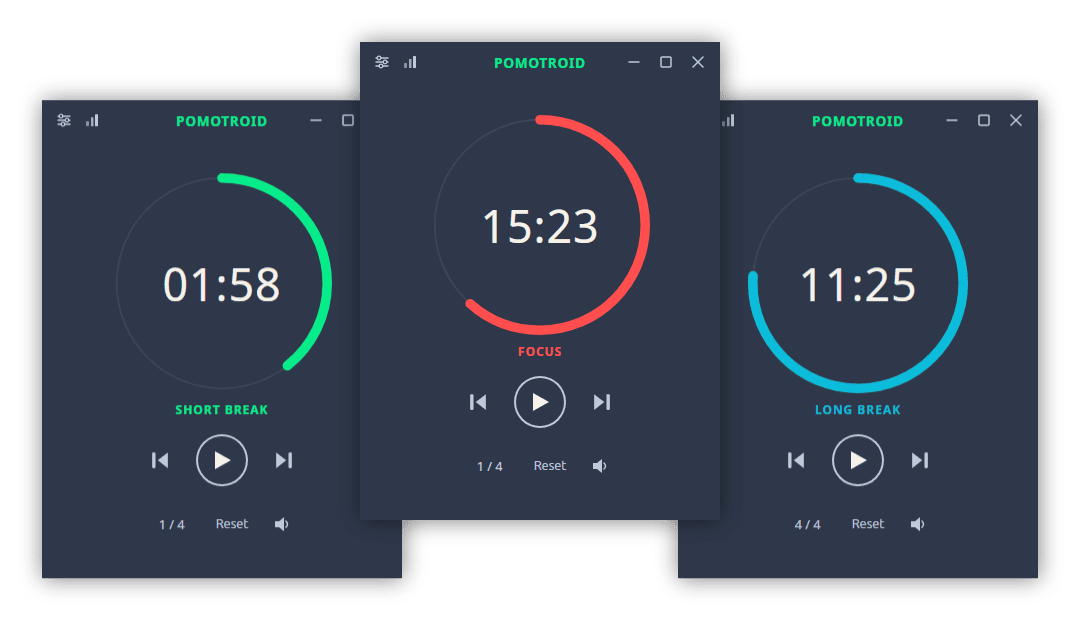
Simple and visually-pleasing Pomodoro timer.
Overview
Pomotroid is a simple and configurable Pomodoro timer. It aims to provide a visually-pleasing and reliable way to track productivity using the Pomodoro Technique.
Built with Tauri 2, Rust, and Svelte 5.
Features
- Configurable timer — customise work duration, break durations, and the number of rounds per long break
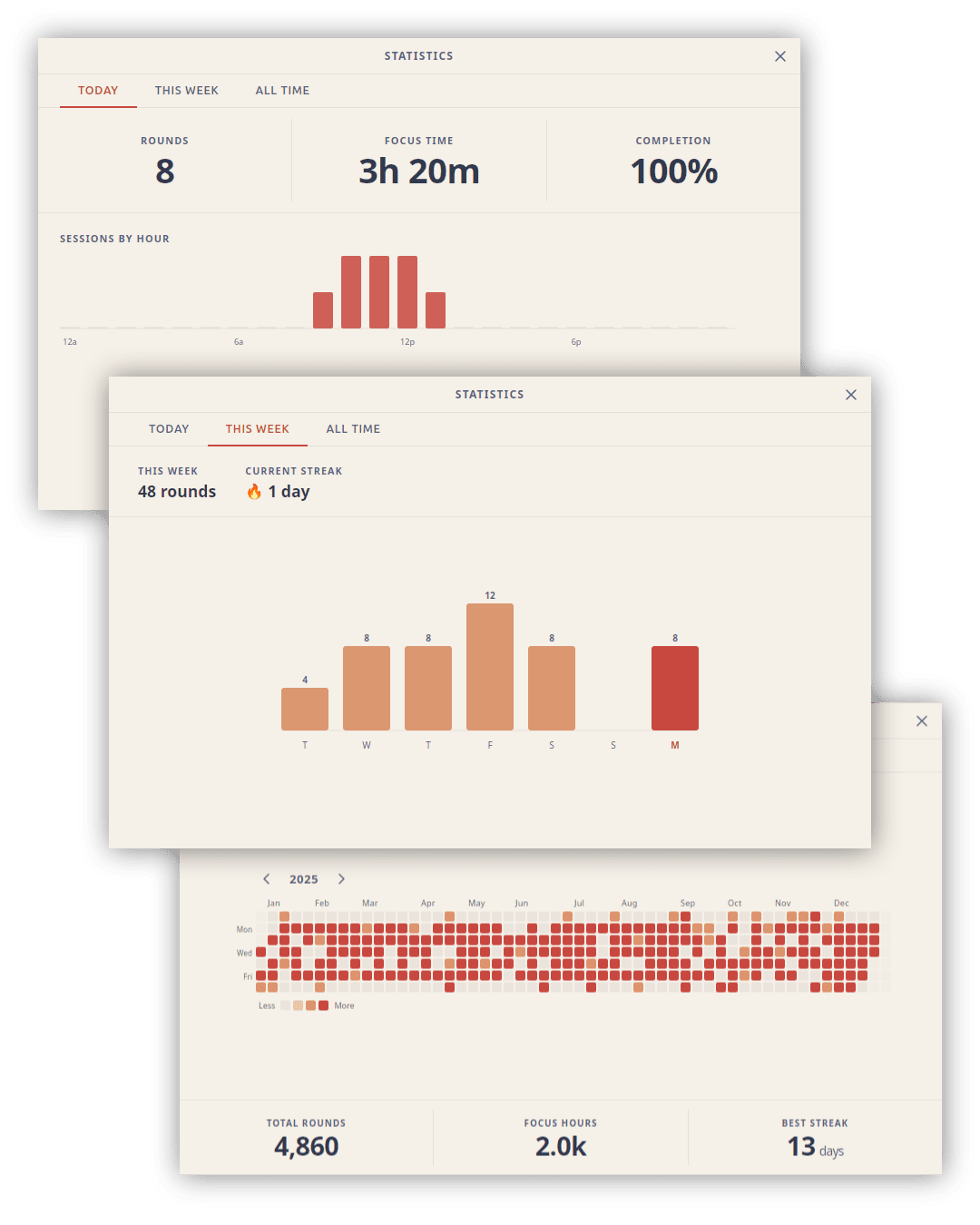
- Statistics — daily, weekly, and all-time session history with charts and a 52-week heatmap
- 38 bundled themes — including Dracula, Nord, Tokyo Night, Catppuccin, Gruvbox, Rose Piné, and more; auto-switches with your OS light/dark preference
- Custom themes — drop a JSON file into the themes folder; applied instantly without a restart
- Localization — 8 languages: English, Spanish, French, German, Japanese, Chinese (Simplified), Turkish, and Portuguese; auto-detects OS language
- Global shortcuts — control the timer from anywhere, even when the window is hidden
- Custom audio — replace the built-in alert sounds with your own files
- Tick sounds — optional ticking during work and break rounds, independently toggleable
- Dynamic tray icon — progress arc updates in real time; reflects round type and pause state
- Minimise / close to tray — keep Pomotroid running in the background
- Desktop notifications — native OS alerts on round transitions
- Compact mode — a minimal set of controls appears when the window is resized small
- Always on top — optionally keep the timer above other windows
- WebSocket server — opt-in local server for stream overlays and external integrations
- Diagnostic logging — rotating log file with a one-click shortcut to the log folder
Statistics
Pomotroid tracks every completed session and surfaces the data across three views: a daily summary with an hourly breakdown, a weekly bar chart with streak tracking, and an all-time 52-week heatmap.
Themes
Pomotroid ships with 38 themes and supports fully custom themes with live hot-reload.
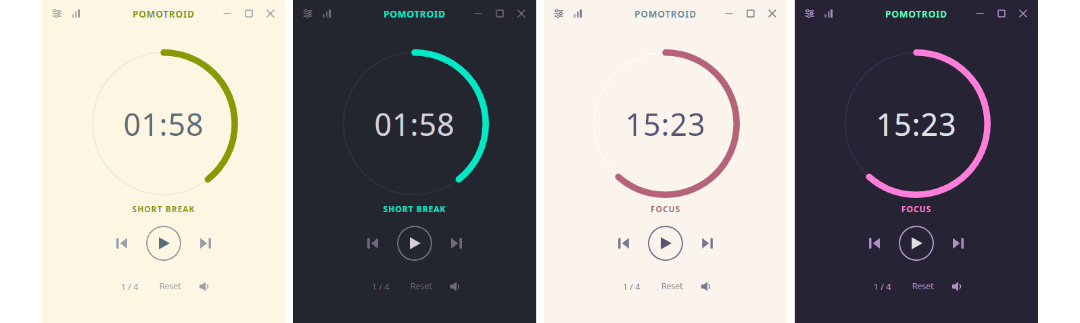
See THEMES.md for the full theme list and instructions on creating your own.
Install
Download
Download the latest release from the releases page.
Available for Windows (installer + standalone exe), macOS (universal DMG), and Linux (.deb + AppImage).
Note: Pomotroid is currently unsigned. Depending on your OS security settings you may see a warning on first launch — this is expected and can be safely dismissed.
Linux notes
System tray on GNOME: GNOME does not display tray icons by default. To use the tray icon feature (Settings → System → Show in System Tray), install the AppIndicator and KStatusNotifierItem Support extension, then log out and back in. On Fedora: sudo dnf install gnome-shell-extension-appindicator. On Debian/Ubuntu it is pre-installed. Other desktop environments (KDE Plasma, XFCE, Cinnamon, MATE) support tray icons natively with no extra steps.
Homebrew (macOS)
brew install --cask pomotroid
The Homebrew cask is maintained separately and may lag behind the latest release. Check the releases page for the most current version.
Custom Themes
Pomotroid supports user-created themes with automatic hot-reload — no restart required. See THEMES.md for directory paths, the full color reference, and a step-by-step guide.
WebSocket API
Pomotroid exposes an optional WebSocket server (disabled by default) for integration with external tools, stream overlays, and automation scripts.
Enable it in Settings → Advanced → WebSocket Server, then connect to ws://127.0.0.1:<port> (default port: 1314).
Messages
Client → Server
| Message | Description |
|---|---|
{ "type": "getState" } |
Request the current timer state |
Server → Client
| Event | Payload | Description |
|---|---|---|
state |
TimerState object |
Response to getState |
roundChange |
TimerState object |
Fired whenever the timer advances to a new round |
error |
{ message } |
Protocol error |
TimerState fields: elapsed_secs, total_secs, is_running, is_paused, round_type, work_round_number, work_rounds_total.
Development
See CONTRIBUTING.md for full setup instructions, project structure, and the release process.
Quick start
# Install dependencies
npm install

# Run in development mode (hot-reload)
npm run tauri dev

# Build a production release
npm run tauri build
Localization
UI strings live in src/messages/<locale>.json (en, es, fr, de, ja, zh, pt, tr). The compiled output in src/paraglide/ is generated at build time and is not committed to the repository.
During development, the Paraglide Vite plugin compiles messages automatically whenever npm run tauri dev or npm run tauri build is run — no manual step required.
After adding or changing message keys, regenerate the output explicitly so that svelte-check and your editor can pick up the new types:
npm run paraglide:compile
This is also run automatically as part of npm run check.
License
MIT © Christopher Murphy
관련 프로젝트 살펴보기
n8n-io/n8n
네이티브 AI 기능을 갖춘 Fair-code 워크플로 자동화 플랫폼입니다. 시각적 구성과 사용자 지정 코드를 결합할 수 있으며, 직접 호스팅하거나 클라우드에서 사용할 수 있고 400개 이상의 연동을 제공합니다.
209,780 스타langgenius/dify
하나의 협업 워크스페이스에서 에이전트 워크플로와 RAG 파이프라인을 구축하고, 풍부한 AI 모델과 도구를 지원합니다. 클라우드, VPC 또는 자체 호스팅으로 배포할 수 있어 팀은 스택을 다시 구축하지 않고 프로토타입에서 프로덕션으로 이동할 수 있습니다.
160,627 스타microsoft/PowerToys
Microsoft PowerToys는 Windows의 생산성과 사용자 지정 기능을 향상하는 유틸리티 모음입니다
140,669 스타stablyai/orca
Orca는 에이전트 집단(예: Grok Bot, Claude Code)과 함께 작업하는 곳입니다. 본인의 구독으로 어떤 코딩 에이전트든 실행할 수 있습니다. 데스크톱, 모바일, 원격 런타임에서 사용할 수 있습니다.
118,633 스타