
Shpota/goxygen
Shpota/goxygen has 3,585 GitHub stars and 220 forks. GitHot measured 0 stars in 24 hours, 0 in 7 days, and -1 in 15 days. Last checked 2026-11-24 22:55 UTC. Last push 2024-12-18.
측정된 스타 증가
- in 24h
- 0
- in 7 days
- 0
- in 15 days
- -1
- in 1 month
- 기록 수집 중
서로 겹치는 기간의 순증가량이며 일별 합계가 아닙니다. 측정값이 없으면 비워 둡니다. 스타는 관심도를 나타내며 품질을 보장하지 않습니다.
소개
Go와 Angular, React 또는 Vue로 최신 웹 프로젝트를 몇 초 만에 생성하세요 🎲
웹 및 앱README.md
Original


Goxygen


Generate a Web project with Go and Angular, React or Vue.
Goxygen aims at saving your time while setting up a new project. It creates a skeleton of an application with all configuration done for you. You can start implementing your business logic straight away. Goxygen generates back end Go code, connects it with front end components, provides a Dockerfile for the application and creates docker-compose files for convenient run in development and production environments.
| Supported Technologies | |||
| Front End | Angular | React | Vue |
| Back End | Go | ||
| Database | MongoDB | MySQL | PostgreSQL |
Requirements
You need to have Go 1.16 or newer on your machine.
How to use
Run:
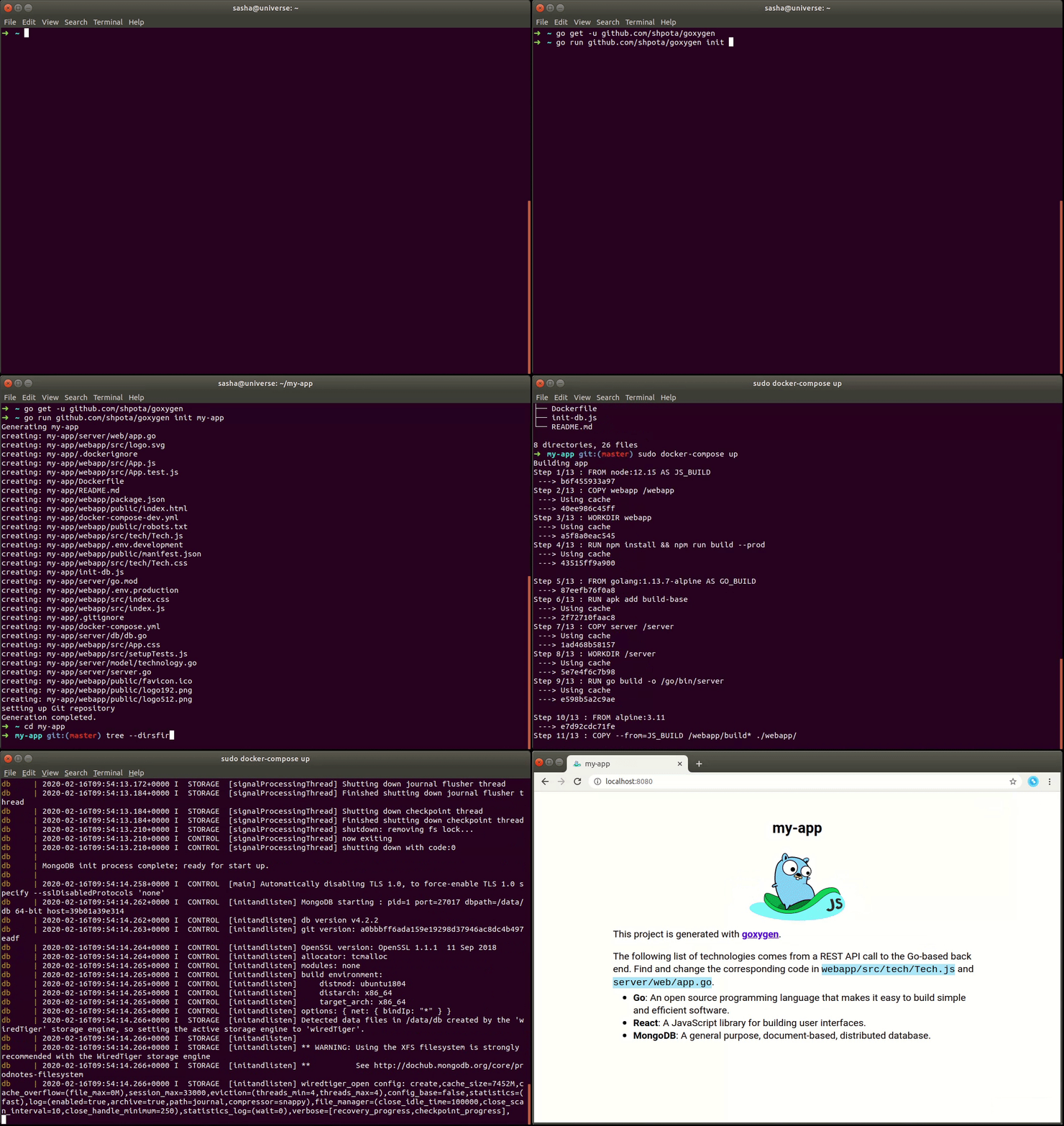
go run github.com/shpota/goxygen@latest init my-app
This generates a project in my-app folder.
By default, it will use React and MongoDB. You can select
a different front end framework and a database using
--frontend and --db flags. For instance, this command
will create a project with Vue and PostgreSQL:
go run github.com/shpota/goxygen@latest init --frontend vue --db postgres my-app
The --frontend flag accepts angular, react and vue.
The --db flag accepts mongo, mysql and postgres.
The generated project is ready to run with Docker Compose:
cd my-app
docker compose up
After the build is completed, the application is accessible on http://localhost:8080.
You can find more details on how to work with the generated project in its README file.
Structure of a generated project (React/MongoDB example)
my-app
├── server                   # Go project files
│   ├── db                   # MongoDB communications
│   ├── model                # domain objects
│   ├── web                  # REST APIs, web server
│   ├── server.go            # the starting point of the server
│   └── go.mod               # server dependencies
├── webapp
│   ├── public               # icons, static files, and index.html
│   ├── src
│   │   ├── App.js           # the main React component
│   │   ├── App.css          # App component-specific styles
│   │   ├── index.js         # the entry point of the application
│   │   └── index.css        # global styles
│   ├── package.json         # front end dependencies
│   ├── .env.development     # holds API endpoint for dev environment
│   └── .env.production      # API endpoint for prod environment
├── Dockerfile               # builds back end and front end together
├── docker-compose.yml       # prod environment deployment descriptor
├── docker-compose-dev.yml   # runs local MongoDB for development needs
├── init-db.js               # creates a MongoDB collection with test data
├── .dockerignore            # specifies files ignored in Docker builds
├── .gitignore
└── README.md                # guide on how to use the generated repo
Files such as unit tests or sample components are not included here for simplicity.
Dependencies
Goxygen generates a basic structure of a project and doesn't force you to use a specific set of tools. That's why it doesn't bring unneeded dependencies to your project. It uses only a database driver on the back end side and axios in React and Vue projects. Angular projects use only Angular specific libraries.
How to contribute
If you found a bug or have an idea on how to improve the project open an issue and we will fix it as soon as possible. You can also propose your changes via a Pull Request. Fork the repository, make changes, send us a pull request and we'll review it shortly. We also have a Gitter chat where we discuss all the changes.
Credits
Goxygen's logo was created by Egon Elbre.
관련 프로젝트 살펴보기
불러오는 중…