
SelfControlApp/selfcontrol
소개
:skull: 정해진 시간 동안 집중을 방해하는 웹사이트 등에 직접 접근하지 못하도록 차단하는 Mac 앱입니다. 앱에서 해제하거나 재시동으로 우회할 수 없으며, 타이머가 끝날 때까지 기다려야 합니다.
웹 및 앱측정된 스타 증가
- in 24h
- +3
- in 7 days
- +10
- in 15 days
- +13
- in 1 month
- 기록 수집 중
서로 겹치는 기간의 순증가량이며 일별 합계가 아닙니다. 측정값이 없으면 비워 둡니다. 스타는 관심도를 나타내며 품질을 보장하지 않습니다.
README.md
OriginalSelfControl
About
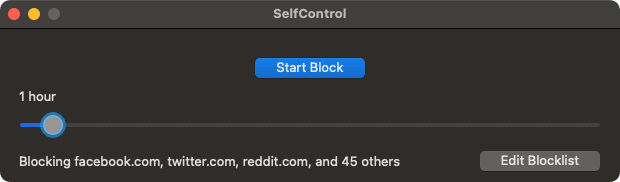
SelfControl is a free and open-source application for macOS that lets you block your own access to distracting websites, your mail servers, or anything else on the Internet. Just set a period of time to block for, add sites to your blocklist, and click "Start Block". Until that timer expires, you will be unable to access those sites—even if you restart your computer or delete the application.
Credits
Developed by Charlie Stigler, Steve Lambert, and others. Your contributions very welcome!
SelfControl is now available in 12 languages thanks to the fine translators credited here.
License
SelfControl is free software under the GPL. See this file for more details.
Building For Development
Users should always download the latest version of SelfControl from our website. If you want to contribute to SelfControl, you'll need to learn to build it for development. This can only be done on a Mac running a modern version of macOS.
- Clone the SelfControl repo from GitHub.
- Make sure you have a recent version of Xcode and the Xcode command-line tools installed.
- Install CocoaPods:
sudo gem install cocoapods - Install the SelfControl dependencies using CocoaPods:
pod install - Open the
selfcontrol.xcworkspacefile (NOTselfcontrol.xcodeproj) - Build and run (you may need to update/remove code signing settings to make it build properly)
관련 프로젝트 살펴보기
불러오는 중…