
SecurityFTW/cs-suite
SecurityFTW/cs-suite has 1,172 GitHub stars and 208 forks. GitHot measured 0 in 7 days. Last checked 2026-11-10 22:29 UTC. Last push 2022-12-08.
Cloud Security Suite - One stop tool for auditing the security posture of AWS/GCP/Azure infrastructure.
측정된 스타 증가
- in 24h
- 업데이트 지연
- in 7 days
- 0
- in 15 days
- 기록 수집 중
- in 1 month
- 기록 수집 중
서로 겹치는 기간의 순증가량이며 일별 합계가 아닙니다. 측정값이 없으면 비워 둡니다. 스타는 관심도를 나타내며 품질을 보장하지 않습니다.
README.md
OriginalCloud Security Suite (cs-suite) - Version 3.0
Usage
usage: cs.py [-h] -env {aws,gcp,azure,digitalocean} -aip AUDIT_IP -u USER_NAME -pem
             PEM_FILE [-p] [-pId PROJECT_ID] [-az_u AZURE_USER]
             [-az_p AZURE_PASS] [-o OUTPUT] [-w] [-n NUMBER]

this is to get IP address for lynis audit only

optional arguments:
  -h, --help            show this help message and exit
  -env {aws,gcp,azure,digitalocean}, --environment {aws,gcp,azure,digitalocean}
                        The cloud on which the test-suite is to be run
  -aip AUDIT_IP, --audit_ip AUDIT_IP
                        The IP for which lynis Audit needs to be done .... by
                        default tries root/Administrator if username not
                        provided
  -u USER_NAME, --user_name USER_NAME
                        The username of the user to be logged in,for a
                        specific user
  -pem PEM_FILE, --pem_file PEM_FILE
                        The pem file to access to AWS instance
  -p, --password        hidden password prompt
  -pId PROJECT_ID, --project_id PROJECT_ID
                        Project ID for which GCP Audit needs to be run. Can be
                        retrivied using `gcloud projects list`
  -az_u AZURE_USER, --azure_user AZURE_USER
                        username of azure account, optionally used if you want
                        to run the azure audit with no user interaction.
  -az_p AZURE_PASS, --azure_pass AZURE_PASS
                        username of azure password, optionally used if you
                        want to run the azure audit with no user interaction.
  -o OUTPUT, --output OUTPUT
                        writes a log in JSON of an audit, ideal for
                        consumptions into SIEMS like ELK and Splunk. Defaults
                        to cs-audit.log
  -w, --wipe            rm -rf reports/ folder before executing an audit
  -n, --number          Retain number of report to store for a particular
                        environment and user/project.
Requirements
- Operating System OSX or Linux only
- python 2.7
- pip
- git
- jq
- gcc (for sshpass installation (OS Audit). Not a mandatory pre-requisite)
- AWS Audit - AWS ReadOnly Keys
- GCP Audit - gcloud setup
- Azure Audit - Azure user read-only access
- DigitalOcean Audit - DigitalOcean API key and SPACES access_key and access_secret
Installation
(in order to avoid missing with the already installed python libraries)
- get project
git clone https://github.com/SecurityFTW/cs-suite.git && cd cs-suite/ - install virtualenv
pip install virtualenv - create a python 2.7 local enviroment
virtualenv -p python2.7 venv - activate the virtual enviroment
source venv/bin/activate - install project dependencies
pip install -r requirements.txt - run the tool via
python cs.py --help
AWS Configuration
- In AWS create a IAM user with at least the following policy
arn:aws:iam::aws:policy/ReadOnlyAccess - In your local install aws cli
brew install awsclifor OSX - Configure AWS cli
aws configure
GCP Configuration
- create a project in GCP
- enable the Cloud resource manager API
- create a service account, download its key JSON and place it under
cs-suite/tools/G-Scout/keyfile.json) - Install google cloud sdk
- configure google clound sdk
gcloud init
Azure Configuration
- signup and have logged in already to azure.microsoft.com
- install azure CLI
brew install az - authenticate the azure cli
az login, you should see your subscription type if it was successful, simiarly to the response below:
[
  {
    "cloudName": "AzureCloud",
    "id": "xxxxx-5595-4da5-bc27-xxxeeee",
    "isDefault": true,
    "name": "Free Trial",
    "state": "Enabled",
    "tenantId": "xxxxx-18e9-41a4-961b-xxxxx",
    "user": {
      "name": "[email protected]",
      "type": "user"
    }
  }
]
DigitalOcean Configuration
- create Personal Access Tokens and Spaces Access keys cloud.digitalocean.com
- set the credentials by running export
export DO_KEY=*********************
export DO_ACCESS_KEY=*******************
export DO_SECRET_KEY=****************************
Running cs-suite
To run AWS Audit - python cs.py -env aws
To run GCP Audit - python cs.py -env gcp -pId <project_name>
To run Azure Audit - python cs.py -env azure
To run DigitalOcean Audit - python cs.py -env digitalocean
The final report will be available in
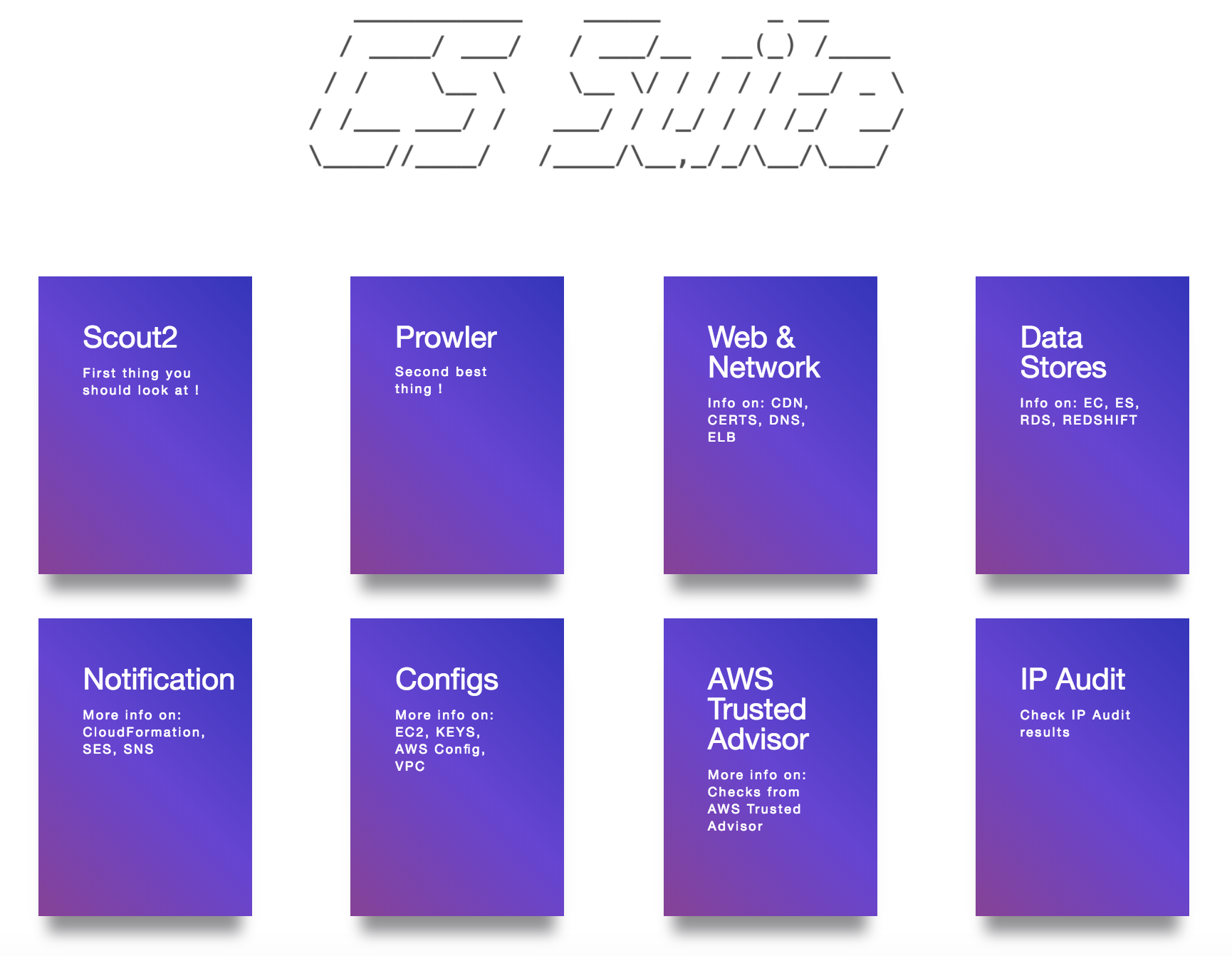
reportsdirectoryThe final AWS Audit report looks like below:
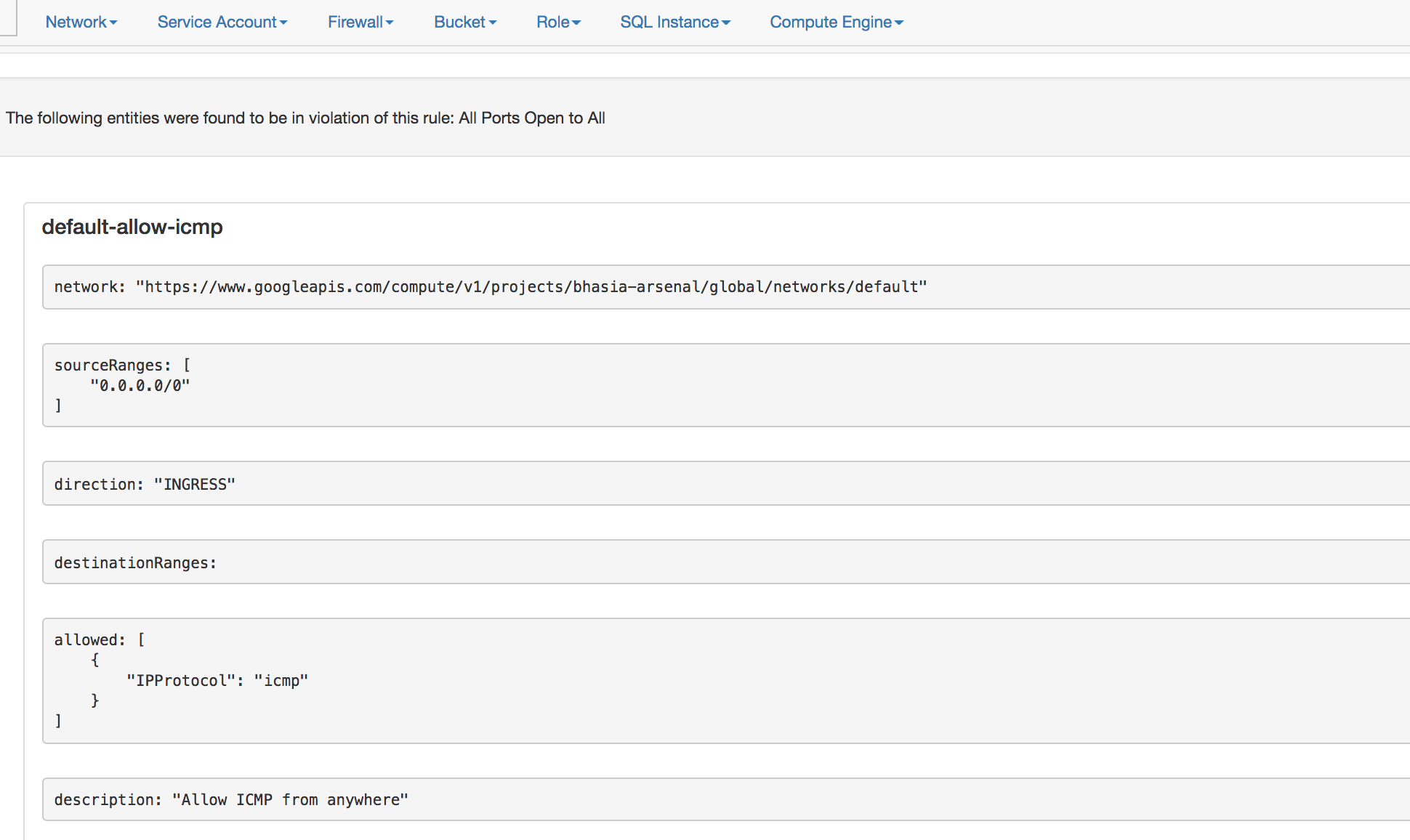
- The final GCP Audit report looks like below:
Docker Setup
Create a local directory
awswithcredentialsandconfigfilesThe
configfile looks like below
$ cat aws/config

[default]
output = json
region = us-east-1
- The
credentialsfile looks like below
$ cat aws/credentials

[default]
aws_access_key_id = XXXXXXXXXXXXXXX
aws_secret_access_key = XXXXXXXXXXXXXXXXXXXXXXXXX
Note: This tool requires arn:aws:iam::aws:policy/ReadOnlyAccess IAM policy
- Then run the follwing docker command to start (passing your specific enviroment)
docker run -v `pwd`/aws:/root/.aws -v `pwd`/reports:/app/reports securityftw/cs-suite -env aws
Documentation
Thanks
- Scout2 - https://github.com/nccgroup/Scout2
- Prowler - https://github.com/Alfresco/prowler
- Lunar - https://github.com/lateralblast/lunar
- Lynis - https://github.com/CISOfy/lynis
- G-Scout - https://github.com/nccgroup/G-Scout
- @alanrenouf - https://github.com/alanrenouf/Windows-Workstation-and-Server-Audit
- Ranjeet Sengar - https://github.com/sengar23
관련 프로젝트 살펴보기
trimstray/the-book-of-secret-knowledge
영감을 주는 목록, 매뉴얼, 치트시트, 블로그, 팁, 원라이너, CLI/웹 도구 등을 모은 컬렉션.
257,462 스타Hack-with-Github/Awesome-Hacking
해커, 펜테스터, 보안 연구자를 위한 다양한 Awesome 목록 모음.
125,103 스타swisskyrepo/PayloadsAllTheThings
웹 애플리케이션 보안과 모의 침투 테스트/CTF에 유용한 페이로드 및 우회 방법 목록.
82,542 스타caddyserver/caddy
빠르고 확장 가능한 멀티플랫폼 HTTP/1-2-3 웹 서버이며, 자동 HTTPS를 지원합니다
78,935 스타