
ParsonLabs/parson
소개
A local-first, self-hosted music app. Choose a folder. Start listening.
창작 및 미디어측정된 스타 증가
- in 24h
- 0
- in 7 days
- +1
- in 15 days
- +3
- in 1 month
- +20
서로 겹치는 기간의 순증가량이며 일별 합계가 아닙니다. 측정값이 없으면 비워 둡니다. 스타는 관심도를 나타내며 품질을 보장하지 않습니다.
README.md
OriginalParson
Your music. Instantly.
Parson is a local-first music app for your own collection.
Choose a folder. Start listening.
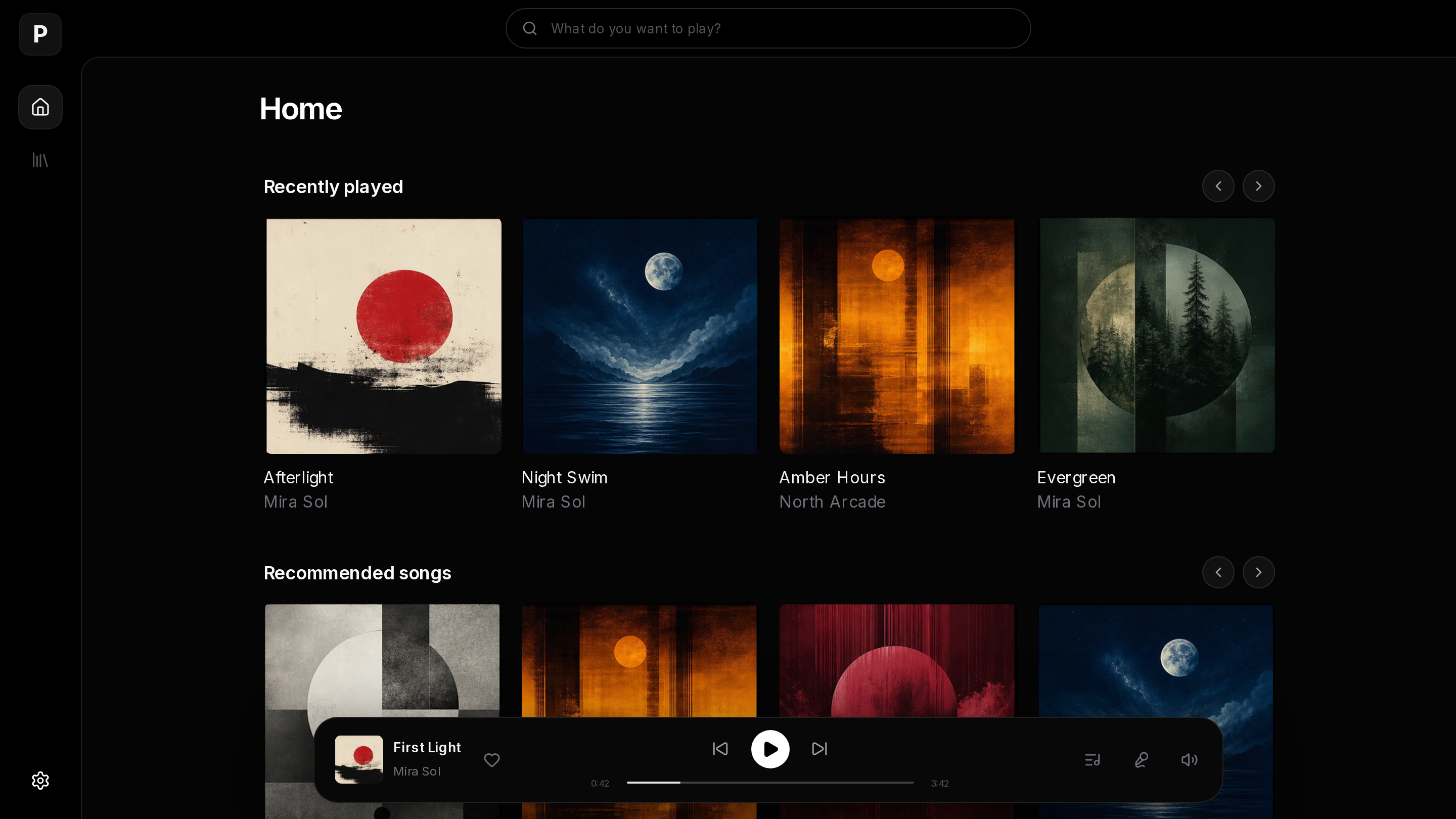
Start
Install Parson, create your account, and choose your music folder.
Desktop apps include everything needed to run your library.
Download
Get Windows, macOS and Linux packages from the latest release.
The server container is ghcr.io/parsonlabs/parson:latest. Versioned image tags are also published for pinned deployments.
Build provenance is included with the release.
Docker
services:
  parson:
    image: ghcr.io/parsonlabs/parson:latest
    network_mode: host
    volumes:
      - /path/to/parson-data:/Parson
      - /path/to/music:/music:ro
    restart: unless-stopped
Open http://localhost:1993, create your account, and choose /music.
Privacy
Parson does not upload analytics or crash reports.
Music, accounts, playlists, history, and recommendations stay on infrastructure you control. External requests are limited to services you use, such as lyrics, updates, and casting.
Development
Requires Bun, Rust, Node.js, FFmpeg, and the native build toolchain for your platform.
bun install --frozen-lockfile
cargo run -p parson-music
Run the web app separately:
bun --filter parson-music-web dev
Repository
crates/parson-core— accounts, identities, and librariescrates/backend— server, indexer, storage, APIs, and discoveryapps/web— web playerapps/desktop— desktop packagingapps/site— website and docs
Security
Report vulnerabilities privately through GitHub Security Advisories.
Deployment guidance is in the privacy and security documentation.
License
관련 프로젝트 살펴보기
불러오는 중…