
OWASP/Python-Honeypot
OWASP/Python-Honeypot has 483 GitHub stars and 149 forks. Star changes are not measured yet. Last checked 2026-11-09 23:08 UTC. Last push 2024-09-15.
OWASP Honeypot, Automated Deception Framework.
측정된 스타 증가
- in 24h
- 업데이트 지연
- in 7 days
- 업데이트 지연
- in 15 days
- 업데이트 지연
- in 1 month
- 업데이트 지연
서로 겹치는 기간의 순증가량이며 일별 합계가 아닙니다. 측정값이 없으면 비워 둡니다. 스타는 관심도를 나타내며 품질을 보장하지 않습니다.
README.md
OriginalOWASP Honeypot

OWASP Honeypot is an open-source software in Python language which designed for creating honeypot and honeynet in an easy and secure way! This project is compatible with Python 3.x and tested on Mac OS X, and Linux.
We appreciate any contribution, ideas, feedback. feel free to contact us by creating an issue or send me email directly [email protected]. Please visit Wiki page for more information.
WE ARE IN RESEARCH AND DEVELOP PHASE, EXPECT ERRORS!
NO WARRANTY! USE WITH YOUR OWN RESPONSIBILITY!
DO NOT USE IT ON THE SAME SERVER(S)/NETWORK WHICH YOU'RE HAVING YOUR PRODUCT/INFORMATION/SENSIBLE DATA
- Running Example (I sent
ctrl + cto close and remove honeypot service correctly!)
      ______          __      _____ _____
     / __ \ \        / /\    / ____|  __ \
    | |  | \ \  /\  / /  \  | (___ | |__) |
    | |  | |\ \/  \/ / /\ \  \___ \|  ___/
    | |__| | \  /\  / ____ \ ____) | |
     \____/   \/  \/_/    \_\_____/|_|
                      _    _                        _____      _
                     | |  | |                      |  __ \    | |
                     | |__| | ___  _ __   ___ _   _| |__) |__ | |_
                     |  __  |/ _ \| "_ \ / _ \ | | |  ___/ _ \| __|
                     | |  | | (_) | | | |  __/ |_| | |  | (_) | |_
                     |_|  |_|\___/|_| |_|\___|\__, |_|   \___/ \__|
                                               __/ |
                                              |___/

[+] [2018-07-09 23:56:06] OWASP Honeypot started ...
[+] [2018-07-09 23:56:06] loading modules ftp/weak_password, http/basic_auth_weak_password, ssh/weak_password
[+] [2018-07-09 23:56:06] creating image ohp_ftpserver
[+] [2018-07-09 23:56:35] image ohp_ftpserver created
[+] [2018-07-09 23:56:35] creating image ohp_httpserver
[+] [2018-07-09 23:57:00] image ohp_httpserver created
[+] [2018-07-09 23:57:00] creating image ohp_sshserver
[+] [2018-07-09 23:57:17] image ohp_sshserver created
[+] [2018-07-09 23:57:17] creating ohp_internet network
[+] [2018-07-09 23:57:17] ohp_internet network created subnet:172.19.0.0/16 gateway:172.19.0.1
[+] [2018-07-09 23:57:17] creating ohp_no_internet network
[+] [2018-07-09 23:57:18] ohp_no_internet network created subnet:172.20.0.0/16 gateway:172.20.0.1
[+] [2018-07-09 23:57:18] container ohp_ftpserver_weak_password started, forwarding 0.0.0.0:21 to 72.20.0.:21
[+] [2018-07-09 23:57:18] container ohp_httpserver_basic_auth_weak_password started, forwarding 0.0.0.0:80 to 72.20.0.:80
[+] [2018-07-09 23:57:19] container ohp_sshserver_weak_password started, forwarding 0.0.0.0:22 to 72.19.0.:22
[+] [2018-07-09 23:57:19] all selected modules started: ftp/weak_password, http/basic_auth_weak_password, ssh/weak_password
[+] [2018-07-09 23:57:29] interrupted by user, please wait to stop the containers and remove the containers and images
[+] [2018-07-09 23:57:39] stopping container ohp_httpserver_basic_auth_weak_password
[+] [2018-07-09 23:57:49] stopping container ohp_sshserver_weak_password
[+] [2018-07-09 23:57:49] removing container ohp_ftpserver_weak_password
[+] [2018-07-09 23:57:49] removing container ohp_httpserver_basic_auth_weak_password
[+] [2018-07-09 23:57:49] removing container ohp_sshserver_weak_password
[+] [2018-07-09 23:57:49] removing image ohp_sshserver
[+] [2018-07-09 23:57:49] removing image ohp_httpserver
[+] [2018-07-09 23:57:49] removing image ohp_ftpserver
[+] [2018-07-09 23:57:49] finished.
API Actions & WebUI
- Please visit API Actions in wiki page to find more information
- To run API Server with default configuration with ElasticSearch running on host, use the command given below :
python ohp.py --start-api-server
Run Dockerized API
- To run the API with ElasticSearch running on the host , use the command given below:
docker-compose -f docker-compose-host.yml up
- To run the API with ElasticSearch also running on a docker container, use the following commands:
docker-compose up
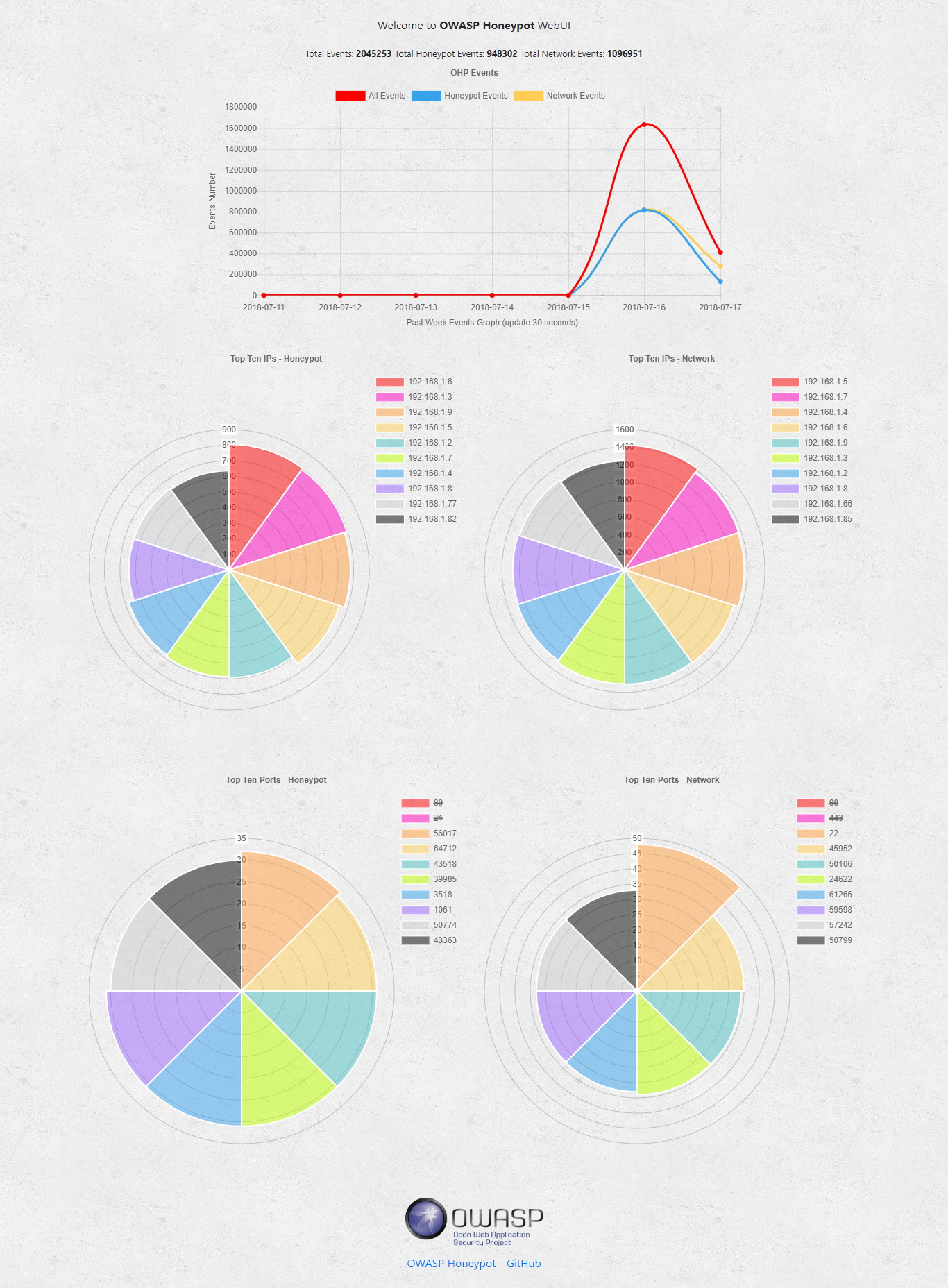
Web Interface

Contributing
Pull requests are welcome! Feel free to join us on Slack and discuss the project with the engineers on #owasp-python-honeypot channel. You are welcome to take any open issue in the tracker labeled 'help wanted' or 'good first issue'. See the CONTRIBUTION file for details. Other issues are open for contribution as well, but may be less accessible or well-defined in comparison to those that are explicitly labeled; you should consider reaching out to us if you are interested in implementing these tickets.
관련 프로젝트 살펴보기
trimstray/the-book-of-secret-knowledge
영감을 주는 목록, 매뉴얼, 치트시트, 블로그, 팁, 원라이너, CLI/웹 도구 등을 모은 컬렉션.
257,417 스타Hack-with-Github/Awesome-Hacking
해커, 펜테스터, 보안 연구자를 위한 다양한 Awesome 목록 모음.
125,103 스타swisskyrepo/PayloadsAllTheThings
웹 애플리케이션 보안과 모의 침투 테스트/CTF에 유용한 페이로드 및 우회 방법 목록.
82,542 스타caddyserver/caddy
빠르고 확장 가능한 멀티플랫폼 HTTP/1-2-3 웹 서버이며, 자동 HTTPS를 지원합니다
78,935 스타