
Nutlope/roomGPT
소개
방 사진을 업로드하면 AI가 꿈꾸던 방을 만들어 줍니다.
개발 도구측정된 스타 증가
- in 24h
- 0
- in 7 days
- +3
- in 15 days
- +12
- in 1 month
- 기록 수집 중
서로 겹치는 기간의 순증가량이며 일별 합계가 아닙니다. 측정값이 없으면 비워 둡니다. 스타는 관심도를 나타내며 품질을 보장하지 않습니다.
README.md
OriginalRoomGPT - redesign your room with AI
This is the previous and open source version of RoomGPT.io (a paid SaaS product). It's the very first version of roomGPT without the auth, payments, or additional features and it's simple to clone, deploy, and play around with.
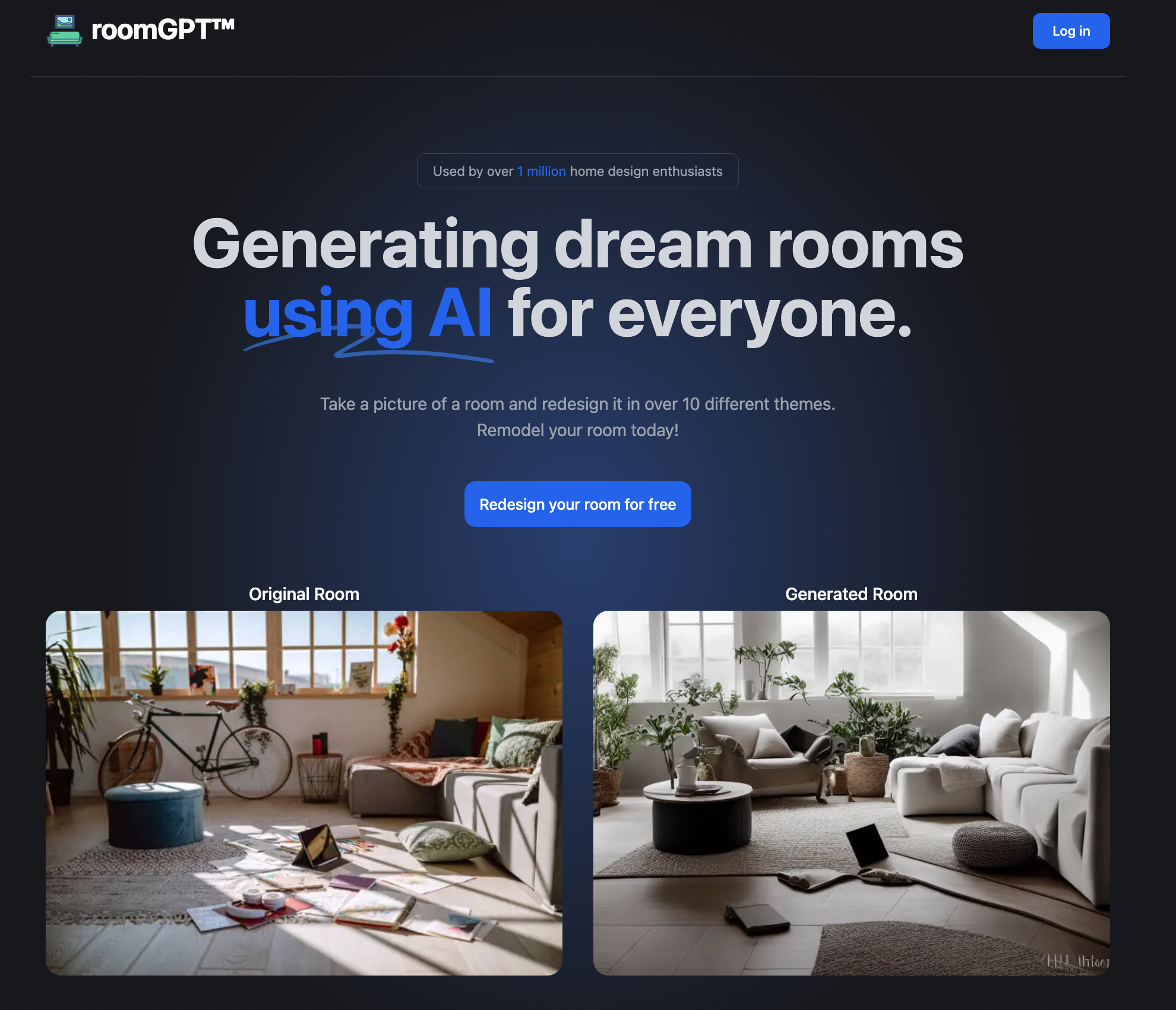
How it works
It uses an ML model called ControlNet to generate variations of rooms. This application gives you the ability to upload a photo of any room, which will send it through this ML Model using a Next.js API route, and return your generated room. The ML Model is hosted on Replicate and Bytescale is used for image storage.
Running Locally
Cloning the repository the local machine.
git clone https://github.com/Nutlope/roomGPT
Creating a account on Replicate to get an API key.
- Go to Replicate to make an account.
- Click on your profile picture in the top left corner, and click on "API Tokens".
- Here you can find your API token. Copy it.
Storing the API keys in .env
Create a file in root directory of project with env. And store your API key in it, as shown in the .example.env file.
If you'd also like to do rate limiting, create an account on UpStash, create a Redis database, and populate the two environment variables in .env as well. If you don't want to do rate limiting, you don't need to make any changes.
Installing the dependencies.
npm install
Running the application.
Then, run the application in the command line and it will be available at http://localhost:3000.
npm run dev
One-Click Deploy
Deploy the example using Vercel:
License
This repo is MIT licensed.
관련 프로젝트 살펴보기
불러오는 중…