
Niek/superview
Niek/superview has 223 GitHub stars and 22 forks. GitHot measured 0 stars in 24 hours. Last checked 2026-11-20 06:31 UTC. Last push 2023-11-02.
측정된 스타 증가
- in 24h
- 0
- in 7 days
- 기록 수집 중
- in 15 days
- 기록 수집 중
- in 1 month
- 기록 수집 중
서로 겹치는 기간의 순증가량이며 일별 합계가 아닙니다. 측정값이 없으면 비워 둡니다. 스타는 관심도를 나타내며 품질을 보장하지 않습니다.
소개
A small program that takes a 4:3 aspect ratio video file, and transforms it to a 16:9 video using the GoPro SuperView method
창작 및 미디어README.md
OriginalSuperview

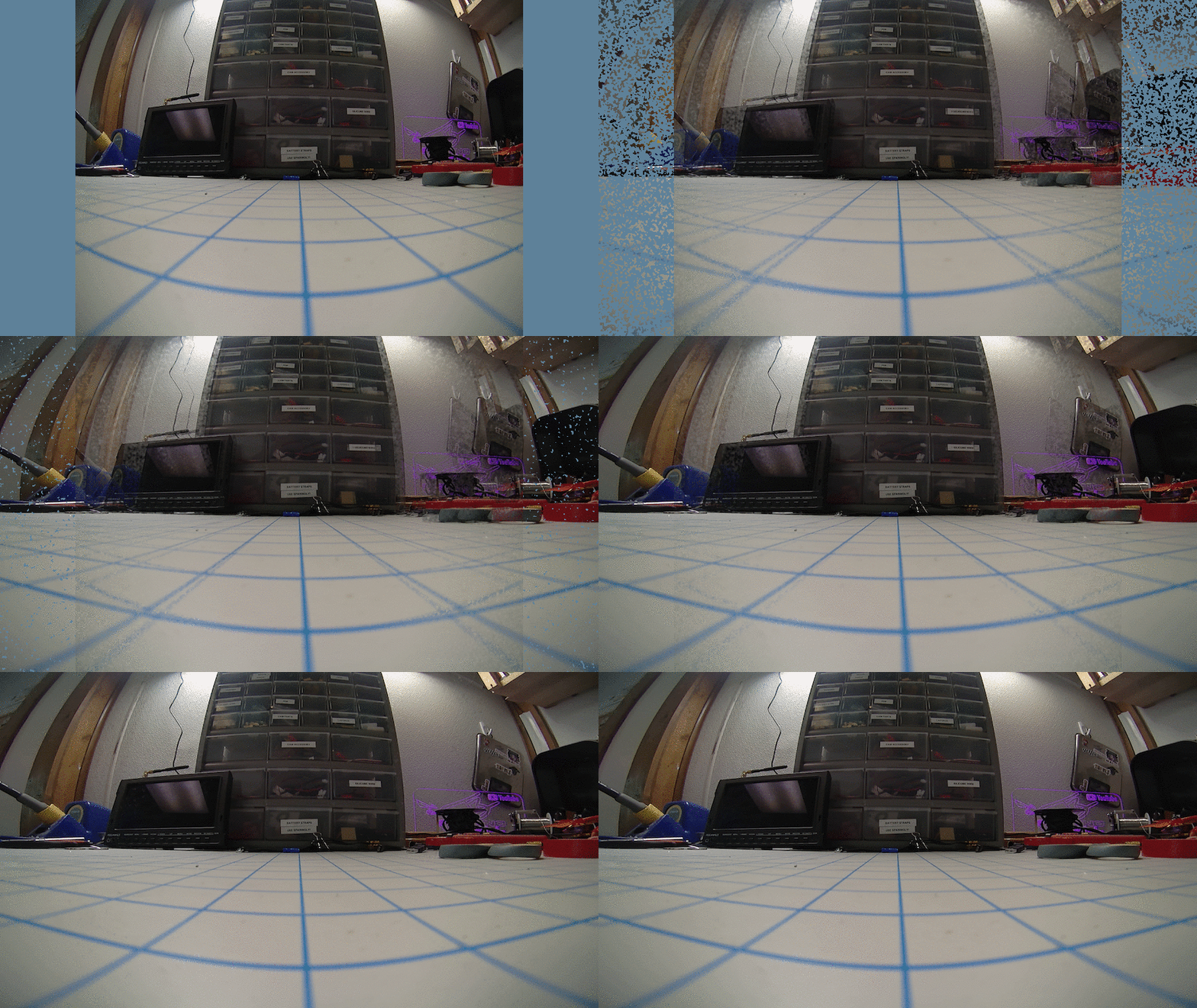
This is a small Go program that takes a 4:3 aspect ratio video file, and transforms it to a 16:9 video using the GoPro SuperView method. This means that the image is not naively scaled, but a dynamic scaling is applied where the outer areas are stretched more while the center parts stay close to the original aspect rate.
This is not a 1-1 copy of the GoPro algorithm, but an attempt to reach similar quality of output using the open-source FFmpeg encoder.
Credits for the idea go to Banelle, who wrote the initial (Python) implementation.
Here is a quick animation showing the scaling, note how the text in the center stays the same:
Requirements
This program requires FFmpeg to be installed on your computer. If needed, please install it using one of these ways:
- Linux: install from your local package manager, for example:
apt instal ffmpeg - Windows: Download from https://www.gyan.dev/ffmpeg/builds/ and extract the
ffmpeg-release-full7ZIP file in the same directory as superview - macOS: Download from https://evermeet.cx/ffmpeg/ and put in the same folder as superview, or install using Homebrew:
brew install ffmpeg
Installation
Download the latest release from the releases page on GitHub. There are two versions: a graphical version called superview-gui and a command line program called superview-cli.
Usage
GUI
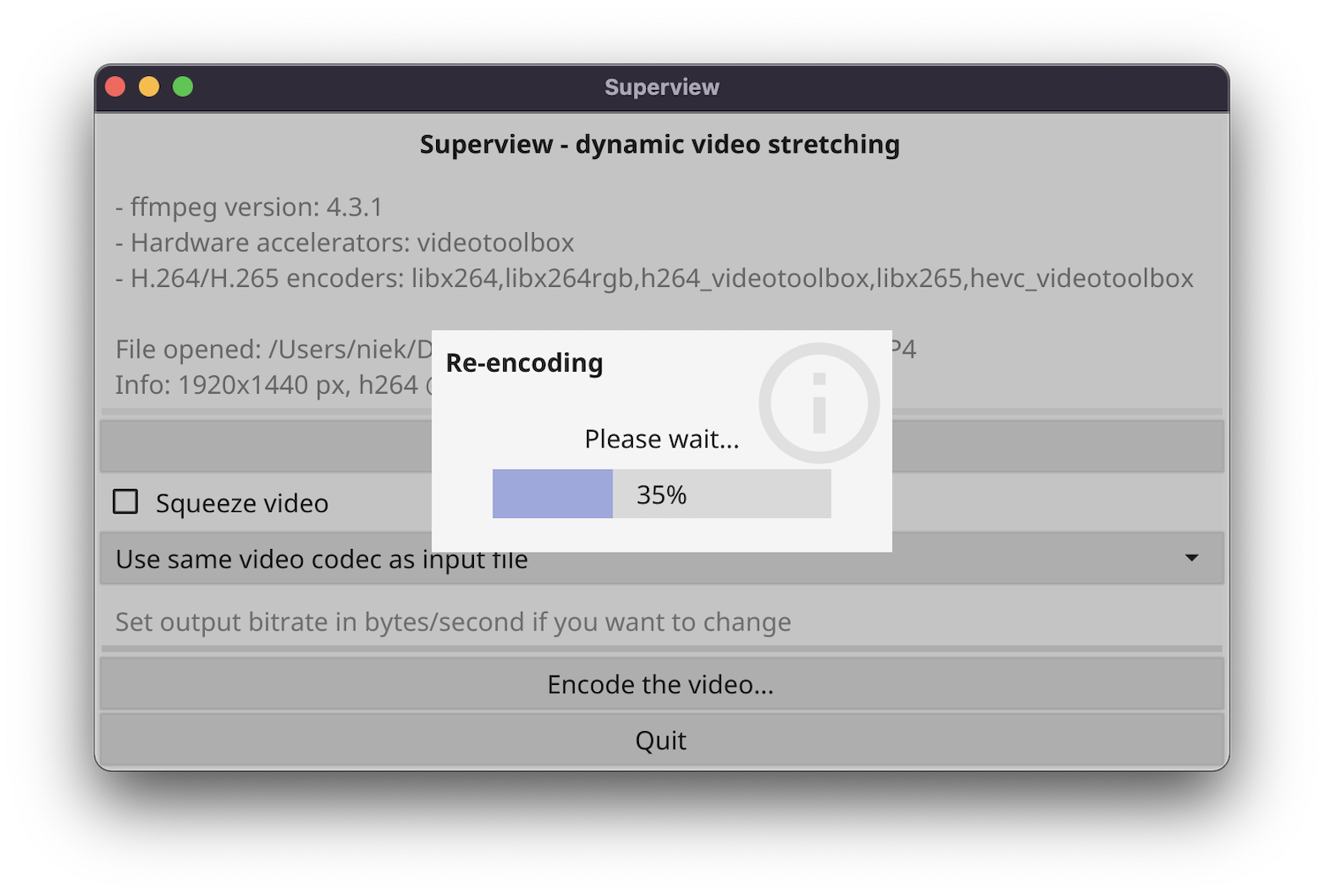
To run superview-gui, simply double-click the icon. Choose an input video file, optionally change some settings and click "Encode". The program will ask you where to save the output.
CLI
To use superview-cli, run the program with the -i (input file) parameter. Optionally, you can provide a -o (output) and -b (bitrate) parameter. Full usage instructions:
Usage:
  superview-cli [OPTIONS]

Application Options:
  -i, --input=FILE         The input video filename
  -o, --output=FILE        The output video filename (default: output.mp4)
  -e, --encoder=ENCODER    The encoder to use, use -h to see a list. If not specified, it takes the standard encoder of the input file codec
  -b, --bitrate=BITRATE    The bitrate in bytes/second to encode in. If not specified, take the same bitrate as the input file
  -s, --squeeze            Squeeze 4:3 video stretched to 16:9 (e.g. Caddx Tarsier 2.7k60)

Help Options:
  -h, --help               Show this help message
Development
If you want superview from source, run go build superview-gui.go or go build superview-cli.go depending on which version you'd like to build. See build.sh for an example how to cross-compile.
Contributors ✨
Thanks goes to these wonderful people (emoji key):
 Roman Kuraev 🤔 💻 |
 dangr0 🐛 |
 DG 🤔 ⚠️ |
 Nova_Max 📖 |
This project follows the all-contributors specification. Contributions of any kind welcome!