
Looooong/Unity-SRP-VXGI
Looooong/Unity-SRP-VXGI has 823 GitHub stars and 64 forks. GitHot measured 0 stars in 24 hours and -1 in 7 days. Last checked 2026-11-21 06:08 UTC. Last push 2022-09-20.
측정된 스타 증가
- in 24h
- 0
- in 7 days
- -1
- in 15 days
- 기록 수집 중
- in 1 month
- 기록 수집 중
서로 겹치는 기간의 순증가량이며 일별 합계가 아닙니다. 측정값이 없으면 비워 둡니다. 스타는 관심도를 나타내며 품질을 보장하지 않습니다.
소개
Voxel-based Global Illumination using Unity Scriptable Render Pipeline
창작 및 미디어README.md
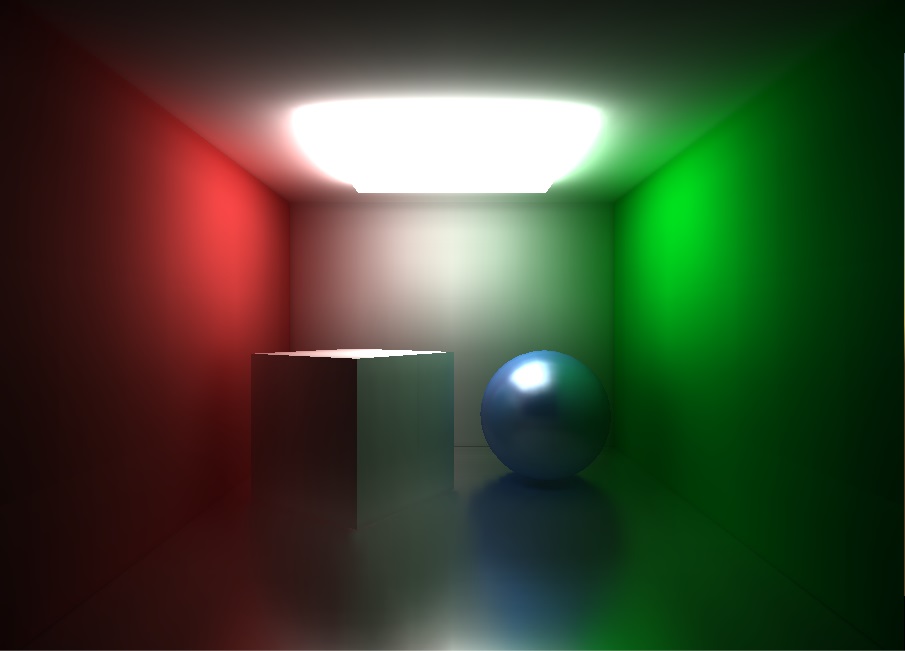
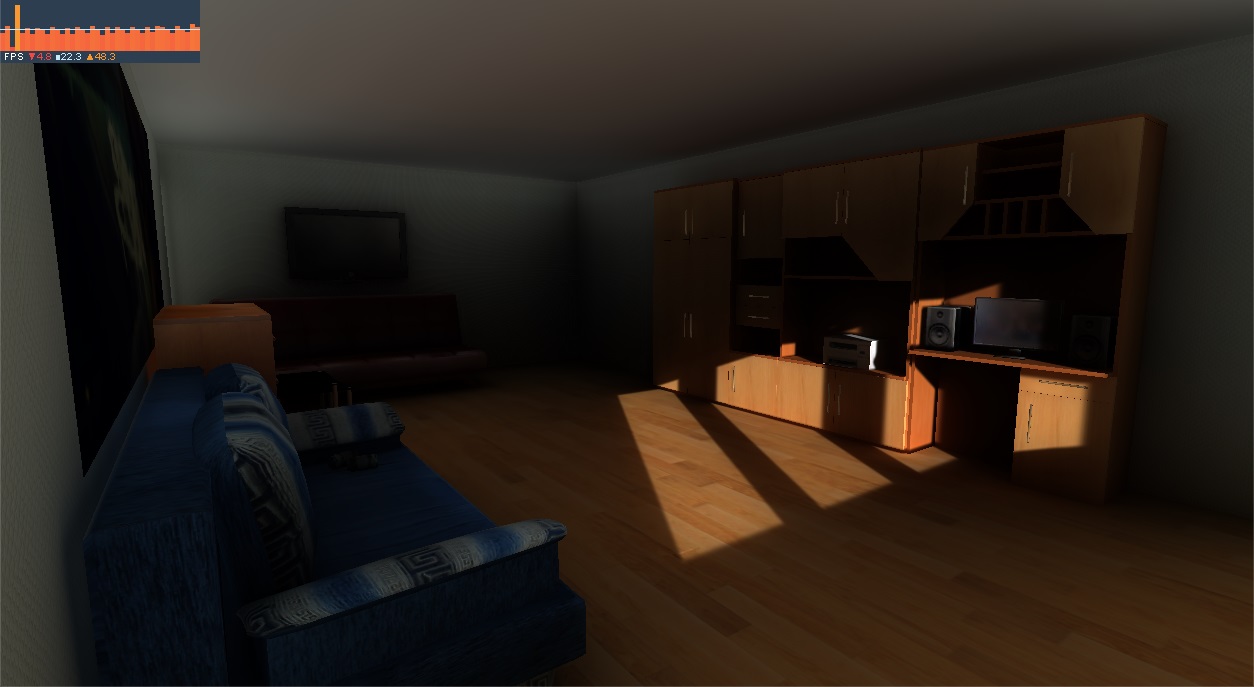
OriginalUnity - Scriptable Render Pipeline - Voxel-based Global Illumination
Showcase
Requirements
- Unity 2019.
- Shader Model 4.5 or newer.
- Graphic API that supports geometry shader (this excludes Metal API).
- Approximately 1GB of VRAM for highest voxel resolution setting.
Installation
This method is the easiest way to install a package. Just add the following dependency to <project path>/Packages/manifest.json:
{
  "dependencies": {
    "com.looooong.srp.vxgi": "https://github.com/Looooong/Unity-SRP-VXGI.git"
  }
}
If you want to fiddle with the source code while using this package, you can install the package locally.
For more information on how to manage UPM package, please refer to this.
Usage
Enable VXGI Render Pipeline
- Goto
Asset/Rendering/VXGI Render Pipeline Assetto create a new VXGI render pipeline asset. - Open Project Settings window by going to
Edit/Project Settings.... - Assign the newly created render pipeline asset to
Graphics/Scriptable Render Pipeline Settings.
Enable VXGI Rendering on a Camera
- Add
VXGIcomponent to a Camera. - Assign tag
MainCamerato the same Camera to preview VXGI rendering in Scene View. - Optional: Add
VXGI Mipmap Debugto the same Camera to visualize the voxel mipmap volume.
Apply VXGI materials to objects in the Scene
Apply the material that uses one of the following VXGI shaders:
VXGI/StandardandVXGI/Standard (Specular setup)- Only
Albedo,Metallic,Specular,Smoothness,Normal MapandEmissionare supported.
- Only
VXGI/Particles/Standard Unlit- Only
Additiverendering mode is supported.
- Only
Light Sources
Directional light, point light and spot light are supported. Lighting fall-off follows the inverse-squared distance model without range attenuation. The fall-off model will be expanded with more options in the future.
Configuration
VXGI Component Properties
- Voxel Volume:
- Follow Camera: make the voxel volume center follow the camera position.
- Center: the center of the voxel volume in World Space.
- Bound: the size of the voxel volume in World Space.
- Resolution: the resolution of the voxel volume.
- Anti Aliasing: the anti-aliasing level of the voxelization process.
- Mipmap Filter Mode: specify the method to generate the voxel mipmap volume.
- Limit Refresh Rate: limit the voxel volume refresh rate.
- Refresh Rate: the target refresh rate of the voxel volume.
- Rendering:
- Indirect Diffuse Modifier: how strong the diffuse cone tracing can affect the scene.
- Indirect Specular Modifier: how strong the specular cone tracing can affect the scene.
- Diffuse Resolution Scale: downscale the diffuse cone tracing pass.
VXGI Mipmap Debug Component Properties
- Mipmap Level: Mipmap level to visualize.
- Ray Tracing Step: how big is a step when ray tracing through the voxel volume.
- Filter Mode: visualization filter mode.
Known Issues and Limitations
- VXGI uses geometry shader, which is not supported by few graphics APIs, e.g., Metal.
- The content of Unity UI element is not displayed in Scene View, but only bounding Rect Transform is displayed. Unity UI element is displayed normally in Game View.
Contributing
All pull requests are welcome.
License
Backers
Thank you for your support! :pray:

Acknowledgement
This project is inspired by sonicether/SEGI.
Icons made by Freepik from www.flaticon.com.