
FindAllTeam/FindAll
FindAllTeam/FindAll has 754 GitHub stars and 50 forks. GitHot measured +1 stars in 24 hours. Last checked 2026-11-15 16:10 UTC. Last push 2024-06-17.
측정된 스타 증가
- in 24h
- +1
- in 7 days
- 기록 수집 중
- in 15 days
- 기록 수집 중
- in 1 month
- 기록 수집 중
서로 겹치는 기간의 순증가량이며 일별 합계가 아닙니다. 측정값이 없으면 비워 둡니다. 스타는 관심도를 나타내며 품질을 보장하지 않습니다.
소개
Automated analysis of network security emergency response tools.(自动化分析网络安全应急响应工具)
보안README.md
Original


English | 简体中文
🔍 FindAll
FindAll is a dedicated emergency response tool designed for network security blue teams to help team members respond to and analyze network security threats effectively. It integrates advanced information gathering and automated analysis capabilities to improve the efficiency and accuracy of security incident response.
FindAll adopts a client-server (CS) architecture that is particularly suitable for scenarios where users cannot directly log in to remote hosts for security checks. In such cases, operators with appropriate permissions only need to run FindAll's Agent component on the target hosts to collect necessary data.
The data is then downloaded locally for in-depth analysis by security experts through FindAll's intuitive graphical user interface (GUI). FindAll's interface is clean and straightforward, allowing users without extensive knowledge of complex command lines to get started easily, greatly lowering the barrier to entry.
This enables even beginners in the network security field to easily get started and effectively perform data analysis and security incident investigation. In addition, by reducing reliance on jump servers or other potential risk access points, FindAll also enhances the overall security and efficiency of the security inspection process, providing one-click analysis and preview of anomalies to quickly identify corresponding risks.
🌟 Key Features
📊 Comprehensive Information Gathering
- System basics: Outputs detailed system info and checks config and patches to identify vulnerabilities.
- Network info: Analyzes current network connections. With Threatbook API, easily identifies abnormal networks, locates corresponding processes for analysis.
- Startup items: Examines auto-start programs.
- Scheduled tasks: Detects potentially malicious scheduled tasks.
- Process investigation: Identifies and analyzes suspicious processes to quickly locate backdoors.
- Sensitive directory checks: Checks abnormal changes in critical files and directories.
- Log analysis: Deep log analysis of system and apps to find traces of security events, aggregated for easy analysis.
- Account detection: Identifies hidden and cloned accounts in various scenarios.
🤖 Automated Threat Analysis (with Threatbook API)
- Auto-identifies abnormal IP, processes and files to improve analysis efficiency.
- Highlights anomalies for focused investigation.
- Threatbook:https://www.threatbook.cn/next/en/index
⚡ Rapid Anomaly Detection & Response
- Provides real-time detection and response suggestions to enable swift response.
🖥️ User-Friendly Interface
- Clean and intuitive interface suitable for all skill levels.
- Concise and clear, suitable for beginners.
- One-click previews of anomalies to quickly identify risks.
⚙️ Installation & Usage
🏗 Architecture
Adopts client-server architecture for one-click local scans or remote scanning via Agent, suitable when direct remote login is not possible.
🛠 Installation Steps
- Download and install with one click:https://github.com/FindAllTeam/FindAll/releases
- Tips
- Local scan: Simply click to scan (recommended for Windows), local scanning is not supported on macOS.
- Remote scan: An Agent client is provided separately. Run the Agent client independently, and the results will be located at
C:\\Findall\\result.hb. Then, upload the result file to the FindAll GUI client for analysis.
💻 System Support
- GUI Client supports supports Windows 10 and above, as well as macOS.
- Serve Agent supports Windows Server 2008 and above
- Other systems need to be tested for compatibility
📖 Official Documentation
📷 Screenshot
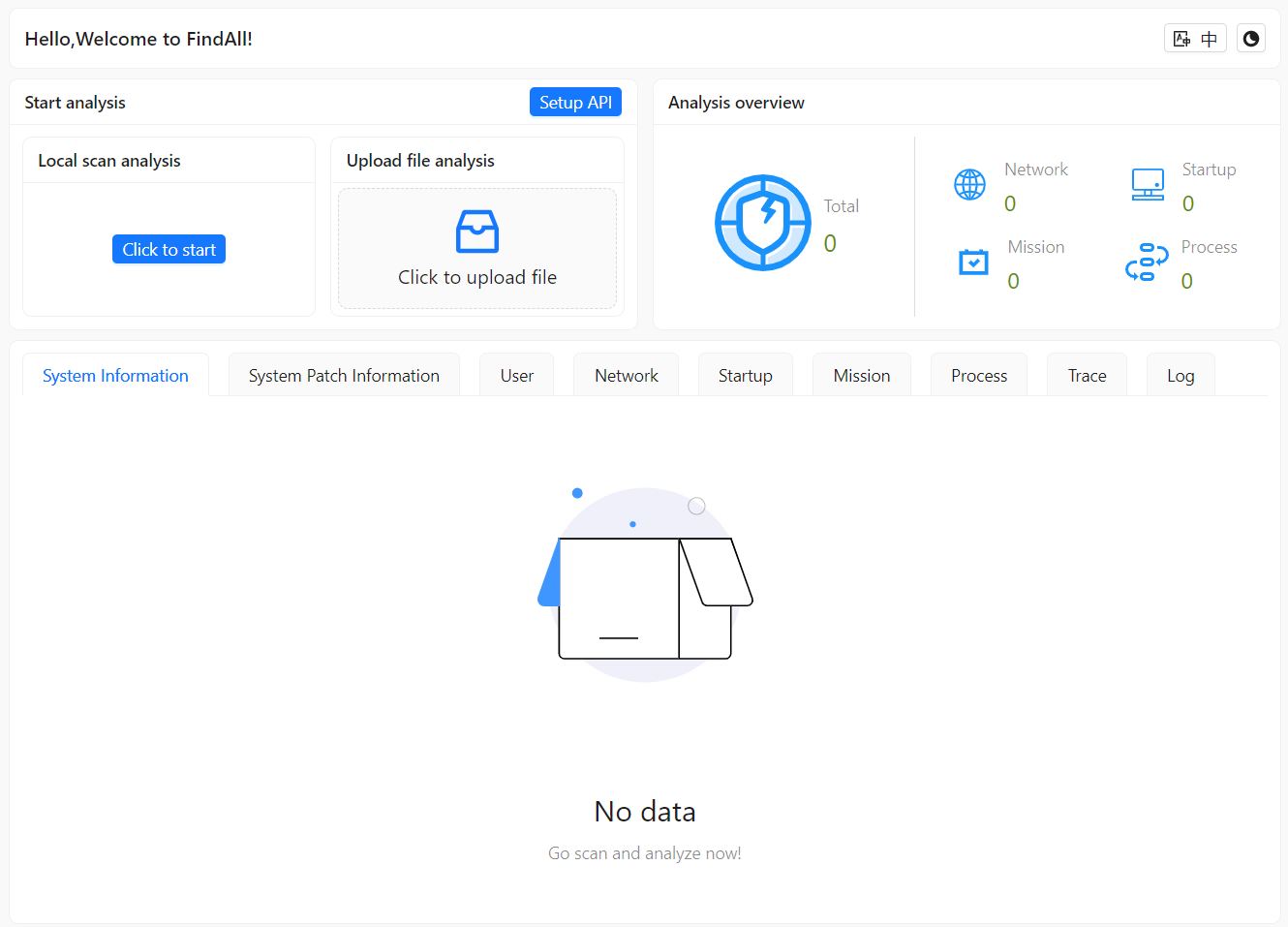
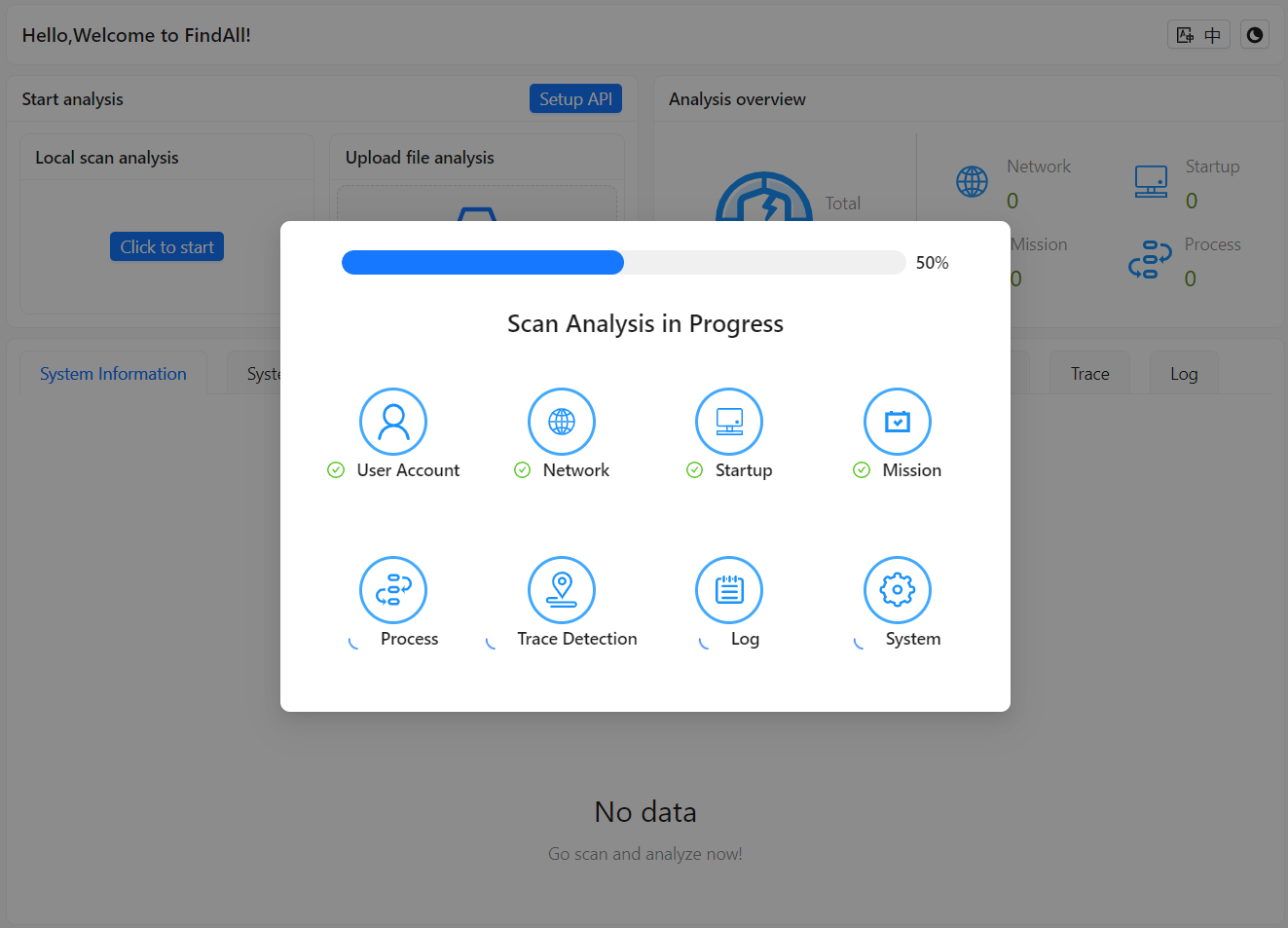
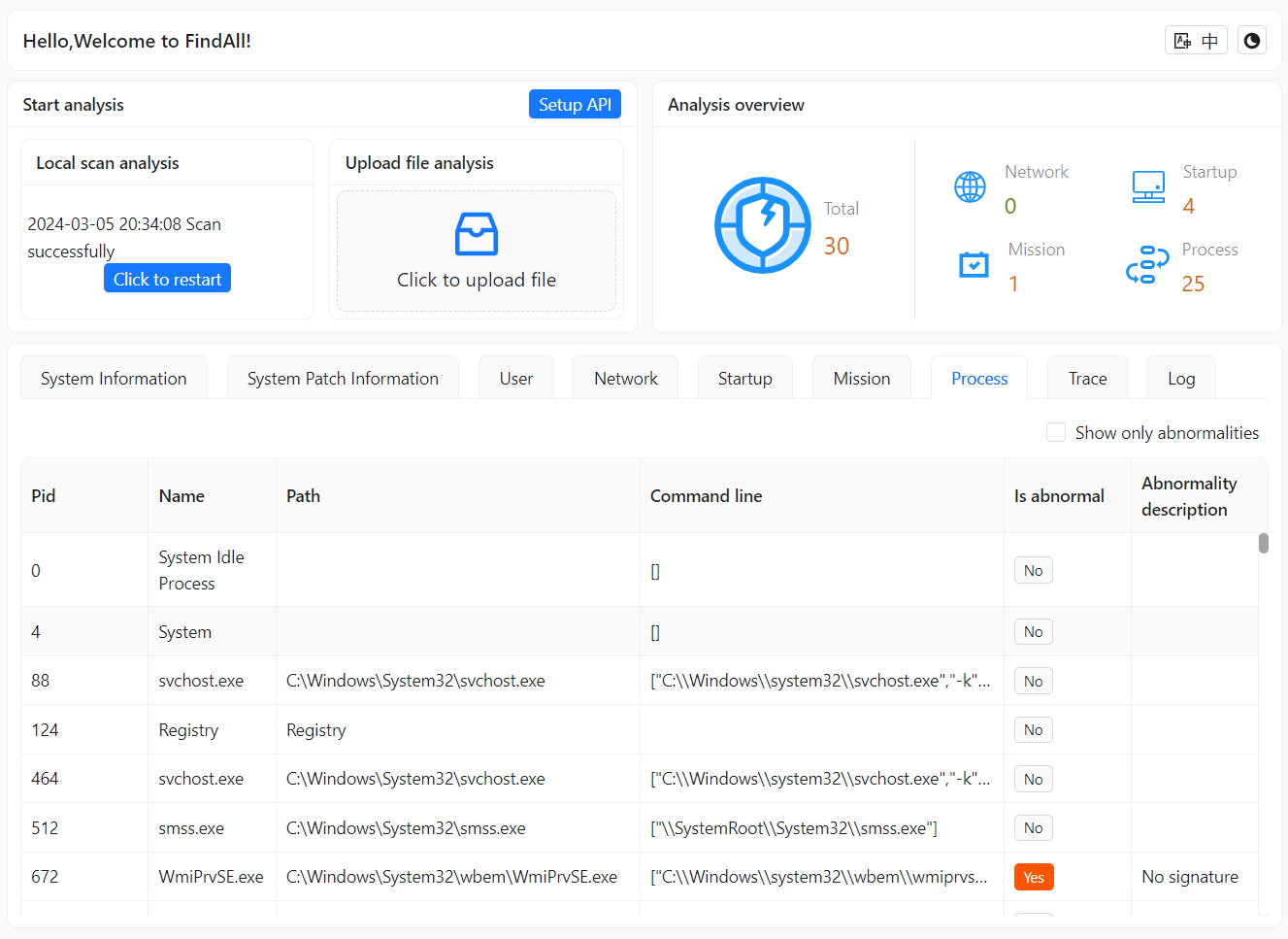
👥 Contributor
📢 Announce
The launch of this tool will greatly enhance the capabilities of blue teams in responding to network security incidents. It will not only help improve response efficiency but also reduce work complexity. By providing comprehensive information gathering and efficient threat analysis, we can empower blue team members to maintain an advantage in complex network environments. However, incident response is an extremely complicated task, and this tool can only help blue team members collect some information. If any anomalies are discovered, in-depth analysis directly on the client's computer is still required. The tool cannot be compared to commercial forensic analysis software available on the market.
Since this product is still in trial use, bugs may exist. If you encounter situations where the tool cannot run properly, please go to the issues page or join our WeChat group for discussions. The road ahead is long; we shall seek tirelessly (a Chinese idiom meaning perseverance is key to any endeavor).
📱 QQ group QR code

QQ download address:https://im.qq.com/index/