
Expensify/react-native-live-markdown
Expensify/react-native-live-markdown has 1,329 GitHub stars and 118 forks. GitHot measured -1 stars in 24 hours, -2 in 7 days, and -3 in 15 days. Last checked 2026-11-25 05:51 UTC. Last push 2026-11-19.
What you can do
- ⚛️ Drop-in replacement for <TextInput> component
- ⌨️ Live synchronous formatting on every keystroke
- ⚡ Fully native experience (selection, spellcheck, autocomplete)
- 🔧 Customizable logic
측정된 스타 증가
- in 24h
- -1
- in 7 days
- -2
- in 15 days
- -3
- in 1 month
- 기록 수집 중
서로 겹치는 기간의 순증가량이며 일별 합계가 아닙니다. 측정값이 없으면 비워 둡니다. 스타는 관심도를 나타내며 품질을 보장하지 않습니다.
소개
React Native의 TextInput 컴포넌트를 바로 대체해 사용할 수 있으며 Markdown 서식을 지원합니다.
웹 및 앱README.md
Original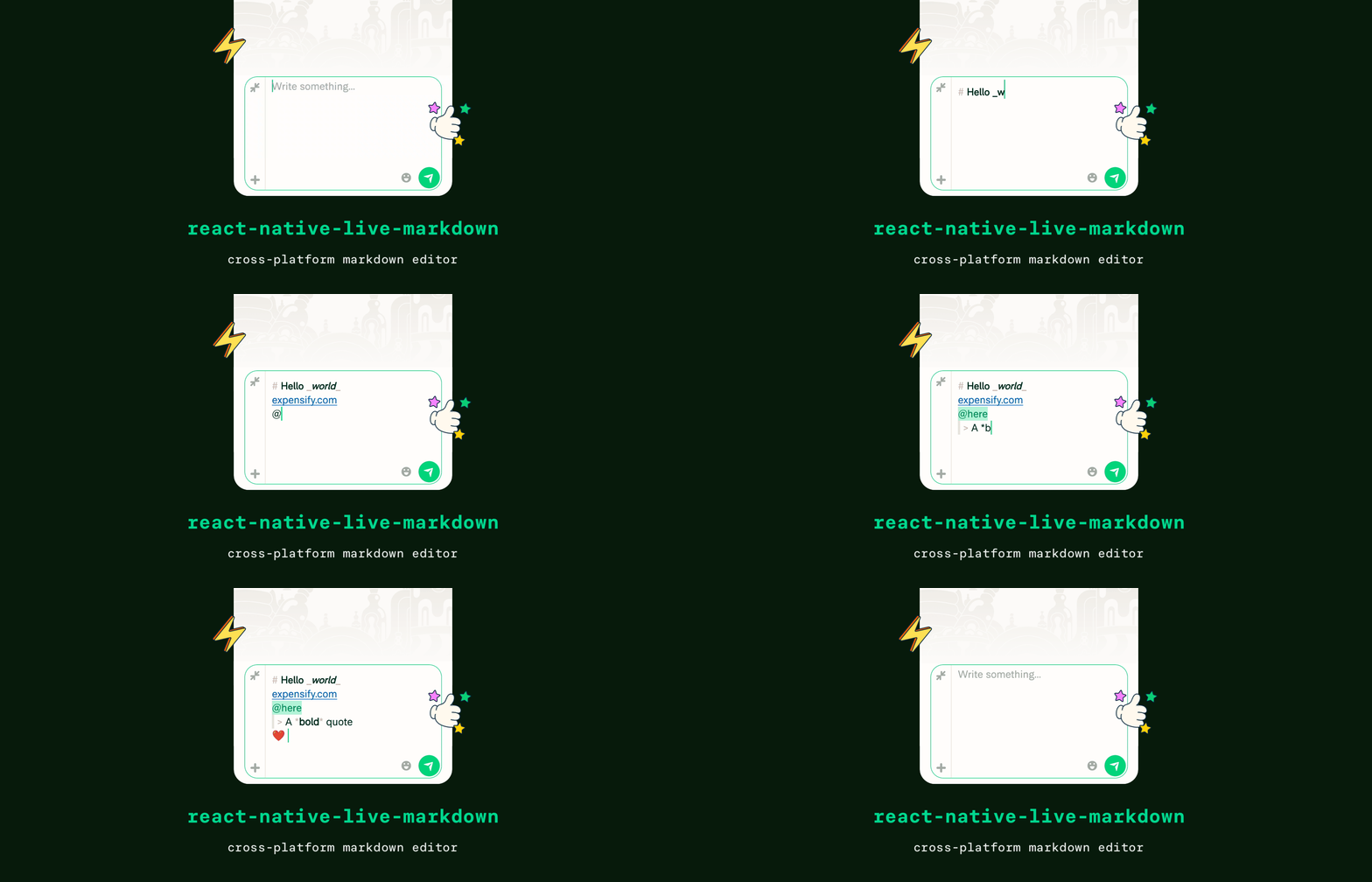
Features
- ⚛️ Drop-in replacement for
<TextInput>component - ⌨️ Live synchronous formatting on every keystroke
- ⚡ Fully native experience (selection, spellcheck, autocomplete)
- 🔧 Customizable logic
- 🎨 Customizable styles
- 🌐 Universal support (Android, iOS, web)
- 🏗️ Supports only the New Architecture
Installation
First, install the library from npm with the package manager of your choice:
yarn add @expensify/react-native-live-markdown react-native-worklets expensify-common [email protected]
npm install @expensify/react-native-live-markdown react-native-worklets expensify-common [email protected] --save
npx expo install @expensify/react-native-live-markdown react-native-worklets expensify-common [email protected]
React Native Live Markdown requires react-native-worklets 0.7.0 or newer as well as expensify-common 2.0.207 or newer and html-entities 2.5.3 exactly if using the default built-in ExpensiMark parser.
[!IMPORTANT] Please follow the
react-native-workletsGetting Started guide to avoid issues.
Then, install the iOS dependencies with CocoaPods:
cd ios && bundler install && bundler exec pod install
The library includes native code so you will need to re-build the native app.
[!NOTE] The library does not support Expo Go, you will need to setup Expo Dev Client (see here).
Usage
import {MarkdownTextInput, parseExpensiMark} from '@expensify/react-native-live-markdown';
import React from 'react';

export default function App() {
  const [text, setText] = React.useState('Hello, *world*!');

  return (
    <MarkdownTextInput
      value={text}
      onChangeText={setText}
      parser={parseExpensiMark}
    />
  );
}
The built-in parseExpensiMark parser accepts an optional maximum input length. It defaults to 4,000 characters and returns no formatting ranges when the input is longer than the configured limit. To use a different limit, wrap the parser in a worklet function:
function parser(input: string) {
  'worklet';

  return parseExpensiMark(input, 5000);
}
Styling
MarkdownTextInput can be styled using style prop just like regular TextInput component.
It is also possible to customize the styling of the formatted contents of MarkdownTextInput component. The style object supports all color representations from React Native including PlatformColor and DynamicColorIOS according to the color reference. Currently, a limited set of styles is customizable but this is subject to change in the future.
import type {MarkdownStyle} from '@expensify/react-native-live-markdown';

const FONT_FAMILY_MONOSPACE = Platform.select({
  ios: 'Courier',
  default: 'monospace',
});

const FONT_FAMILY_EMOJI = Platform.select({
  ios: 'System',
  android: 'Noto Color Emoji',
  default: 'System, Apple Color Emoji, Segoe UI Emoji, Noto Color Emoji',
});

const markdownStyle: MarkdownStyle = {
  syntax: {
    color: 'gray',
  },
  link: {
    color: 'blue',
  },
  h1: {
    fontSize: 25,
  },
  emoji: {
    fontSize: 20,
    fontFamily: FONT_FAMILY_EMOJI,
  },
  blockquote: {
    borderColor: 'gray',
    borderWidth: 6,
    marginLeft: 6,
    paddingLeft: 6,
  },
  code: {
    fontFamily: FONT_FAMILY_MONOSPACE,
    fontSize: 20,
    color: 'black',
    backgroundColor: 'lightgray',
  },
  pre: {
    fontFamily: FONT_FAMILY_MONOSPACE,
    fontSize: 20,
    color: 'black',
    backgroundColor: 'lightgray',
  },
  mentionHere: {
    color: 'green',
    backgroundColor: 'lime',
  },
  mentionUser: {
    color: 'blue',
    backgroundColor: 'cyan',
  },
};
The style object can be passed to multiple MarkdownTextInput components using markdownStyle prop:
<MarkdownTextInput
  value={text}
  onChangeText={setText}
  style={styles.input}
  markdownStyle={markdownStyle}
/>
[!TIP] We recommend to store the style object outside of a component body or memoize the style object with
React.useMemo.
Parsing logic
MarkdownTextInput behavior can be customized via parser property. Parser is a function that accepts a plaintext string and returns an array of MarkdownRange objects:
interface MarkdownRange {
  type: MarkdownType;
  start: number;
  length: number;
  depth?: number;
}
Currently, only the following types are supported:
type MarkdownType = 'bold' | 'italic' | 'strikethrough' | 'emoji' | 'mention-here' | 'mention-user' | 'mention-report' | 'link' | 'code' | 'pre' | 'blockquote' | 'h1' | 'syntax';
Parser needs to be marked as a worklet because it's executed on the UI thread as the user types.
Here's a sample function that parses all substrings located between two asterisks as bold text:
function parser(input: string) {
  'worklet';

  const ranges = [];
  const regexp = /\*(.*?)\*/g;
  let match;
  while ((match = regexp.exec(input)) !== null) {
    ranges.push({start: match.index, length: 1, type: 'syntax'});
    ranges.push({start: match.index + 1, length: match[1]!.length, type: 'bold'});
    ranges.push({start: match.index + 1 + match[1]!.length, length: 1, type: 'syntax'});
  }
  return ranges;
}
[!TIP] We recommend to store the parser function outside of a component body or memoize the parser function with
React.useMemo.
Markdown flavors support
Currently, react-native-live-markdown supports only ExpensiMark flavor out-of-the-box. You can customize the behavior by passing a custom parser worklet function via the parser prop, as detailed in the Parsing logic section.
API reference
MarkdownTextInput inherits all props of React Native's TextInput component as well as introduces the following properties:
| Prop | Type | Default | Note |
|---|---|---|---|
parser |
(value: string) => MarkdownRange[] |
undefined |
A function that parses the current value and returns an array of ranges. |
markdownStyle |
MarkdownStyle |
undefined |
Adds custom styling to Markdown text. The provided value is merged with default style object. See Styling for more information. |
Compatibility
react-native-live-markdown supports only latest React Native minor releases with the New Architecture enabled.
React Native compatibility
| 0.73 | 0.74 | 0.75 | 0.76 | 0.77 | 0.78 | 0.79 | 0.80 | 0.81 | 0.82 | 0.83 | 0.84 | 0.85 | 0.86 | 0.87 | 0.88 | |
|---|---|---|---|---|---|---|---|---|---|---|---|---|---|---|---|---|
| 0.1.362+ | ❌ | ❌ | ❌ | ❌ | ❌ | ❌ | ✅ | ✅ | ✅ | ✅ | ✅ | ✅ | ✅ | ✅ | ✅ | ✅ |
| 0.1.331 – 0.1.361 | ❌ | ❌ | ❌ | ❌ | ❌ | ❌ | ✅ | ✅ | ✅ | ✅ | ✅ | ✅ | ✅ | ✅ | ❌ | ❌ |
| 0.1.321 – 0.1.330 | ❌ | ❌ | ❌ | ❌ | ❌ | ❌ | ✅ | ✅ | ✅ | ✅ | ✅ | ✅ | ✅ | ❌ | ❌ | ❌ |
| 0.1.304 - 0.1.320 | ❌ | ❌ | ❌ | ❌ | ✅ | ✅ | ✅ | ✅ | ✅ | ❌ | ❌ | ❌ | ❌ | ❌ | ❌ | ❌ |
| 0.1.297 – 0.1.303 | ❌ | ❌ | ❌ | ❌ | ✅ | ✅ | ✅ | ✅ | ❌ | ❌ | ❌ | ❌ | ❌ | ❌ | ❌ | ❌ |
| 0.1.260 – 0.1.296 | ❌ | ❌ | ❌ | ❌ | ✅ | ✅ | ✅ | ❌ | ❌ | ❌ | ❌ | ❌ | ❌ | ❌ | ❌ | ❌ |
| 0.1.256 – 0.1.259 | ❌ | ❌ | ❌ | ❌ | ✅ | ❌ | ❌ | ❌ | ❌ | ❌ | ❌ | ❌ | ❌ | ❌ | ❌ | ❌ |
| 0.1.248 – 0.1.255 | ❌ | ❌ | ❌ | ✅ | ✅ | ❌ | ❌ | ❌ | ❌ | ❌ | ❌ | ❌ | ❌ | ❌ | ❌ | ❌ |
| 0.1.235 – 0.1.247 | ❌ | ❌ | ✅ | ✅ | ✅ | ❌ | ❌ | ❌ | ❌ | ❌ | ❌ | ❌ | ❌ | ❌ | ❌ | ❌ |
| 0.1.141 – 0.1.234 | ❌ | ❌ | ✅ | ✅ | ❌ | ❌ | ❌ | ❌ | ❌ | ❌ | ❌ | ❌ | ❌ | ❌ | ❌ | ❌ |
| 0.1.129 – 0.1.140 | ❌ | ❌ | ✅ | ❌ | ❌ | ❌ | ❌ | ❌ | ❌ | ❌ | ❌ | ❌ | ❌ | ❌ | ❌ | ❌ |
| 0.1.122 – 0.1.128 | ❌ | ✅ | ❌ | ❌ | ❌ | ❌ | ❌ | ❌ | ❌ | ❌ | ❌ | ❌ | ❌ | ❌ | ❌ | ❌ |
| 0.1.15 – 0.1.121 | ✅ | ❌ | ❌ | ❌ | ❌ | ❌ | ❌ | ❌ | ❌ | ❌ | ❌ | ❌ | ❌ | ❌ | ❌ | ❌ |
react-native-worklets compatibility
| 0.6.x | 0.7.x | 0.8.x | 0.9.x | 0.10.2 – 0.11.x | 0.12.x | 0.13.x | |
|---|---|---|---|---|---|---|---|
| 0.1.343+ | ❌ | ✅ | ✅ | ✅ | ✅ | ✅ | ✅ |
| 0.1.333 – 0.1.342 | ❌ | ✅ | ✅ | ✅ | ✅ | ❌ | ❌ |
| 0.1.321 – 0.1.332 | ❌ | ✅ | ✅ | ✅ | ❌ | ❌ | ❌ |
| 0.1.308 – 0.1.320 | ✅ | ❌ | ❌ | ❌ | ❌ | ❌ | ❌ |
License
MIT

관련 프로젝트 살펴보기
불러오는 중…