
EmberNoGlow/Merging-Meshes-Godot
소개
Optimize your 3d scenes with Merging Meshes.
창작 및 미디어What you can do
- UV and material support.
- Clear and minimal code.
- Convenient API - you can use this code in your tools!
- Works in the editor!
측정된 스타 증가
- in 24h
- 0
- in 7 days
- 0
- in 15 days
- 기록 수집 중
- in 1 month
- 기록 수집 중
서로 겹치는 기간의 순증가량이며 일별 합계가 아닙니다. 측정값이 없으면 비워 둡니다. 스타는 관심도를 나타내며 품질을 보장하지 않습니다.
README.md
OriginalMerging Meshes Godot
Optimize your 3d scenes with Merging Meshes. This mini-addon is the basis of my new powerful addon.
What is it?
Merging Meshes is an add-on for Godot 4 that is designed to optimize scenes with a large number of MeshInstance3D and procedural geometry.
How it works?
Meshes are combined by merging MeshInstance3D using SurfaceTool (append_from method). This allows you to combine an unlimited number of meshes into one, resulting in a HUGE GROWTH in perfomance as only one drawing call is made instead of thousands
Features
- UV and material support.
- Clear and minimal code.
- Convenient API - you can use this code in your tools!
- Works in the editor!
Usage
- Download and enable the addon (Make sure that the folder is located in
addons). - Add a
MergingMeshesnode to your scene. - In the Inspector panel, add your
MeshInstance3Dnodes to themeshesparameter. - Optional: Assign a
Material3Dto theGeneralMaterialparameter to set the material for the merged mesh or use Original mesh materials. - Editor tools are available - you can merge meshes directly in the editor! Generation at Runtime can be disabled/enabled.
- Recommended: Keep the
HideSourceparameter enabled to automatically hide the originalMeshInstance3Dnodes.
About
This mini-add-on is a component of a larger add-on. Check out my profile to find more projects!
Screenshot
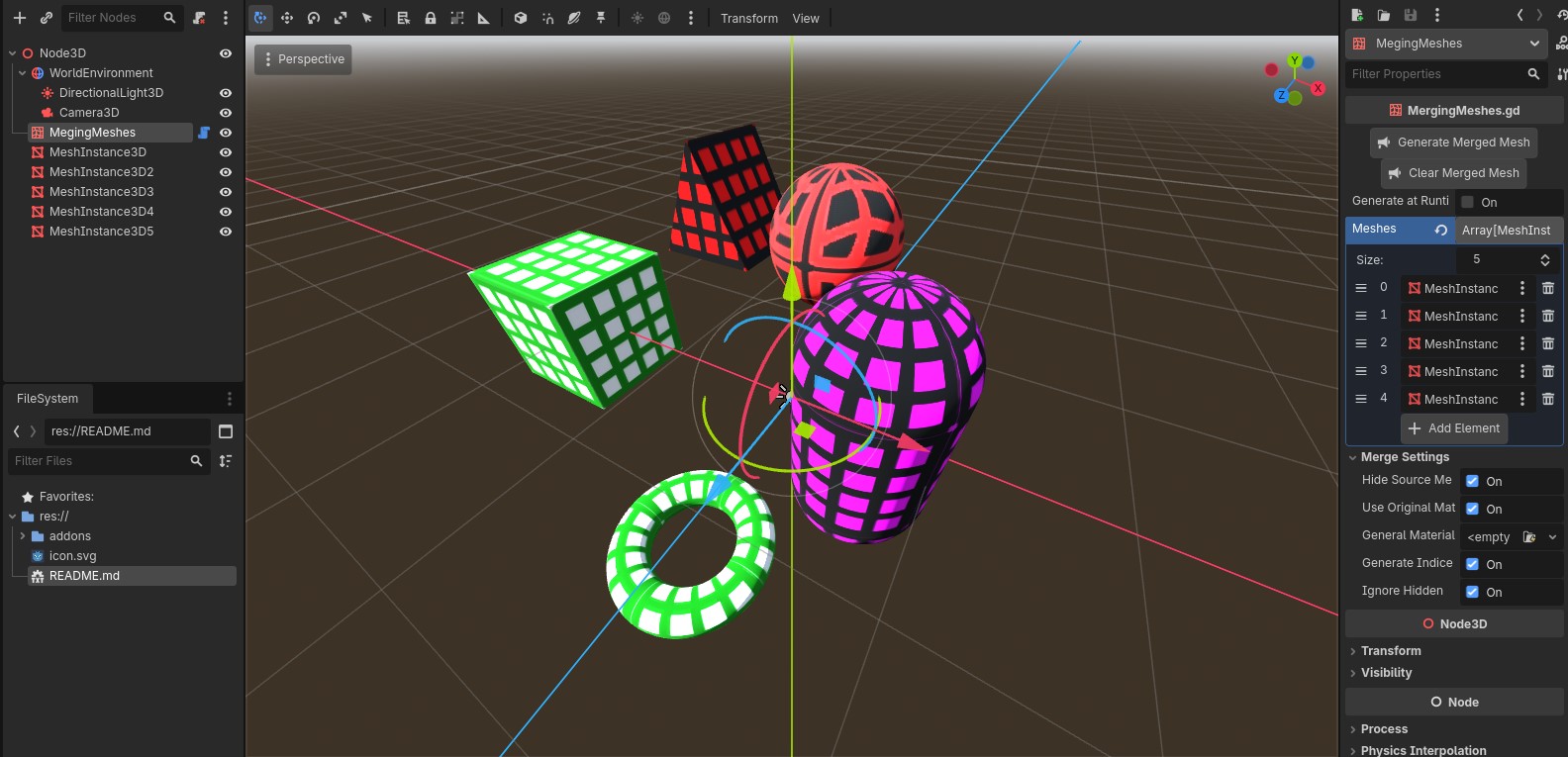
Did you like the high FPS?
Consider starring this repository to make it easier for others to find it.
Thanks for your support!!! 🤗😋
Article on Dev.to.
Get on Asset Library.
관련 프로젝트 살펴보기
불러오는 중…