
ConEmu/ConEmu
소개
ConEmu: 탭, 분할 화면, Quake 스타일, 단축키 등을 지원하는 사용자 지정 가능한 Windows 터미널
개발 도구What you can do
- tabs for editors, viewers, panels and consoles;
- thumbnails and tiles;
- show full output (1K+ lines) of last command in editor/viewer;
- customizable right click behaviour (long click opens context menu);
측정된 스타 증가
- in 24h
- 0
- in 7 days
- +4
- in 15 days
- +13
- in 1 month
- 기록 수집 중
서로 겹치는 기간의 순증가량이며 일별 합계가 아닙니다. 측정값이 없으면 비워 둡니다. 스타는 관심도를 나타내며 품질을 보장하지 않습니다.
README.md
OriginalAbout ConEmu
ConEmu-Maximus5 is a Windows console emulator with tabs, which represents multiple consoles as one customizable GUI window with various features.
Initially, the program was created as a companion to Far Manager, my favorite shell replacement - file and archive management, command history and completion, powerful editor.
Today, ConEmu can be used with any other console application or simple GUI tools (like PuTTY for example). ConEmu is an active project, open to suggestions.


Take a look at screencast about ConEmu.
This fork grew up from ConEmu by Zoin.
License (BSD 3-clause)
THIS SOFTWARE IS PROVIDED BY THE AUTHOR ''AS IS'' AND ANY EXPRESS OR
IMPLIED WARRANTIES, INCLUDING, BUT NOT LIMITED TO, THE IMPLIED WARRANTIES
OF MERCHANTABILITY AND FITNESS FOR A PARTICULAR PURPOSE ARE DISCLAIMED.
See Release/ConEmu/License.txt for the full license text.
Some links
Wiki: https://conemu.github.io/en/TableOfContents.html What's new: https://conemu.github.io/en/Whats_New.html Release stages: https://conemu.github.io/en/StableVsPreview.html Donate this project: https://conemu.github.io/donate.html
Description
ConEmu starts a console program in hidden console window and provides an alternative customizable GUI window with various features:
- smooth window resizing;
- tabs and splits (panes);
- easy run old DOS applications (games) in Windows 7 or 64bit OS (DosBox required);
- quake-style, normal, maximized and full screen window graphic modes;
- window font anti-aliasing: standard, clear type, disabled;
- window fonts: family, height, width, bold, italic, etc.;
- using normal/bold/italic fonts for different parts of console simultaneously;
- cursor: standard console (horizontal) or GUI (vertical);
- and more, and more...
Far Manager related features
- tabs for editors, viewers, panels and consoles;
- thumbnails and tiles;
- show full output (1K+ lines) of last command in editor/viewer;
- customizable right click behaviour (long click opens context menu);
- drag and drop (explorer style);
- and more, and more...
All settings are read from the registry or ConEmu.xml file, after which the command line parameters are applied. You may easily use several named configurations (for different PCs for example).
Requirements
- Windows XP or later for 32-bit.
- Windows Vista or later for 64-bit.
Installation
In general, ConEmu installation is easy.
Just unpack or install to any folder and run ConEmu.exe.
Read Installation wiki about release stages, distro packets, some warnings and much more...
Building from sources
https://github.com/Maximus5/ConEmu/blob/master/src/HowToBuild.md
Screenshots
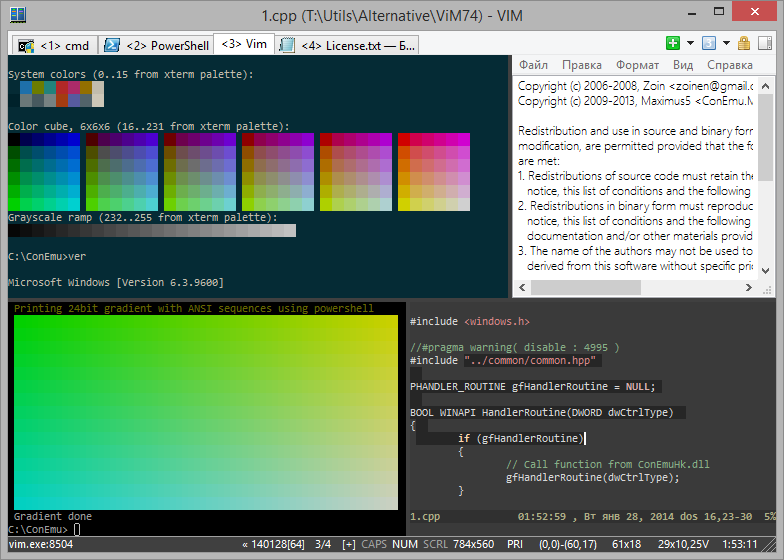
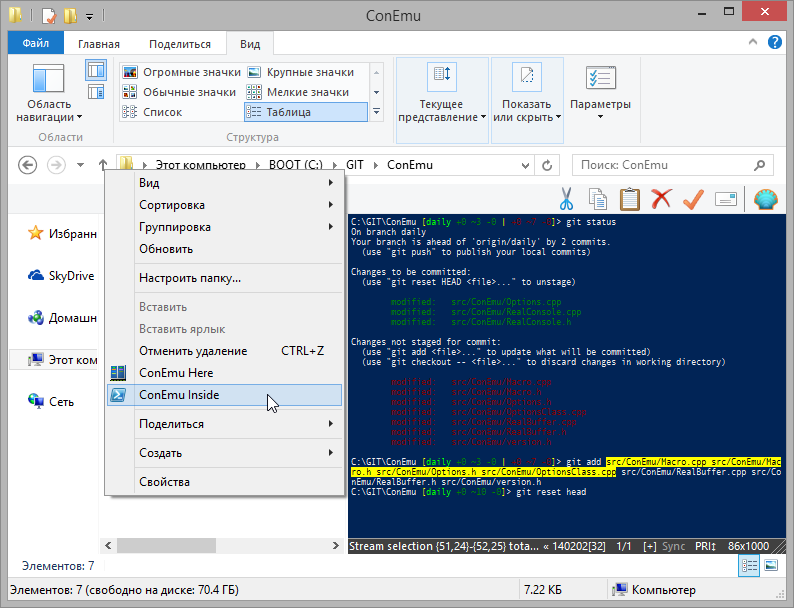
관련 프로젝트 살펴보기
불러오는 중…