
Codectory/AutoActions
Codectory/AutoActions has 792 GitHub stars and 36 forks. GitHot measured 0 stars in 24 hours and 0 in 7 days. Last checked 2026-11-21 17:58 UTC. Last push 2025-12-13.
측정된 스타 증가
- in 24h
- 0
- in 7 days
- 0
- in 15 days
- 기록 수집 중
- in 1 month
- 기록 수집 중
서로 겹치는 기간의 순증가량이며 일별 합계가 아닙니다. 측정값이 없으면 비워 둡니다. 스타는 관심도를 나타내며 품질을 보장하지 않습니다.
소개
Application-based actions to change Windows settings ( display, audio) or run any program or action
창작 및 미디어README.md
OriginalAutoActions
With AutoActions, you can created profiles which included several actions. You can change display settings, set default audio devices or launch any other script or program. Once you have added an application and assigned a profile to it, AutoActions will monitor this application and will run the actions based on the assigned profile.
Features
Auto-Start
AutoActions will start, after the current user has logged on.
Profiles
You can create profiles, which contain actions to be run on application events. The possible events are "Started", "Closed", "Got focus", "Lost focus".
Profile actions
Display action
Toggle HDR, change resolution, refresh rate and color depth
Audio action
Audio actions change default playback or record audio devices.
Run or close program action
Run any program or script as you want or kill running proccesses.
Reference action
Reference action are referencing to an existing profile.
Application assignment
You can assign one profile to different applications.
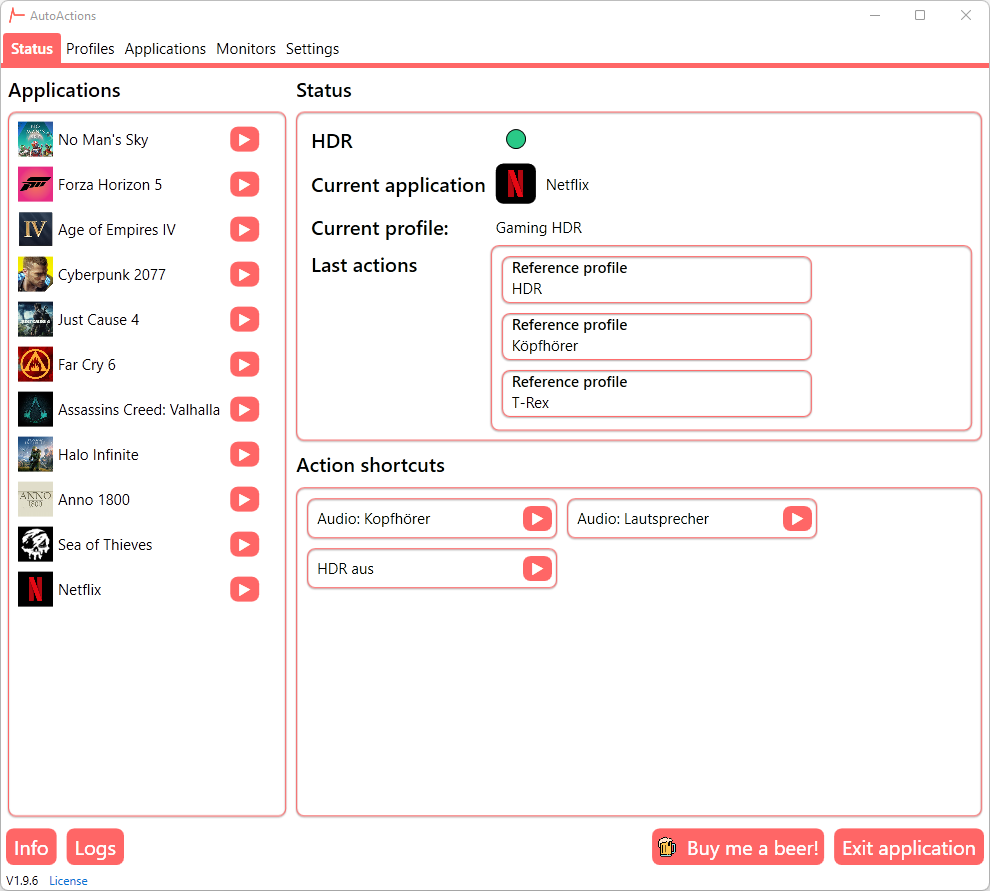
Action shortcuts
Create action shortcuts and access them in the status view or from the tray menu.
Compatibility mode (Restart)
In some games, e.g. Cyberpunk 2077, you don't see any HDR options in settings, when HDR was not enabled in Windows before the game was launched. Therefore, the application kills the process on the first occurence, activates hdr and restarts the process.
Display settings per monitor
Select which monitors you want to control with AutoActions
Screenshots:


관련 프로젝트 살펴보기
불러오는 중…