프로젝트 GitHub에서 보기
CloudCannon/edition-jekyll-template
소개
:books: Product documentation template for Jekyll
개발 도구What you can do
- Two column layout
- Full text search
- Pre-styled components
- Auto-generated navigation based on category
측정된 스타 증가
- in 24h
- 0
- in 7 days
- 0
- in 15 days
- 기록 수집 중
- in 1 month
- 기록 수집 중
서로 겹치는 기간의 순증가량이며 일별 합계가 아닙니다. 측정값이 없으면 비워 둡니다. 스타는 관심도를 나타내며 품질을 보장하지 않습니다.
README.md
OriginalEdition [ LEGACY TEMPLATE NO LONGER MAINTAINED ]
Product documentation template for Jekyll. Browse through a live demo. Start documenting your product, application, service or website with this configurable theme.
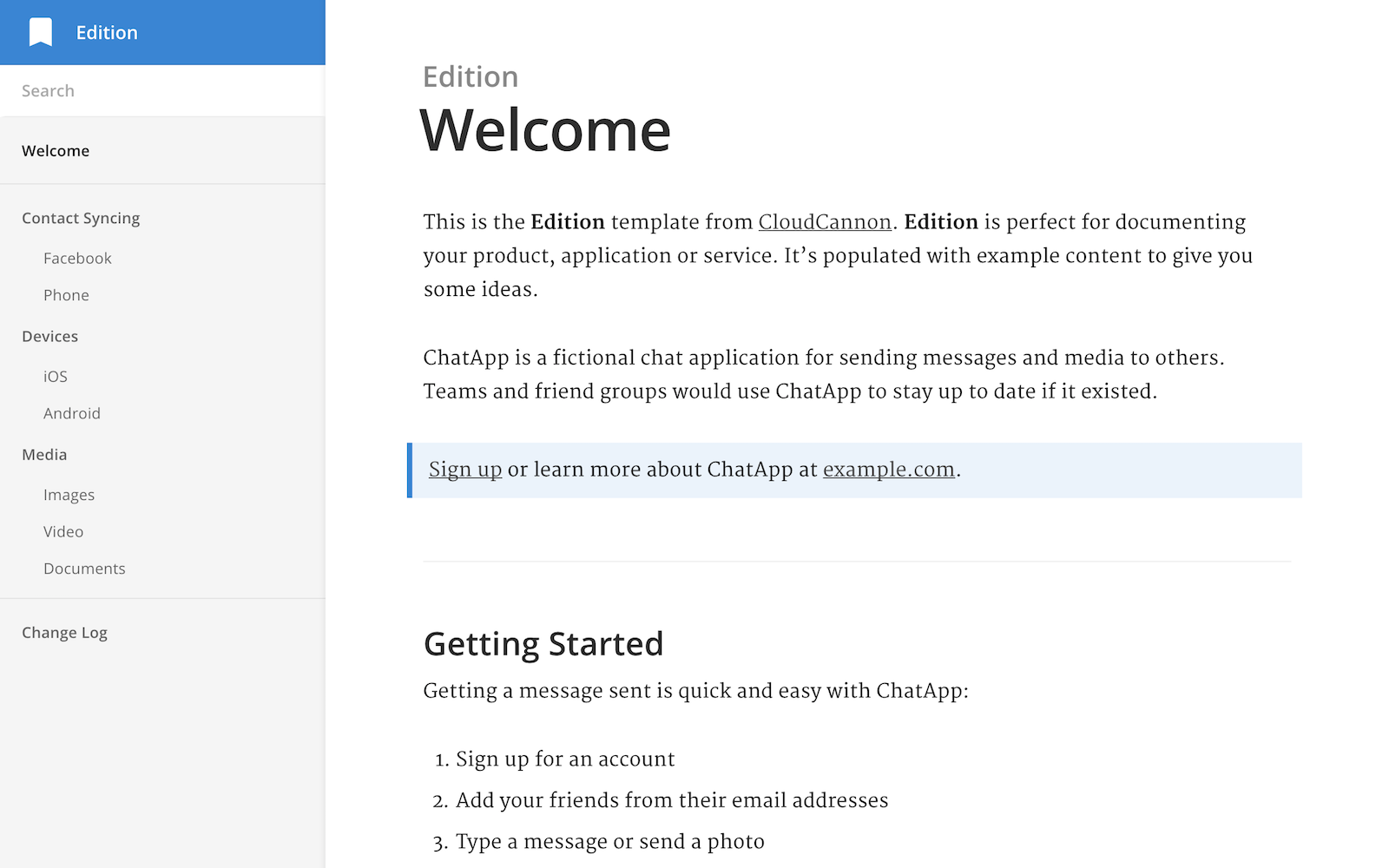
Edition was made by CloudCannon, the Cloud CMS for Jekyll.
Find more templates, themes and step-by-step Jekyll tutorials at CloudCannon Academy.

Features
- Two column layout
- Full text search
- Pre-styled components
- Auto-generated navigation based on category
- Optimised for editing in CloudCannon
- Change log
- RSS/Atom feed
- SEO tags
- Google Analytics
Setup
- Add your site and author details in
_config.yml. - Get a workflow going to see your site's output (with CloudCannon or Jekyll locally).
Develop
Edition was built with Jekyll version 3.3.1, but should support newer versions as well.
Install the dependencies with Bundler:
$ bundle install
Run jekyll commands through Bundler to ensure you're using the right versions:
$ bundle exec jekyll serve
Editing
Edition is already optimised for adding, updating and removing documentation pages in CloudCannon.
Documentation pages
- Add, update or remove a documentation page in the Documentation collection.
- Change the category of a documentation page to move it to another section in the navigation.
- Documentation pages are organised in the navigation by category, with URLs based on the path inside the
_docsfolder.
Change log
- Add, update or remove change log entries from your posts.
- Tag entries as minor or major in the front matter.
Search
- Add
excluded_in_search: trueto any documentation page's front matter to exclude that page in the search results.
Navigation
- Change
site.show_full_navigationto control all or only the current navigation group being open.
관련 프로젝트 살펴보기
불러오는 중…