
CVasilakis/luncher
CVasilakis/luncher has 48 GitHub stars and 11 forks. GitHot measured 0 stars in 24 hours and +3 in 7 days. Last checked 2026-11-20 19:14 UTC. Last push 2026-11-08.
What you can do
- Reorder your apps
- Hide the apps you don't use
- Change the apps' alignment (top / bottom / left / right / center)
- Show the app names and rename them
측정된 스타 증가
- in 24h
- 0
- in 7 days
- +3
- in 15 days
- 기록 수집 중
- in 1 month
- 기록 수집 중
서로 겹치는 기간의 순증가량이며 일별 합계가 아닙니다. 측정값이 없으면 비워 둡니다. 스타는 관심도를 나타내며 품질을 보장하지 않습니다.
소개
A zero-permission, lightweight and customizable Android TV launcher that starts instantly
보안README.md
Original
A zero-permission, lightweight and customizable Android TV launcher that starts instantly.




It's made with privacy and performance in mind, to run smoothly even on old and weak Android TV devices, and still gives you plenty of customization options to shape it to your taste.
Also available in: 简体中文
Screenshots
 |
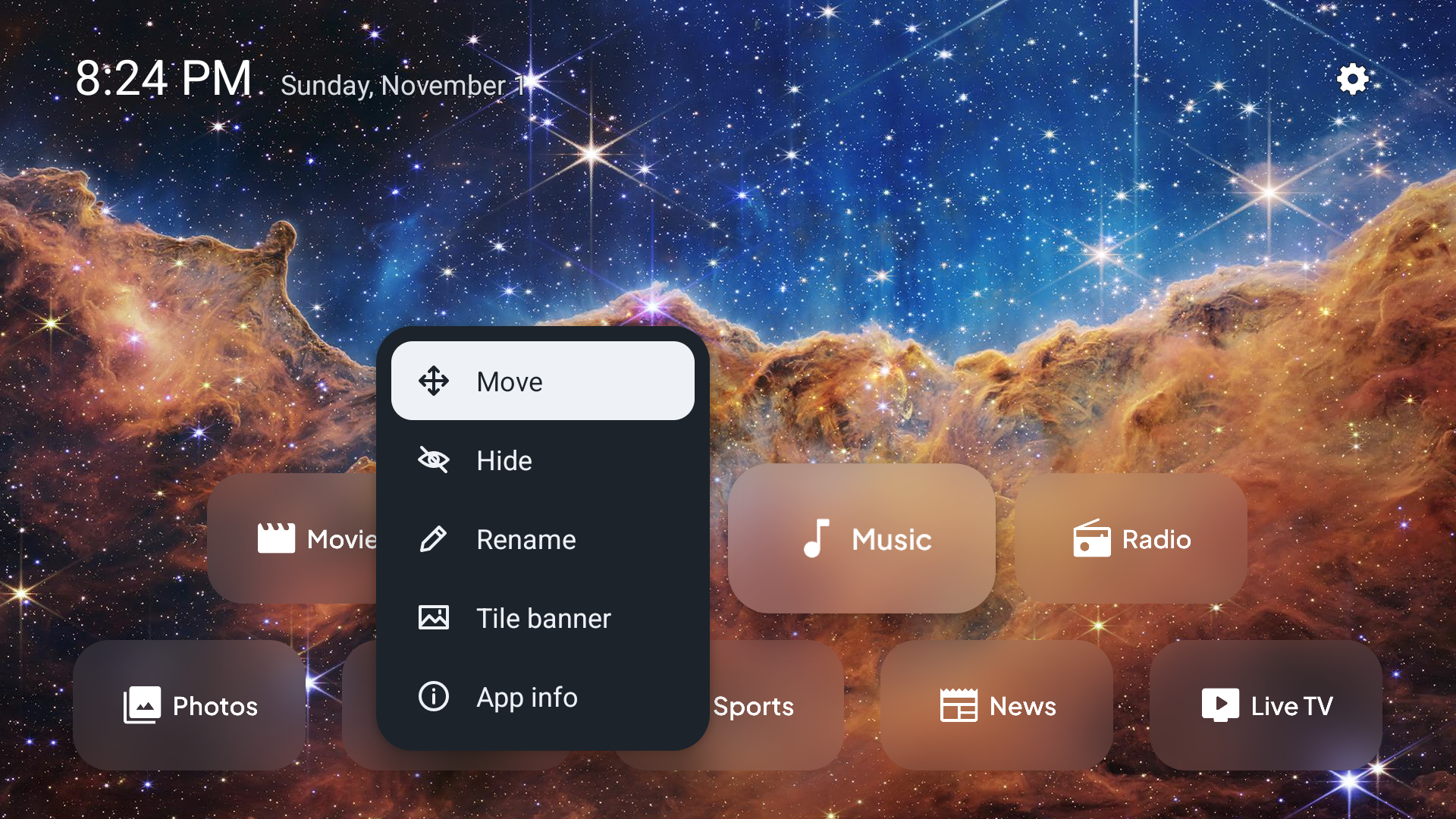 |
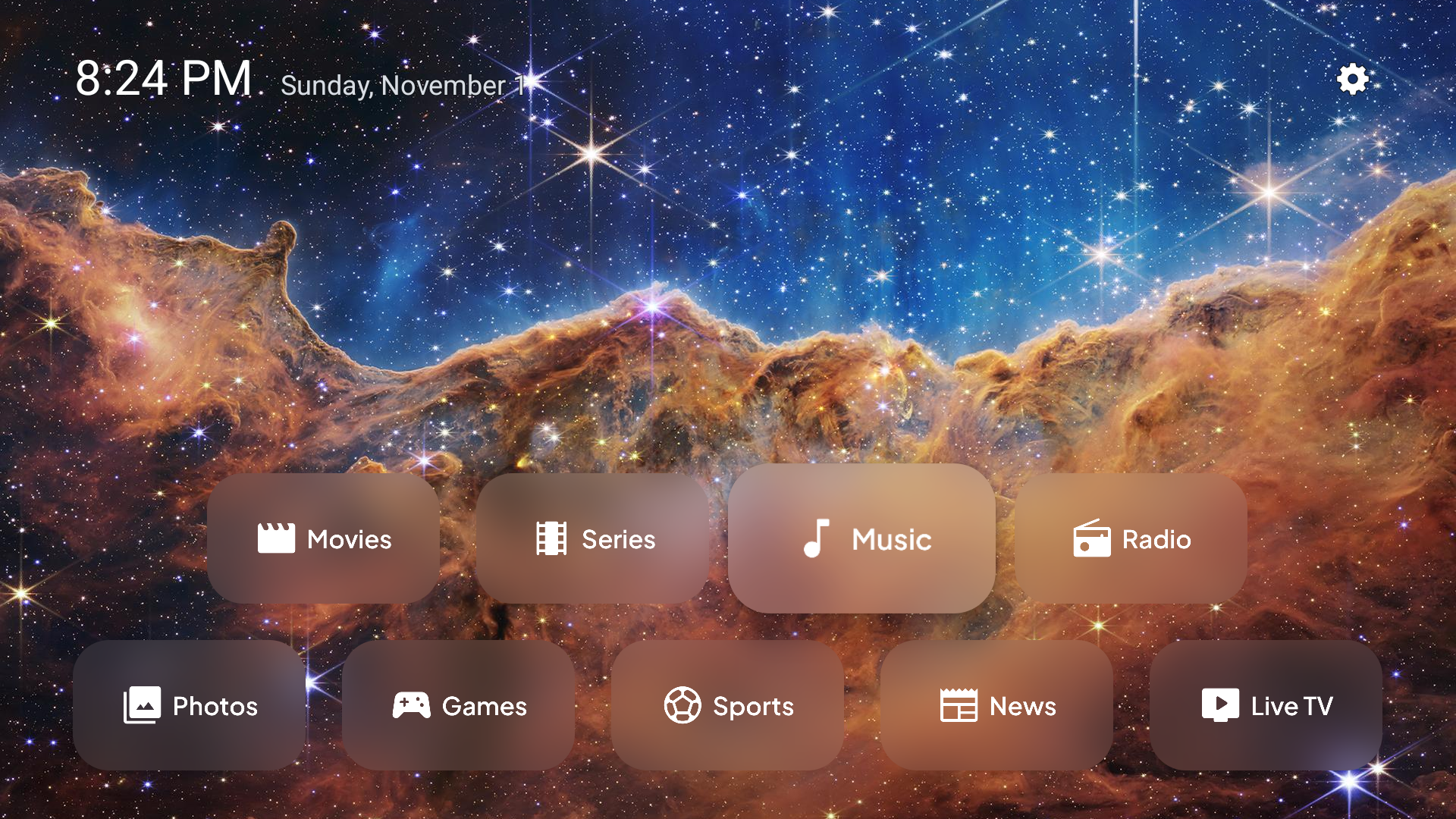
| Your apps, the time and the date | Hold OK on an app for more options |
 |
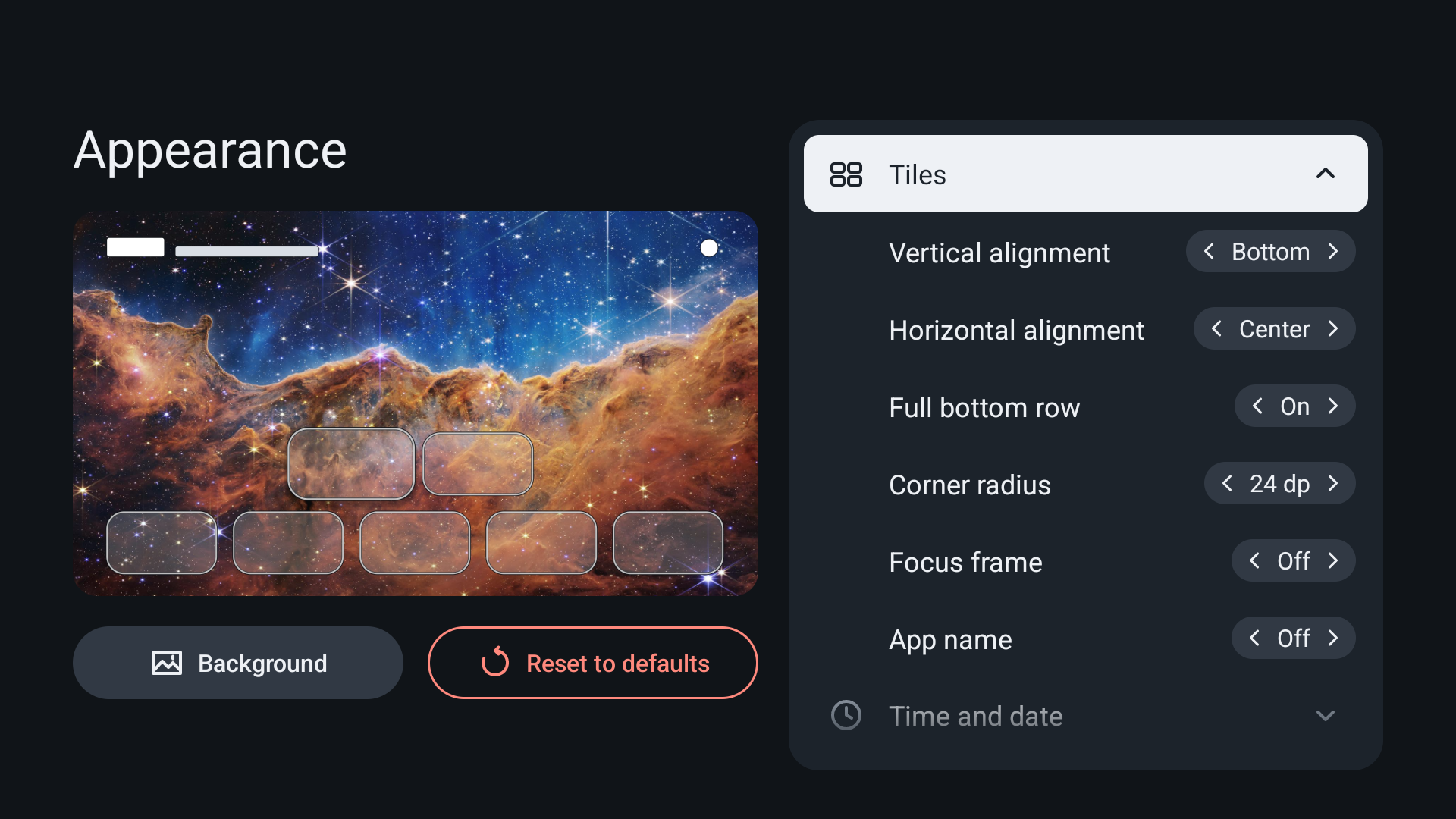 |
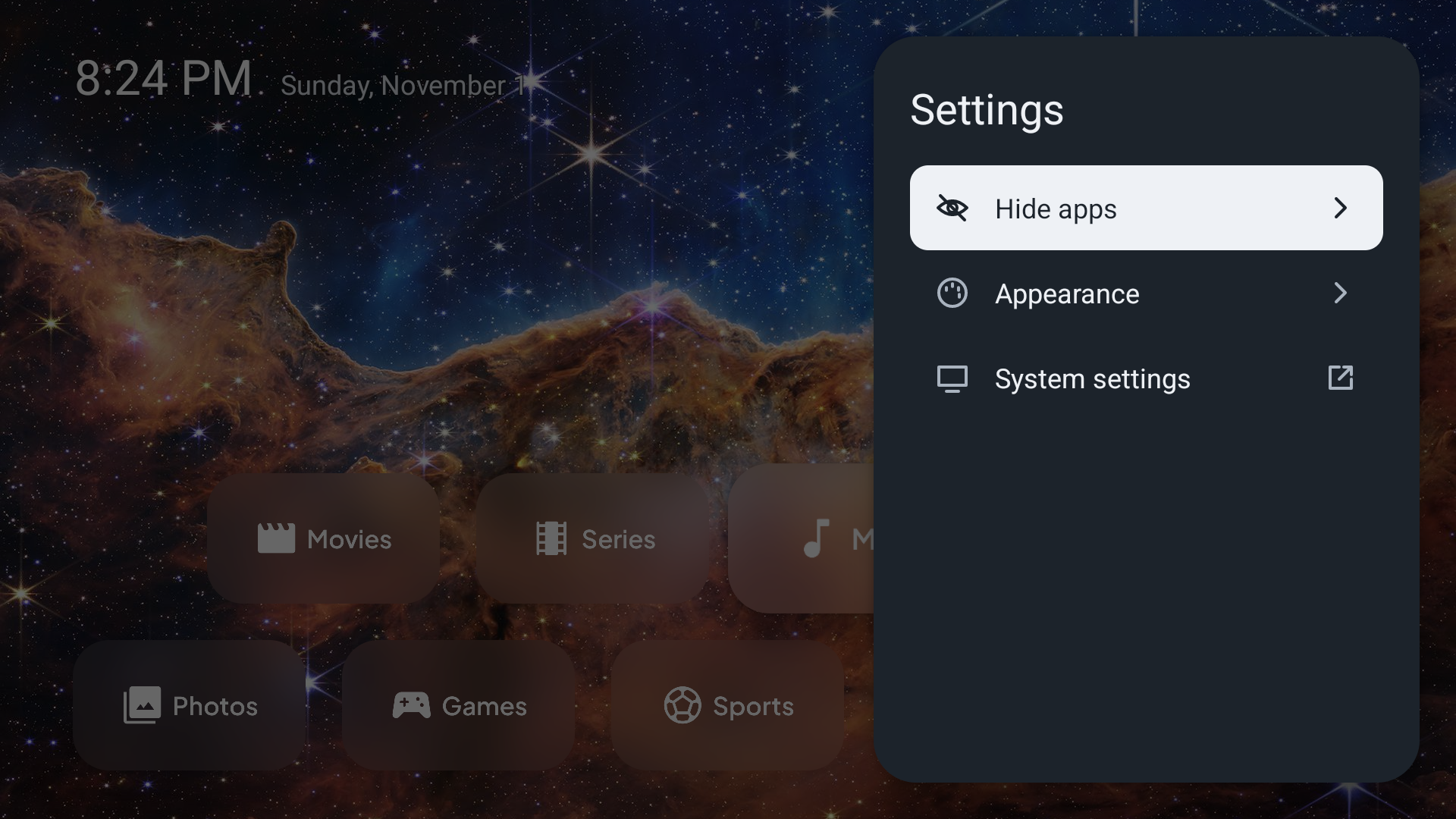
| Settings | Customize your home screen appearance |
 |
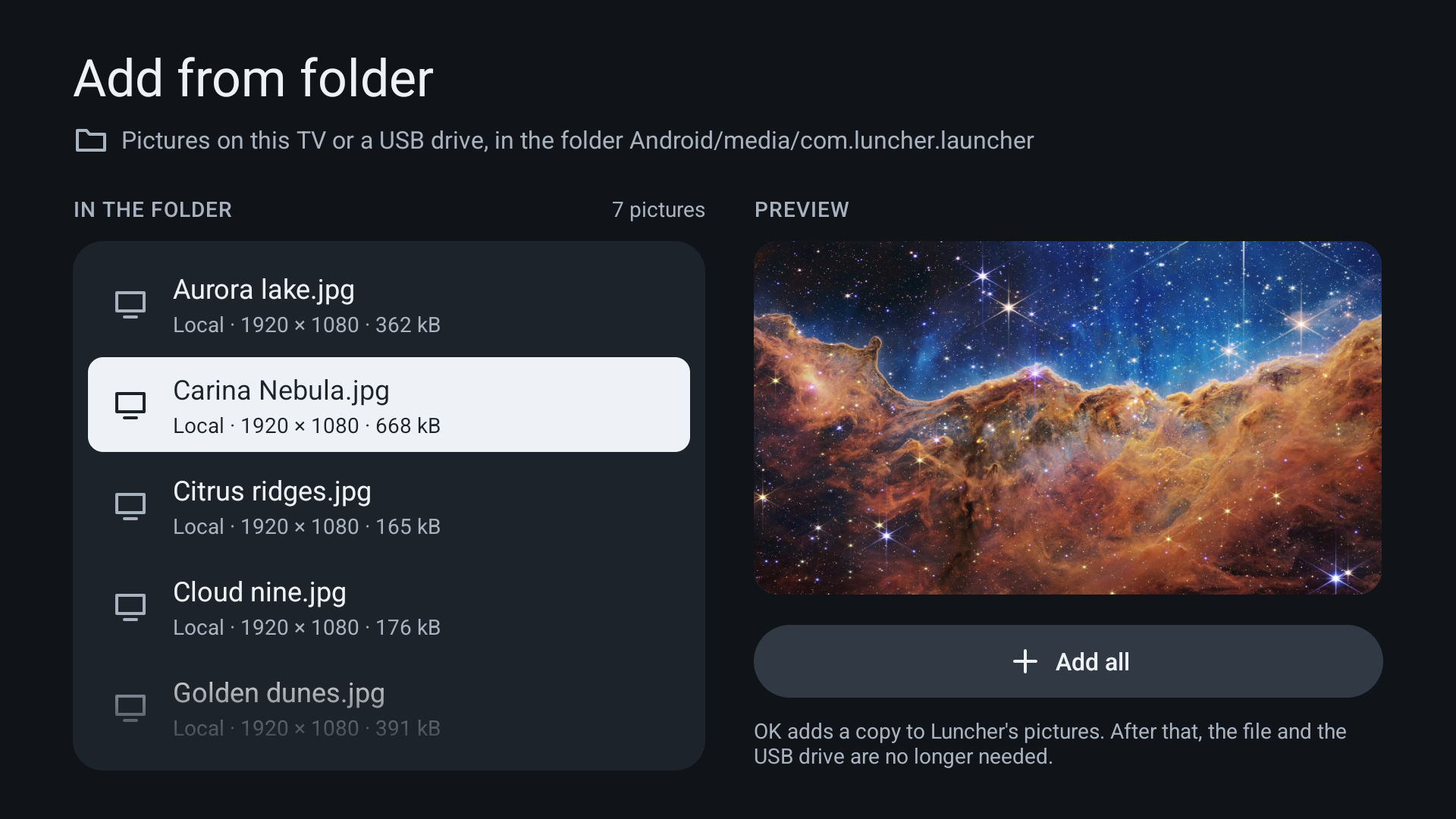 |
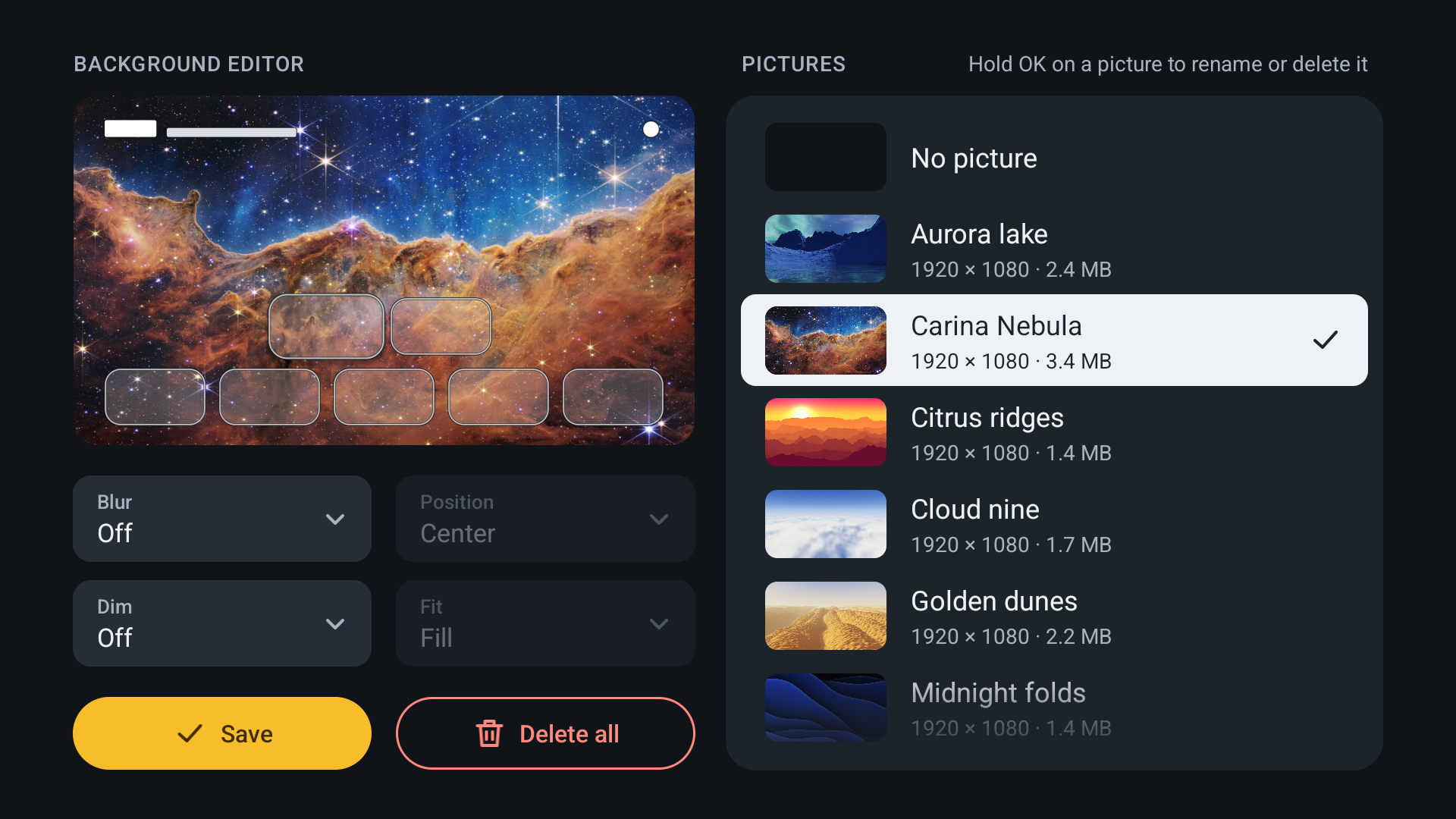
| Pick a wallpaper, and dim or blur it | Add pictures to Luncher's gallery |
 |
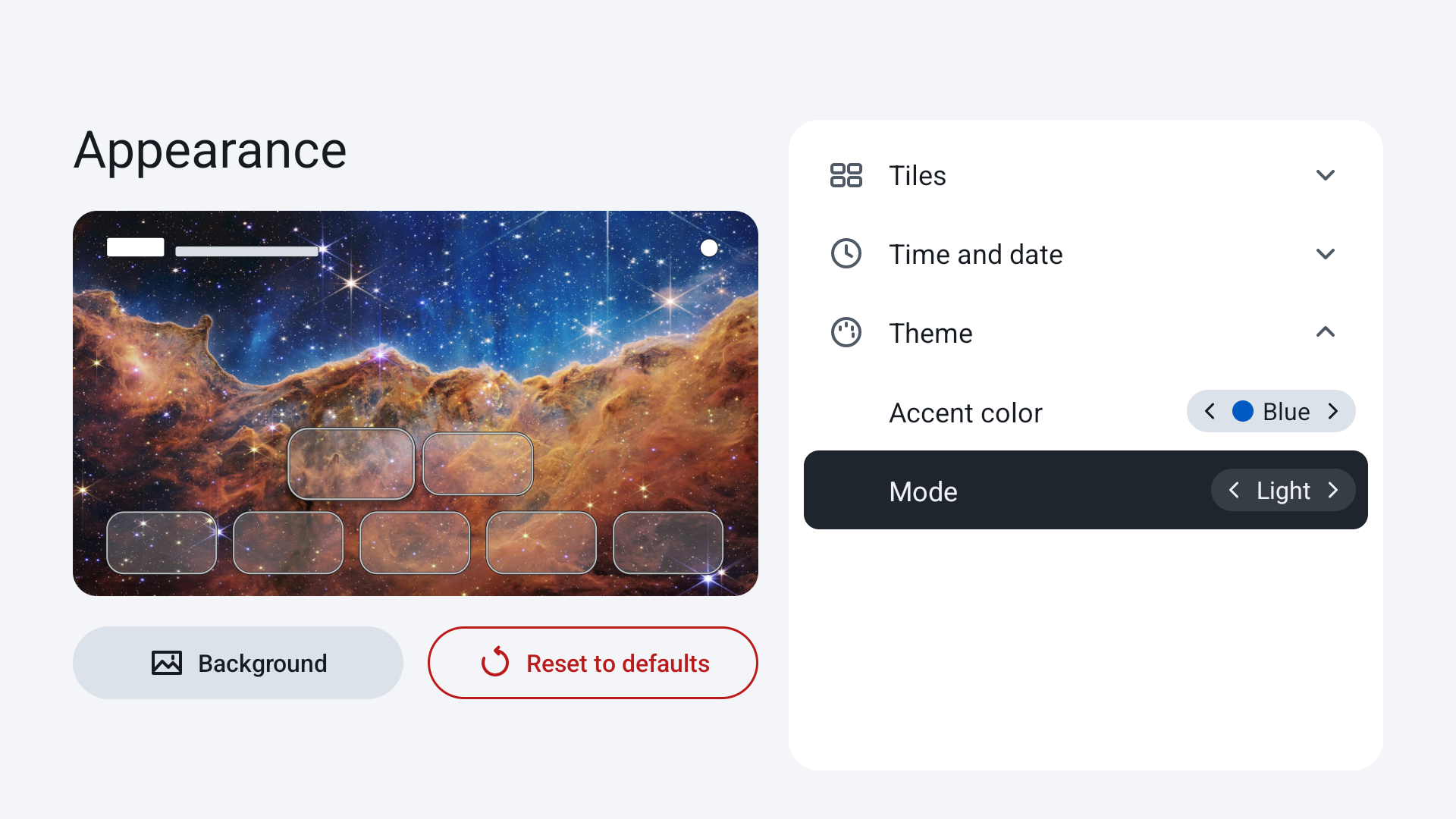 |
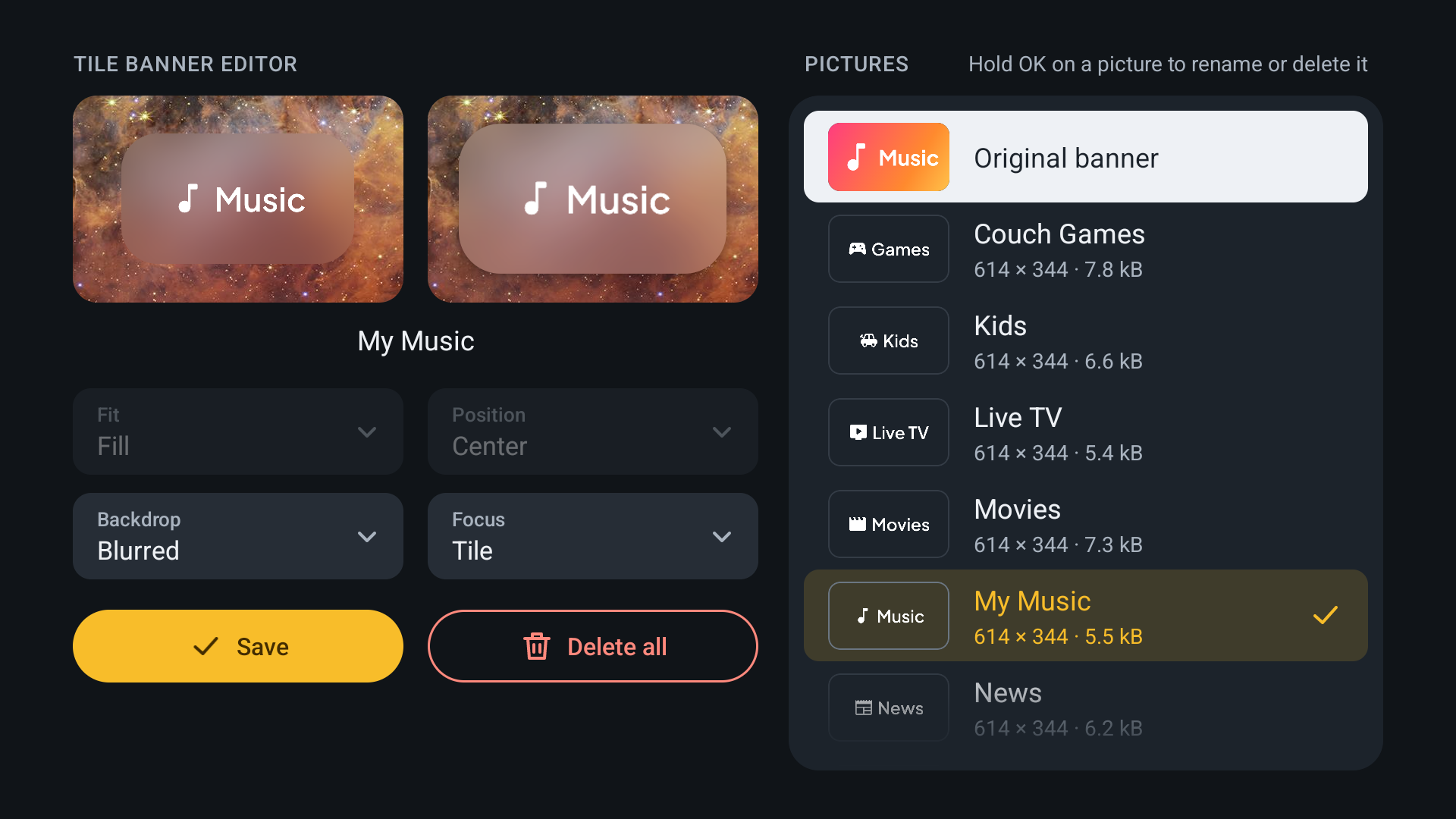
| Give any app a banner of your own | Pick an accent color and a theme |
Features
- Reorder your apps
- Hide the apps you don't use
- Change the apps' alignment (top / bottom / left / right / center)
- Show the app names and rename them
- Access app details easily
- Customize the tile shape, from square to pill-shaped
- Set your own pictures as wallpaper, with dim and blur options
- Set your own custom banners for app tiles (transparency supported)
- Pick an accent color and a dark or light theme for menus and settings
On the way
- More appearance settings: tile size, spacing and much more
- Wi-Fi, VPN and notifications in the status bar
- Folders to group your apps
- Screensaver options
- Backup and import functionality for settings and the gallery
- Support batch import of community icon packs
- A lightweight animated background option (if possible)
- More exotic features, such as the CPU temperature (if possible)
Have an idea? Suggest it in the issues. If it fits Luncher's design principles, it has a good chance of joining the list above.
Design principles
- Instant startup and minimal memory usage, with no background services.
- Offline by design: no internet, no ads, no tracking, no accounts.
- No frameworks or dependencies: just plain Kotlin.
Install
You can download Luncher from any of the sources below. Its builds are reproducible and signed with my key, so all three sources offer the exact same app, and you can switch between them for updates without reinstalling.

Once installed, Luncher shows up in your TV's list of apps. You can open it from there to try it out, but the Home button on the remote still takes you back to the TV's own launcher. The steps to make it your default home screen depend on the device. The guides below cover the two most common systems: Google TV, found on many smart TVs, projectors and streaming sticks, and Fire OS, found on Amazon's Fire TV devices. The newest Fire TV devices run Vega OS instead, which can't run Android apps, so Luncher doesn't work on them. Make sure you understand a command before you run it, and if you're unsure, feel free to ask in the issues.
Google TV
Connect to the TV with adb: turn on USB or network debugging in its developer options (over the network, connect with adb connect <TV's IP address>). Then install the APK you downloaded:
adb install luncher-vX.Y.Z.apk
With the TV's own home screen in front, see which app it is:
adb shell dumpsys window | grep mCurrentFocus
On Android 7.0 and newer, this also works from any screen:
adb shell cmd package resolve-activity --brief -a android.intent.action.MAIN -c android.intent.category.HOME
On Google's own system images, the stock launcher is:
| System | Stock launcher |
|---|---|
| Android TV 5.1 to 7.1 | com.google.android.leanbacklauncher |
| Android TV 8.0 and newer | com.google.android.tvlauncher |
| Google TV | com.google.android.apps.tv.launcherx |
TV makers may replace it with their own, so check with the commands above. Disable the stock launcher so that Home opens Luncher:
adb shell pm disable-user --user 0 <package>
Then check that Home opens Luncher, with the resolve-activity command above. Some TVs have a fallback home screen that comes first once the stock launcher is disabled. If the command names another app, disable that one too. On some Google TV devices, it's the setup wizard's recovery screen:
adb shell pm disable-user --user 0 com.google.android.tungsten.setupwraith/.RecoveryActivity
To undo it, run adb shell pm enable with each name you disabled. Don't uninstall Luncher while the stock launcher is disabled, or Home has nowhere to go.
Fire TV (Fire OS)
Connect to the Fire TV with adb: turn on ADB debugging in its developer options, then connect with adb connect <Fire TV's IP address>. Then install the APK you downloaded:
adb install luncher-vX.Y.Z.apk
On Fire OS, the simplest way to make Luncher your default home screen is Launcher Manager, an app made for exactly that:
- Launcher Manager (for Fire OS) (XDA Forums)
If Launcher Manager doesn't support your Fire OS version, there's currently an exploit that works on most Fire TV devices: it lets you unlock the bootloader, root your device and even downgrade it to an older Fire OS version. Look for the "UNLOCK" thread of your device in the forum below:
- Fire TV Original Android Development (XDA Forums)
The story behind Luncher
Having recently acquired a second-hand 3rd gen Fire TV Stick, I was immediately impressed by it. This little device runs Android, can be powered from a typical USB port and has hardware acceleration for the H.265/H.264 video formats (specs). So many possibilities, but what a bad home screen! I get why the default home screen is like that (ads everywhere, lagging, too many clicks to reach what you want). After all, every company wants to promote its products, and that's fair. But I wanted something more minimal and faster, so I started digging into the open source community for Android TV launcher alternatives.
I was surprised by the limited availability of open source options. Few launchers were still maintained, and most of the ones on GitHub don't make their source code available (they provide just the APK for download). Also, while many of them looked fancy, they were quite buggy, or kept features behind a paywall. A well-maintained list of the available Android TV launchers can be found here.
At that point I had two options: fork one of the existing open source launchers and try to improve it, or build a new one from the ground up. Forking would have meant substantial changes, with no guarantee that the result would end up close to what I wanted. So I went for the second option, wondering how difficult it could be. With a good knowledge of software architecture principles, a background in software engineering and, of course, some help from AI agents, it turned out to be quite easy, and I learned a lot along the way. So here we are. Most of the development time goes into designing and improving the project's software architecture, to make sure each feature is implemented in a simple and lightweight manner, and into automating the tests it needs. The project is currently a hobby that I plan to maintain for the long term. Enjoy!
For developers
For how to build Luncher, how the code is organized and how it's tested, see docs/. If you're developing under WSL2, the android-tv-wsl-dev-tools scripts create, start and stop Android TV emulators from the command line, without the need for Android Studio. Development happens on the beta branch. Pull requests with new features and translations are welcome, targeting beta.
License
Luncher is under the MIT License (LICENSE), except its icon and banner, the store listing's images, this page's banner and the archived launch screen's graphics, which are derived from Android Open Source Project artwork and are under the Apache License 2.0 (app/README.md). Space wallpaper credit: NASA, ESA, CSA, STScI.
Star History
If Luncher gave your TV a second life, or you simply like it, consider leaving a star.