
Bitwise-01/Loki has 630 GitHub stars and 201 forks. GitHot measured 0 stars in 24 hours and +1 in 7 days. Last checked 2026-11-24 06:58 UTC. Last push 2023-05-01.
What you can do
- Upload & Download
- Chrome Launching
측정된 스타 증가
- in 24h
- 0
- in 7 days
- +1
- in 15 days
- 기록 수집 중
- in 1 month
- 기록 수집 중
서로 겹치는 기간의 순증가량이며 일별 합계가 아닙니다. 측정값이 없으면 비워 둡니다. 스타는 관심도를 나타내며 품질을 보장하지 않습니다.
소개
Remote Access Tool
개발 도구README.md
OriginalLoki
Loki is a simple Remote Access Tool.
Loki uses RSA-2048 with AES-256 to keep your communication with infected machines secure.


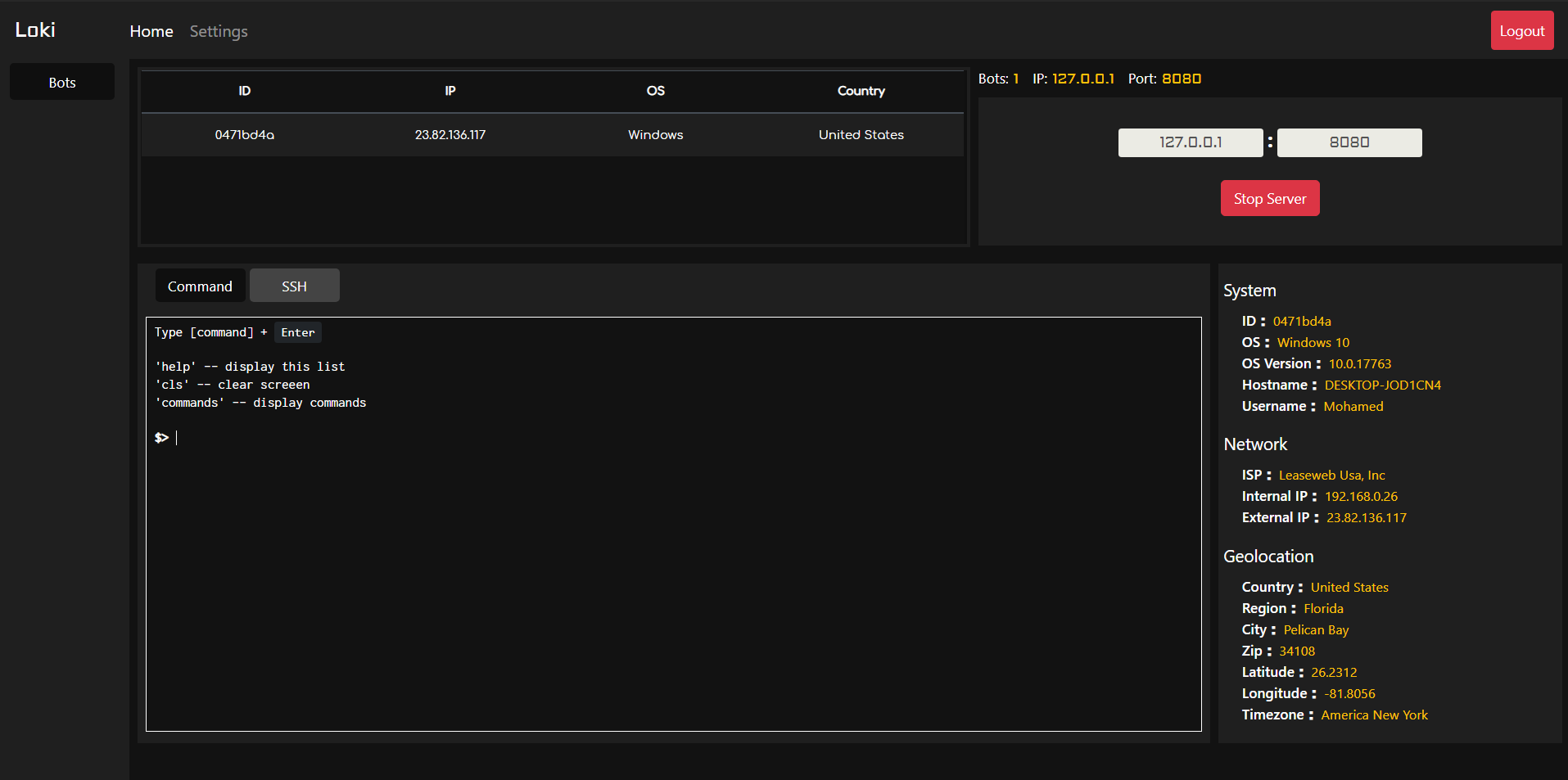
Disclaimer
THE SOFTWARE IS PROVIDED "AS IS", WITHOUT WARRANTY OF ANY KIND, EXPRESS OR
IMPLIED, INCLUDING BUT NOT LIMITED TO THE WARRANTIES OF MERCHANTABILITY,
FITNESS FOR A PARTICULAR PURPOSE AND NONINFRINGEMENT. IN NO EVENT SHALL THE
AUTHORS OR COPYRIGHT HOLDERS BE LIABLE FOR ANY CLAIM, DAMAGES OR OTHER
LIABILITY, WHETHER IN AN ACTION OF CONTRACT, TORT OR OTHERWISE, ARISING FROM,
OUT OF OR IN CONNECTION WITH THE SOFTWARE OR THE USE OR OTHER DEALINGS IN THE
SOFTWARE.
Loki, just like all my other repos is stricly for educational purposes.
Requirements
- Python 3.6.x | 3.7.x | 3.8.x
Server tested on
- Windows 10
- Kali Linux
Bot tested on
- Windows 10
Payload generator tested on
- Windows 10
Features
- Upload & Download
- Chrome Launching
- Persistence
- Screenshare
- Screenshot
- Keylogger
- SFTP
- SSH
Video
https://www.youtube.com/watch?v=UTfZlXGoJ5Y
Installation
$> pip install -r requirements.txt
Server side
Open
/lib/const.py& configure your private and public IP'sStart loki.py
Navigate to http://localhost:5000
Login
Username: loki
Password: ikol
Start the server on the same IP as your private IP
Generate a payload
Navigate to agent directory and run the following command
$> python builder.py -h
It will not compile inside a virtual environment
After connection
- You can click the id of the bot once it connects
FYI
- The bot will call the server using the Public IP, not the private IP
- The bot will call the server using the port specified on the server tab
관련 프로젝트 살펴보기
불러오는 중…