
BayatGames/SaveGameFree
BayatGames/SaveGameFree has 671 GitHub stars and 65 forks. GitHot measured 0 stars in 24 hours and -2 in 7 days. Last checked 2026-11-24 05:20 UTC. Last push 2025-10-06.
What you can do
- Cross Platform (Windows, Linux, Mac OS X, Android, iOS, tvOS, SamsungTV, WebGL, ...)
- Encryption with improved security
- Async/Await Support for non-blocking file operations
- Enhanced Error Handling with detailed exception messages
측정된 스타 증가
- in 24h
- 0
- in 7 days
- -2
- in 15 days
- 기록 수집 중
- in 1 month
- 기록 수집 중
서로 겹치는 기간의 순증가량이며 일별 합계가 아닙니다. 측정값이 없으면 비워 둡니다. 스타는 관심도를 나타내며 품질을 보장하지 않습니다.
소개
Save Game Free is a free and simple but powerful solution for saving and loading game data in unity.
개발 도구README.md
OriginalSave Game Free
Save Game Free is a free and simple but powerful solution for saving and loading game data in Unity Game Engine.
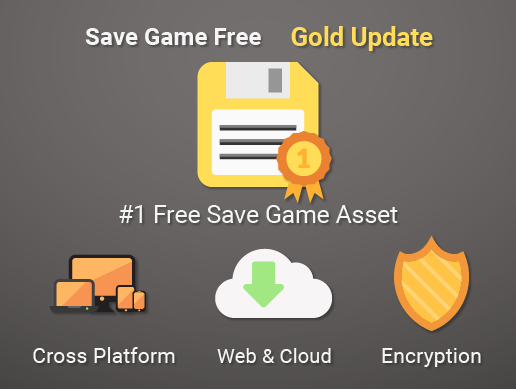
Features
The below features made Save Game Free excellent:
- Cross Platform (Windows, Linux, Mac OS X, Android, iOS, tvOS, SamsungTV, WebGL, ...)
- Auto Save
- Web Support
- Encryption with improved security
- Async/Await Support for non-blocking file operations
- Enhanced Error Handling with detailed exception messages
- Memory-efficient with automatic resource cleanup
- Easy to Use
- Simple but Powerful
- Unity 6 Compatible
Download
:sparkles: Download from Asset Store
:rocket: Download the latest version from the Releases section
:fire: Download the Source Code
Getting Started
Basic Usage
Here is a simple usage of Save Game Free:
SaveGame.Save<int>("score", score);
Full example:
using System.Collections;
using System.Collections.Generic;
using UnityEngine;
using Bayat.Unity.SaveGameFree;

public class SimpleUsage : MonoBehaviour
{
    public int score;

    void OnApplicationQuit()
    {
        SaveGame.Save<int>("score", score);
    }

    void Start()
    {
        // Load with default value
        score = SaveGame.Load<int>("score", 0);
    }
}
Async Usage (Recommended for large files)
For better performance with large save files, use async methods:
using System.Threading.Tasks;
using UnityEngine;
using Bayat.Unity.SaveGameFree;

public class AsyncUsage : MonoBehaviour
{
    public int score;

    async void OnApplicationQuit()
    {
        await SaveGame.SaveAsync<int>("score", score);
    }

    async void Start()
    {
        score = await SaveGame.LoadAsync<int>("score", 0);
    }
}
Encryption Usage
For sensitive data, enable encryption:
// Set a custom password (IMPORTANT: Use your own secure password!)
SaveGame.EncodePassword = "YourSecurePassword123!";

// Save with encryption
SaveGame.Save<string>("playerData", sensitiveData, encode: true);

// Load with encryption
var data = SaveGame.Load<string>("playerData", defaultValue: "", encode: true);
Resources
License
MIT @ Bayat Games
Made with :heart: by Bayat Games
관련 프로젝트 살펴보기
불러오는 중…