
BartoszJarocki/cv has 9,676 GitHub stars and 1,062 forks. GitHot measured +1 stars in 24 hours, +1 in 7 days, and 0 in 15 days. Last checked 2026-11-12 23:29 UTC. Last push 2026-10-28.
인쇄에 적합한 미니멀한 CV 페이지
측정된 스타 증가
- in 24h
- +1
- in 7 days
- +1
- in 15 days
- 0
- in 1 month
- 기록 수집 중
서로 겹치는 기간의 순증가량이며 일별 합계가 아닙니다. 측정값이 없으면 비워 둡니다. 스타는 관심도를 나타내며 품질을 보장하지 않습니다.
README.md
Original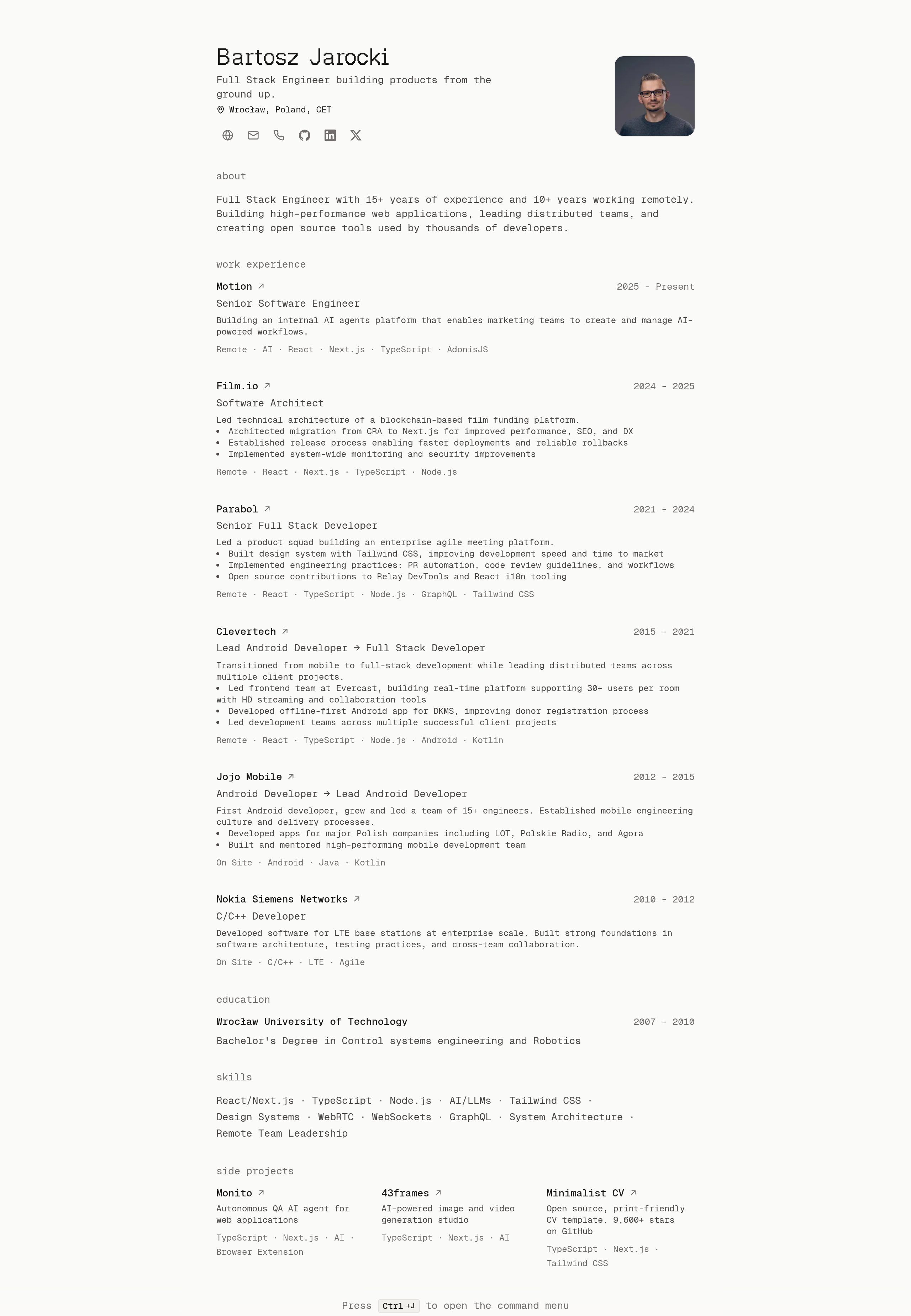
minimalist cv 


simple web app that renders a minimalist CV with print-friendly layout.
maintained by an ai robot 🤖, with a human pressing merge.
requirements
- node 22.15 or later.
pnpm verifyrefuses to run on older versions. - pnpm
getting started
git clone https://github.com/BartoszJarocki/cv.git
cd cv
pnpm install
pnpm dev
# open http://localhost:3000
# edit src/data/resume-data.ts to customize
scripts
pnpm dev          # start development server
pnpm build        # build for production
pnpm start        # start production server
pnpm lint         # run biome linting checks
pnpm lint:fix     # run biome linting with auto-fix
pnpm format       # check code formatting with biome
pnpm format:fix   # format code with biome
pnpm check        # run both linting and formatting checks
pnpm check:fix    # run both linting and formatting with auto-fix
pnpm verify       # check the page, text and markdown that pnpm build prerendered
project structure
scripts/
└── verify.mjs          # checks run by pnpm verify
src/
├── app/                # next.js app router
│   ├── components/     # page-level components
│   │   ├── education.tsx
│   │   ├── header.tsx
│   │   ├── projects.tsx
│   │   ├── skills.tsx
│   │   ├── summary.tsx
│   │   └── work-experience.tsx
│   ├── index.md/
│   │   └── route.ts    # the CV as markdown
│   ├── index.txt/
│   │   └── route.ts    # the CV as text, for curl
│   ├── llms.txt/
│   │   └── route.ts    # the markdown, with a note on the formats
│   ├── apple-icon.png  # home screen icon
│   ├── favicon.ico     # browser tab icon
│   ├── globals.css     # color palette and base styles
│   ├── layout.tsx      # root layout with metadata
│   ├── opengraph-image.tsx
│   ├── page.tsx        # main resume page
│   ├── robots.ts
│   └── sitemap.ts
├── components/         # shared components
│   ├── icons/          # social icon components
│   ├── ui/             # presentational components
│   ├── command-menu-dialog.tsx
│   └── command-menu.tsx
├── data/               # resume data configuration
│   ├── avatar.jpg      # your photo
│   └── resume-data.ts
└── lib/                # utilities and types
    ├── document.ts     # the CV as blocks for the text and markdown
    ├── markdown.ts
    ├── resume.ts
    ├── structured-data.ts
    ├── text.ts
    ├── types.ts
    └── utils.ts
customization
all resume content lives in a single file:
// src/data/resume-data.ts
export const RESUME_DATA = {
  name: "Your Name",
  location: "Your City, Country",
  siteUrl: "https://cv.example.com", // where this CV is deployed
  about: "One line under your name", // also the meta description and share image text
  summary: "A paragraph for the About section",
  // ... more fields
}

export const SECTION_TITLES = {
  summary: "About",
  work: "Work Experience",
  // ... education, skills, projects
}
SECTION_TITLES, in the same file, holds the section headings. to rename or translate a section, change its heading there. the sections appear in the order of its keys, and the page skips any section whose data is empty, such as projects: [].
replace src/data/avatar.jpg with your own square photo, a jpeg or a png. to use another file name, put the file directly in src/data and change the avatar import in src/data/resume-data.ts.
replace src/app/favicon.ico and src/app/apple-icon.png with your own icons. next.js links them by file name, so no config is needed.
styling uses tailwind css. the palette is six oklch color roles in src/app/globals.css, one set for light and one for dark. tailwind.config.js maps the tailwind color names onto those roles. src/app/opengraph-image.tsx and the themeColor list in src/app/layout.tsx set their own hex colors, so a palette change in globals.css does not reach the share image or the browser theme color.
text and markdown
the CV also comes as text for terminals and as markdown for ai agents:
curl https://cv.jarocki.me                                # 80-column text
curl -H "Accept: text/markdown" https://cv.jarocki.me     # markdown
curl https://cv.jarocki.me/index.md                       # markdown, for any client
curl https://cv.jarocki.me/llms.txt                       # markdown, with a note on the formats
- curl, httpie and xh get the text at
/. wget and browsers get the html page. - the text uses ansi bold and dim. to page through it, pipe it to
less -R. - ai agents that ask for markdown with
Accept: text/markdownget it at/. the html page also links it with<link rel="alternate" type="text/markdown">. /index.txtserves the text to any client, such aswget -qO- https://cv.jarocki.me/index.txt.
the text and the markdown come from src/data/resume-data.ts, like the page, so they change when you edit it. pnpm build renders them as static files, and pnpm verify checks them against the data.
the rewrites in next.config.js pick the version for /. to serve the text to another tool, add its user agent to the user-agent pattern there.
to try it locally, run pnpm dev and curl http://localhost:3000.
a plain curl cv.jarocki.me gets vercel's redirect from http to https and prints Redirecting.... use https://, or curl -L.
license
MIT
관련 프로젝트 살펴보기
freeCodeCamp/freeCodeCamp
freeCodeCamp.org의 오픈 소스 코드베이스와 커리큘럼입니다. 수학, 프로그래밍, 컴퓨터 과학을 무료로 배울 수 있습니다.
459,068 스타donnemartin/system-design-primer
대규모 시스템 설계 방법을 배우고 시스템 설계 면접을 준비할 수 있습니다. Anki 플래시카드가 포함되어 있습니다.
377,733 스타react/react
웹과 네이티브 사용자 인터페이스를 위한 라이브러리.
252,565 스타vuejs/vue
Vue 2 저장소입니다. Vue 3은 https://github.com/vuejs/core를 방문하세요.
212,527 스타