
BCsl/CursorWheelLayout
BCsl/CursorWheelLayout has 729 GitHub stars and 145 forks. GitHot measured -1 stars in 24 hours and -3 in 7 days. Last checked 2026-11-25 05:23 UTC. Last push 2020-11-20.
측정된 스타 증가
- in 24h
- -1
- in 7 days
- -3
- in 15 days
- 기록 수집 중
- in 1 month
- 기록 수집 중
서로 겹치는 기간의 순증가량이며 일별 합계가 아닙니다. 측정값이 없으면 비워 둡니다. 스타는 관심도를 나타내며 품질을 보장하지 않습니다.
소개
회전하는 휠에 배치된 항목을 선택하는 Android 위젯입니다.
개발 도구README.md
OriginalCursorWheelLayout
CursorWheelLayout is an Android library that allows view to be placed on a rotatable wheel. It behaves like a Circular ListView where items rotate rather than scroll vertically(but without view recycle strategy).
CursorWheelLayout consists of two components , the center item with id id_wheel_menu_center_item and the menu items that provided by CycleWheelAdapter.
The CursorWheelLayout can be used as a way to select one item from a list. The wheelSelectedAngle attribute determines what position on the wheel is selected.
You can also receive a callback for when an item is clicked, and whether it is selected. Have a look at the sample for a working example!
Screenshot
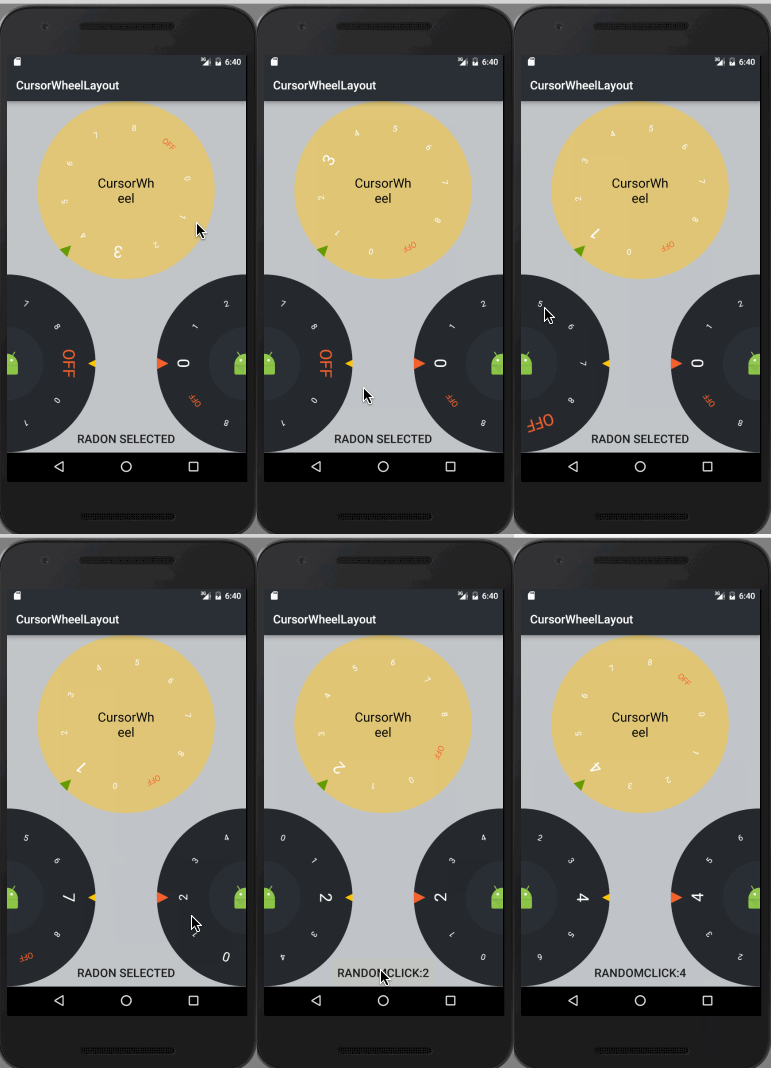
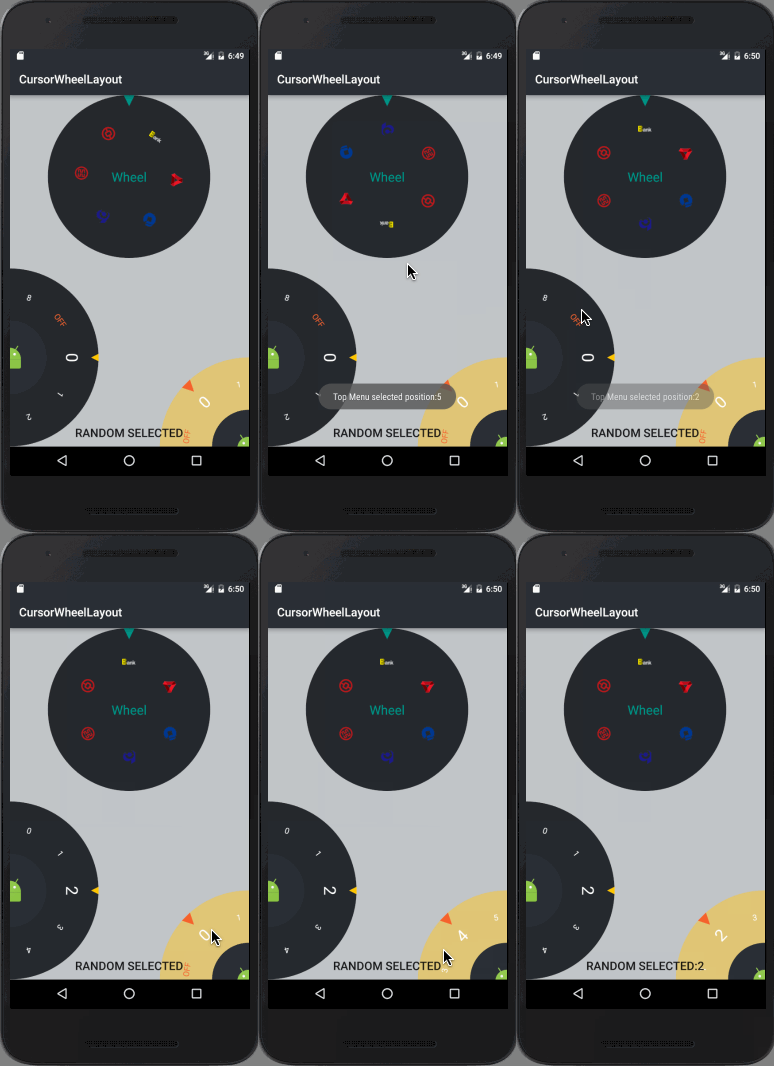
Apk
Setup
Gradle
compile 'github.hellocsl:CursorWheelLayout:1.1.0'
Maven
<dependency>
  <groupId>github.hellocsl</groupId>
  <artifactId>CursorWheelLayout</artifactId>
  <version>1.1.0</version>
  <type>pom</type>
</dependency>
Usage
- Add a custom view in Xml
  <github.hellocsl.cursorwheel.CursorWheelLayout
        android:id="@+id/test_circle_menu_right"
        android:layout_width="306dip"
        android:layout_height="306dip"
        android:layout_gravity="center_vertical|right|bottom"
        android:layout_marginBottom="-153dp"
        android:layout_marginRight="-153dip"
        app:wheelBackgroundColor="@color/colorAccent_Translucent"
        app:wheelCursorColor="@color/red"
        app:wheelCursorHeight="20dip"
        app:wheelFlingValue="460"
        app:wheelSelectedAngle="225">

        <github.hellocsl.cursorwheellayout.widget.SwitchButton
            android:id="@id/id_wheel_menu_center_item"
            android:layout_width="wrap_content"
            android:layout_height="wrap_content"
            app:boardWidth="0dip"
            app:uncheckRevealColor="#ff2a2f36"
        />
    </github.hellocsl.cursorwheel.CursorWheelLayout>
- Define your
WheelCycleAdapter
public class SimpleTextAdapter implements CursorWheelLayout.CycleWheelAdapter{

        public int getCount(){
        //...
        }

        public View getView(View parent, int position){
        //...
        }

        public Object getItem(int position){
        //...
        }

}
- Set your
WheelCycleAdaptersimilar to how you would set an adapter with a ListView
        SimpleTextAdapter simpleTextAdapter = new SimpleTextAdapter(this, menuItemDatas);
        mTestCircleMenuLeft.setAdapter(simpleTextAdapter);
Listener
- A listener for when the closest item to the
SelectionAnglechanges.
      mTestCircleMenuTop.setOnMenuSelectedListener(new CursorWheelLayout.OnMenuSelectedListener() {
            @Override
            public void onItemSelected(CursorWheelLayout parent, View view, int pos) {
                Toast.makeText(MainActivity.this, "Top Menu selected position:" + pos, Toast.LENGTH_SHORT).show();
            }
        });
- A listener for when an item is clicked.
        mTestCircleMenuTop.setOnMenuItemClickListener(new CursorWheelLayout.OnMenuItemClickListener() {
            @Override
            public void onItemClick(View view, int pos) {
                Toast.makeText(MainActivity.this, "Top Menu click position:" + pos, Toast.LENGTH_SHORT).show();

            }
        });
Useful attributes
Here are the custom attributes that can be declared in xml:
- wheelSelectedAngle
- wheelPaddingRadio
- wheelCenterRadio
- wheelItemRadio
- wheelFlingValue
- wheelCursorHeight
- wheelCursorColor
- wheelBackgroundColor
- wheelItemRotateMode
Refer to
http://blog.csdn.net/lmj623565791/article/details/43131133
License
Apache License Version 2.0 http://apache.org/licenses/LICENSE-2.0.txt
관련 프로젝트 살펴보기
불러오는 중…