
AutomateThePlanet/AutomateThePlanet-Learning-Series
소개
Automate The Planet 시리즈 소스 코드
개발 도구측정된 스타 증가
- in 24h
- 0
- in 7 days
- 0
- in 15 days
- 0
- in 1 month
- 기록 수집 중
서로 겹치는 기간의 순증가량이며 일별 합계가 아닙니다. 측정값이 없으면 비워 둡니다. 스타는 관심도를 나타내며 품질을 보장하지 않습니다.
README.md
Original
Welcome to the source code repository of Automate The Planet Learning Series!
Please STAR the repository.

This way, you will have a bookmark for easier access and you will show appreciation to our work!
Thank you for being an awesome supporter of the automation testing!
C# Series
- Design & Architecture Series
- Web Automation Series
- Mobile Automation Series
- Desktop Automation Series
- Automation Tools Series
- Development Series
Java Series
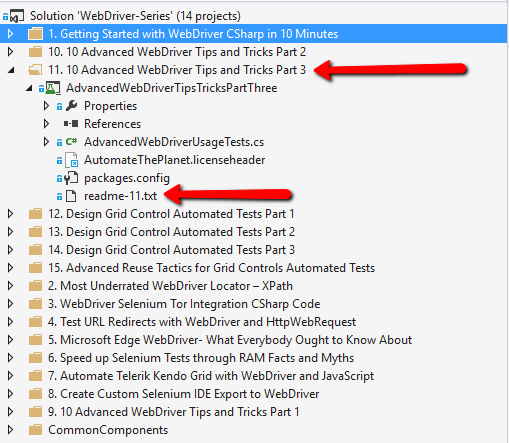
Under each folder, you will find a separate solution file. Every article from the series has its folder and an info file. To run the examples from particular series you need only its folder.
Running Tests through CLI
To execute your tests via command line in Continues Integration (CI), you can use the native .NET Core test runner.
- Navigate to the folder of your test project.
- Open the CMD there.
- Execute the following command:
dotnet test
For applying filters and other more advanced configuration check the official documentation https://docs.microsoft.com/en-us/dotnet/core/tools/dotnet-test and https://docs.microsoft.com/en-us/dotnet/core/tools/dotnet-vstest.
Both MSTest and NUnit are supported.
Supported Code Editors
The recommended code editor for writing tests is Visual Studio 2019 or higher (preferably installed on Windows).
NOTE: After the support for .NET Core/.NET 5.0 and higher, Microsoft officially does not support .NET Core development in older versions of Visual Studio 2015, 2017 and so on.
Other Supported Editors:
- Visual Studio Code
- Visual Studio for Mac
- Rider: Cross-platform .NET IDE
SDKs and Frameworks Prerequisites
.NET Core SDK 5 or higher (usually comes with Visual Studio installation or updates)
For desktop modules you need to download WinAppDriver. You need to make sure it is started before running any desktop tests.
For mobile modules you need to download and install Appium. You need to make sure it is started before running any mobile tests.
관련 프로젝트 살펴보기
불러오는 중…