
Artoriuz/ArtCNN
소개
Simple CNNs aimed at anime content
개발 도구측정된 스타 증가
- in 24h
- 0
- in 7 days
- +4
- in 15 days
- 기록 수집 중
- in 1 month
- 기록 수집 중
서로 겹치는 기간의 순증가량이며 일별 합계가 아닙니다. 측정값이 없으면 비워 둡니다. 스타는 관심도를 나타내며 품질을 보장하지 않습니다.
README.md
OriginalArtCNN
Overview
ArtCNN is a collection of simple SISR models aimed at anime content.
Two distinct architectures are currently offered:
C: Original ArtCNN models optimised mostly for speed. These should only be used for real-time tasks like video playback. The architecture consists of a series of convolution layers aided by a single long-skip connection. Offered in the ONNX format and as GLSL shaders.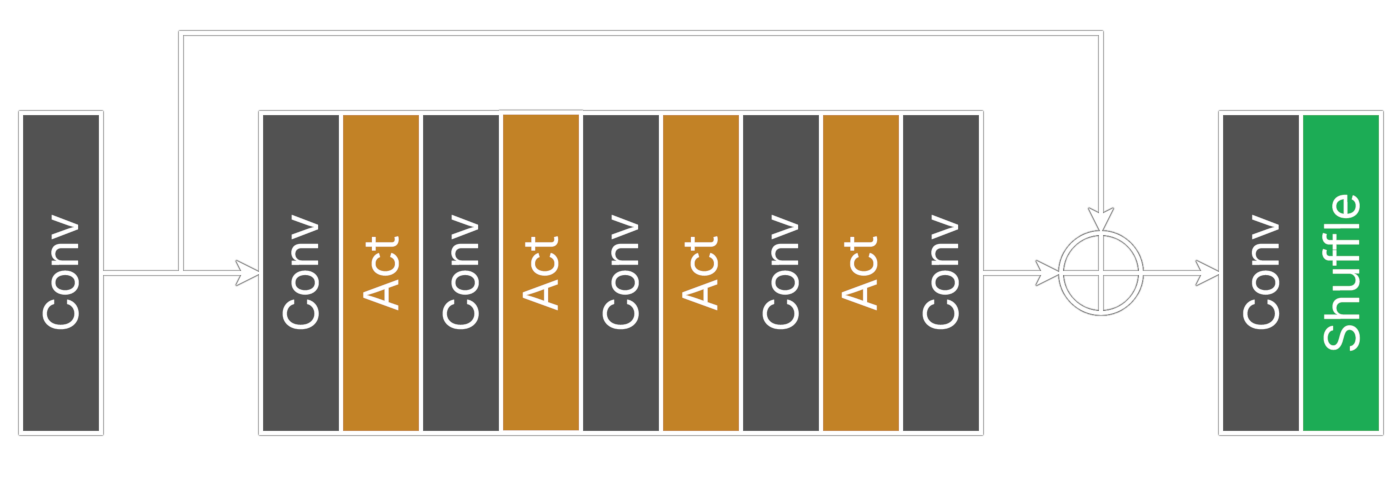
R: Bigger models aimed mostly at non real-time tasks like rescaling. On top of having more filters per convolution layer, the architecture was also made much deeper with the help of residual blocks and short-skip connections. Offered only in the ONNX format.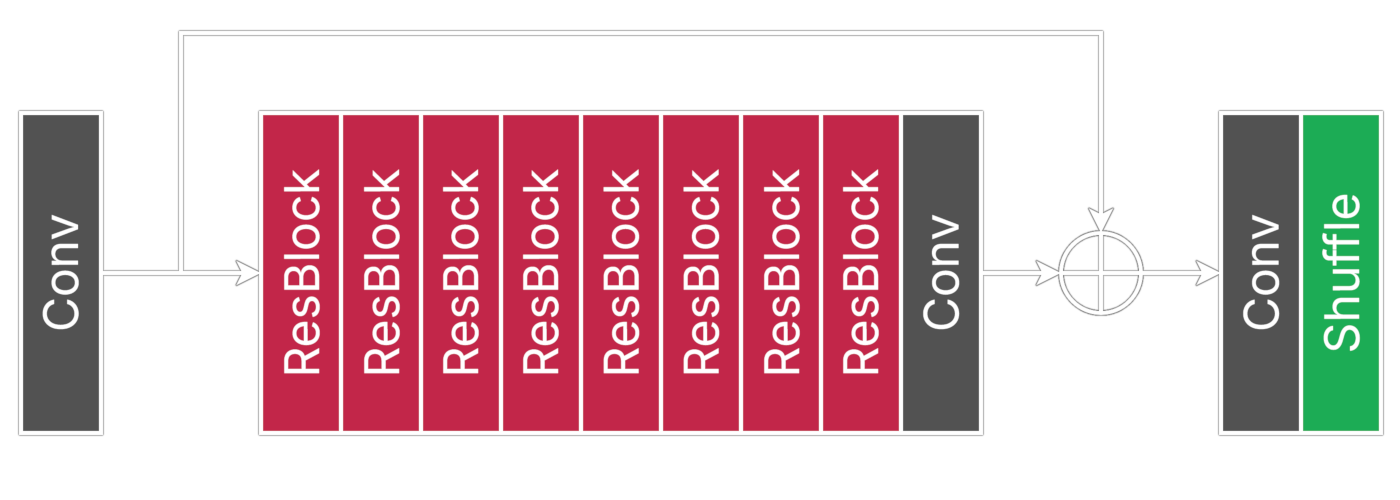
Models
4 configurations are currently offered:
| Model | Architecture | Residual Blocks/Layers | Filters | Parameter Count | Recommended Usage |
|---|---|---|---|---|---|
R16F96 |
R | 16 | 96 | ~4m | Highest-quality reconstruction for non real-time tasks |
R8F64 |
R | 8 | 64 | ~926k | Balanced option for non real-time tasks |
C4F32 |
C | 4 | 32 | ~48k | Real-time tasks if hardware allows |
C4F16 |
C | 4 | 16 | ~12k | Lightweight option for real-time tasks |
Regarding the suffixes:
- Models without any suffixes are neutral luma doublers.
DS: Luma doublers trained to denoise and sharpen.DN: Luma doublers trained to denoise and soften.Chroma: Trained to reconstruct chroma. These are intended to be used on 4:2:0 BT.709 YCbCr content, and chroma must be upscaled with bilinear first.Chroma_DN: Trained to reconstruct and denoise chroma. These are intended to be used on noisy 4:2:0 BT.709 YCbCr content, and chroma must be upscaled with bilinear first.JPEG444: Trained to clean JPEG artifacts. These are intended to be used on 4:4:4 JPEGs.JPEG420: Trained to clean JPEG artifacts. These are intended to be used on 4:2:0 JPEGs.
You may occasionally find some experimental models under the Experiments directory.
mpv Instructions
Add something like this to your mpv config:
vo=gpu-next
glsl-shader="path/to/shader/ArtCNN_C4F32.glsl"
VapourSynth Instructions
ArtCNN is supported by vs-mlrt, with an easy-to-use wrapper in vs-jetpack. Please follow the instructions found there.
Alternatively, can also run the GLSL shaders with vs-placebo.
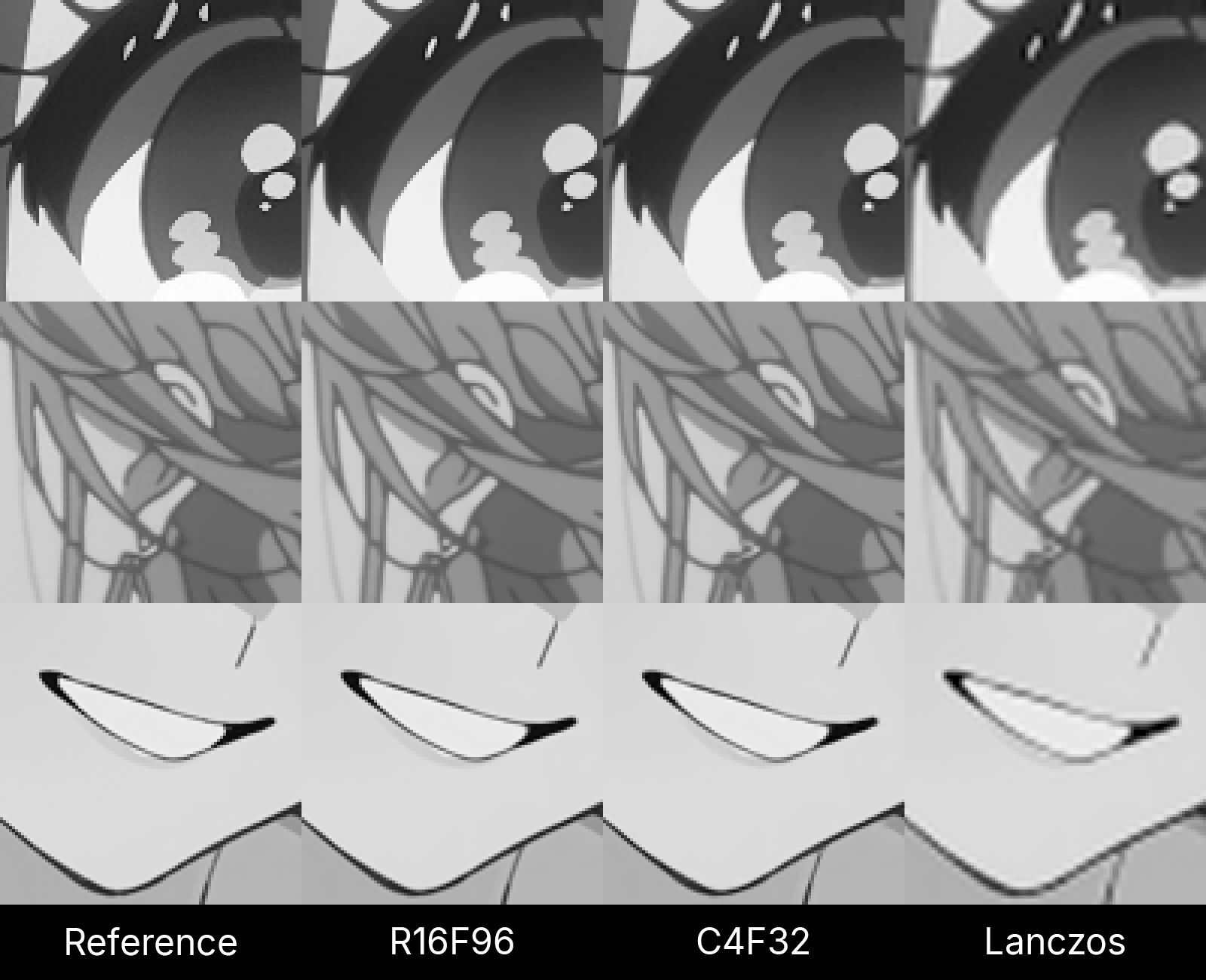
Examples
관련 프로젝트 살펴보기
불러오는 중…