프로젝트 GitHub에서 보기
ArtSabintsev/Solarized-Dark-for-Xcode
소개
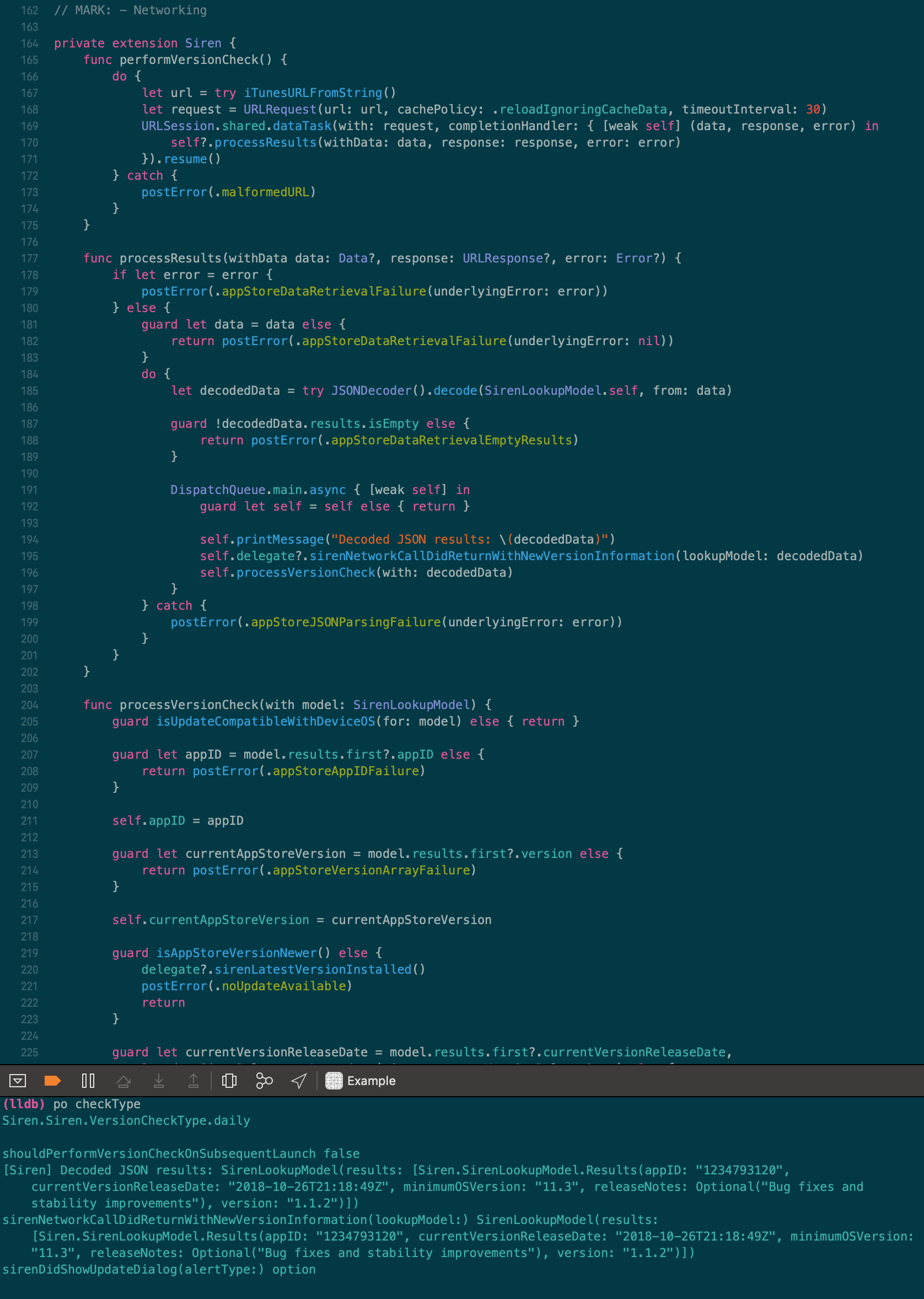
Solarized Dark Theme for Xcode. Compatible with all modern versions of Xcode since 2013!
개발 도구측정된 스타 증가
- in 24h
- 0
- in 7 days
- 0
- in 15 days
- 기록 수집 중
- in 1 month
- 기록 수집 중
서로 겹치는 기간의 순증가량이며 일별 합계가 아닙니다. 측정값이 없으면 비워 둡니다. 스타는 관심도를 나타내며 품질을 보장하지 않습니다.
README.md
OriginalSolarized Dark for Xcode
Note
I've moved away from using Solarized to a Night-Shift/Dark-Mode-friendly palette of my own creation; Cognac. It's available for many editors, including Xcode.
I will still continue supporting this Solarized Dark theme for the Xcode community.
Background
This theme works with Xcode 8, 9, and 10.
This theme used to work with Xcode 5, 6, and 7, but due to the changes to the theme editor, the latest version of this theme is no longer compatible with those versions.
Installation
Automatic (via script)
./install.sh
which will install the file in Xcode FontAndColorThemes directory.
- Restart Xcode
- Go to preferences and select Solarized Dark
Manual InstallationÂ
Copy the .xccolortheme file into the following directory:
~/Library/Developer/Xcode/UserData/FontAndColorThemes
- Restart Xcode
- Go to preferences and select Solarized Dark
Created and maintained by
관련 프로젝트 살펴보기
불러오는 중…