
whiteinge/diffconflicts has 423 GitHub stars and 21 forks. GitHot measured 0 stars in 24 hours. Last checked 2026-11-14 17:54 UTC. Last push 2024-01-30.
計測したスター増加
- 24時間
- 0
- 7日間
- 履歴を収集中
- 15日間
- 履歴を収集中
- 1か月
- 履歴を収集中
期間ごとの純増数です。期間は重複しており、日別の値ではありません。未計測の値は空欄です。スター数は注目度の指標であり、品質の保証ではありません。
概要
A better Vimdiff Git mergetool
開発ツールREADME.md
オリジナルvim-diffconflicts
A better Vimdiff mergetool.
tl;dr:
- Call
:DiffConflictsto convert a file containing conflict markers into a two-way diff. - Install as a Git or Mercurial mergetool to do that automatically. (See Installation below.)
Why?
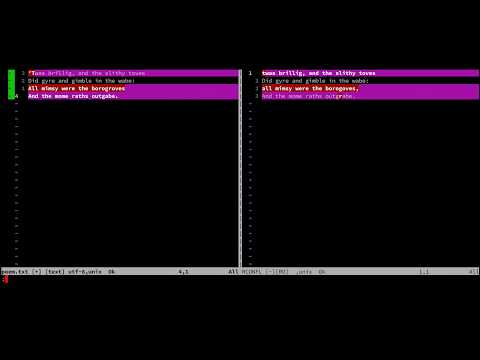
Watch a demonstration version of this README on YouTube:
Contents:
- Three-Way Diffs are Hard
- Editing-Conflict-Markers-is-Hard
- Two-Way Diffs are Eas(ier)
- Conflict-Markers are a Two-Way Diff
Three-Way Diffs are Hard
When Git cannot automatically resolve conflicts it writes a file with conflict markers surrounding the conflicting areas. These conflicts must be resolved manually. This is often done via a three-way comparison.
Vim supports three-way diffs however syntax highlighting alone is not sufficient to showcase the differences between that many versions. In addition, the default keybindings are not well suited to moving individual changes between that many windows.
The screenshot below is an example of Vimdiff as a Git mergetool using default settings. None of the conflicts have an obvious resolution:

Editing Conflict Markers is Hard
When human intervention is needed it is rarely as simple as choosing the "left" change or the "right" change. The correct resolution often involves a mix of both changes. It is difficult to manually edit a file containing Git conflict markers because the human eye isn't well suited to spotting subtle differences, particularly when the differences are not adjacent:

Two-Way Diffs are Eas(ier)
A two-way diff more simply highlights just the relevant differences which makes the resolution more clear. The merge base and history of each version of the conflict is a useful reference to learn the intent of each conflicting change, however those are not as useful to see in the diff.
Vimdiff is well suited to two-way diffs:

Conflict-Markers are a Two-Way Diff
Git does an admirable job of automatically resolving conflicts. We want to retain all the work and resolve only the things that Git could not. That work is reflected in the files containing conflict markers, but it is not reflected in a two-way diff between LOCAL and REMOTE.
Rather than editing the conflict markers directly, it is better to perform a two-way diff on only the "left" and "right" sides of the conflict markers by splitting them apart.
Installation
Install this plugin using your favorite Vim plugin manager, or just clone the repo into your packages directory (see
:help packages).Configure Git to use this plugin as a mergetool:
git config --global merge.tool diffconflicts
git config --global mergetool.diffconflicts.cmd 'vim -c DiffConflicts "$MERGED" "$BASE" "$LOCAL" "$REMOTE"'
git config --global mergetool.diffconflicts.trustExitCode true
git config --global mergetool.keepBackup false
Or, if you'd prefer to always open both the diff view and the history view call
DiffConflictsWithHistoryinstead:git config --global mergetool.diffconflicts.cmd 'vim -c DiffConflictsWithHistory "$MERGED" "$BASE" "$LOCAL" "$REMOTE"'During a merge you can call
:DiffConflictsShowHistoryto open a new tab containing the merge BASE and full copies of the LOCAL and REMOTE versions of the conflicted file. This can help to understand the history or intent behind the conflicting changes to help you decide how best to combine the changes.This tab is not opened by default so that Vim starts more quickly.
Mercurial
Configure Mercurial to use diffconflicts as a mergetool by adding:
[merge-tools]
diffconflicts.executable=vim
diffconflicts.args=-c 'let g:diffconflicts_vcs="hg"' -c DiffConflicts "$output" $base $local $other
diffconflicts.premerge=keep
diffconflicts.check=conflicts
diffconflicts.priority=99
to your .hgrc file.
Or, if you prefer to always open both the diff view and the history view use
diffconflicts.args=-c 'let g:diffconflicts_vcs="hg"' -c DiffConflictsWithHistory "$output" $base $local $other
as the args setting to call DiffConflictsWithHistory.