プロジェクト

概要
[ICCV 2021 Oral] NerfingMVS: Guided Optimization of Neural Radiance Fields for Indoor Multi-view Stereo
機械学習計測したスター増加
- 24時間
- 0
- 7日間
- 0
- 15日間
- 0
- 1か月
- 履歴を収集中
期間ごとの純増数です。期間は重複しており、日別の値ではありません。未計測の値は空欄です。スター数は注目度の指標であり、品質の保証ではありません。
README.md
オリジナルNerfingMVS
Project Page | Paper | Video | Data
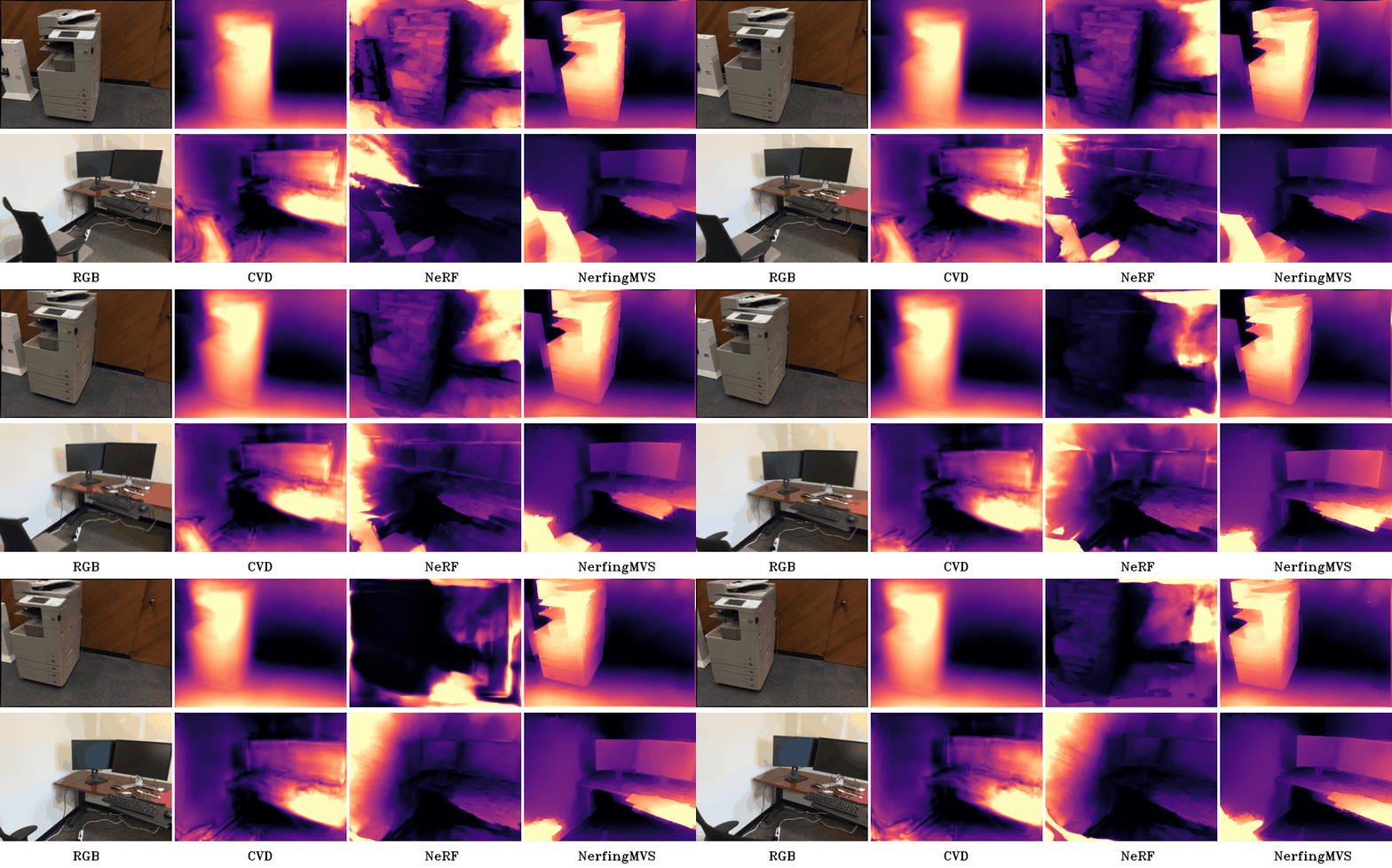
NerfingMVS: Guided Optimization of Neural Radiance Fields for Indoor Multi-view Stereo
Yi Wei, Shaohui Liu, Yongming Rao, Wang Zhao, Jiwen Lu, Jie Zhou
ICCV 2021 (Oral Presentation)
Installation
- Pull NerfingMVS repo.
git clone --recursive [email protected]:weiyithu/NerfingMVS.git - Install python packages with anaconda.
conda create -n NerfingMVS python=3.7 conda activate NerfingMVS conda install pytorch==1.7.1 torchvision==0.8.2 torchaudio==0.7.2 -c pytorch pip install -r requirements.txt - We use COLMAP to calculate poses and sparse depths. However, original COLMAP does not have fusion mask for each view. Thus, we add masks to COLMAP and denote it as a submodule. Please follow https://colmap.github.io/install.html to install COLMAP in
./colmapfolder (Note that do not cover colmap folder with the original version).
Usage
- Download 8 ScanNet scene data used in the paper here and put them under
./datafolder. We also upload final results and checkpoints of each scene here. - Run NerfingMVS
The whole procedure takes about 3.5 hours on one NVIDIA GeForce RTX 2080 GPU, including COLMAP, depth priors training, NeRF training, filtering and evaluation. COLMAP can be accelerated with multiple GPUs.You will get per-view depth maps insh run.sh $scene_name./logs/$scene_name/filter. Note that these depth maps have been aligned with COLMAP poses. COLMAP results will be saved in./data/$scene_namewhile others will be preserved in./logs/$scene_name
Run on Your Own Data!
- Place your data with the following structure:
NerfingMVS |───data | |──────$scene_name | | | train.txt | | |──────images | | | | 001.jpg | | | | 002.jpg | | | | ... |───configs | $scene_name.txt | ...train.txtcontains names of all the images. Images can be renamed arbitrarily and '001.jpg' is just an example. You also need to imitate ScanNet scenes to create a config file in./configs. Note thatfactorparameter controls the resolution of output depth maps. You also should adjustdepth_N_iters, depth_H, depth_Winoptions.pyaccordingly. - Run NerfingMVS without evaluation
Since our work currently relies on COLMAP, the results are dependent on the quality of the acquired poses and sparse reconstruction from COLMAP.sh demo.sh $scene_name
Acknowledgement
Our code is based on the pytorch implementation of NeRF: NeRF-pytorch. We also refer to mannequin challenge.
Citation
If you find our work useful in your research, please consider citing:
@inproceedings{wei2021nerfingmvs,
  author    = {Wei, Yi and Liu, Shaohui and Rao, Yongming and Zhao, Wang and Lu, Jiwen and Zhou, Jie},
  title     = {NerfingMVS: Guided Optimization of Neural Radiance Fields for Indoor Multi-view Stereo},
  booktitle = {ICCV},
  year = {2021}
}
関連プロジェクトを探す
読み込み中…