
tabulator-tables/tabulator
tabulator-tables/tabulator has 7,802 GitHub stars and 907 forks. GitHot measured +1 stars in 24 hours and +5 in 7 days. Last checked 2026-11-08 15:59 UTC. Last push 2026-11-01.
JavaScript向けのインタラクティブなテーブルとデータグリッド
計測したスター増加
- 24時間
- +1
- 7日間
- +5
- 15日間
- 履歴を収集中
- 1か月
- 履歴を収集中
期間ごとの純増数です。期間は重複しており、日別の値ではありません。未計測の値は空欄です。スター数は注目度の指標であり、品質の保証ではありません。
README.md
オリジナル


An easy to use interactive table generation JavaScript library
Full documentation & demos can be found at: http://tabulator.info
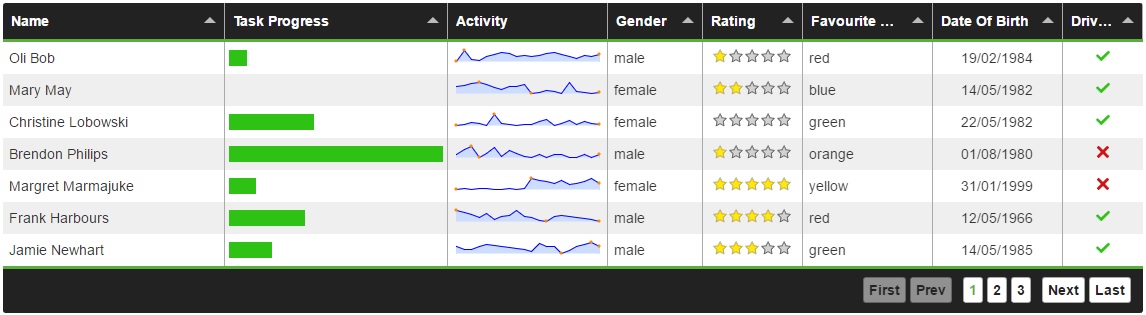
Features
Tabulator allows you to create interactive tables in seconds from any HTML Table, Javascript Array or JSON formatted data.
Simply include the library and the css in your project and you're away!
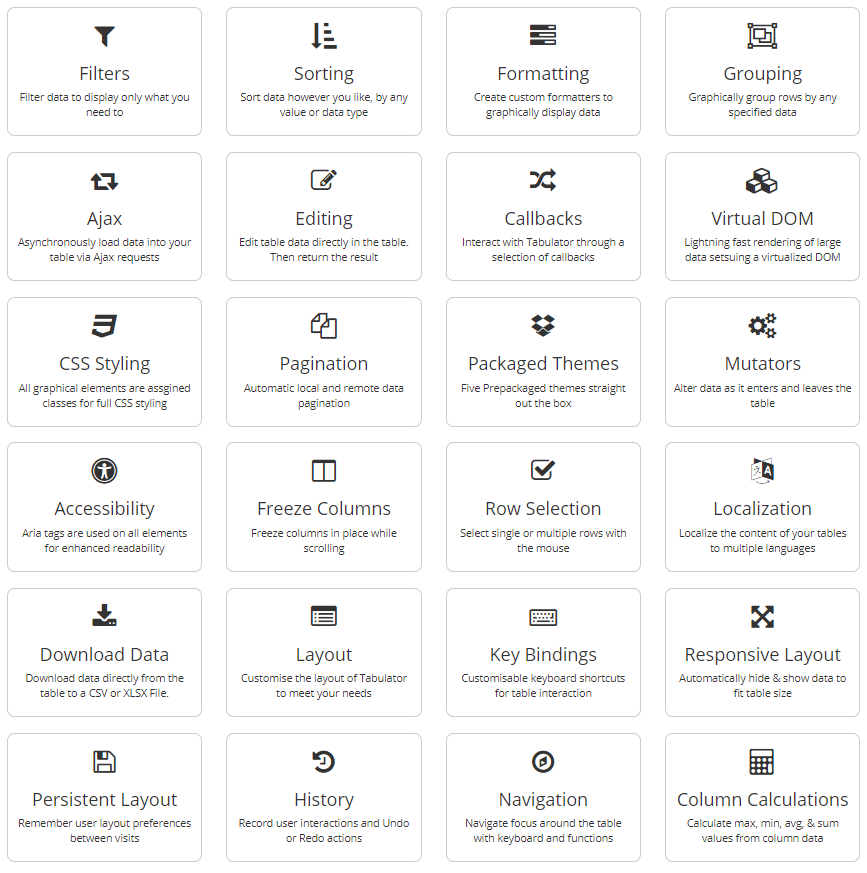
Tabulator is packed with useful features including:
Frontend Framework Support
Tabulator is built to work with all the major front end JavaScript frameworks including React, Angular and Vue.
Setup
Setting up tabulator could not be simpler.
Include the library and the css
<link href="dist/css/tabulator.min.css" rel="stylesheet">
<script type="text/javascript" src="dist/js/tabulator.min.js"></script>
Create an element to hold the table
<div id="example-table"></div>
Turn the element into a tabulator with some simple javascript
var table = new Tabulator("#example-table", {});
Bower Installation
To get Tabulator via the Bower package manager, open a terminal in your project directory and run the following command:
bower install tabulator --save
NPM Installation
To get Tabulator via the NPM package manager, open a terminal in your project directory and run the following command:
npm install tabulator-tables --save
CDN - UNPKG
To access Tabulator directly from the UNPKG CDN servers, include the following two lines at the start of your project, instead of the locally hosted versions:
<link href="https://unpkg.com/tabulator-tables/dist/css/tabulator.min.css" rel="stylesheet">
<script type="text/javascript" src="https://unpkg.com/tabulator-tables/dist/js/tabulator.min.js"></script>
Testing
Tabulator comes with both Unit and End-to-End (E2E) tests. Here’s how you can run them:
# Unit test
npm run test:unit

# E2E test
npm run build # Make sure to build the project first
npx playwright test # Run the tests
# or
npm run test:e2e

# Run all tests
npm run test
関連プロジェクトを探す
freeCodeCamp/freeCodeCamp
freeCodeCamp.org のオープンソースのコードベースとカリキュラムです。数学、プログラミング、コンピュータサイエンスを無料で学べます。
458,770 スターdonnemartin/system-design-primer
大規模システムの設計を学び、システム設計面接の対策ができます。Anki のフラッシュカードが含まれています。
377,357 スターreact/react
Web とネイティブのユーザーインターフェース向けライブラリ。
252,423 スターvuejs/vue
Vue 2 のリポジトリです。Vue 3 については https://github.com/vuejs/core をご覧ください。
212,632 スター