
stepchowfun/hashpass
stepchowfun/hashpass has 121 GitHub stars and 22 forks. GitHot measured 0 stars in 24 hours and 0 in 7 days. Last checked 2026-11-24 08:33 UTC. Last push 2026-11-19.
計測したスター増加
- 24時間
- 0
- 7日間
- 0
- 15日間
- 履歴を収集中
- 1か月
- 履歴を収集中
期間ごとの純増数です。期間は重複しており、日別の値ではありません。未計測の値は空欄です。スター数は注目度の指標であり、品質の保証ではありません。
概要
A simple password manager with a twist.
セキュリティREADME.md
オリジナルHashpass: a simple password manager with a twist

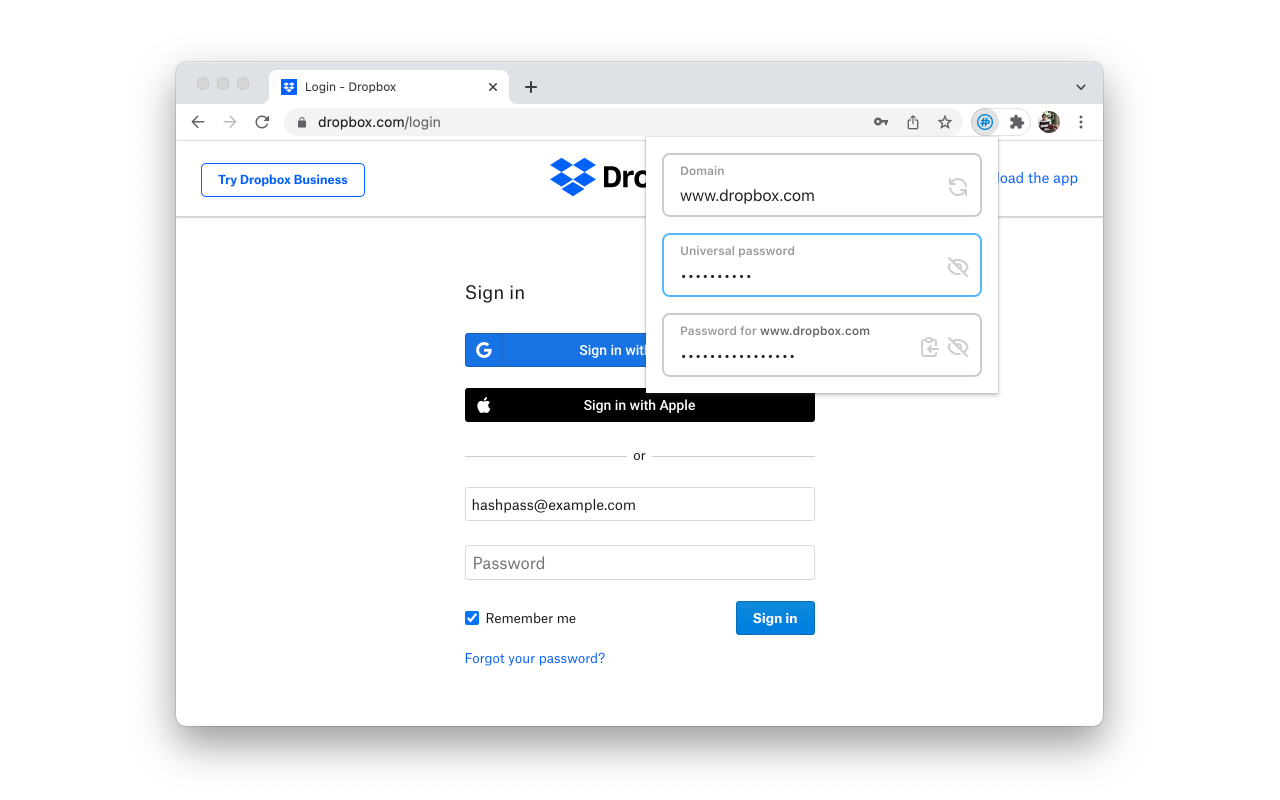
Hashpass is a password manager which doesn't store any passwords. Instead, it generates passwords on the fly using a cryptographic hash function of the domain of the website you're visiting and a single universal password that you memorize. This gives you:
- the security of having a unique password for each website,
- the convenience of only having to memorize one password,
- the comfort of knowing that neither you nor any third party can lose or leak your passwords.
How it works
First, you decide on a universal password. That's the only password you need to memorize, so make it a good one.
Suppose your universal password is correcthorsebatterystaple, and you want to sign up for or log into example.com. Hashpass combines your universal password with the website domain as follows: example.com/correcthorsebatterystaple. It then computes the SHA-256 hash of that string. It hashes it again and again, 2^16 times in total. Finally, it outputs the first 96 bits of the result, encoded as 16 characters in Base64. For this example, the final output is CqYHklMMg9/GTL0g. That's your password for example.com.
For people who know how to read computer code, the following Python script implements the Hashpass algorithm:
import base64
import getpass
import hashlib

domain = input('Domain: ').strip().lower()
universal_password = getpass.getpass('Universal password: ')

bits = (domain + '/' + universal_password).encode()
for i in range(2 ** 16):
    bits = hashlib.sha256(bits).digest()
generated_password = base64.b64encode(bits).decode()[:16]

print('Domain-specific password: ' + generated_password)
Installation instructions
You can install Hashpass from the Chrome Web Store here. Then you can find the Hashpass button next to your address bar or in the extensions dropdown. By default, you can also open Hashpass with Ctrl+Shift+P (Cmd+Shift+P on macOS).
Website
Hashpass is also available on the web at stepchowfun.github.io/hashpass, although the Chrome extension is generally more ergonomic to use since it can interact with the page you're logging into.
関連プロジェクトを探す
読み込み中…