
srlegrand/Aztek has 13 GitHub stars and 3 forks. GitHot measured +5 stars in 24 hours. Last checked 2026-11-13 07:52 UTC. Last push 2026-11-10.
Modelling, UVs, rigging and animation that behaves like Maya. Rust core, Qt shell, Vulkan viewport, Python.
計測したスター増加
- 24時間
- +5
- 7日間
- 履歴を収集中
- 15日間
- 履歴を収集中
- 1か月
- 履歴を収集中
期間ごとの純増数です。期間は重複しており、日別の値ではありません。未計測の値は空欄です。スター数は注目度の指標であり、品質の保証ではありません。
README.md
オリジナル




Why
The tools we build our work on shouldn't belong to whoever bought them last. Too many of them were bought, left to stand still, and kept on subscription while bugs older than some of the people using them went unfixed. Aztek works the way you already work, and it belongs to everyone who uses it: no account, no subscription, no owner who can sell it, shelve it or switch it off.
Back it up, clone it, fork it. As long as one copy exists somewhere, nobody can take it away. See Copy it anywhere.

A 3D application for modelling, UVs, rigging, animation, dynamics and rendering, with the industry-standard commands, hotkeys, menus and file format. Rust core (scene graph, commands,
geometry, Vulkan viewport), Qt Widgets shell in C++, a MEL interpreter, and embedded Python with aztek.cmds,
compatibility modules so existing scripts import unchanged, and the Python API (2.0, and 1.0 as maya.OpenMaya). Reads and writes .ma files and reads .mb files. PARITY.md has the behaviour
target and status, including known differences; docs/COMMANDS.md lists all 1108 commands.
Website: srlegrand.github.io/Aztek. Licence: MIT-0.
Download from the latest release: Windows installer or zip, Rocky Linux 9 and 8 .rpm, Ubuntu 24.04 and 22.04 .deb, Linux .tar.gz, and an early macOS build for Apple silicon. Install steps are under Install.
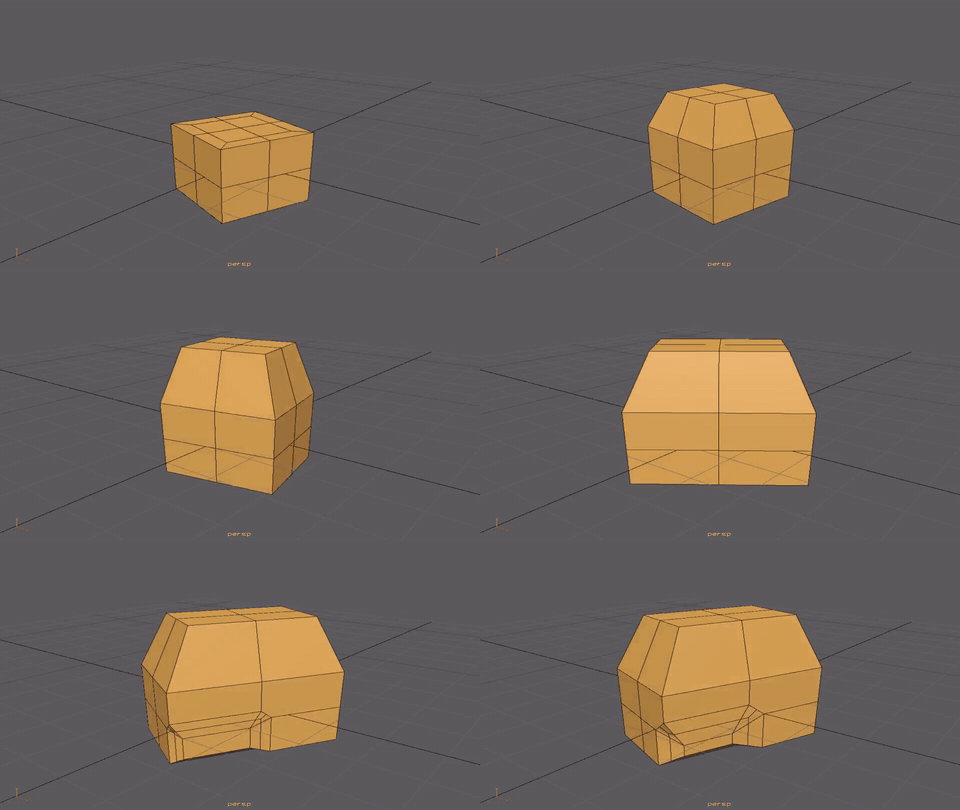
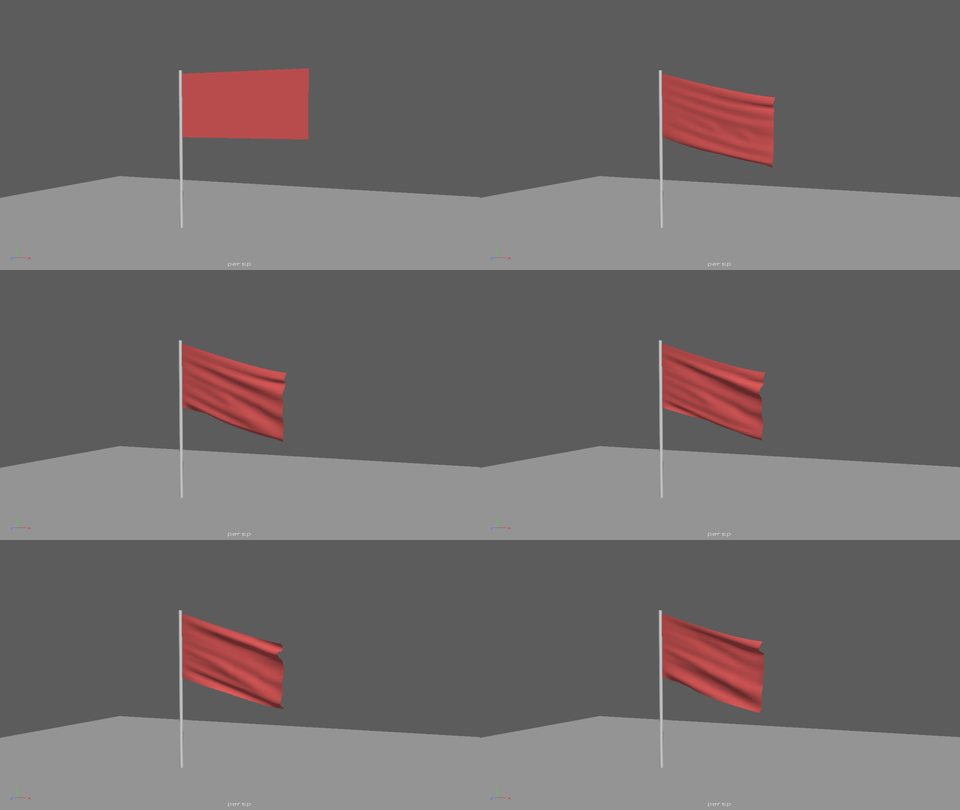
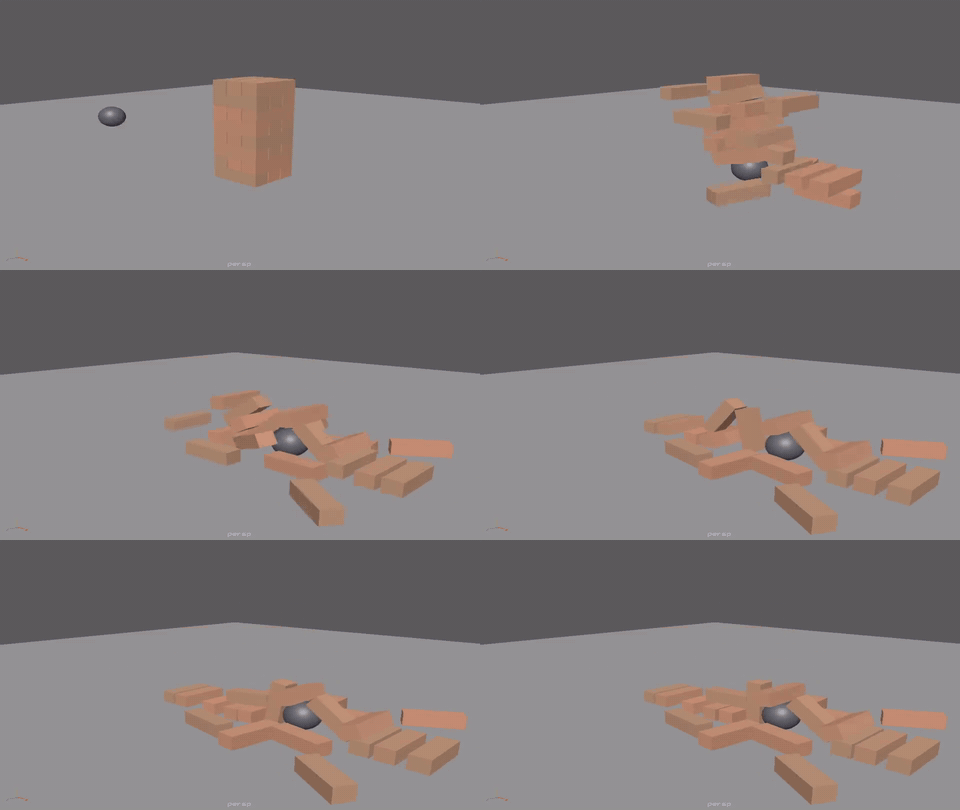
| Modelling history | A flag in a breeze | A tower knocked down |
|---|---|---|
 |
 |
 |
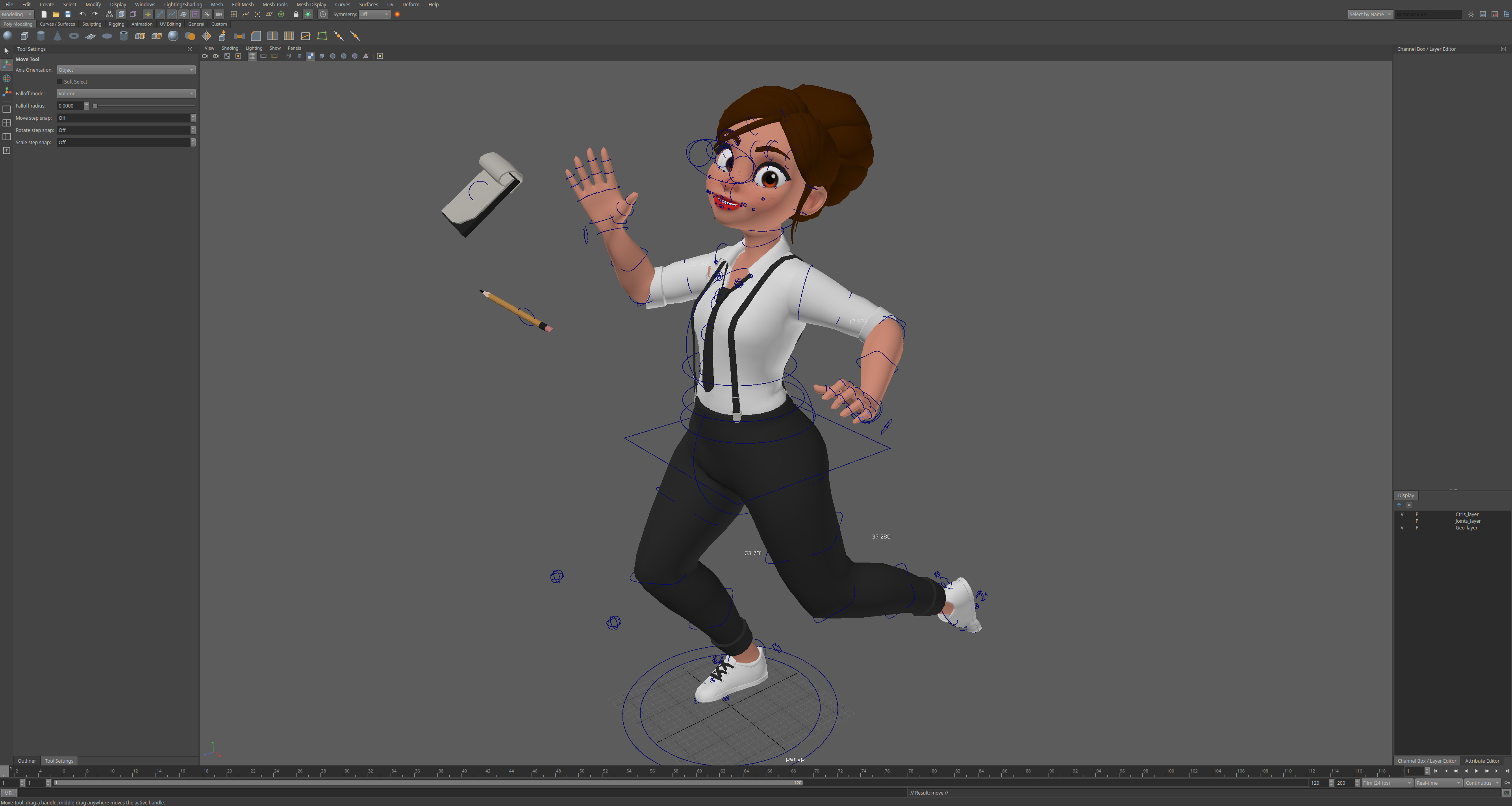
A production character rig, opened from its .ma file and posed: 414 joints, 37 skinClusters, 17
blendShapes, 82 IK handles, follicles, ribbons and wires. It opens in about 3 seconds and responds in 13 to 44 ms per change.
Copy it anywhere
Copying Aztek somewhere else is welcome. Clone it, fork it, mirror it or re-host it on any git server or other version control: Codeberg, GitLab, a forge in your country, a server at your studio, a drive in your pocket. With or without changes, under your own name or none. There is nothing to ask and no one to credit: the licence is MIT-0. Every extra copy makes the project harder to lose.
git clone --mirror https://github.com/srlegrand/Aztek.git
cd Aztek.git
git push --mirror <your repository's URL>
This doesn't feel right!
Aztek should feel like second nature to anyone who has spent years in a 3D package. If something doesn't work, or works but doesn't feel quite right (a hotkey, a drag, a default, a menu in the wrong place), press the orange This doesn't feel right! button at the far right of the shelf bar. Say what you did and what you expected; that's the whole report. It opens a filled-in GitHub issue, so every rough edge anyone notices ends up in one public list.
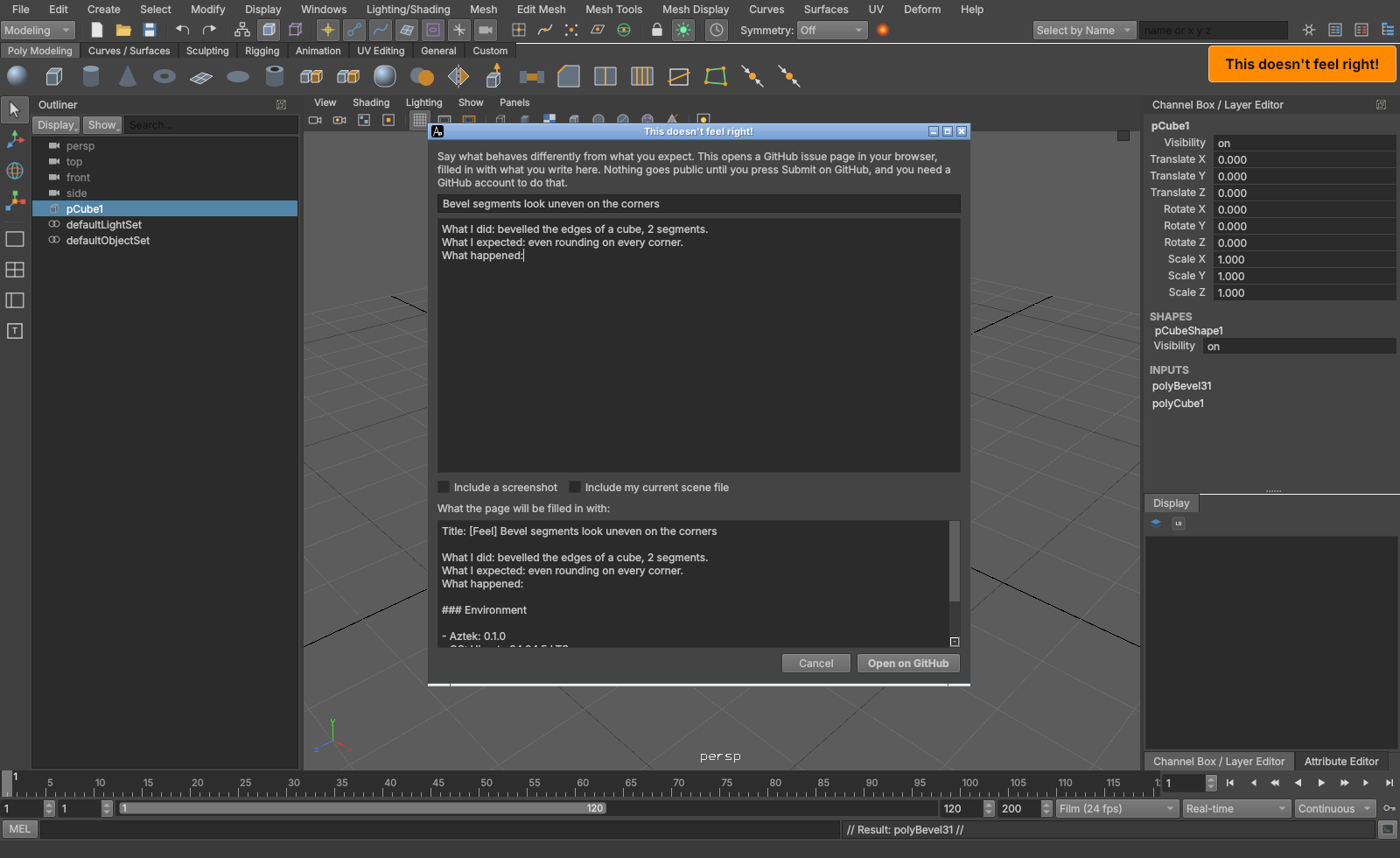
It is also under Help > This doesn't feel right!, and the AztekFeedback runtime command. The small arrow on the
button's left folds it away, and brings it back; Aztek remembers which. Optionally add:
- a screenshot of the app, which you can draw on with a pen, arrows, rectangles and text;
- a zipped
.macopy of the current scene. Your scene stays as it is, and the copy has a generic name. It holds the names of everything in the scene and may hold file paths. Referenced files and textures are not included.
Both are off by default and ask you to confirm. Reports are public: never include work under NDA or anything confidential. If you do, it is at your own risk.
Sending a report makes no network request from the app. "Open on GitHub" opens a filled-in issue page in your browser, puts the picture on the clipboard (Ctrl+V
in the description box) and shows the folder holding the attachments, under feedback/ in the app's data location, so the zip can be dragged
in. You need a GitHub account, and nothing is public until you press Submit on that page. The window shows exactly what the page will be
filled in with. GitHub takes files up to 25 MB and images up to 10 MB.
What's in it
Modelling
- Polygons: the standard polygon commands with construction history; Quad Draw, Multi-Cut, Insert and Offset Edge Loop, Target Weld, Slide Edge, Crease, Create and Append Polygon, booleans; symmetry, soft selection; eighteen sculpting brushes.
- NURBS: curves (CV and EP tools, rebuild, attach, detach, offset) and surfaces (primitives, loft, revolve, extrude,
boundary, birail,
nurbsToPoly), with CVs as components. - Manipulators on history and deformer nodes (T), with in-view numbers: extrude, projections, primitives, nonlinears, soft modification and more. Move along normals, custom axes, step snap, tweak mode.
UVs
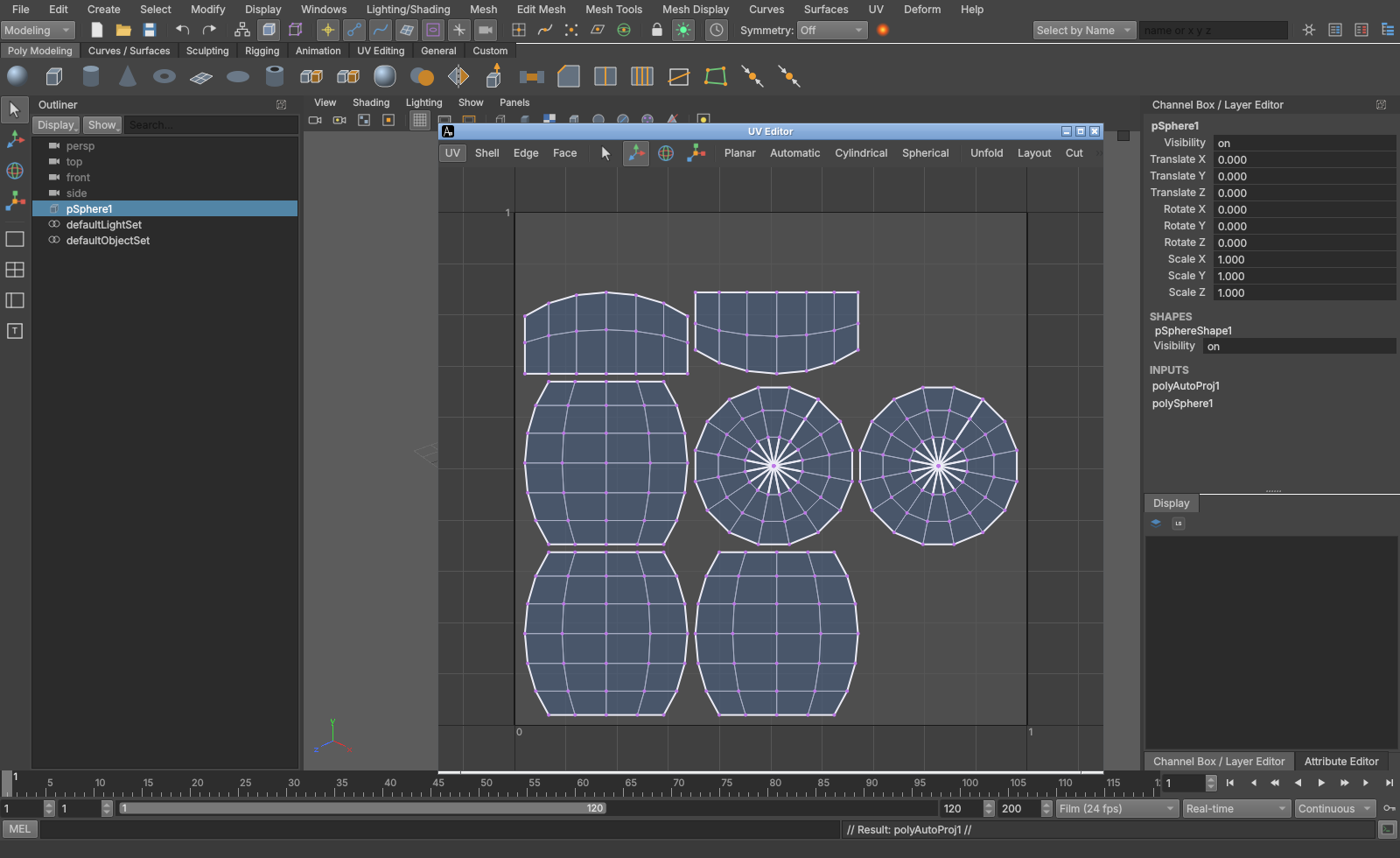
- Projections, unfold, layout, cut and sew in the UV Editor, by UV, shell, edge or face.
Rigging
Skeletons and skinning: joints (orient, mirror, insert, segment scale compensate), RP, SC and spline IK, every constraint, smooth skin with weight painting, mirror and copy, dual quaternion; HumanIK characters with definitions, T-pose checks, control rig and retargeting between skeletons of different sizes. Controls keep their colours: drawing overrides, templates, reference display, display layer colours and wireframe colours.
Deformers: blendShape in full (Shape Editor, in-between and live targets), lattice, wrap, wire, delta mush, softMod, nonlinears, clusters, sculpt, jiggle, shrinkWrap, proximityWrap, curveWarp, wrinkle, morph and more; deformer weights painted with the Paint Attribute tool or exported.
Animation
Keys with weighted tangents and infinities, Graph Editor, Dope Sheet, set driven keys, breakdowns, copy and paste keys, baking, motion paths, animation layers with their editor (additive, override, passthrough, merge, extract), character sets and clips. Playblast to images or, through ffmpeg, to a movie.
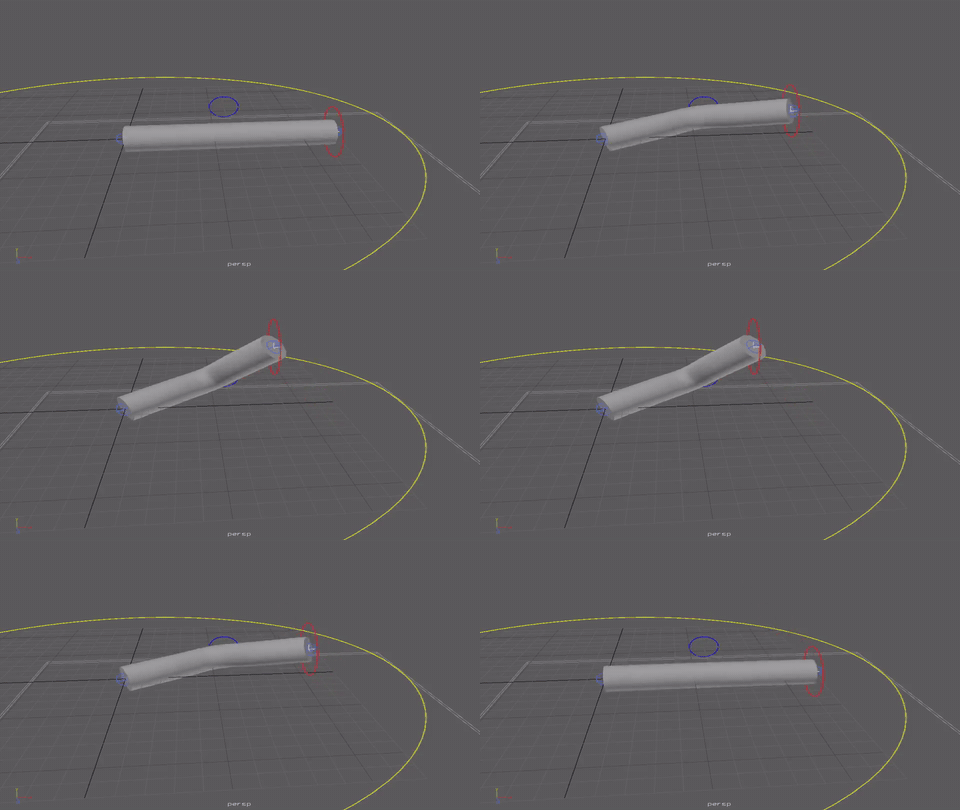
Dynamics
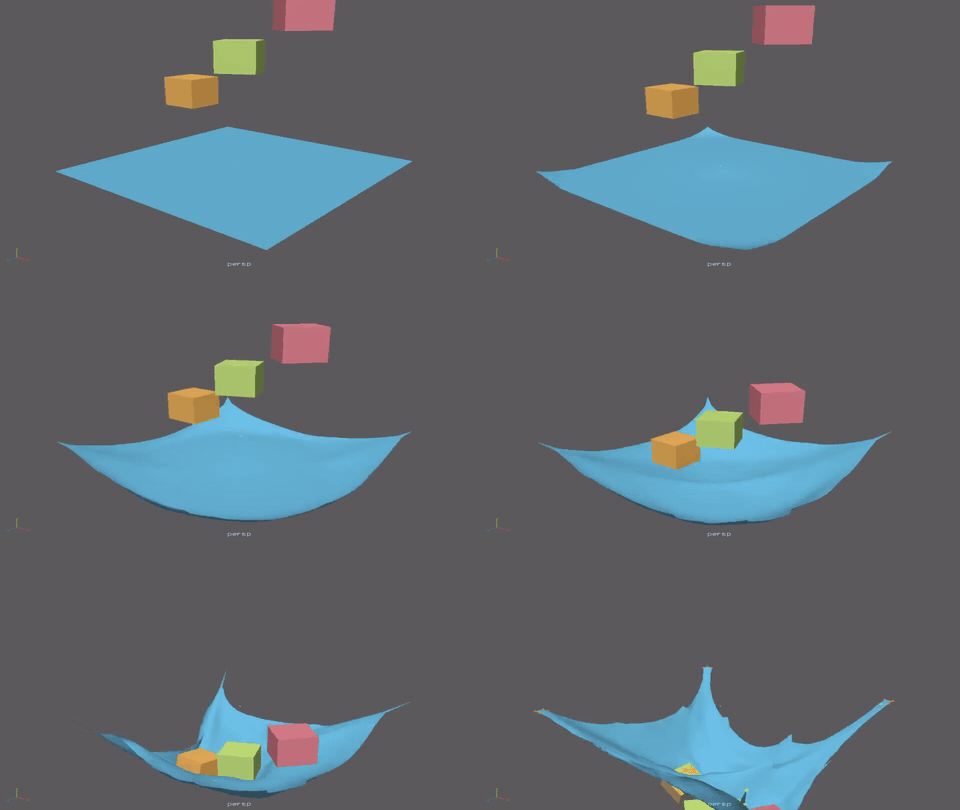
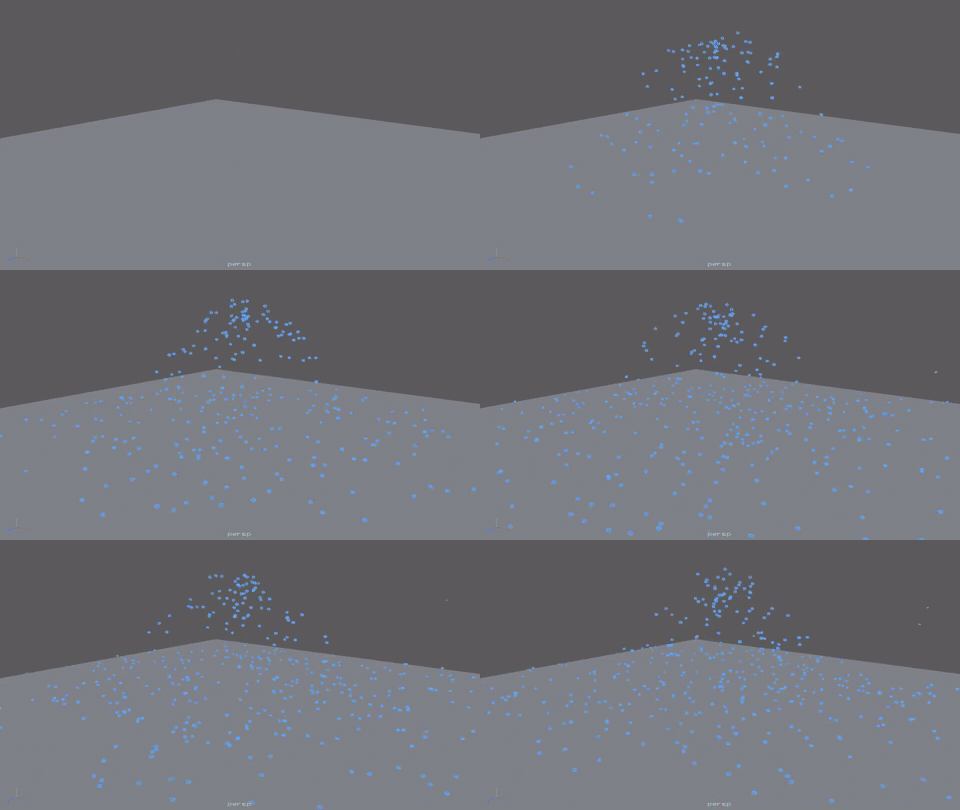
One solver for cloth, particles and rigid bodies, which all collide with and push each other. Cloth on skinned or animated meshes with material presets, colliders, emitters, fields and constraints; it never explodes, and a vertex it cannot place leaves the simulation for a while and comes back, marked in the view. Older dynamics nodes in
.mafiles load into it. See docs/DYNAMICS.md.Cloth, rendered with Harold Rigid bodies on cloth Particles 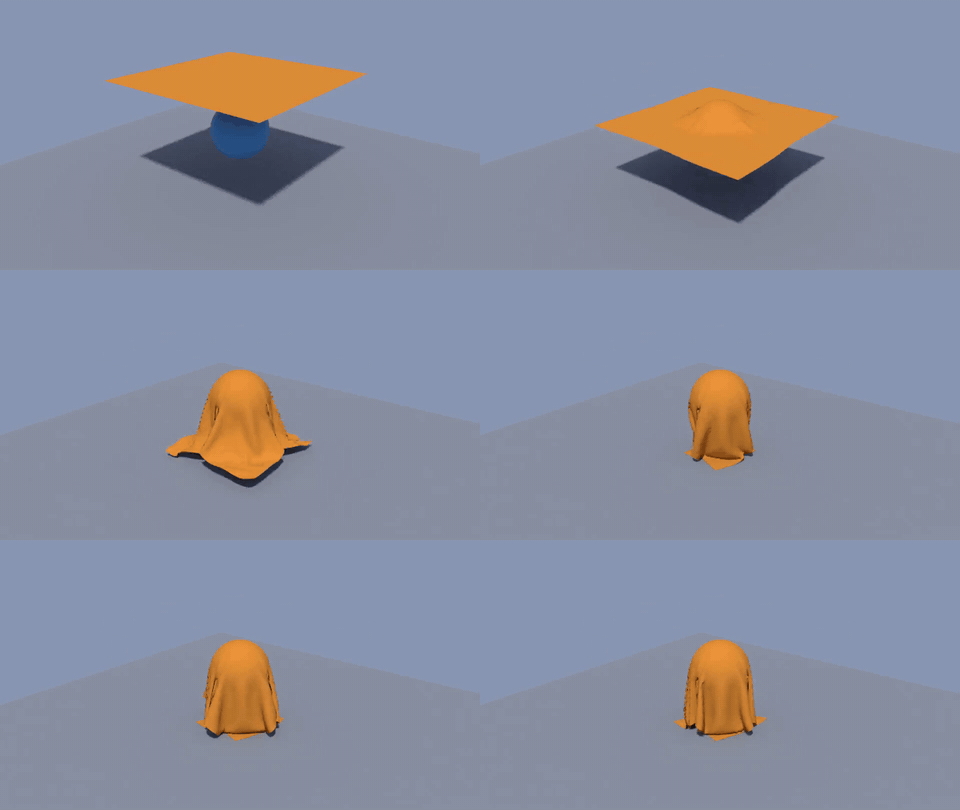
Rendering and look development
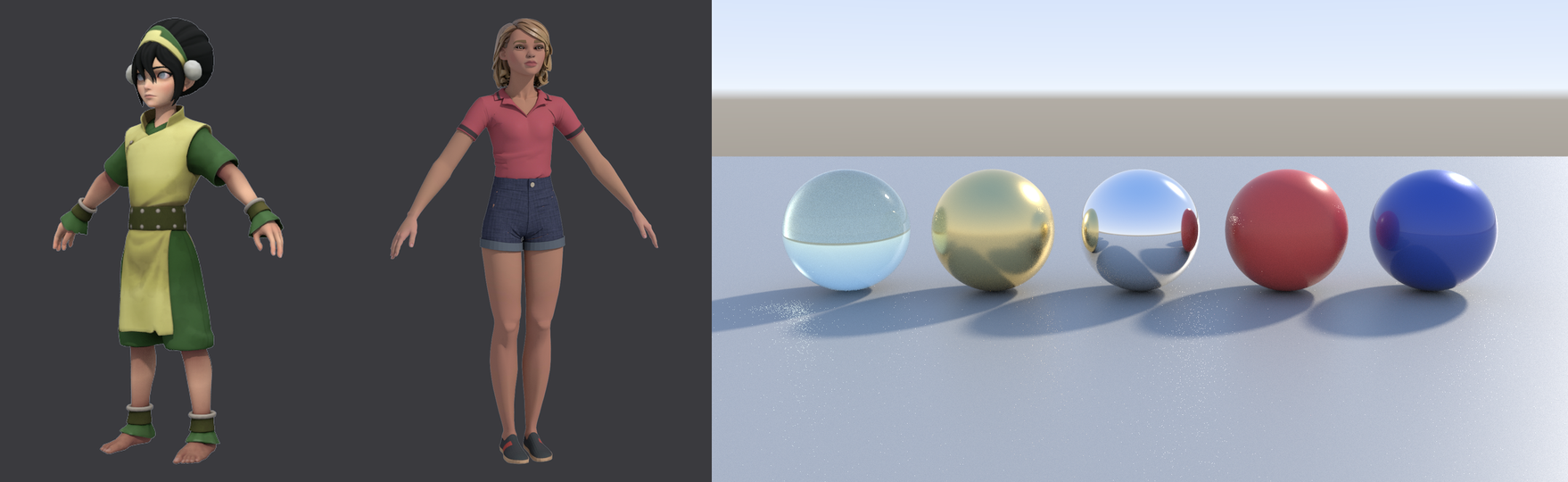
Harold, a physically based path tracer on the CPU: the standard surface with subsurface, coat, sheen, transmission and thin film; area, sky dome with HDR images, mesh and photometric lights; subdivision, displacement, motion blur and depth of field; light and data AOVs into multi-layer EXR; interactive rendering in the Render View as the scene changes, Render Settings, and batch rendering with no display (
aztek -render). Every material and light in a scene renders through it. See docs/HAROLD.md.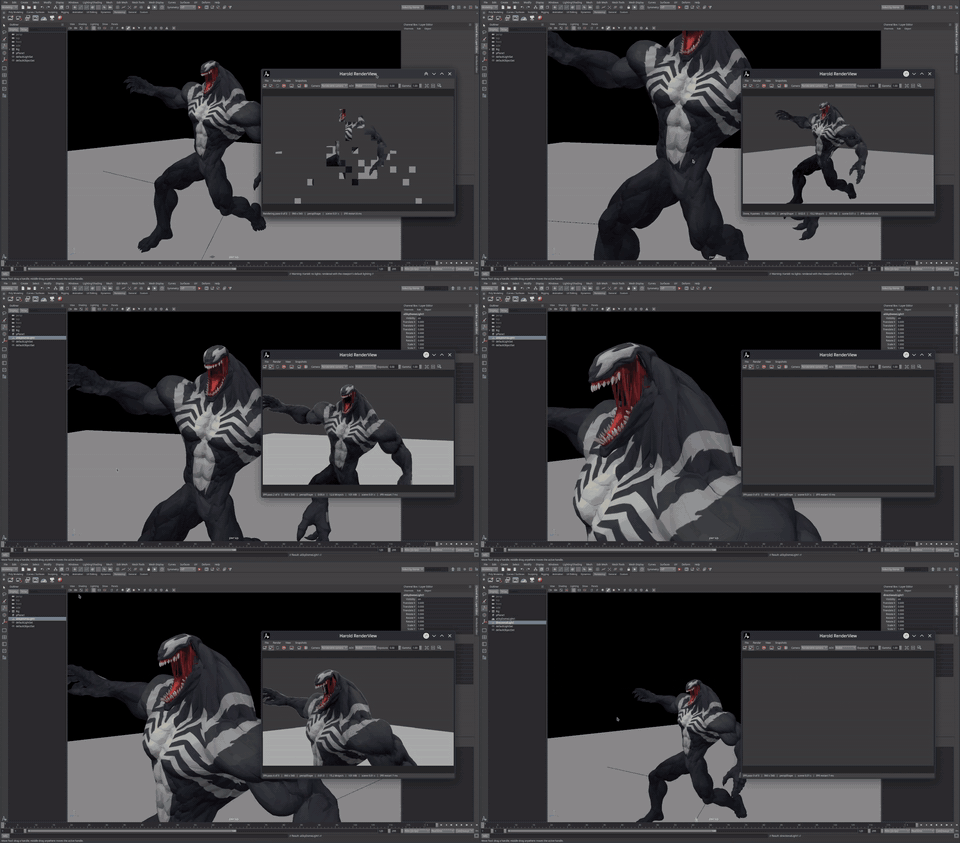
Materials and textures: a physically based standard surface, and lambert, blinn, phong, phongE and surfaceShader with file textures and place2dTexture, assigned to objects or faces; Textured mode (6) in the viewport; Hypershade lists; the image behind the UV Editor.
Lights: ambient, directional, point, spot, area and volume lights with their icons, attributes and
.malayout; Use All Lights (7), Use Selected Lights, flat and no lights in the viewport, with decay, spot cones, blinn and phong highlights and light linking. A matte surface lights the same in the viewport and in Harold.
Pipeline
Files:
.maread and written in the standard layout,.mbread, deformer chains, constraints, utility nodes, expressions, materials, NURBS and references with their edits included; namespaces, instances, locked nodes, Z up.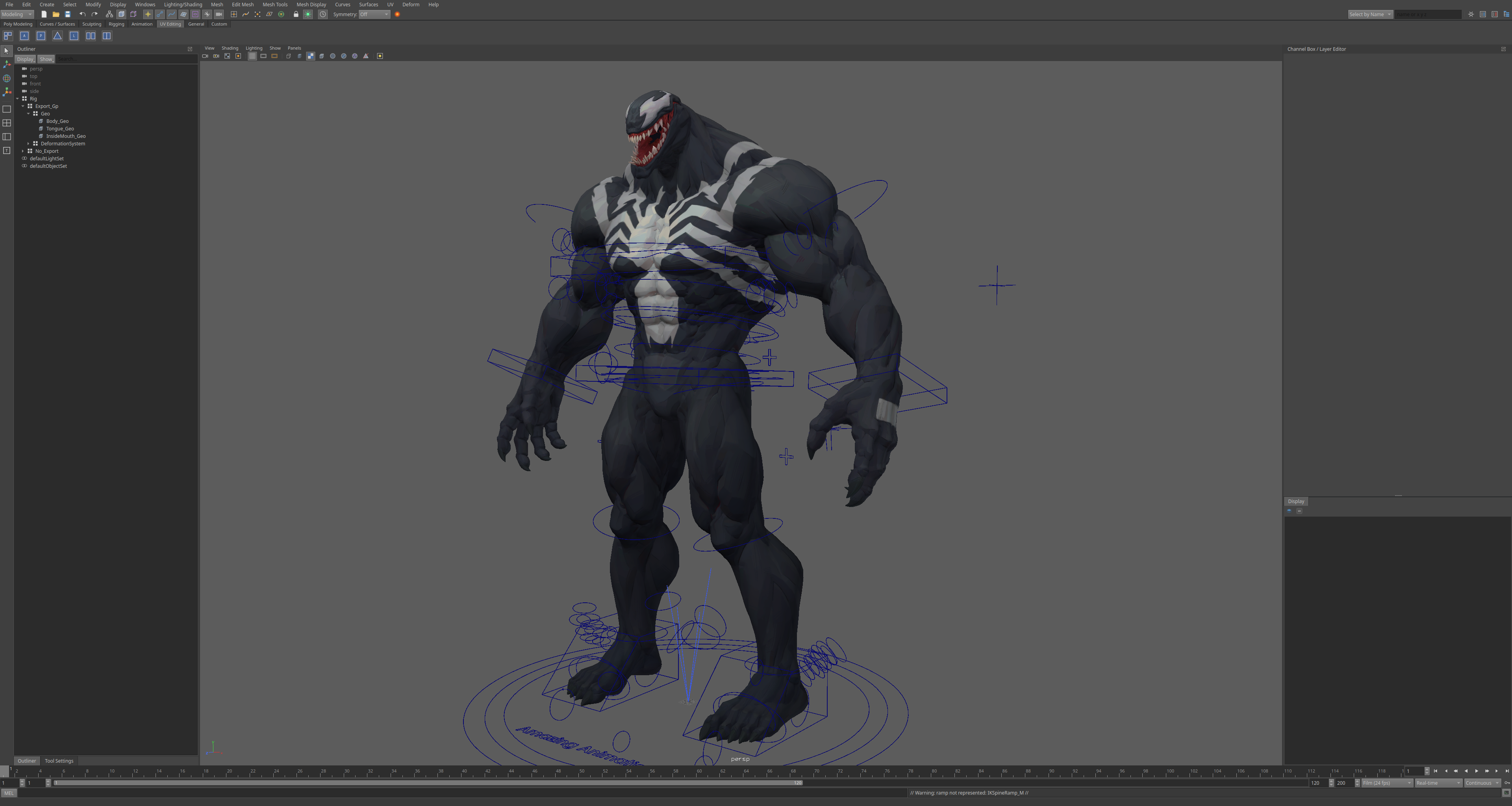
USD:
.usd,.usda,.usdcand.usdzread and written with transforms, meshes, skeletons, blend shapes, materials and animation; a stage in the scene with no node per prim, prims to select and edit, variants, payloads, a Layer Editor, editing a prim as scene nodes and merging back,pxrin Python. No C++ library needed. See docs/USD.md.
Scripting
Scripting: MEL (procedures, arrays, control flow, backticks), Python, the Python API 2.0 and 1.0 (
maya.OpenMaya,MScriptUtiland all), Python plug-ins of either API withMPxCommandandMPxNode;scriptJob,scriptNodeandevalDeferred.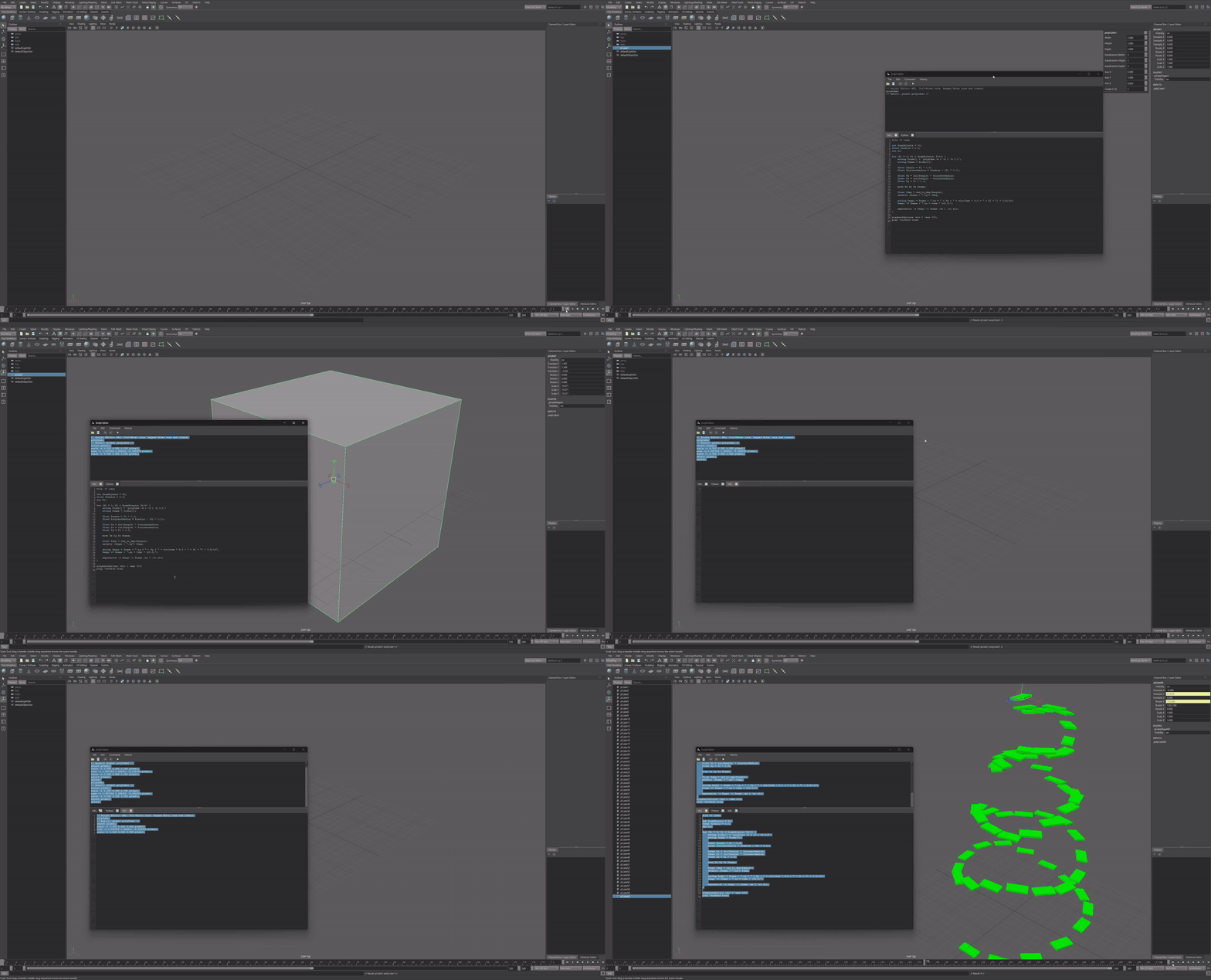
Script-built interface:
window, layouts, controls, menus and dialogs from MEL or Python become Qt widgets; attribute-bound controls,AE<type>Templateprocedures,workspaceControldocking, editors and panels created by script.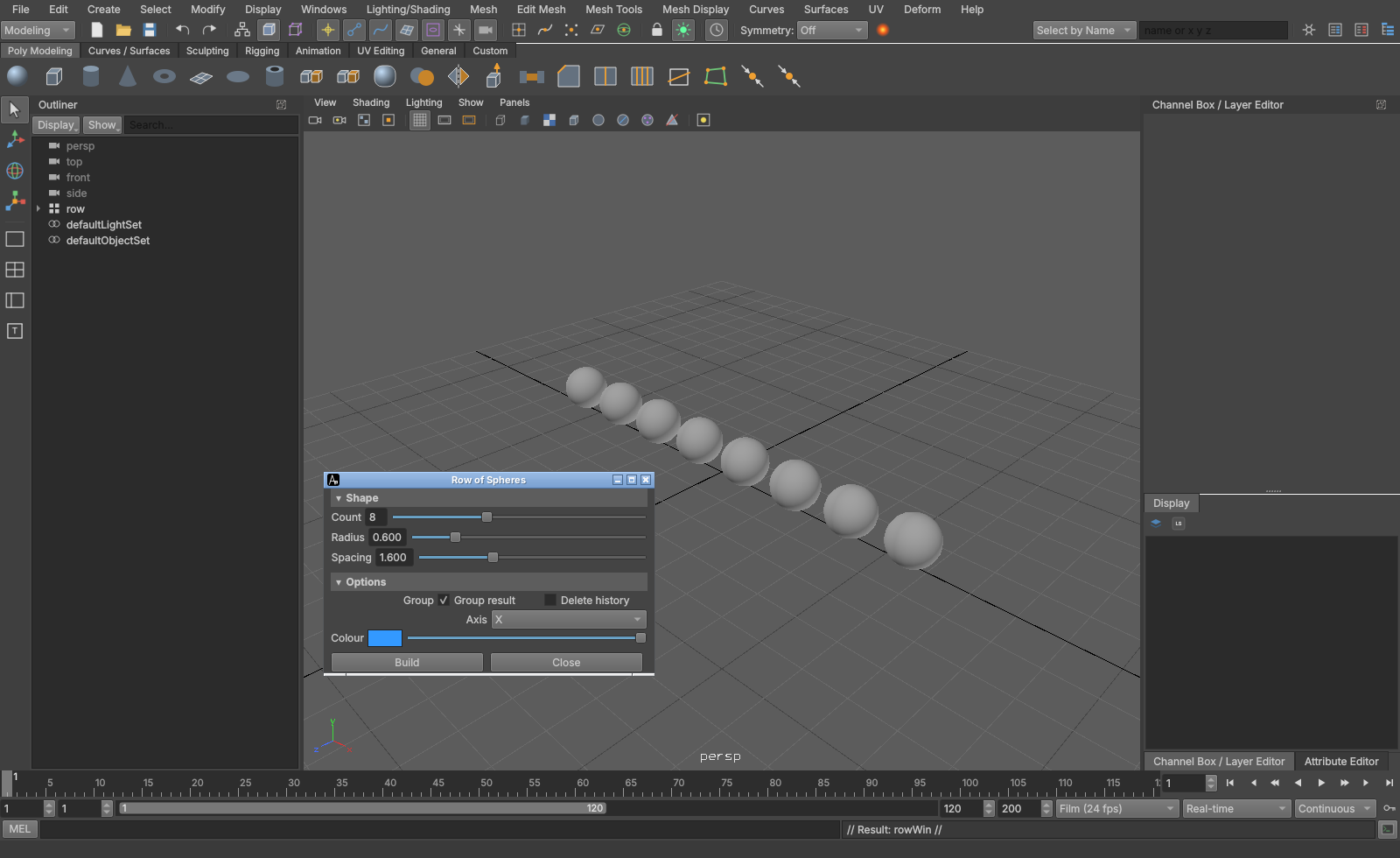
C++ plug-ins: a kit to rebuild a plug-in from its source against Aztek's headers. Commands, nodes and deformers load; more classes are coming.
Interface
- Interface: menu sets, shelves with an editor, hotkey editor, marking menus, hotbox, channel box, outliner, attribute editor, node editor, tool settings, panel layouts, workspaces.
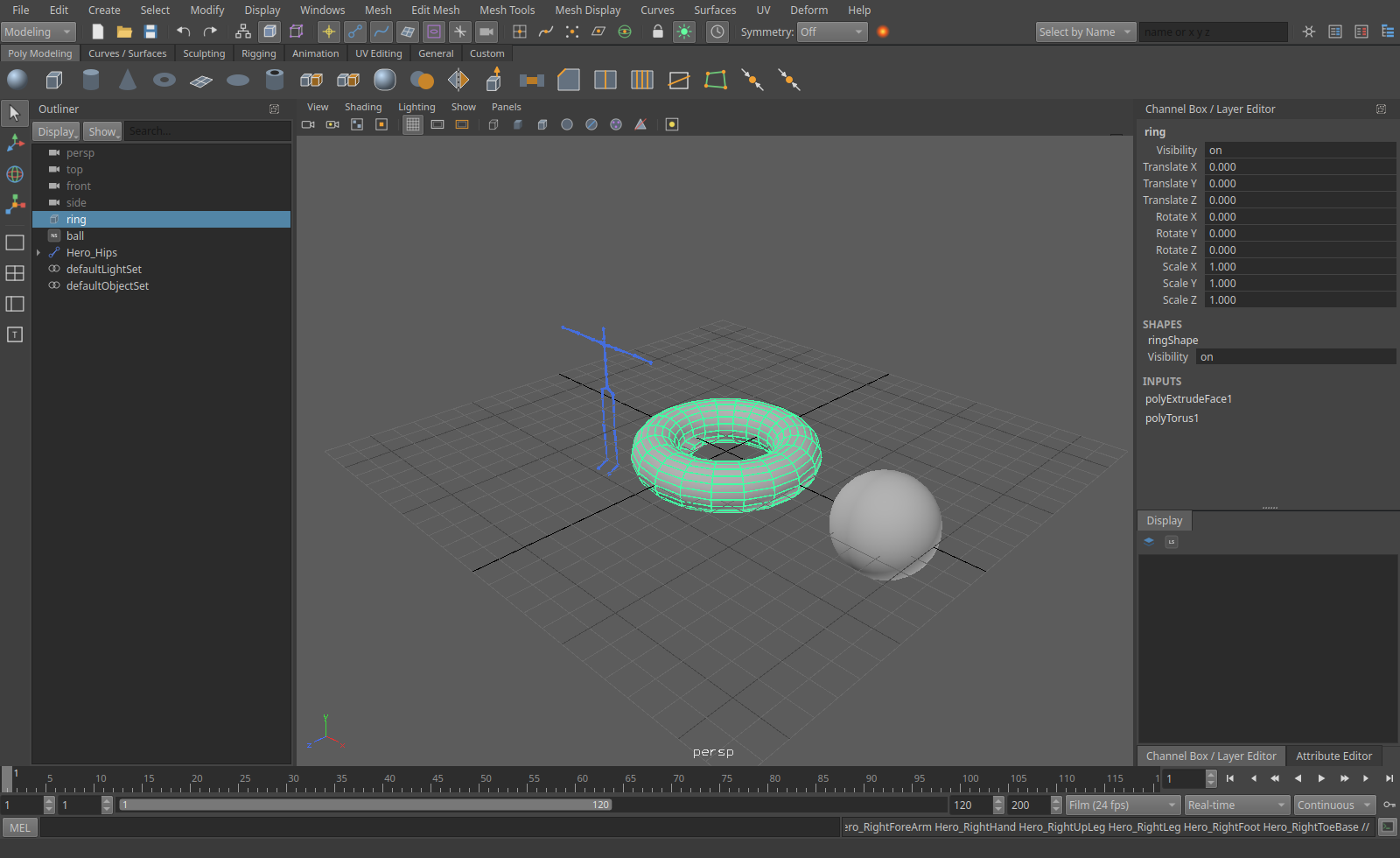
Lights in the viewport, Use All Lights on the 7 key, with highlights from blinn and phong materials:
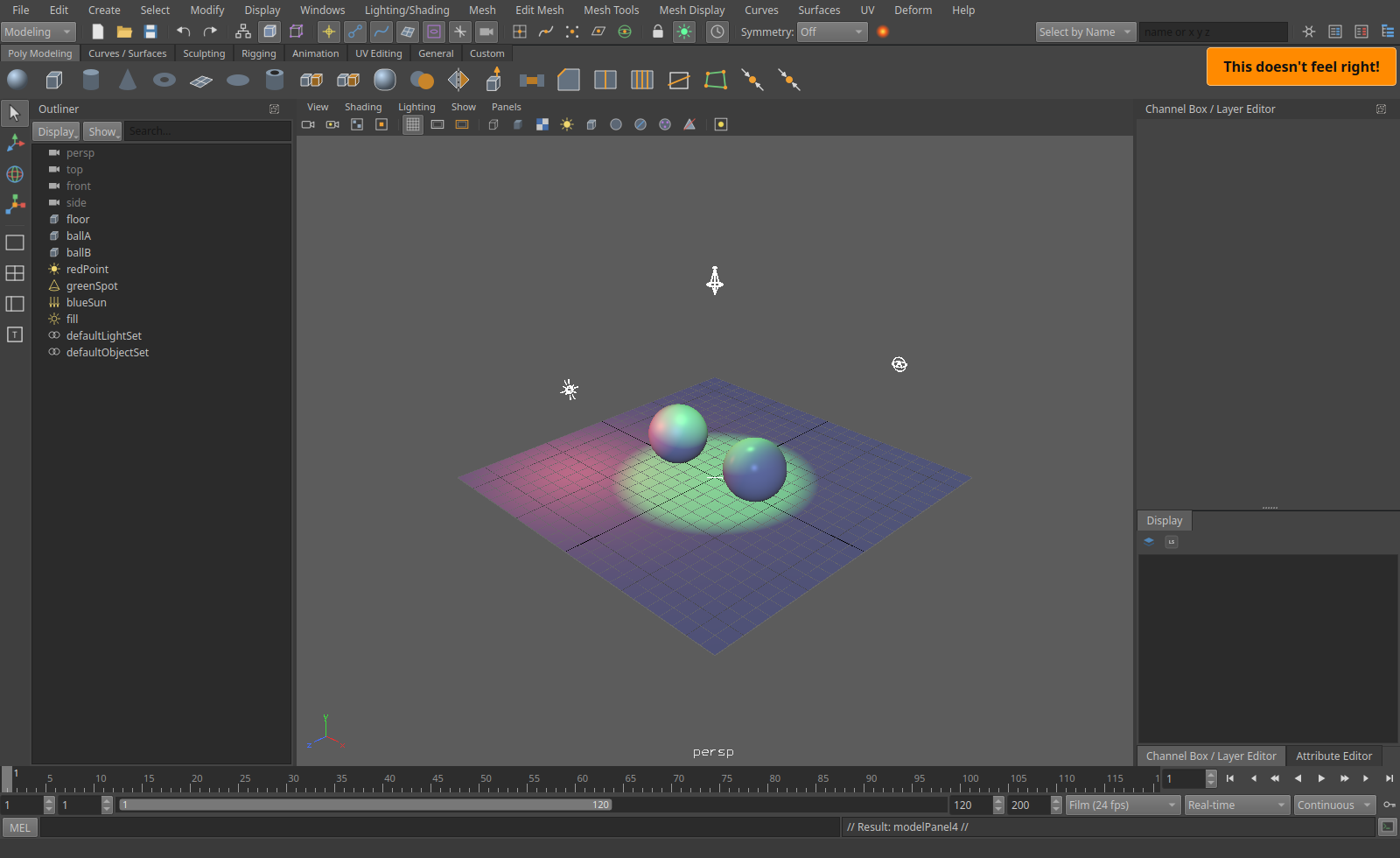
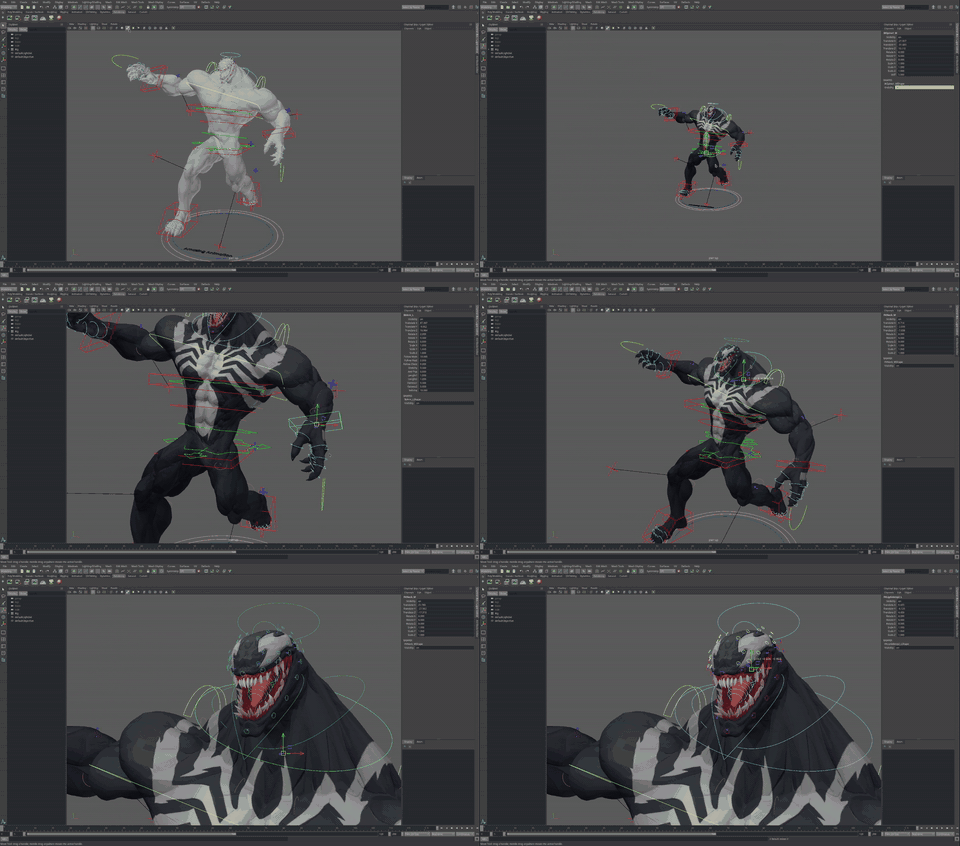
Real production rigs, opened from their .ma files with their textures and control colours:
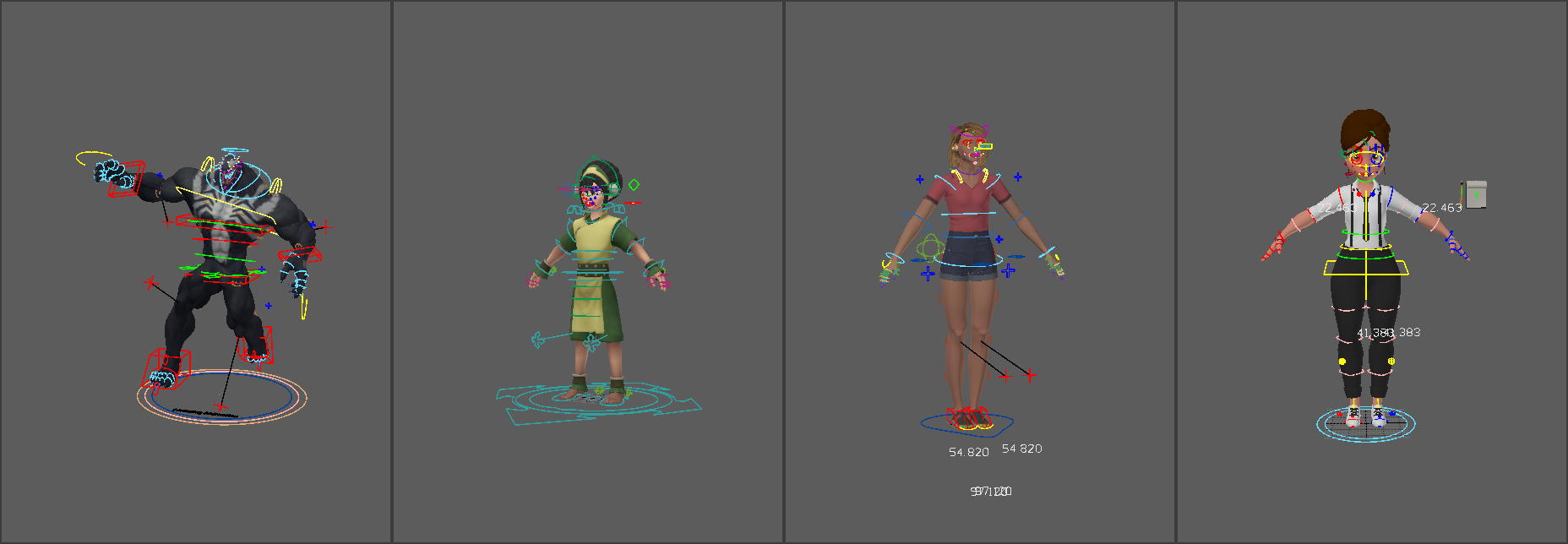
The Harold image above shows Toph and Lou, rendered with a sky and a key light added.
Left to right: a Venom rig, whose download names no author; Toph, a fan art rig by Ninjin Studios of the character from Nickelodeon's The Last Airbender; Lou, model by Dmitry Danilov and rig by Boris Klimov; the Waitress, model by François Boquet. They're used here as test rigs under their authors' terms and aren't part of this repository.
In the works
- Bicurious: liquids, smoke, fire and procedural graphs inside the same solver as cloth, particles and rigid bodies, colliding with and pushing them.
- Harold: render layers and render setup, hair and curves, USD stages in renders.
- Dynamics speed: large cloth with self collision at interactive rates.
- C++ plug-in kit: commands, nodes and deformers load; more classes are coming.
Examples
File > Examples opens over fifty scenes from the examples folder, a submenu per area, and the example scripts in the
Script Editor. Every one opens without a warning; a test plays each.
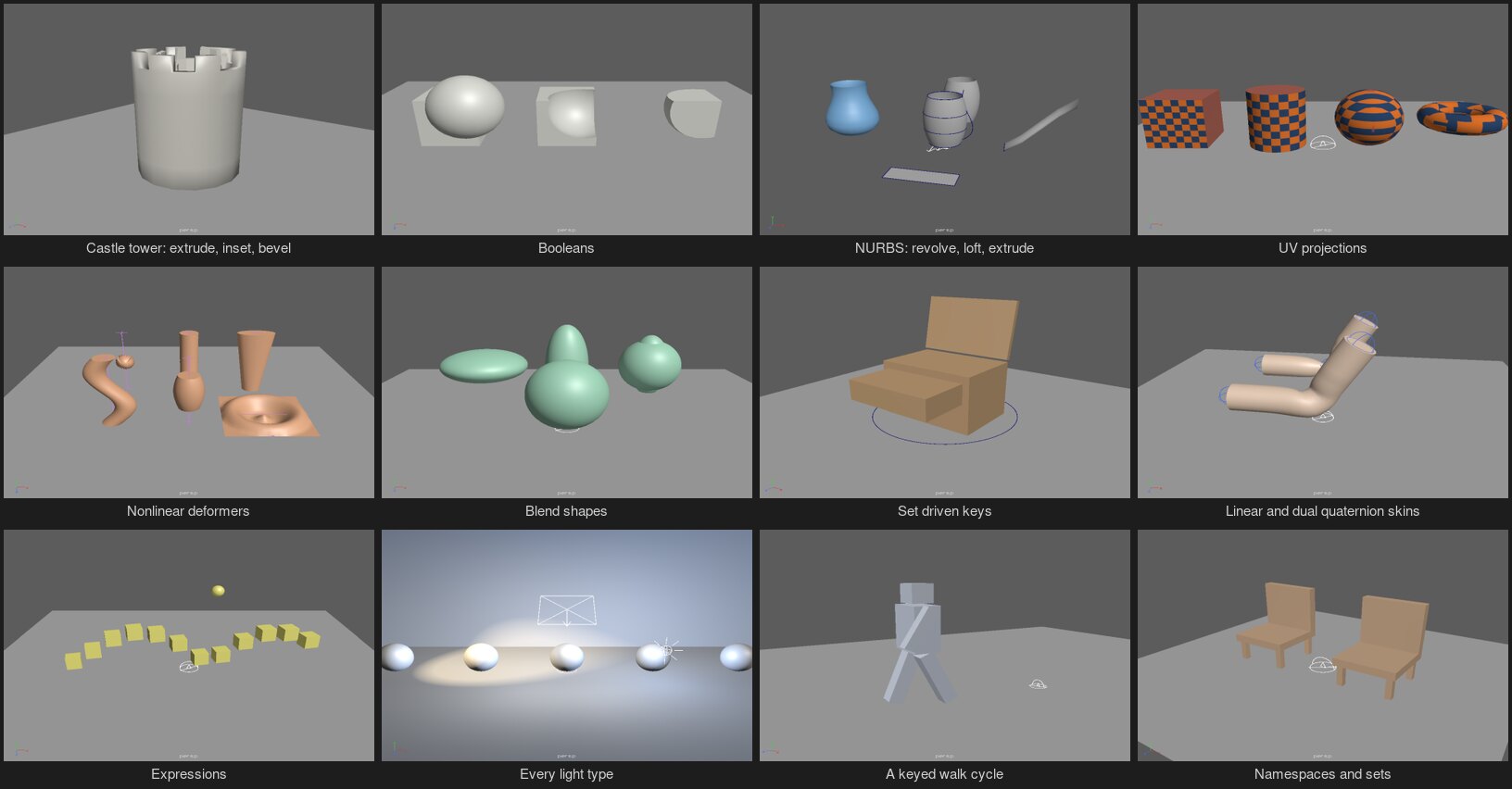
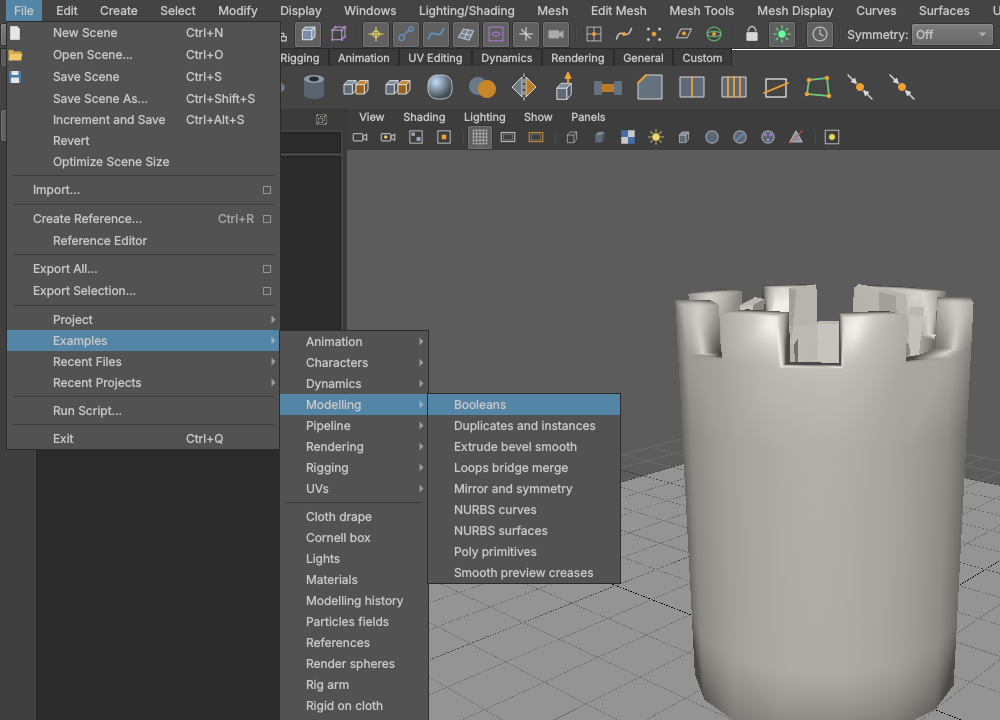
- Modelling: every polygon primitive; a castle tower from one cylinder (extrude, inset, bevel, all as history); booleans; edge loops, a bridge and welds; a spaceship half mirrored live; smooth mesh preview with creases; duplicates and instances; NURBS curves and surfaces (revolve, loft, extrude along a path, planar trim); construction history.
- UVs: planar, cylindrical, spherical and automatic projections; unfold and layout, with a checker.
- Rigging: every constraint; an IK leg with a reverse foot; a spline IK tail; nonlinear deformers; lattice, wire, wrap, cluster and softMod; linear against dual quaternion skinning; blend shapes with an in-between; set driven keys; delta mush and jiggle; a small keyed arm rig.
- Characters: a keyed walking robot.
- Animation: a bouncing ball, a motion path, animation layers, expressions, pendulums on cycles.
- Dynamics: a flag in the wind, cloth on a moving collider, cloth draped on a ball, boxes on a hammock, bouncing particles, a particle vortex, particles with fields, a tower knocked down.
- Rendering: the standard surface's lobes, depth of field, motion blur, displacement and subdivision, every light type, the Cornell box, materials and lights.
- Pipeline: display layers and drawing overrides, namespaces and sets, a USD round trip, nested references.
- Scripts: a spiral staircase, scattered rocks, a rename window in MEL, a selection scriptJob, a mesh report with the API, a Python plug-in command, a turntable playblast.
examples/tools/make_showcase.py and make_examples.mel write the scenes.
Screens
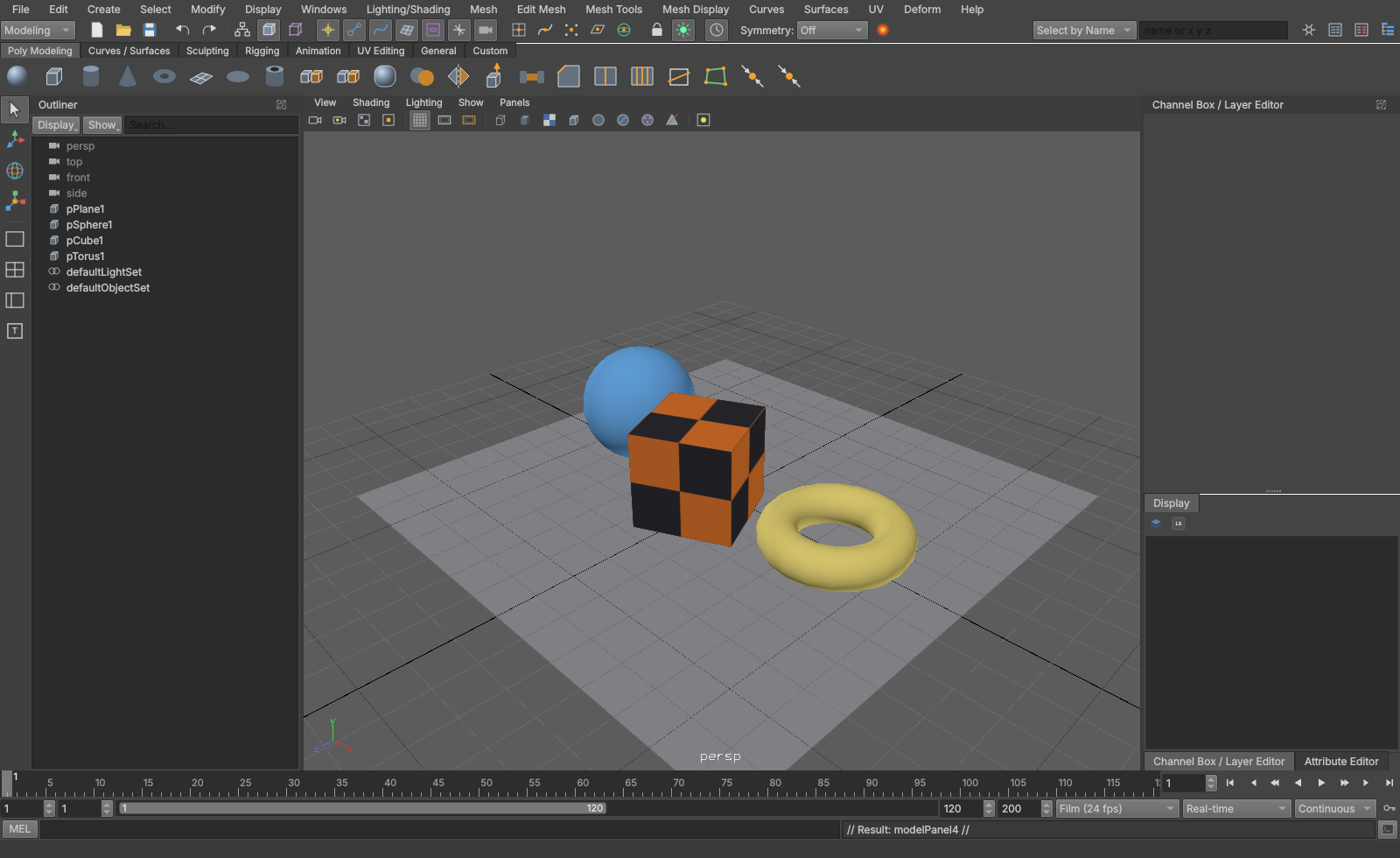
Four views, Space to toggle:
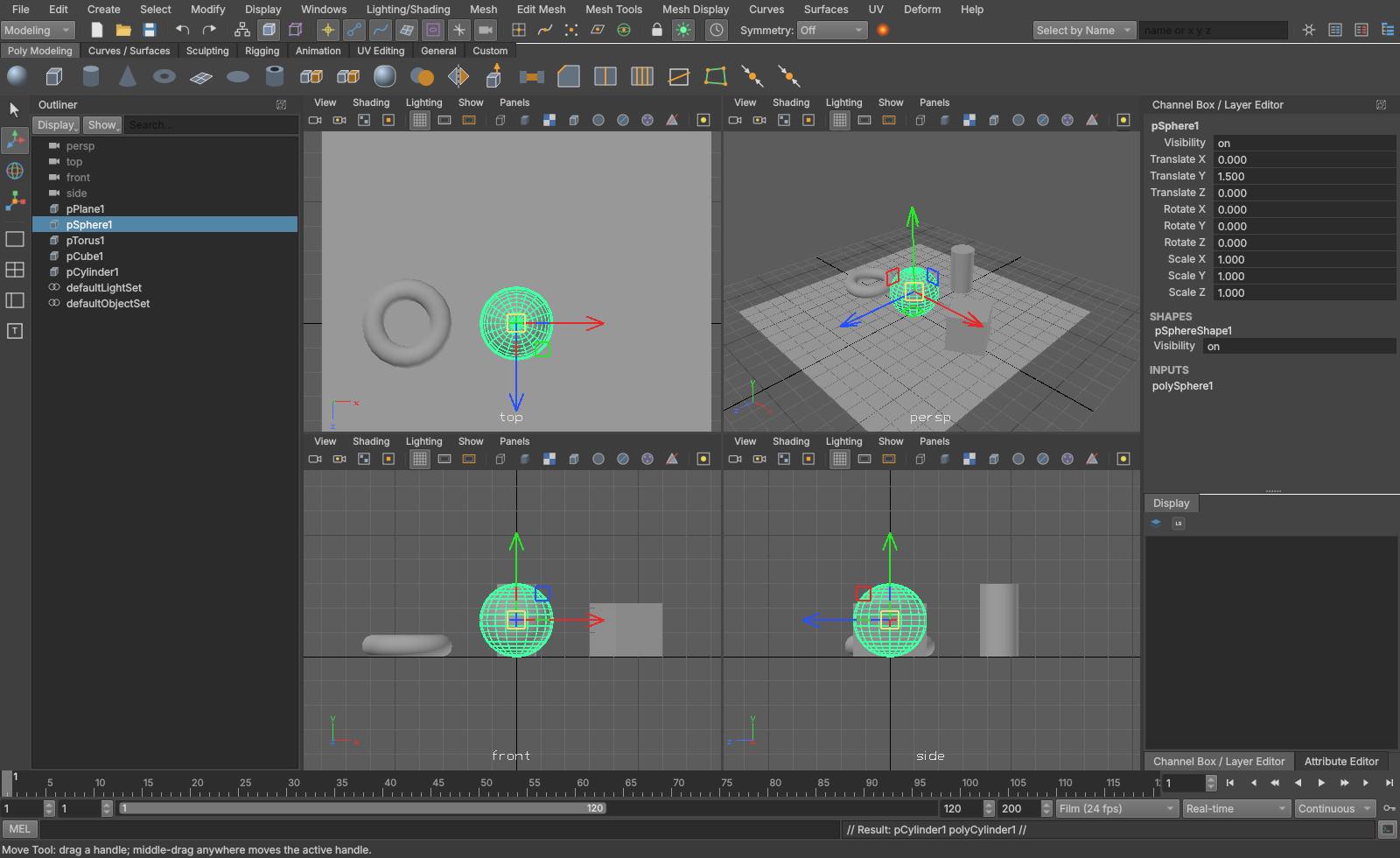
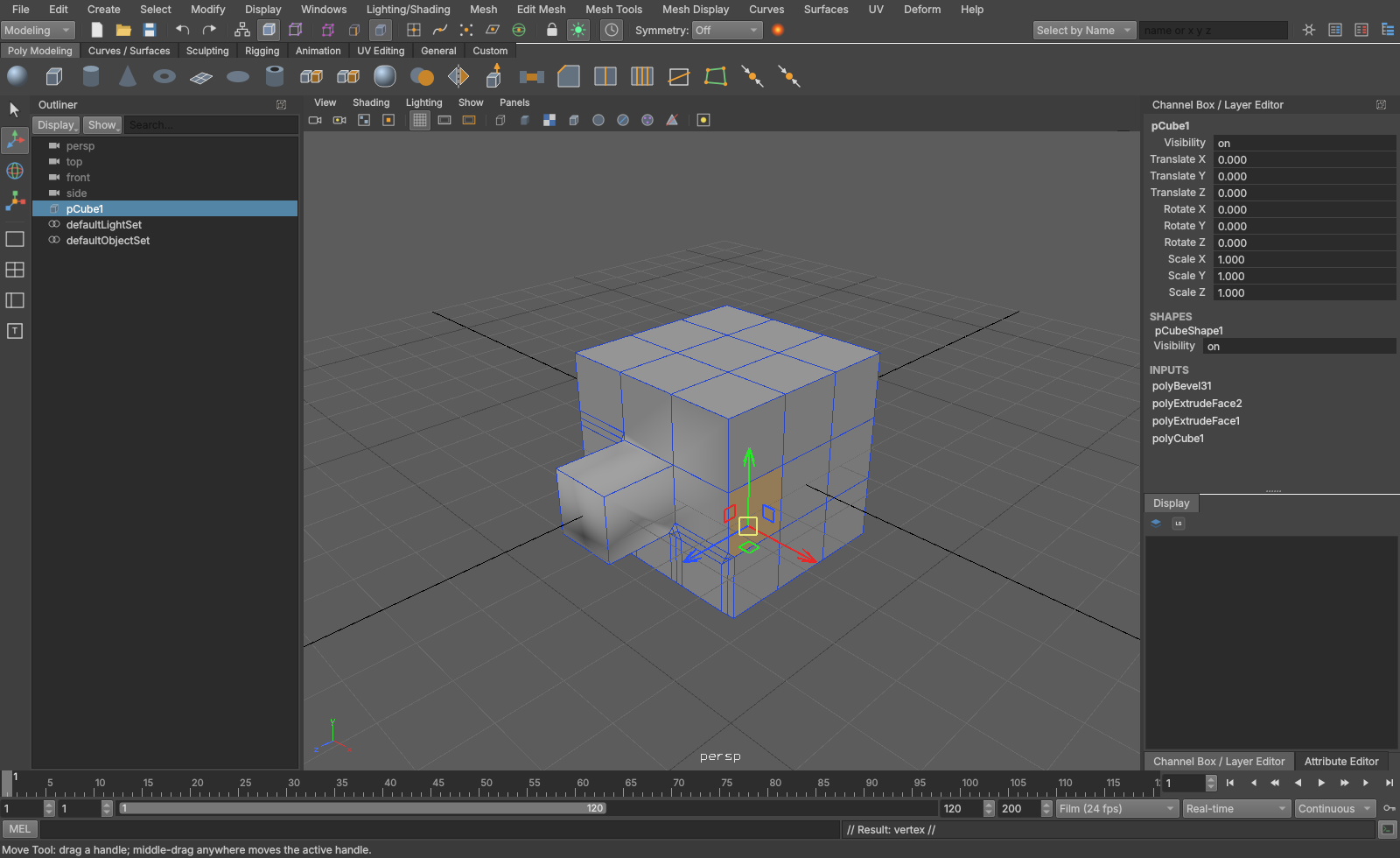
Component editing with construction history (polyExtrudeFace1 in the channel box's inputs) and the move manipulator:
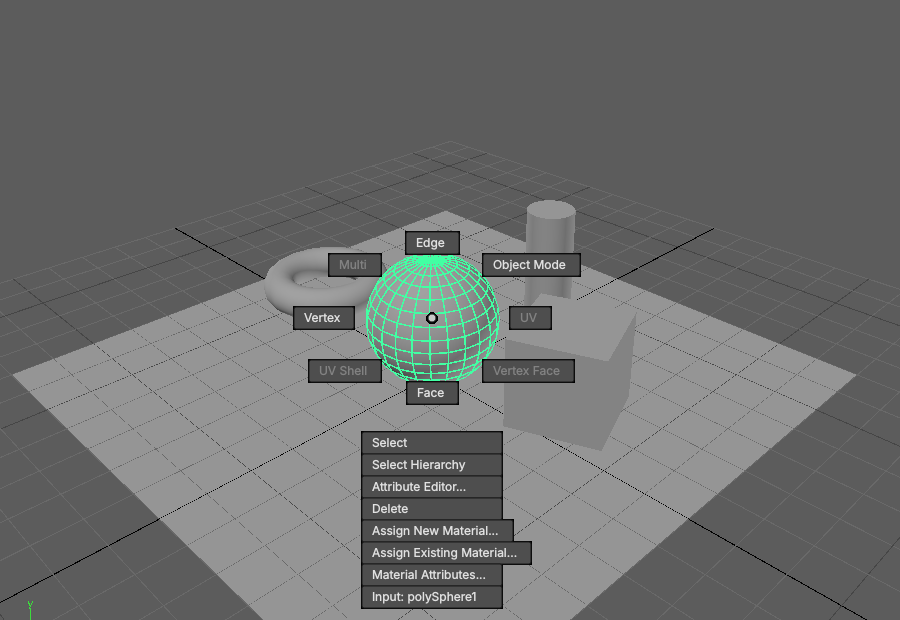
Marking menus on the right button:
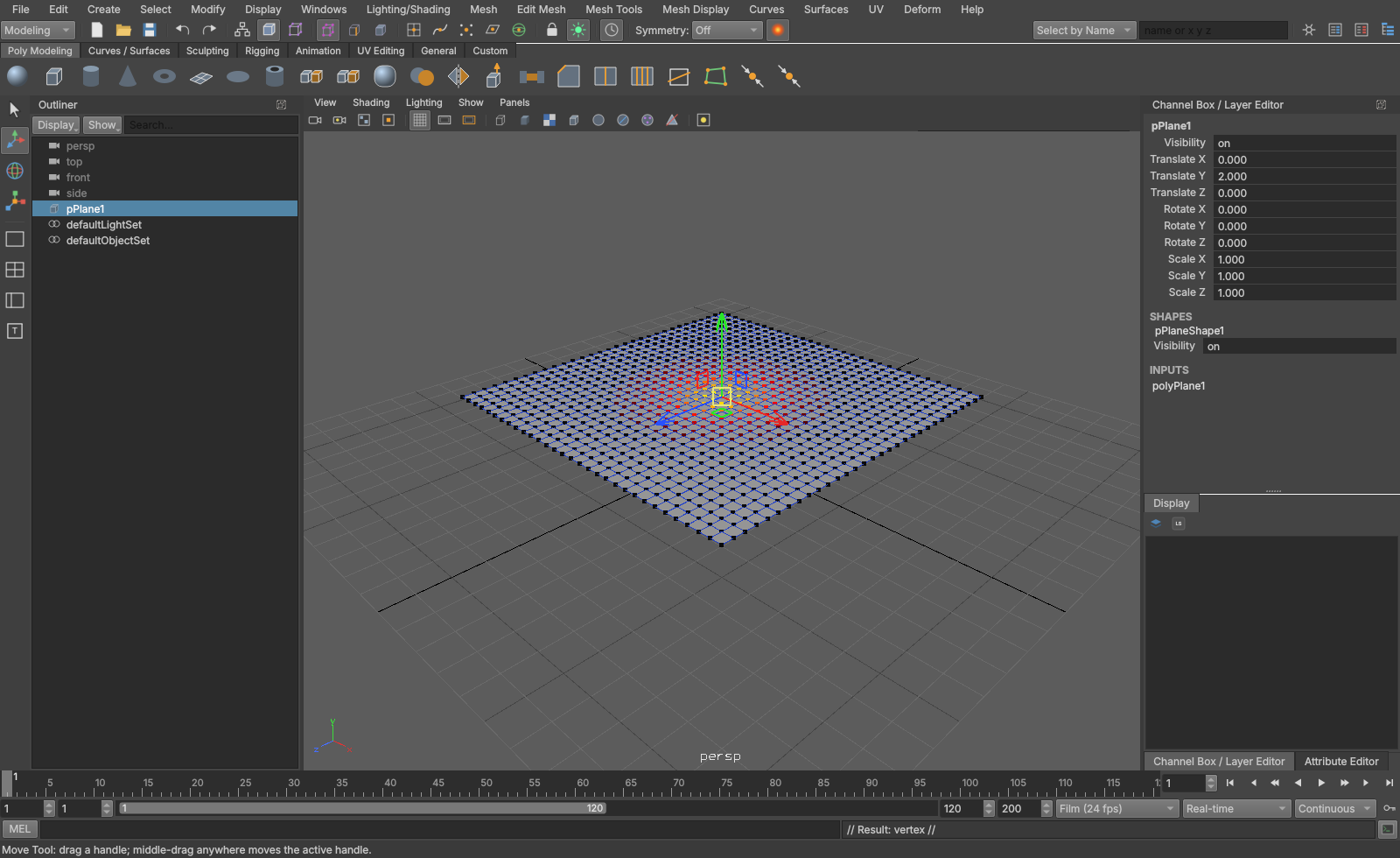
Soft selection (B), falloff shown on the vertices:
UV Editor: automatic projection and layout:
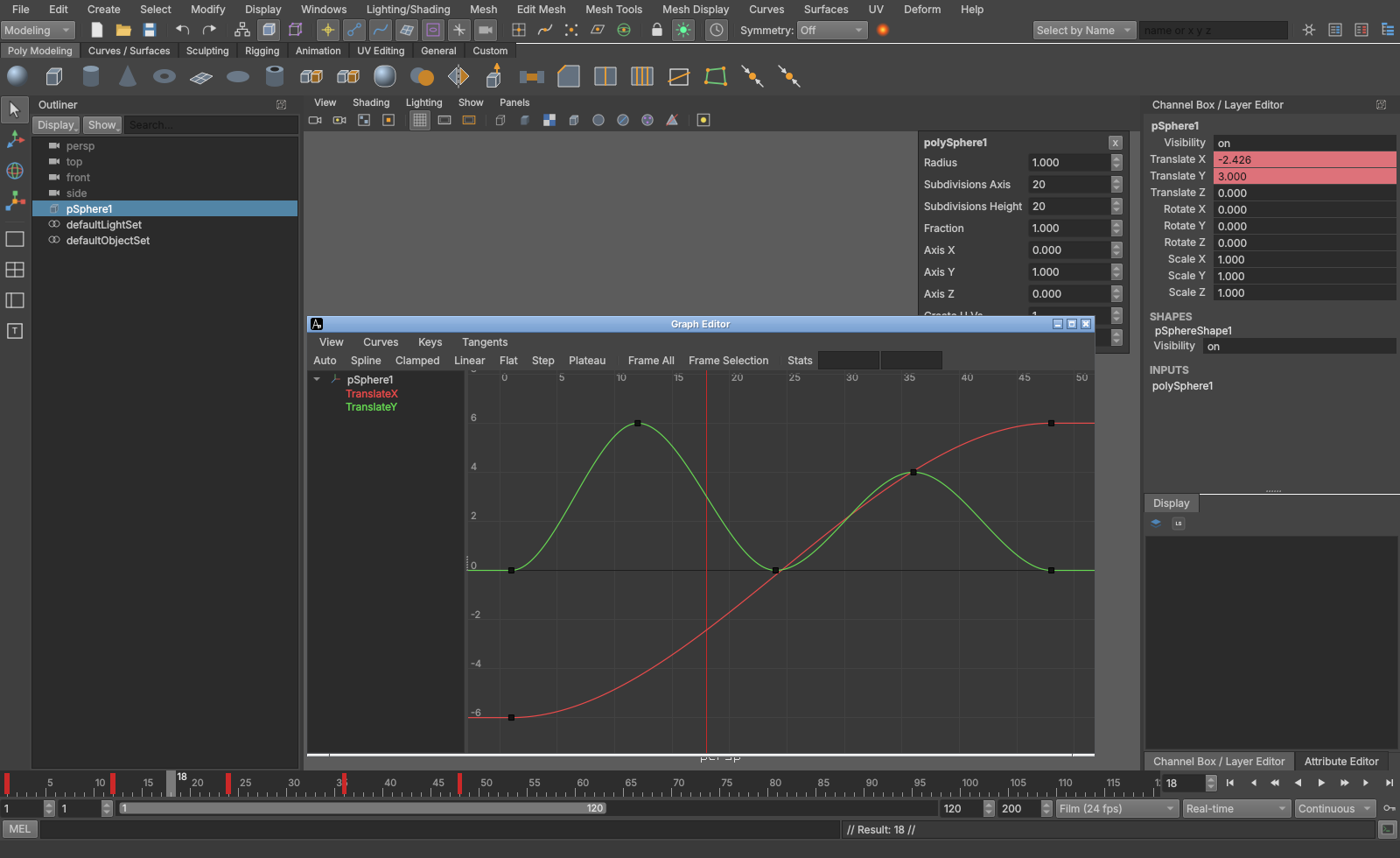
Graph Editor, with keyed channels in the channel box and key ticks on the time slider:
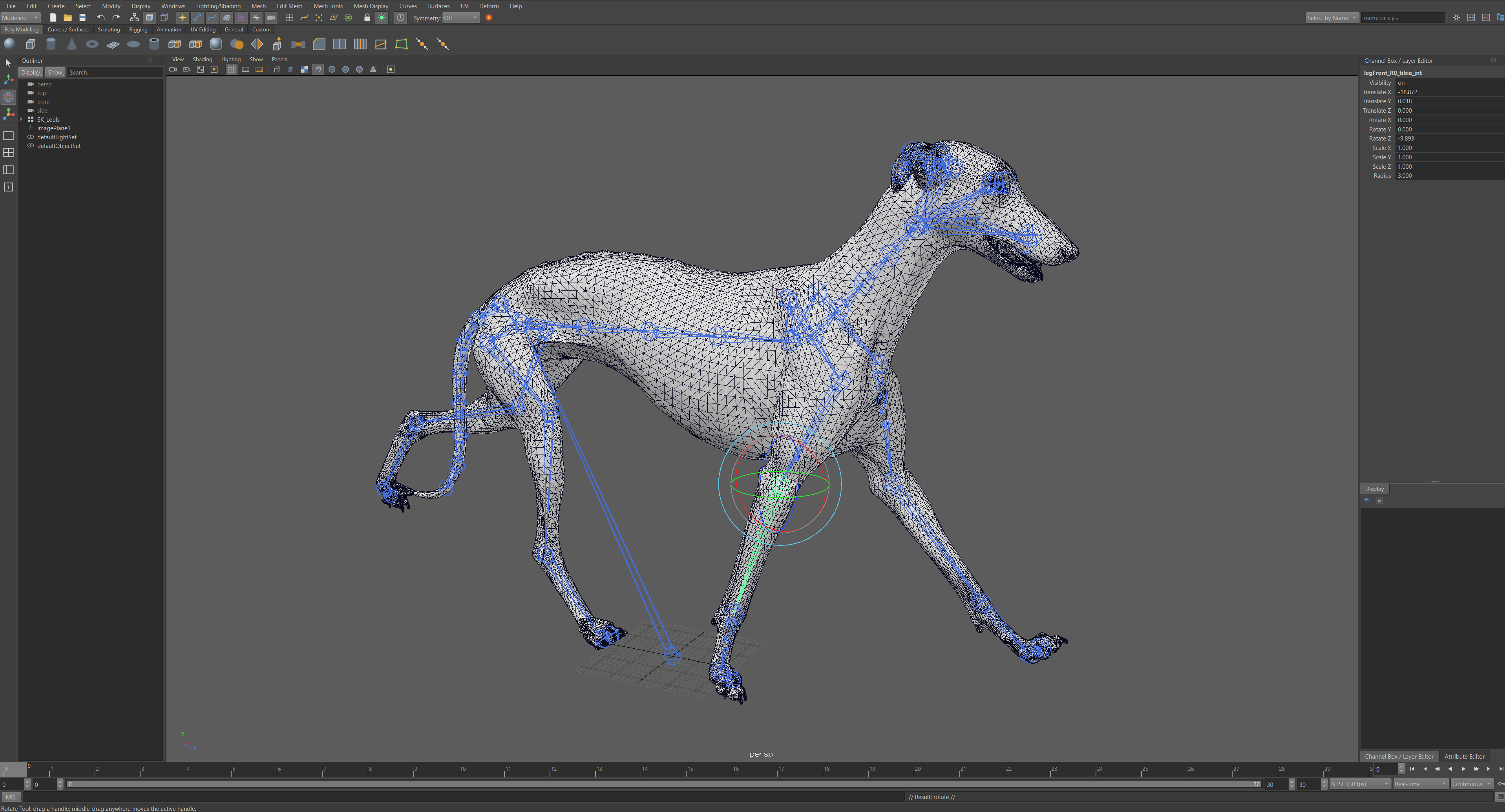
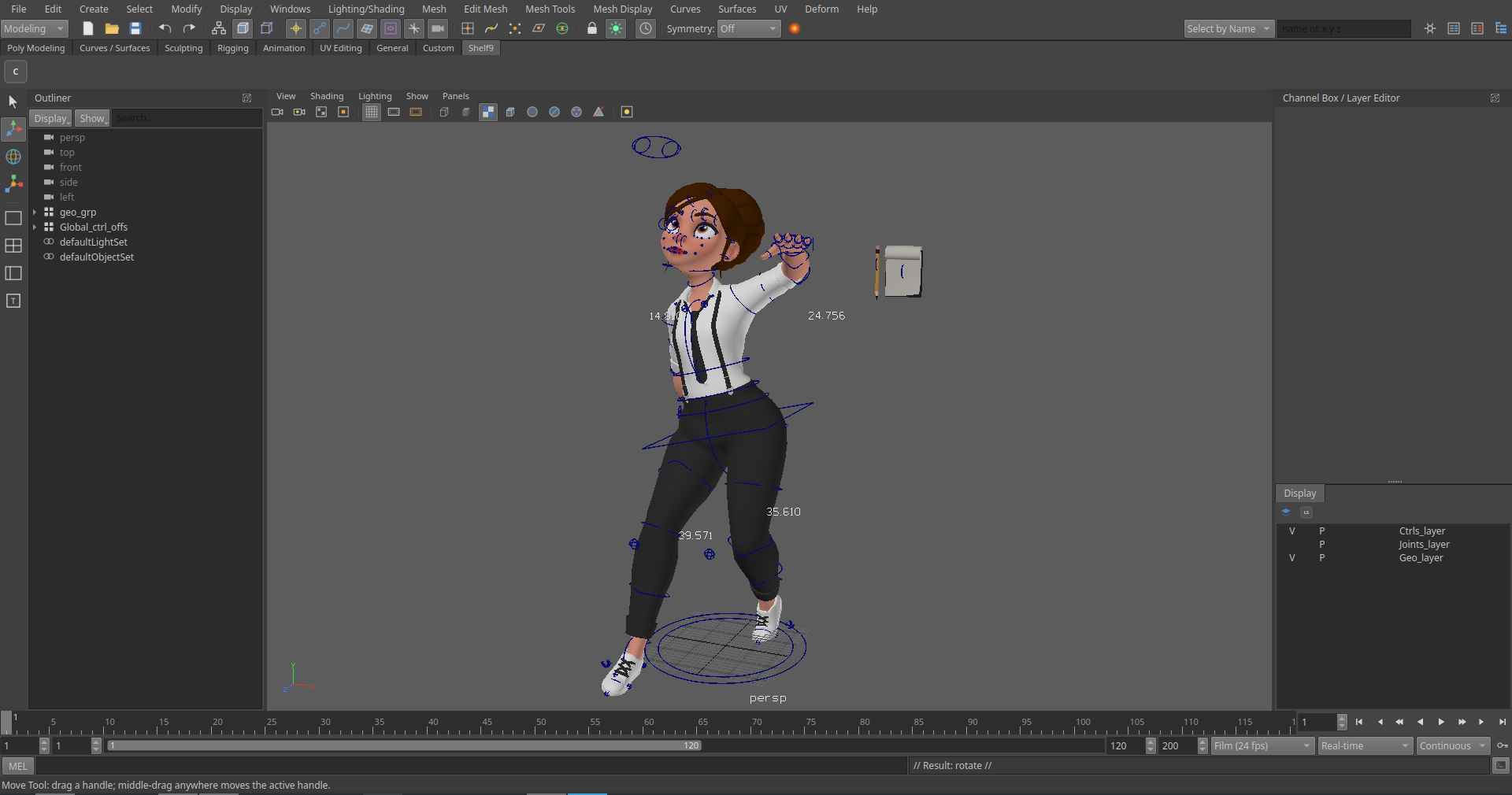
The production rig in another pose, its controls driving joints, skin and blend shapes:
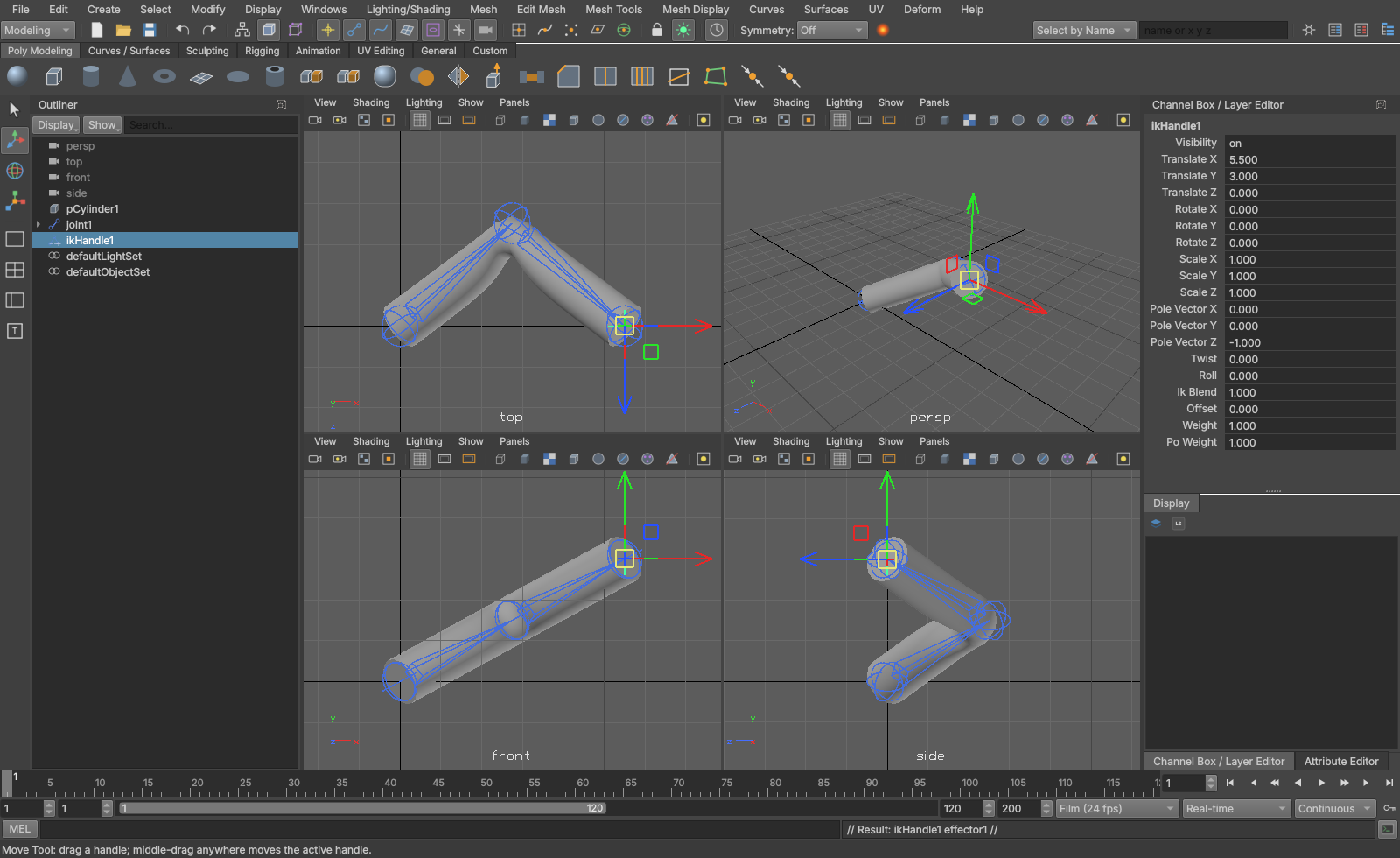
Joints, smooth skin and an RP IK handle:
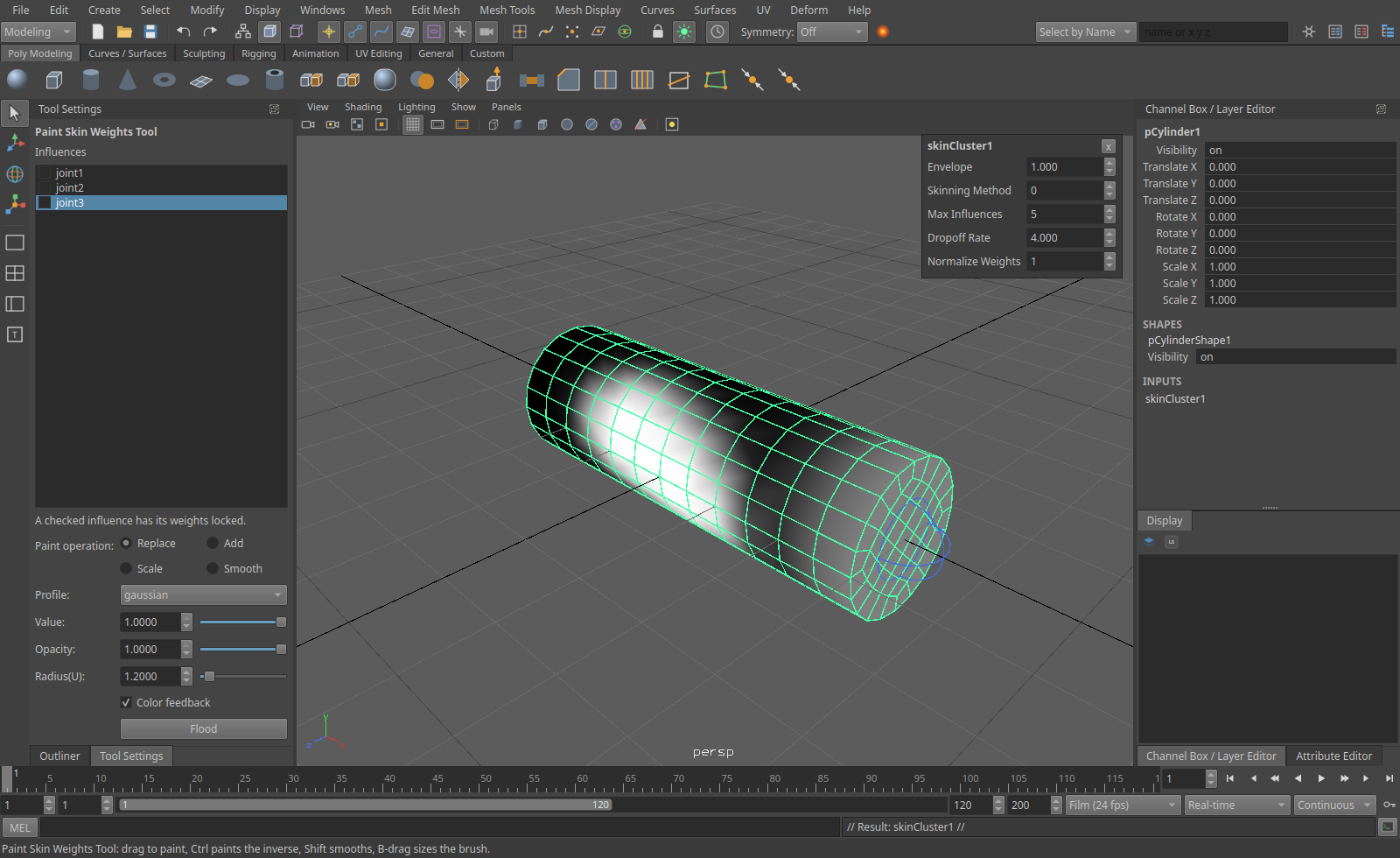
Paint Skin Weights, with the influence list and brush settings in Tool Settings:
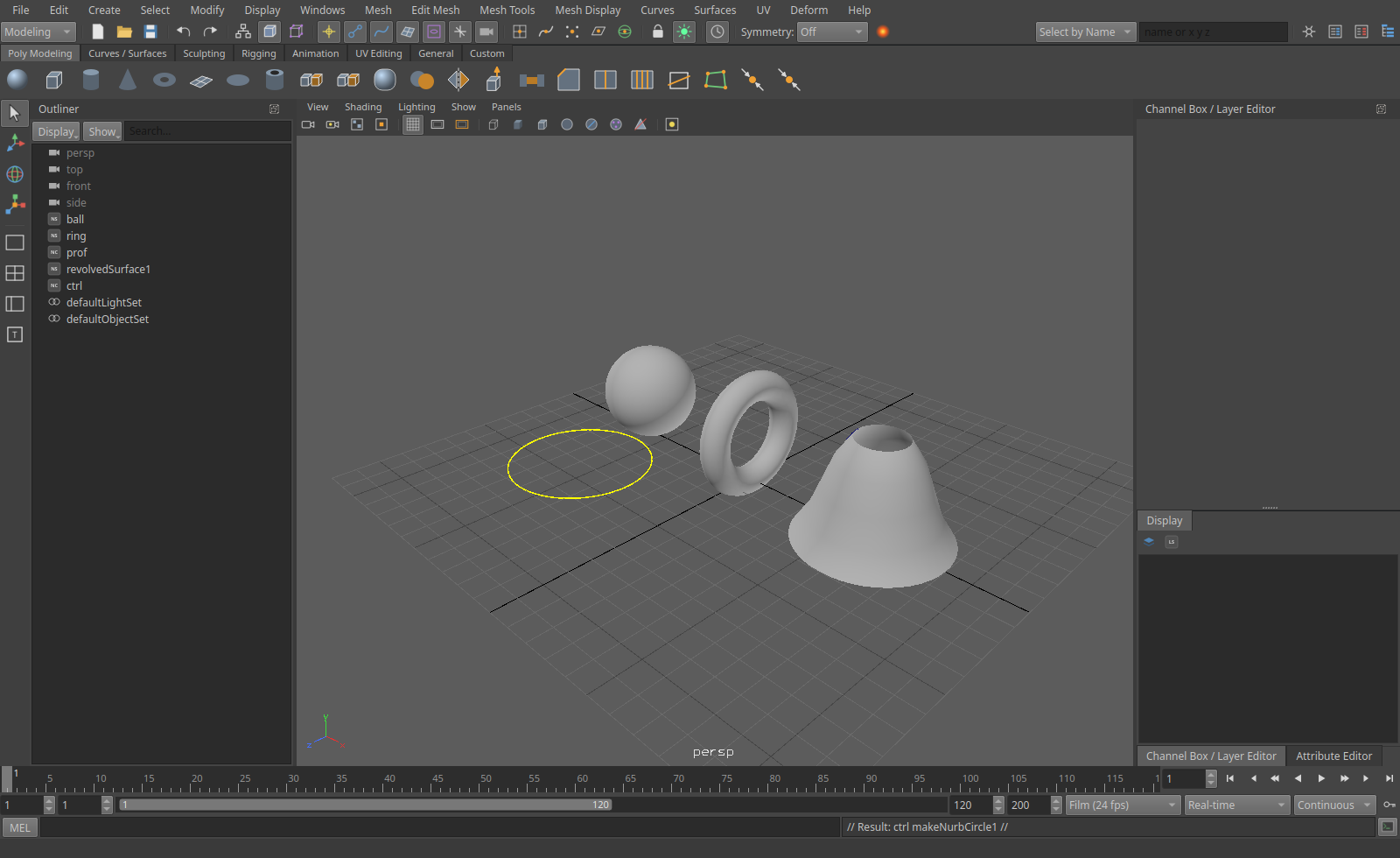
NURBS surfaces and curves, with a drawing override on the control:
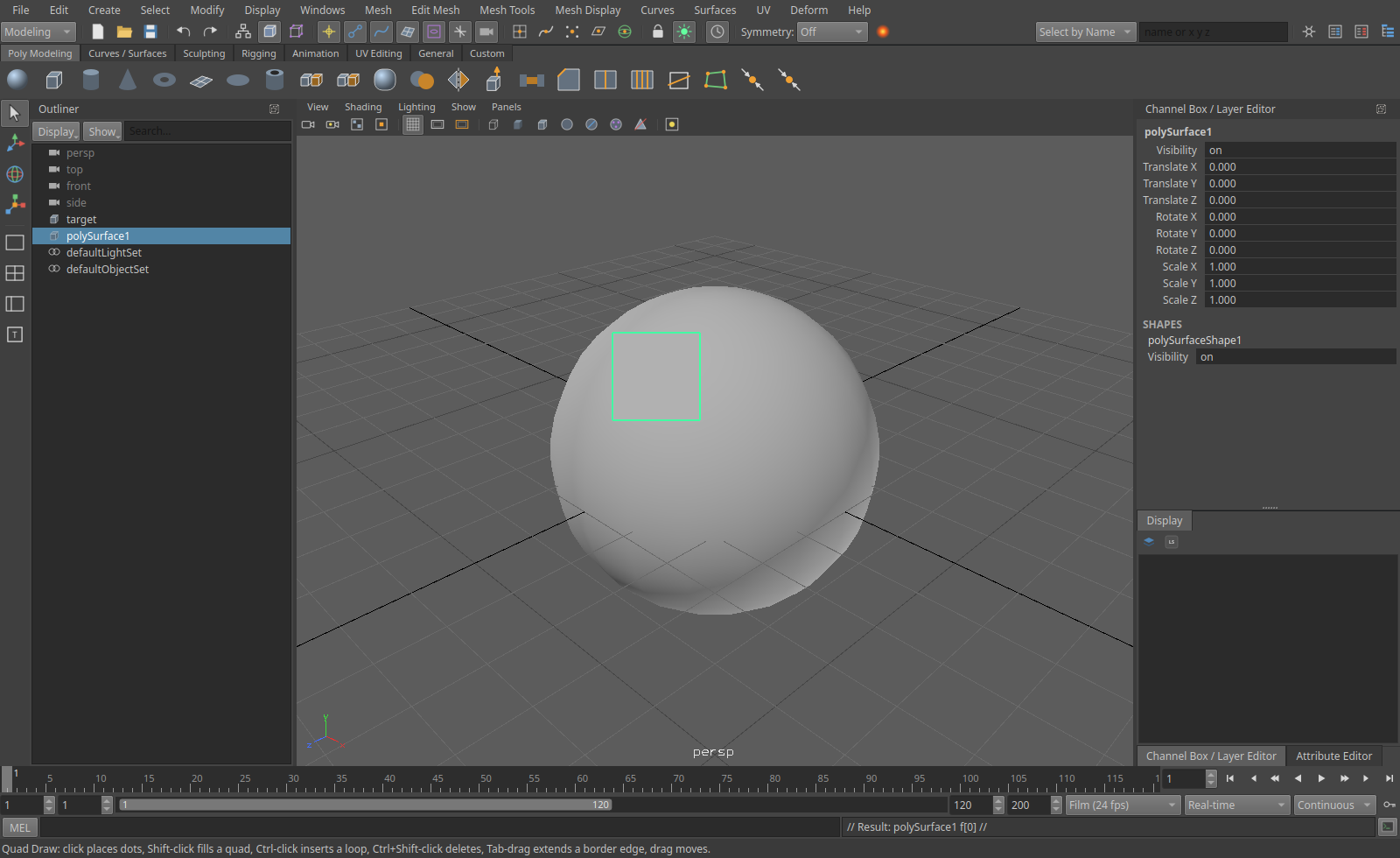
Quad Draw on a live surface:
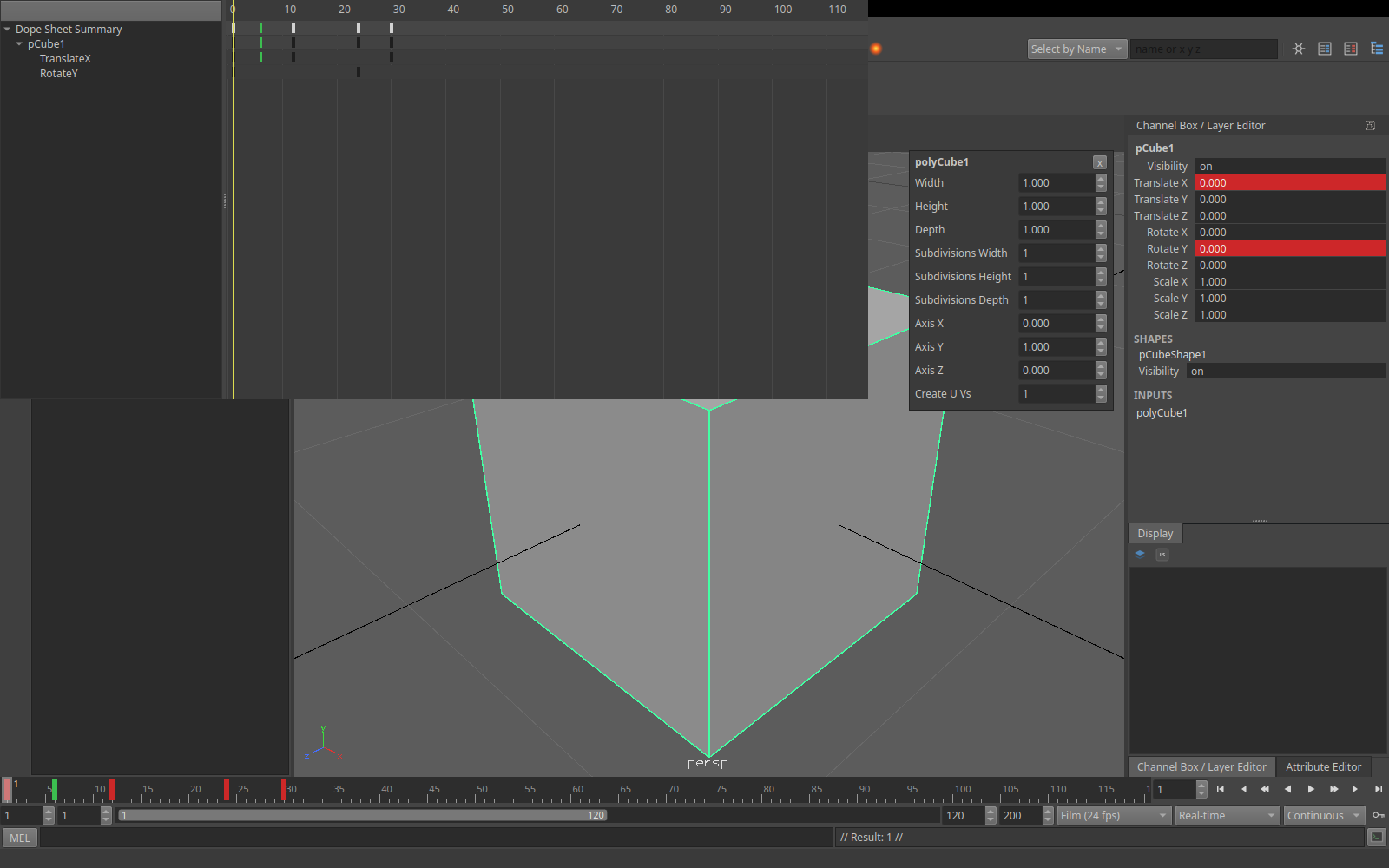
Dope Sheet, with a breakdown in green:
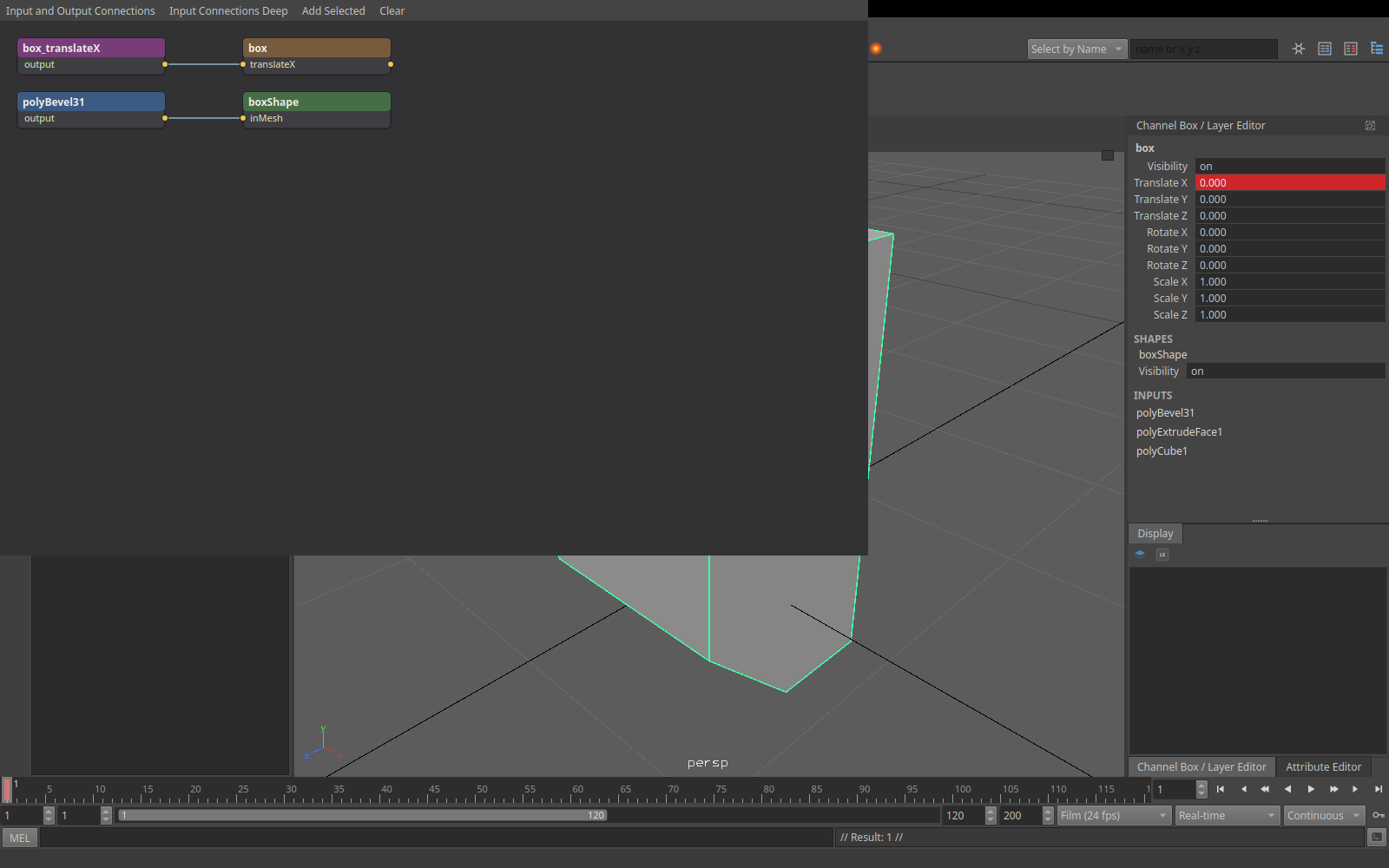
Node Editor:
Install
Packages are on the releases page: each build of the main branch is a release of its own, numbered 2.N where N counts the changes so far. A build from source of the same commit shows the same number in Help > About.
Updates. On its first start Aztek asks whether to check for new versions when it starts; the answer can be changed in
Preferences > Interface, and Help > Check for Updates works either way. The check asks GitHub for the latest release and
sends nothing else: no identifiers, nothing about you or your scenes. That is the only request Aztek makes by itself. When
a newer version is out it shows what changed and offers to install it the way this copy was installed: the Windows
installer runs, a .deb or .rpm installs with your password, the macOS app and the Linux tarball are replaced in
place, and a Windows zip opens its download. Downloads are checked against the release's checksum. A copy built from
source is pointed at git pull. It goes through the proxy in HTTPS_PROXY, minding NO_PROXY.
| System | Package | Install |
|---|---|---|
| Rocky Linux 8 | aztek-<version>-1.el8.x86_64.rpm |
sudo dnf install ./aztek-*.el8.x86_64.rpm (Qt is bundled) |
| Rocky Linux 9 | aztek-<version>-1.el9.x86_64.rpm |
sudo dnf install epel-release, then sudo dnf install ./aztek-*.el9.x86_64.rpm |
| Ubuntu 22.04, 24.04 | aztek_<version>-1_ubuntu22.04_amd64.deb, ..._ubuntu24.04_... |
sudo apt install ./aztek_*.deb |
| Windows 10 and 11 | aztek-<version>-setup-x64.exe, or the zip |
Run it. It isn't signed, so SmartScreen asks first |
| macOS 14+, Apple silicon (early) | aztek-macos-arm64.zip |
brew install [email protected], unzip, then right-click Aztek.app and Open the first time: it isn't notarized |
The viewport needs a Vulkan driver: NVIDIA's own driver has one, and Mesa's mesa-vulkan-drivers covers AMD and Intel. On macOS it
draws through MoltenVK, which comes inside Aztek.app.
docs/PACKAGING.md has the details, and how the packages are built.
Build
Linux:
./build.sh --deps --run
--deps installs the build dependencies (apt, dnf or pacman) and only needs running once; --run starts Aztek
afterwards; --install puts it in ~/.local with a menu entry and icon; --debug builds into build-debug/. Rust comes from rustup. An active conda
environment is fine: the script builds against the system Python and ignores conda's libraries.
macOS, with Homebrew:
./build-macos.sh --deps --run
--deps installs Xcode's command line tools, CMake, Ninja, Qt, Python 3.12, MoltenVK and Rust. The build is
build/aztek.app. --package makes a self-contained Aztek.app and dist/aztek-macos-<arch>.zip, as the release
build does; --install puts it in ~/Applications. macOS is new: the viewport, menus and shortcuts haven't been checked
there yet.
Windows, from PowerShell or a command prompt:
build.bat -Run
Needs Visual Studio 2022 (or its Build Tools) with "Desktop development with C++", Rust from
rustup, CMake, Qt 6.4+ for MSVC from the Qt online installer,
and Python 3 from python.org. The script finds Visual Studio and the newest Qt
under C:\Qt (or takes -Qt C:\Qt\6.8.0\msvc2022_64), builds, and makes a folder that runs by itself in build\dist:
Qt's DLLs, the VC runtime and Python's standard library beside aztek.exe.
By hand, on either: cmake -B build -G Ninja -DCMAKE_BUILD_TYPE=Release && cmake --build build. The first build
compiles the Rust core (a few minutes); later builds only rebuild what changed. -DAZTEK_PYTHON=OFF builds without
Python.
Options:
aztek [scene.aztek|scene.ma|scene.mb] [--script file.mel|file.py] [--screenshot out.png]
On KDE Plasma, Alt + drag moves windows by default: set System Settings > Window Management > Window Behavior > Window Actions > Modifier key to Meta.
Hotkeys
| Keys | Action |
|---|---|
| Alt + left / middle / right drag, wheel | Tumble, track, dolly |
| Space tap / hold | Toggle single and four views / hotbox |
| Right button | Marking menu (Shift: modelling tools, Ctrl: selection conversion) |
| Q W E R | Select, move, rotate, scale |
| F / A, Shift+F / Shift+A | Frame selection / all, in every view |
| F8, F9, F10, F11 | Object/component, vertex, edge, face |
| F2, F3, F4 | Animation, Modeling, Rigging menu sets |
| Click, drag, double-click an edge | Select, marquee, edge loop |
| Shift / Ctrl / Ctrl+Shift click | Toggle / deselect / add |
| Z, Shift+Z (Ctrl+Z, Ctrl+Y) | Undo, redo |
| G | Repeat last |
| Ctrl+D, Shift+D, Ctrl+G, P, Shift+P | Duplicate, duplicate with transform, group, parent, unparent |
| Ctrl+E, Ctrl+B | Extrude, bevel |
| 1, 2, 3 | Smooth preview off, cage, smooth |
| 4, 5 | Wireframe, shaded |
| B | Soft selection |
| > and < | Grow and shrink selection |
| Delete | Delete objects or components |
| S, Shift+W/E/R | Set key on all channels, on translate/rotate/scale |
| . and , | Next and previous key |
| Alt+. and Alt+, | Next and previous frame |
| Alt+V, Esc | Play / stop |
| Ctrl+A | Attribute Editor |
| Enter | Joint tool: end the chain. Curve, Multi-Cut and polygon tools: finish |
| B drag | Paint and sculpting tools: size the brush |
| Ctrl+Shift+T | Tool Settings (also: double-click a tool) |
In the channel box, click channel names to pick them (Ctrl and Shift add); middle-drag in a view then changes them (Ctrl fine, Shift coarse). Right-click for keys, locks and connections.
Editors
- Outliner, Channel Box / Layer Editor, Attribute Editor (docked), Script Editor with MEL and Python tabs.
- Graph Editor and Dope Sheet (Windows > Animation Editors): curves and keys of the selection.
- Node Editor (Windows > General Editors): graph the selection, wire attributes, Tab creates a node.
- Hotkeys and shelves are editable; the Hotkey Editor is under Windows > Settings/Preferences.
- UV Editor (Windows > Modeling Editors, or UV > UV Editor): UVs by UV, shell, edge or face; move, rotate and scale; projections, unfold, layout, cut, sew, normalize, flip.
Scripting
The command line and the Script Editor take MEL (polyCube -w 2 -sx 3; select -r pCube1.f[0:3]; polyExtrudeFacet -ltz 1;) and Python:
from aztek import cmds
cube = cmds.polyCube(w=2)[0]
cmds.setKeyframe(cube, at='ty', t=1, v=0)
cmds.setKeyframe(cube, at='ty', t=24, v=5)
cmds.polyCube(cube, q=True, w=True)
aztek.cmds is the module of record; the compatibility modules map onto it, so existing scripts run unchanged. Python plug-ins load
with loadPlugin. C++ plug-ins rebuilt with the kit in devkit/ load too.
Compatibility
Existing scripts, habits and .ma files carry over: a production rig opens, poses and saves (see "A real rig" in
PARITY.md). Behaviour comes from published references, so expect differences in details; PARITY.md lists
the known ones. .mb files open, import and load as references but can't be saved yet (save as .ma), and the C++ plug-in kit covers part of the API so far. Materials and render settings from other renderers in a file are
read and rendered with Harold, with a warning naming what isn't honoured.
Licence
MIT-0: use, copy, change, sell, re-host and redistribute it however you like, with no attribution required. One table of binary file type ids in it comes from an MIT project; its notice is in THIRD_PARTY.md. Copies on any other host are welcome (see Copy it anywhere). It comes with no warranty of any kind.