
remorses/tuitube has 789 GitHub stars and 36 forks. GitHot measured 0 stars in 24 hours and 0 in 7 days. Last checked 2026-11-21 07:42 UTC. Last push 2026-01-12.
計測したスター増加
- 24時間
- 0
- 7日間
- 0
- 15日間
- 履歴を収集中
- 1か月
- 履歴を収集中
期間ごとの純増数です。期間は重複しており、日別の値ではありません。未計測の値は空欄です。スター数は注目度の指標であり、品質の保証ではありません。
概要
Download videos from the command line with a TUI
制作・メディアREADME.md
オリジナルtuitube
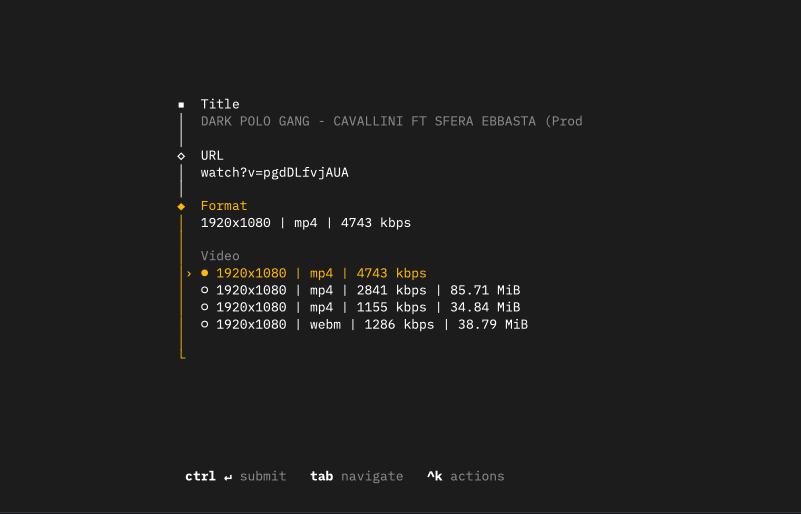
TUI to download videos from YouTube, 𝕏, Twitch, Instagram, Bilibili and more using yt-dlp CLI
Installation
curl -sf https://termcast.app/r/tuitube | bash
To use this extension, you must have yt-dlp and ffmpeg installed on your machine.
The easiest way to install this is using Homebrew. After you have Homebrew installed, run the following command in your terminal:
brew install yt-dlp ffmpeg
Depending on your macOS version, the package might be located in a different path than the one set by the extension. To
check where ffmpeg was installed, run:
which ffmpeg
Then, update the path in the extension preferences to match the output of the above command.
You'll also need ffprobe, which is usually installed with ffmpeg. Just run which ffprobe and update the path
accordingly.
Windows Beta
Install yt-dlp
Use the built-in Windows package manager, winget, or alternatives like Scoop or Chocolatey. yt-dlp includes ffmpeg and ffprobe binaries.
winget install --id=yt-dlp.yt-dlp -e
Update Extension Preferences - Optional
Extension will detect the paths automatically. But you can Copy the paths from the below commands and set them in the extension's preferences.
After installation, open a new terminal and run the following commands to find the paths for yt-dlp, ffmpeg, and ffprobe:
(Get-Command yt-dlp).Source
(Get-Command ffmpeg).Source
(Get-Command ffprobe).Source
Supported Sites
See https://github.com/yt-dlp/yt-dlp/blob/master/supportedsites.md.