
phlx0/drift has 786 GitHub stars and 22 forks. Star changes are not measured yet. Last checked 2026-11-13 21:04 UTC. Last push 2026-10-16.
計測したスター増加
- 24時間
- 履歴を収集中
- 7日間
- 履歴を収集中
- 15日間
- 履歴を収集中
- 1か月
- 履歴を収集中
期間ごとの純増数です。期間は重複しており、日別の値ではありません。未計測の値は空欄です。スター数は注目度の指標であり、品質の保証ではありません。
概要
Terminal screensaver that activates when you're idle, constellations, rain, particles & more. Press any key to resume. Just drift away!
開発ツールREADME.md
オリジナル· · · · · · ·
· d r i f t ·
· · · · ·
A terminal screensaver that turns idle time into ambient art.







Scenes
drift ships 14 scenes and 10 built-in themes. They cycle automatically or you can lock to one.
waveform — braille sine waves that breathe |
constellation — stars drift and connect  |
rain — katakana characters fall in columns  |
particles — a flow field of drifting glyphs  |
pipes — box-drawing pipes snake across the screen and wrap at the edges  |
maze — a perfect maze builds itself, holds, then dissolves and regenerates  |
life — Conway's Game of Life; cells flash bright on birth, age through the palette, reset when the grid stagnates  |
clock — current time in large braille digits, styled in the active theme, with the date below  |
orrery — a stylized solar system with a fixed sun, concentric orbit rings, and braille-rendered planets 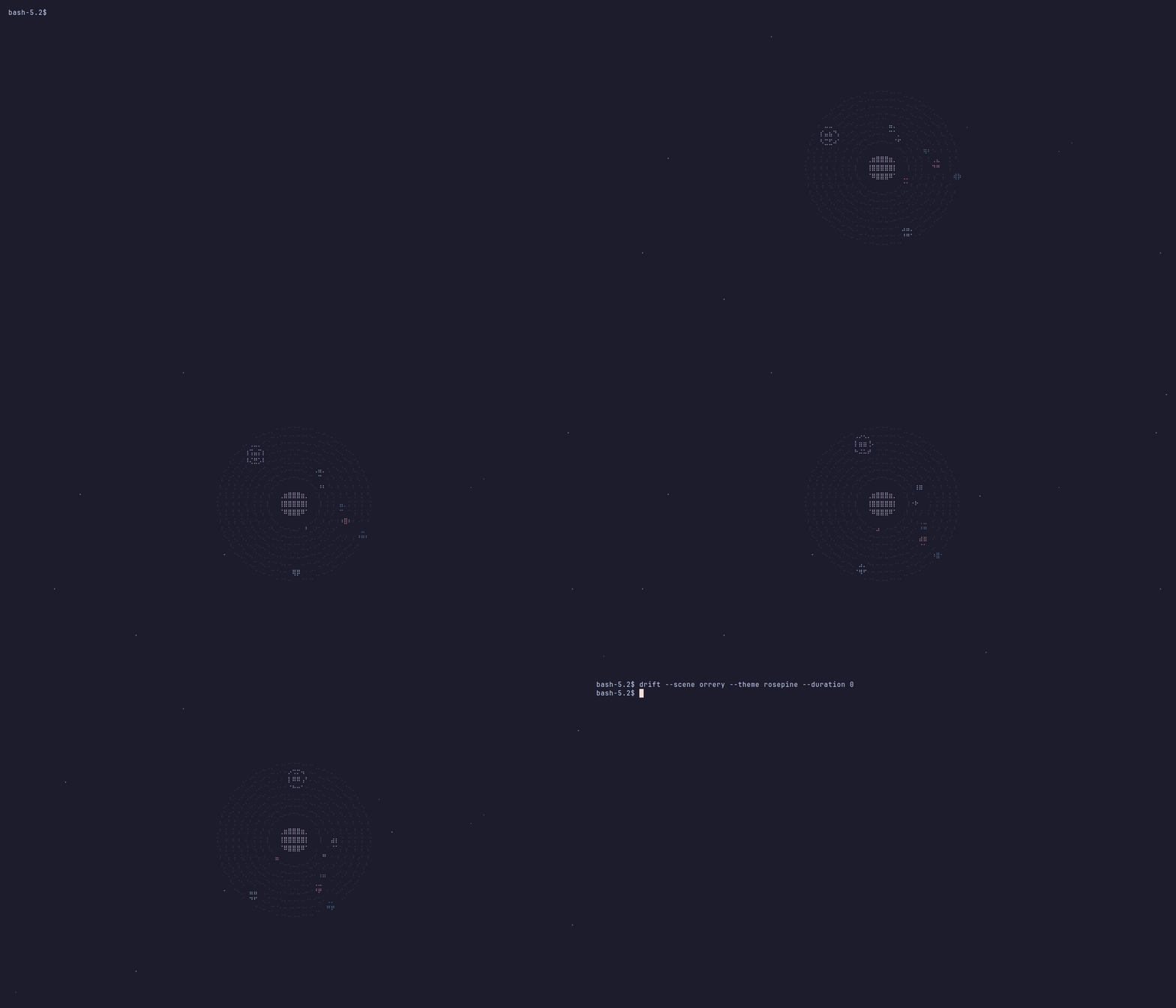 |
starfield — classic 3-D star warp; stars accelerate toward you from the centre, brightening and leaving trails as they approach  |
dvd — the classic bouncing logo; changes palette color on each wall bounce and flashes bright on a corner hit  |
boids — Reynolds flocking simulation; triangle-arrow heads leave fading trails as separation, alignment, and cohesion rules steer the flock  |
plasma — classic demoscene sine-sum color field; four overlapping waves with a drifting radial centre map through the active theme palette  |
bonsai — a leaning, tapered trunk grows out of a shallow pot and spreads flat foliage pads;  |
Themes
Ten built-in themes matched to popular terminal colorschemes. ansi uses your terminal's own 16 colors, so it follows your colorscheme.
cosmic · nord · dracula · catppuccin · gruvbox · forest · wildberries · mono · rosepine · ansi
drift list themes # preview all themes with color swatches
Installation
Option 1 — Homebrew (macOS and Linux)
brew install phlx0/drift/drift
Option 2 — AUR (Arch Linux)
yay -S drift-bin # or: paru -S drift-bin
Option 3 — Nix flake
nix run github:phlx0/drift
Or add to your configuration:
inputs.drift.url = "github:phlx0/drift";
Option 4 — Pre-built binary (no Go required)
Go to the Releases page.
Download the archive for your platform:
OS Chip File macOS Apple Silicon (M1/M2/M3) drift_darwin_arm64.tar.gzmacOS Intel drift_darwin_amd64.tar.gzLinux x86-64 drift_linux_amd64.tar.gzLinux ARM64 drift_linux_arm64.tar.gzWindows x86-64 drift_windows_amd64.zipExtract and move it somewhere on your
PATH:tar -xzf drift_darwin_arm64.tar.gz sudo mv drift /usr/local/bin/ drift version
Option 5 — Go install
go install github.com/phlx0/drift@latest
Make sure Go's bin directory is on your PATH:
# add to ~/.zshrc or ~/.bashrc
export PATH="$PATH:$(go env GOPATH)/bin"
Option 6 — Build from source
git clone https://github.com/phlx0/drift
cd drift
go install .
Requires Go 1.23+. No C compiler or CGO needed.
Shell integration
Shell integration is what makes drift a real screensaver — your shell detects idleness and launches drift automatically. Press any key to return to your prompt.
Zsh
# add to ~/.zshrc
export DRIFT_TIMEOUT=120   # seconds of inactivity (default: 120)
eval "$(drift shell-init zsh)"
Bash
# add to ~/.bashrc
export DRIFT_TIMEOUT=120   # seconds of inactivity (default: 120)
eval "$(drift shell-init bash)"
Fish
# add to ~/.config/fish/conf.d/drift.fish
set -x DRIFT_TIMEOUT 120   # seconds of inactivity (default: 120)
drift shell-init fish | source
Windows
Shell integration is not available on Windows. Run drift directly from any terminal (Windows Terminal, PowerShell, cmd) to start it immediately, or use drift --showcase to browse interactively. Press esc to exit.
Usage
drift                            start immediately (shell integration mode)
drift --scene waveform           lock to a specific scene
drift --theme catppuccin         override the color theme
drift --duration 30              cycle scenes every 30 seconds
drift --showcase                 browse all scenes and themes interactively

drift list scenes                list all available scenes
drift list themes                list themes with color swatches
drift shell-init zsh|bash|fish   print shell integration snippet
drift config                     show effective configuration
drift config --init              write default config to ~/.config/drift/config.toml
drift version                    print version info
| Flag | Default | Description |
|---|---|---|
--scene, -s |
cycle all | lock to a specific scene |
--theme, -t |
cosmic |
color theme |
--fps |
30 |
target frame rate |
--duration |
60 |
seconds per scene, 0 = no cycling |
--showcase |
false |
interactive browser: ↑↓/ws scene · ←→/ad theme · esc quit |
Configuration
drift config --init # writes ~/.config/drift/config.toml
[engine]
fps              = 30
cycle_seconds    = 60    # 0 = stay on one scene
fade_seconds     = 0.3   # fade-to-black between scenes, 0 = instant cut
scenes           = "all"
theme            = "cosmic"
shuffle          = true
hide_tmux_status = false
oled_shift       = false  # 1-cell shift every 10s; only useful on bare OLED hardware
exit_on_mouse    = false  # quit on mouse click; also captures the mouse, disabling terminal text selection

[scene.constellation]
star_count      = 80
connect_radius  = 0.18   # connection threshold as a fraction of screen diagonal (0.0–1.0)
twinkle         = true   # animate star brightness; false = steady glow
max_connections = 4      # max lines drawn from each star

[scene.rain]
charset = "アイウエオカキクケコサシスセソタチツテトナニヌネノ0123456789"
density = 0.4
speed   = 1.0

[scene.particles]
count    = 120
gravity  = 0.0   # downward acceleration in cells/s²; negative pulls upward
friction = 0.98  # velocity damping per frame (0.0 = instant stop, 1.0 = no damping)

[scene.waveform]
layers    = 3    # number of overlapping sine waves (1–3)
amplitude = 0.70
speed     = 1.0

[scene.orrery]
bodies      = 8    # number of planets (4–8)
trail_decay = 2.4  # seconds for orbit trails to fade; lower = shorter trails

[scene.pipes]
heads         = 6
turn_chance   = 0.15
speed         = 1.0
reset_seconds = 45.0

[scene.maze]
pause_seconds = 3.0
fade_seconds  = 2.0
speed         = 1.0

[scene.life]
density       = 0.35
speed         = 1.0
reset_seconds = 30.0

[scene.clock]
show_date = true  # show date below the time

[scene.starfield]
count = 200   # number of stars
speed = 1.0   # warp speed multiplier

[scene.dvd]
speed = 1.0     # movement speed multiplier
label = "drift" # text displayed inside the bouncing logo

[scene.boids]
count = 60    # number of boids
speed = 1.0   # movement speed multiplier

[scene.plasma]
speed = 1.0   # animation speed multiplier
scale = 1.0   # spatial scale (higher = more zoomed in / larger blobs)

[scene.bonsai]
pause_seconds = 6.0   # seconds to hold the finished tree before it dissolves
fade_seconds  = 2.5   # seconds the dissolve takes
speed         = 1.0   # growth speed multiplier
Custom themes
Define your own themes in config.toml under [theme.<name>]. Custom themes appear alongside built-ins in drift list themes and in showcase mode navigation.
[theme.terminal]
bright  = "#ffffff"
palette = ["#ff5555", "#50fa7b", "#f1fa8c", "#bd93f9"]
dim     = ["#3d0000", "#003d00", "#3d3d00", "#1e003d"]
| Key | Description |
|---|---|
bright |
Near-white highlight color (#RRGGBB) |
palette |
Accent colors — scenes index with palette[i % len(palette)] |
dim |
Darker variants for trails and depth — must be the same length as palette |
Then use it like any built-in: drift --theme terminal.
Showcase mode
drift --showcase runs drift continuously — nothing exits it except esc. Use it to browse scenes and themes or leave it running on a visible window.
| Key | Action |
|---|---|
↑ / w |
previous scene |
↓ / s |
next scene |
← / a |
previous theme |
→ / d |
next theme |
esc / q / ctrl+c |
quit |
A status bar shows the current scene and theme for 3 seconds after each keypress, then fades out.
Troubleshooting
Config changes have no effect
Run drift config to check whether your config file is being found:
Config file: /Users/you/.config/drift/config.toml (not found — using defaults; run 'drift config --init' to create it)
If the file is missing, create it with drift config --init. If it exists but changes still don't apply, check for a TOML syntax error — drift config will print the parse error if there is one.
drift doesn't activate automatically
Make sure the shell integration is sourced in your rc file and that DRIFT_TIMEOUT (or TMOUT in zsh) is set:
export DRIFT_TIMEOUT=120
eval "$(drift shell-init zsh)"   # or bash / fish
Then open a new terminal session for it to take effect.
Contributing
New scenes and themes are very welcome. See CONTRIBUTING.md for the development guide.
Star History
MIT License · made by phlx0
press any key to resume