
nlp-with-transformers/notebooks
nlp-with-transformers/notebooks has 4,836 GitHub stars and 1,480 forks. GitHot measured 0 in 7 days. Last checked 2026-11-11 22:11 UTC. Last push 2026-05-29.
Jupyter notebooks for the Natural Language Processing with Transformers book
計測したスター増加
- 24時間
- 更新が遅れています
- 7日間
- 0
- 15日間
- 更新が遅れています
- 1か月
- 更新が遅れています
期間ごとの純増数です。期間は重複しており、日別の値ではありません。未計測の値は空欄です。スター数は注目度の指標であり、品質の保証ではありません。
README.md
オリジナルTransformers Notebooks
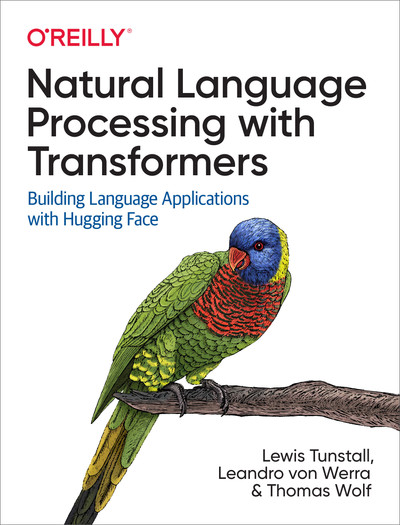
This repository contains the example code from our O'Reilly book Natural Language Processing with Transformers:
Getting started
You can run these notebooks on cloud platforms like Google Colab or your local machine. Note that most chapters require a GPU to run in a reasonable amount of time, so we recommend one of the cloud platforms as they come pre-installed with CUDA.
⚠️ TensorFlow sections are no longer tested. The book includes optional TensorFlow code paths (e.g.
TFAutoModel.from_pretrained(..., from_pt=True)in Chapter 2). These were written against TF 2.x with classic Keras 2 and break against current Keras 3. The PyTorch path is what we maintain; if you need the TF examples to run, you'll have to install a compatible older TensorFlow/Keras yourself.
⚠️ Chapter 7 (Question Answering) is no longer maintained. It relies on
farm-haystack0.9 / 1.4 together with Elasticsearch 7.x and pydantic 1.x — a stack that is incompatible with Python 3.10 and has been deprecated upstream (Deepset's haystack moved tohaystack-ai2.x with a substantially different API). Read the chapter for the concepts (retriever + reader pipelines, dense passage retrieval) and follow the current Haystack documentation for runnable code.
Running on a cloud platform
To run these notebooks on a cloud platform, just click on one of the badges in the table below:
| Chapter | Colab | Kaggle | Gradient | Studio Lab |
|---|---|---|---|---|
| Introduction |  |
 |
 |
 |
| Text Classification | |
|
|
|
| Transformer Anatomy | |
|
|
|
| Multilingual Named Entity Recognition | |
|
|
|
| Text Generation | |
|
|
|
| Summarization | |
|
|
|
| Question Answering | |
|
|
|
| Making Transformers Efficient in Production | |
|
|
|
| Dealing with Few to No Labels | |
|
|
|
| Training Transformers from Scratch | |
|
|
|
| Future Directions | |
|
|
|
Nowadays, the GPUs on Colab tend to be K80s (which have limited memory), so we recommend using Kaggle, Gradient, or SageMaker Studio Lab. These platforms tend to provide more performant GPUs like P100s, all for free!
Note: some cloud platforms like Kaggle require you to restart the notebook after installing new packages.
Running on your machine
To run the notebooks on your own machine, first clone the repository and navigate to it:
$ git clone https://github.com/nlp-with-transformers/notebooks.git
$ cd notebooks
Next, run the following command to create a conda virtual environment that contains all the libraries needed to run the notebooks:
$ conda env create -f environment.yml
Note: You'll need a GPU that supports NVIDIA's CUDA Toolkit to build the environment. Currently, this means you cannot build locally on Apple silicon 😢.
Chapter 7 (Question Answering) has a special set of dependencies, so to run that chapter you'll need a separate environment:
$ conda env create -f environment-chapter7.yml
Once you've installed the dependencies, you can activate the conda environment and spin up the notebooks as follows:
$ conda activate book # or conda activate book-chapter7
$ jupyter notebook
FAQ
When trying to clone the notebooks on Kaggle I get a message that I am unable to access the book's Github repository. How can I solve this issue?
This issue is likely due to a missing internet connection. When running your first notebook on Kaggle you need to enable internet access in the settings menu on the right side.
How do you select a GPU on Kaggle?
You can enable GPU usage by selecting GPU as Accelerator in the settings menu on the right side.
Citations
If you'd like to cite this book, you can use the following BibTeX entry:
@book{tunstall2022natural,
  title={Natural Language Processing with Transformers: Building Language Applications with Hugging Face},
  author={Tunstall, Lewis and von Werra, Leandro and Wolf, Thomas},
  isbn={1098103246},
  url={https://books.google.ch/books?id=7hhyzgEACAAJ},
  year={2022},
  publisher={O'Reilly Media, Incorporated}
}