
nexxeln/torrential has 75 GitHub stars and 5 forks. GitHot measured +2 stars in 24 hours. Last checked 2026-11-12 05:53 UTC. Last push 2026-11-08.
Search and download torrents from your terminal, or ask your coding agent to.
計測したスター増加
- 24時間
- +2
- 7日間
- 履歴を収集中
- 15日間
- 履歴を収集中
- 1か月
- 履歴を収集中
期間ごとの純増数です。期間は重複しており、日別の値ではありません。未計測の値は空欄です。スター数は注目度の指標であり、品質の保証ではありません。
README.md
オリジナルtorrential
Search and download torrents from your terminal, or ask your coding agent to.

Install
curl -fsSL https://raw.githubusercontent.com/nexxeln/torrential/main/install.sh | sh
This puts one file at ~/.local/bin/torrential. It runs on macOS 14 or later on Apple silicon, and on 64-bit Linux on Intel, AMD, or ARM.
Build from source
On other machines, build it with Rust and Nix, with flakes turned on:
git clone --recursive https://github.com/nexxeln/torrential
cd torrential
nix develop -c cargo install --path crates/torrential
Use it
Run torrential with no arguments to open the terminal UI. Search, pick the files you want, and watch the download fill in as its pieces arrive.
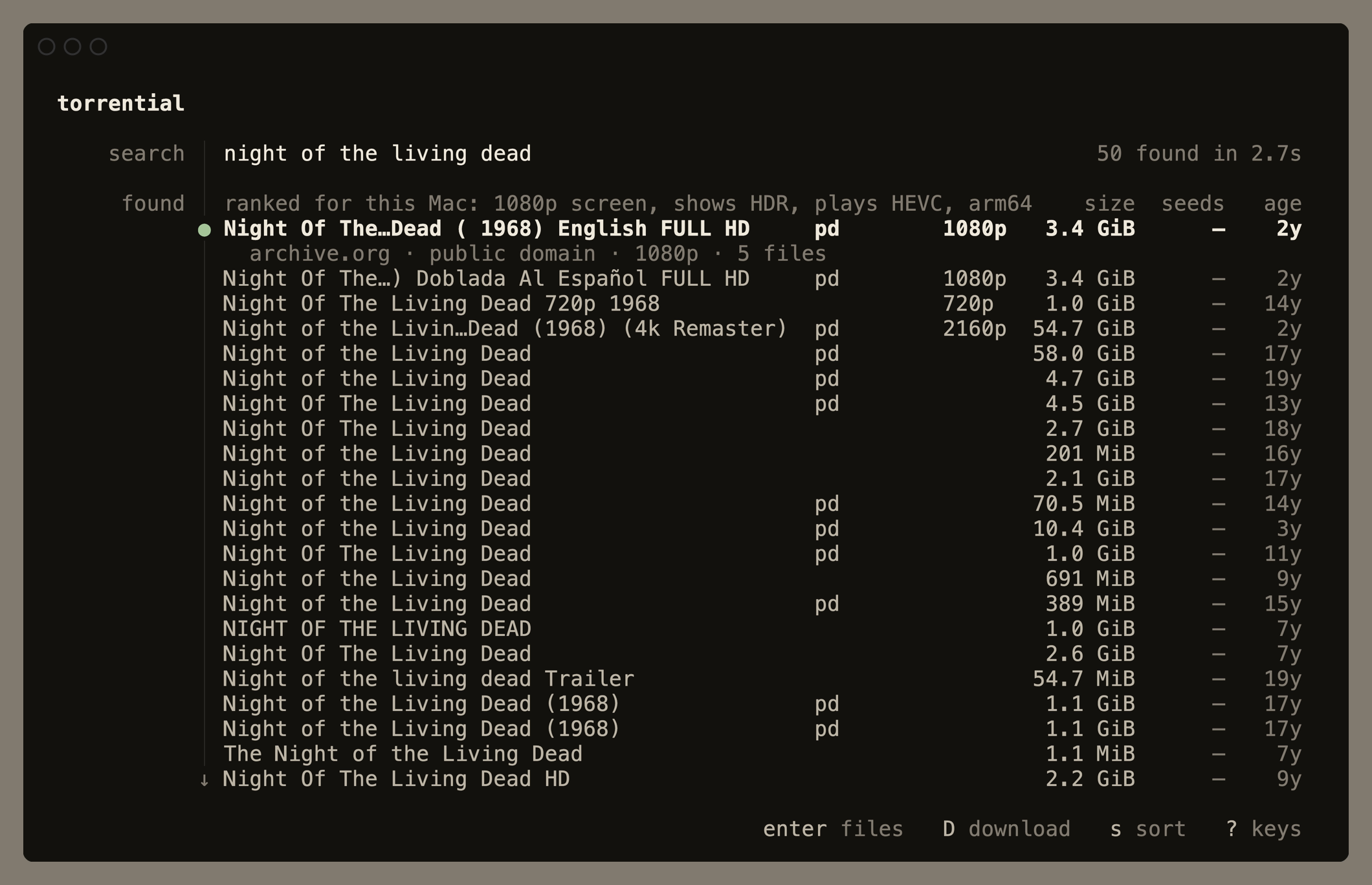
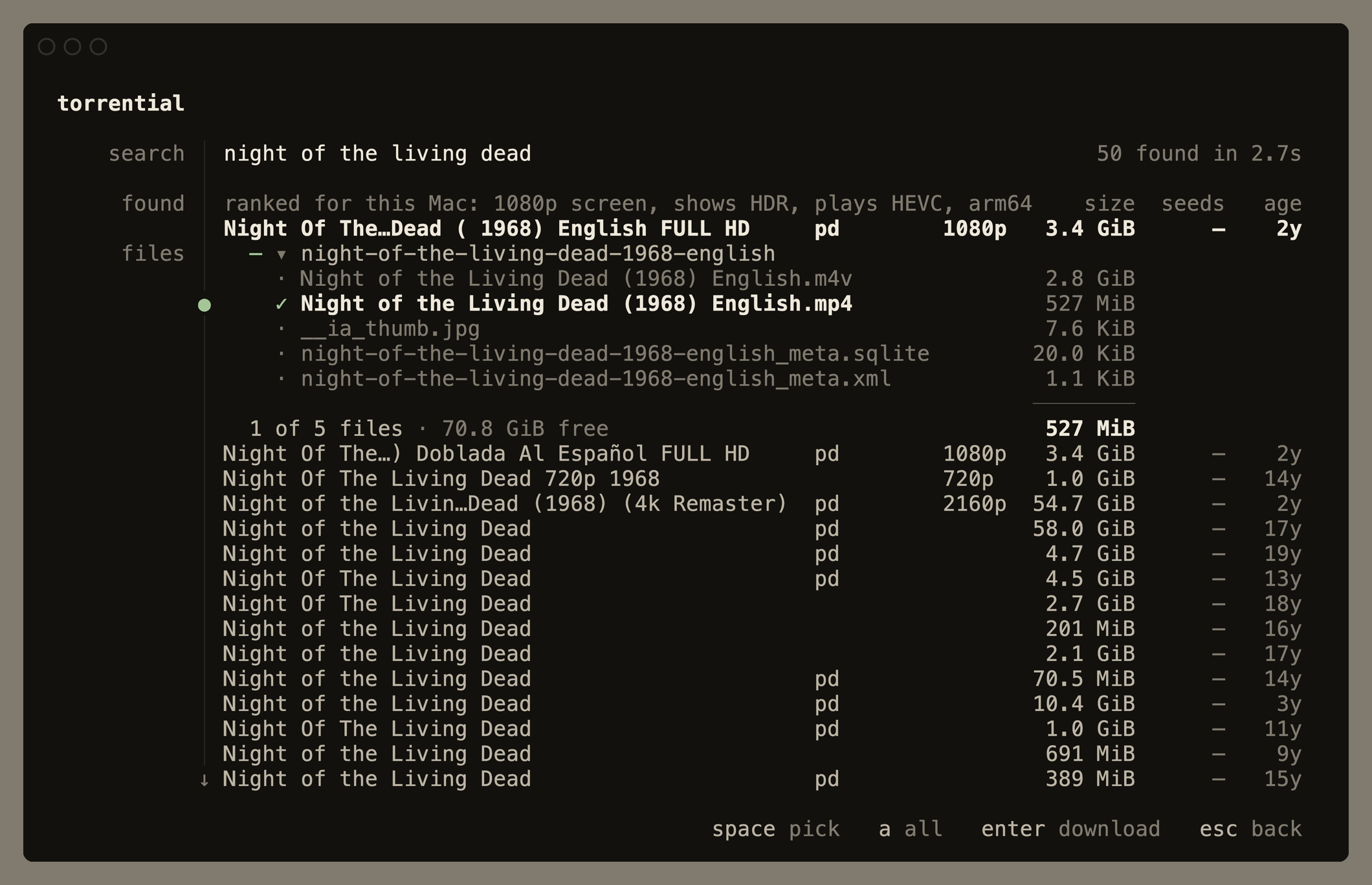
Or run the commands yourself:
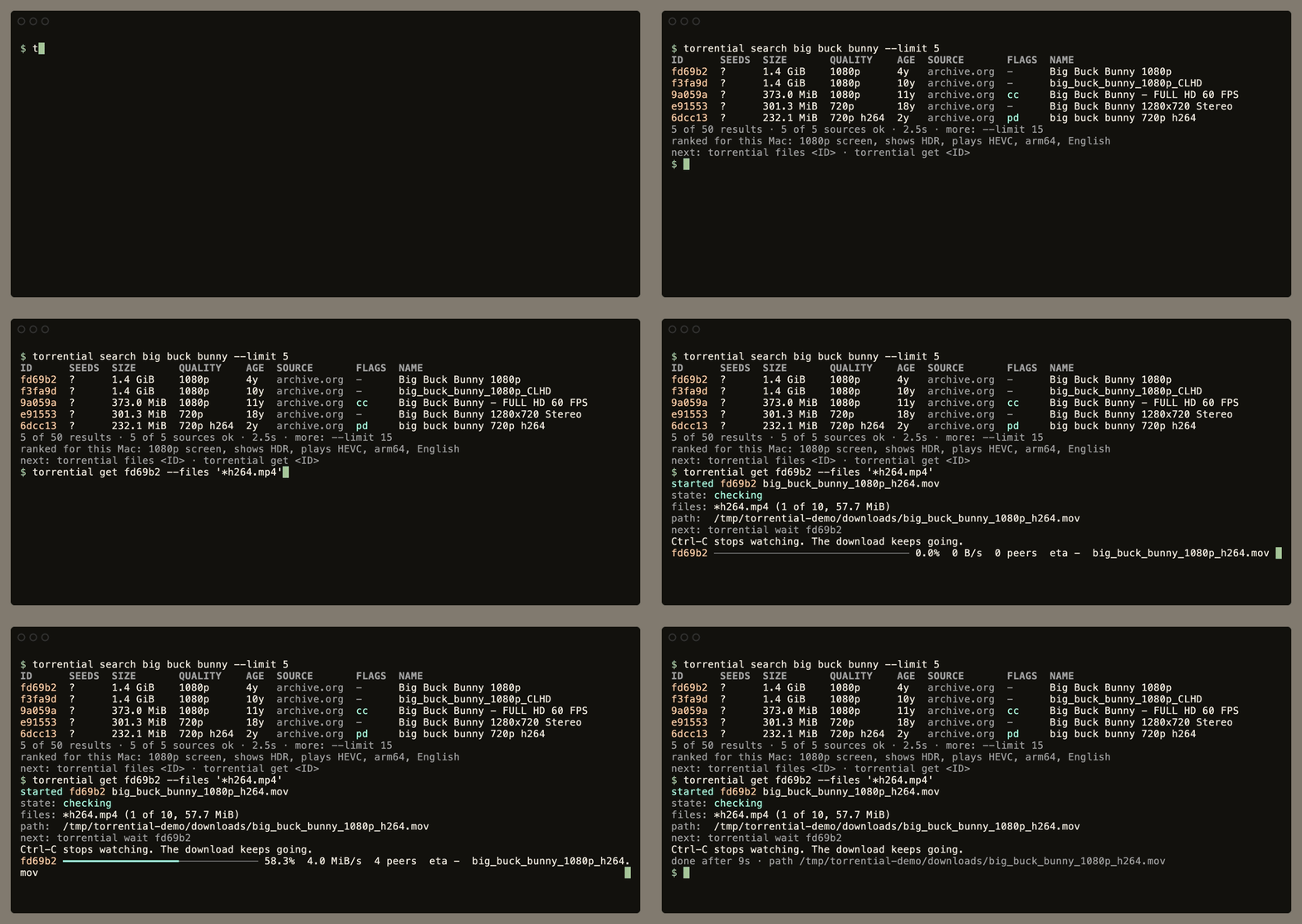
torrential search big buck bunny            # each result starts with a short ID
torrential files fd69b2 --files '*.mp4'     # preview which files a glob picks
torrential get fd69b2 --files '*h264.mp4'   # download only the files you want
torrential wait fd69b2                      # follow a download until it is done
torrential play fd69b2                      # watch it while it downloads
torrential status                           # list your downloads
torrential pause fd69b2                     # pause a download
torrential resume fd69b2                    # continue it, or retry a failed one
torrential rm fd69b2                        # stop tracking it, and keep its files
An ID is the start of the torrent's infohash, or u and a digest for a result that only links a .torrent file. Any unique prefix of 4 or more characters works. get also takes a magnet link, a full infohash, or a .torrent file or URL.
Removing a torrent keeps its files. Add the same torrent again with the same download folder to continue: torrential checks the existing data and downloads only missing or damaged pieces in the files you select. You can pick a different set of files each time.
On a terminal, get shows progress until the download is done. Downloads run in a background engine, so they keep going after you press Ctrl-C or close the terminal.
Every command takes --json for scripts, and torrential schema describes the commands, their flags, and their errors.
Watch while it downloads
torrential play night of the living dead
play picks the release, its video, and its subtitles, then opens IINA, mpv, or VLC. Pieces download in the order you watch, and seeking fetches the part you jump to. If your connection is slower than the video, torrential counts down to the moment playback can start without pausing, and Enter starts it at once. Set player: in config.yaml to choose a player. In the terminal UI, press P on a result or a download.
Ranked for your machine
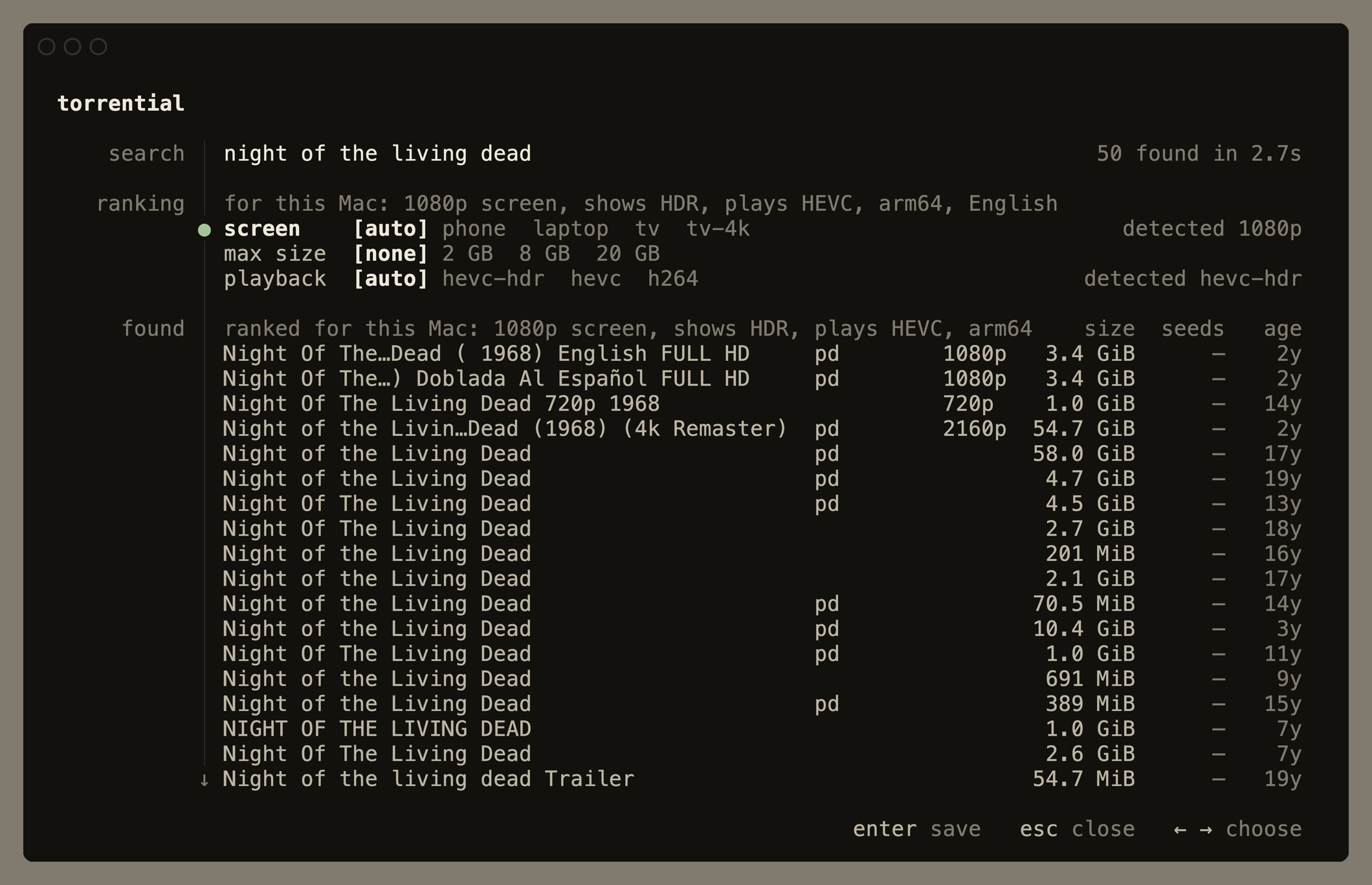
torrential reads your screen, CPU, and language, and ranks releases to fit them: 1080p on a laptop, arm64 builds on Apple silicon, and your language first. torrential setup shows what it found. If you watch on another screen, say so once:
torrential setup --screen tv-4k
In the terminal UI, press S to change it.
With your agent
Install the skill that teaches agents to use torrential:
torrential skill install
It installs the skill for Claude Code, and for Codex, Gemini CLI, Cursor, and other agents that read ~/.agents/skills. Then ask for what you want in plain words. Here is what a fresh Claude Code session ran for this request:
> Download the public-domain film Night of the Living Dead (1968) for me.
> I only want one MP4 of the movie, not the big remux or Blu-ray files.

$ torrential search night of the living dead 1968 --source archive.org --category video
$ torrential files c85f98
$ torrential get c85f98 --files "Night of the Living Dead (1968).mp4" --dry-run
$ torrential get c85f98 --files 'Night of the Living Dead (1968).mp4'
$ torrential wait c85f98
# still running after 100s · eta 1m
$ torrential wait c85f98
# done after 70s · path …/night-of-the-living-dead-1968_202110
It chose the public-domain original over the 55 GiB remux, picked one 1.8 GiB MP4 out of five files, and checked back with wait instead of sleep. The download does not depend on the agent, so a later session can check on it with torrential status.
Agent sandboxes block the connections BitTorrent needs. torrential checks for a sandbox before it starts, and its error tells the agent what to do about it.
Settings
torrential reads ~/.config/torrential/config.yaml. Downloads go to a torrential folder in your Downloads folder unless you set another:
downloads:
  dir: ~/Downloads/torrents
torrential looks for a new version once a day, says when one is out, and torrential update installs it. Set updates: auto to install new versions in the background, or updates: off to stop looking.
It never seeds
torrential never uploads a piece, and a download stops as soon as it finishes. Among equally good matches it puts lawful sources such as archive.org and official Linux torrents first, and you should download only what you have the right to.
License
MIT. See LICENSE.