
material-shell/material-awesome
material-shell/material-awesome has 679 GitHub stars and 230 forks. GitHot measured 0 stars in 24 hours. Last checked 2026-11-15 21:41 UTC. Last push 2019-09-17.
計測したスター増加
- 24時間
- 0
- 7日間
- 更新が遅れています
- 15日間
- 更新が遅れています
- 1か月
- 更新が遅れています
期間ごとの純増数です。期間は重複しており、日別の値ではありません。未計測の値は空欄です。スター数は注目度の指標であり、品質の保証ではありません。
概要
Material and Mouse driven config for AwesomeWM 4.3
学習README.md
オリジナルMaterial and Mouse driven theme for AwesomeWM 4.3
This project was a workflow prototype and was the base of my new project Material Shell and therefore is now unmaintained.
You should check HikariKnight/material-awesome or ChrisTitusTech/material-awesome forks for updated versions.
An almost desktop environment made with AwesomeWM following the Material Design guidelines with a performant opiniated mouse/keyboard workflow to increase daily productivity and comfort.
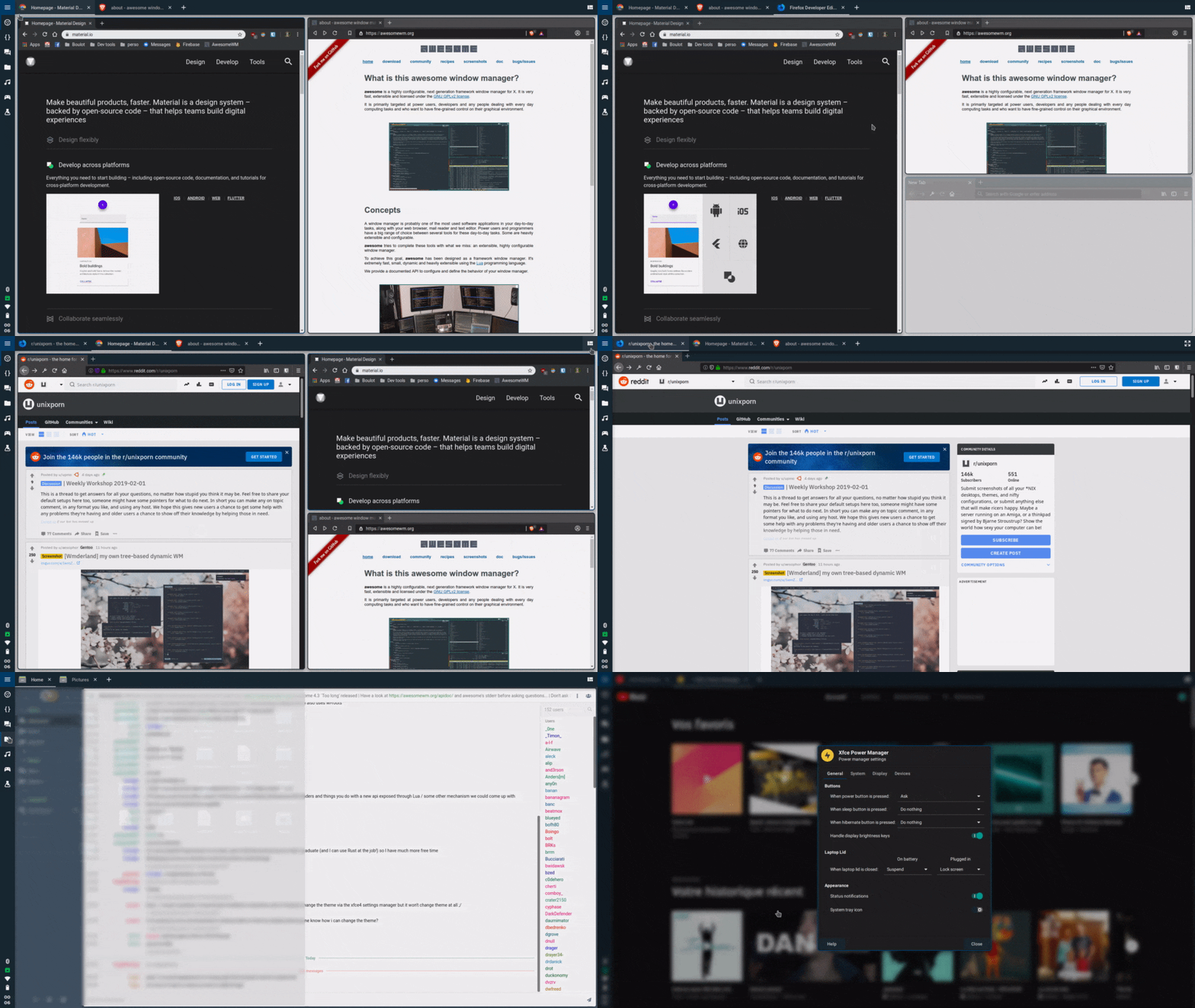
| Tiled | Panel | Exit screen |
|---|---|---|
 |
 |
 |
Installation
1) Get all the dependencies
- AwesomeWM as the window manager
- Roboto as the font
- Rofi for the app launcher
- Compton fork for the compositor (blur and animations)
- (Optional) Materia as GTK theme
- (Optional) Papirus Dark as icon theme
- (Optional) lxappearance to set up the gtk and icon theme
2) Clone the configuration
git clone https://github.com/PapyElGringo/material-awesome.git ~/.config/awesome
Awesome 4.3 is so new that most of the distribution didn't updated yet. If you want to install this config on Awesome 4.2 (current version on depo) use the specific awesome-4.2 branch
git clone -b awesome-4.2 https://github.com/PapyElGringo/material-awesome.git ~/.config/awesome
3) Set the themes
Start lxappearance to active the icon theme and GTK theme
4) Read the documentation
The documentation live within the source code.
The project is split in functional directories and in each of them there is a readme where you can get additionnal informations about the them.
- Configuration is about all the settings available
- Layout hold the disposition of all the widgets
- Module contain all the features available
- Theme hold all the aestetic aspects
- Widget contain all the widgets available