
makccr/dot has 639 GitHub stars and 69 forks. GitHot measured 0 stars in 24 hours and -1 in 7 days. Last checked 2026-11-13 01:44 UTC. Last push 2026-11-01.
A repository to contain any and all of my personal application configuration files.
計測したスター増加
- 24時間
- 0
- 7日間
- -1
- 15日間
- 履歴を収集中
- 1か月
- 履歴を収集中
期間ごとの純増数です。期間は重複しており、日別の値ではありません。未計測の値は空欄です。スター数は注目度の指標であり、品質の保証ではありません。
README.md
オリジナル
Dotfiles
These are my dot files. I primarily use Arch, or, if I'm feeling lazy some flavor of Arch like Manjaro or Cachy OS(Cachy OS is pictured below). But I do also run Ubuntu LTS andior Fedora Workstation from time to time, so I also try to make sure my dotfiles work there as well. The same thing is also true of FreeBSD, which I also have been known to daily drive for brief periods, but in no way do I put a ton of effort into ensuring my configs work there as well. My primary use case is writing, some light web design and the general scripting and hacking that comes with using Window Managers and light-weight systems, so I do tend to keep things as minimal and performant as possible.
Note: There are some OSX and Windows specific configs here as as well, but I use something other than Linux or BSD about once a year when I absolutely have to. These configs, only get updated on the rare occasion that I happen to use them, and find an issue that needs to be fixed.
The main things here are:
- My Neovim configuration.
- My Zsh configuration.
- My window manager configuration, primarily Hyprland these days; but I have used BSPWM, DWM and Awesome WM extensively in the past, and those configurations are also contained here.
- My Alacritty configuration, as well as a few back up terminals.
- My status bar configuration. With the switch to Wayalnd, my status bar of choice has become Waybar, but I also have an extensive amount of Polybar configuration available in these files as well.
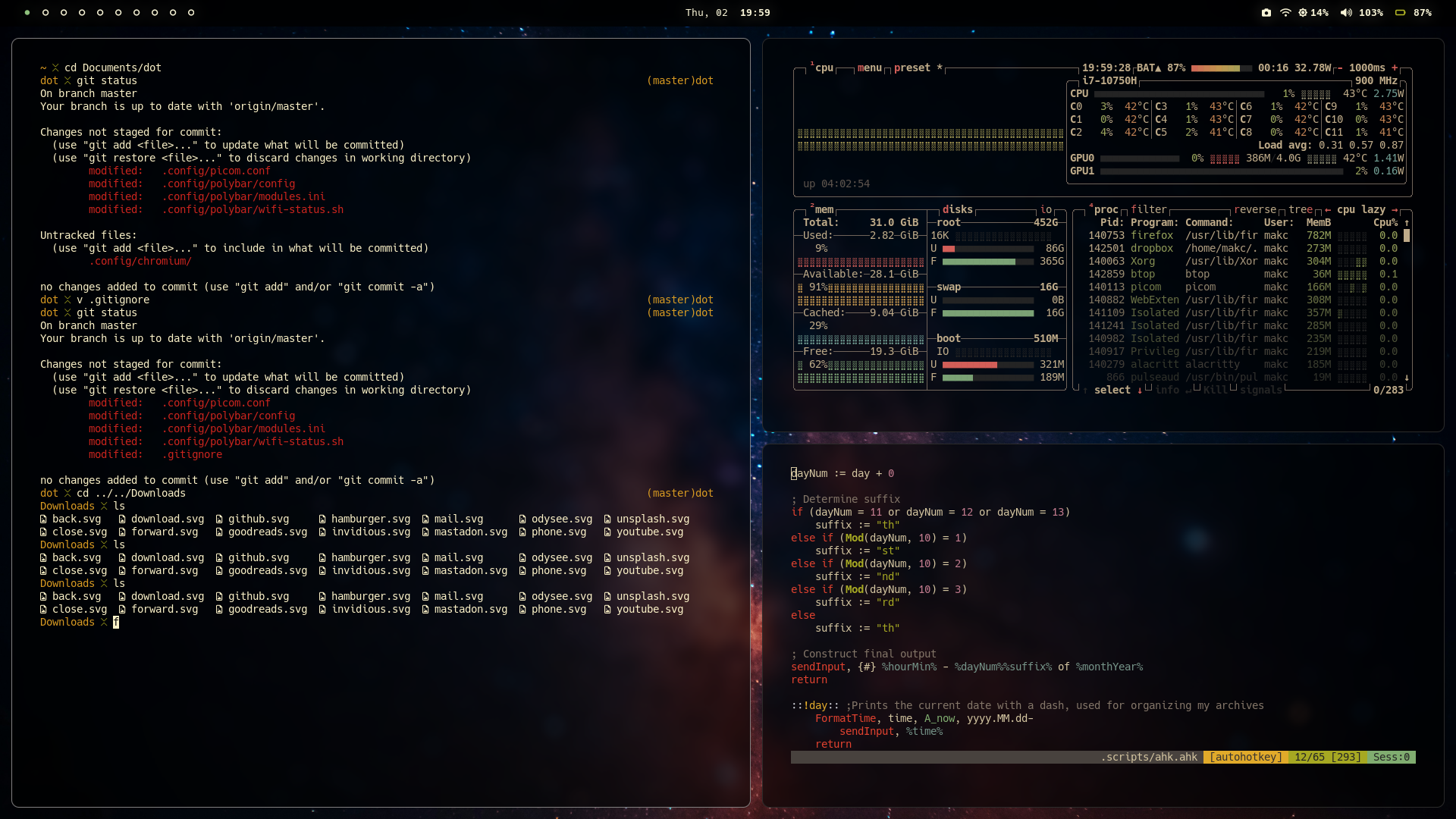

Usage
Typically I use a git clone to pull down my dot files into the ~/Documents folder, or some other convenient location and then use symbolic links to have things end up in the right place:
Step by step guide
- Change directory into a convenient location
cd ~/Documents
- Clone the repo
git clone --depth 1 https://codeberg.org/makccr/dot
- Move back into home directory
cd
- Set up symbolic links
ln -sf ~/Documents/dot/.config .
ln -sf ~/Documents/dot/.scripts .
ln -sf ~/Documents/dot/.gitconfig .
ln -sf ~/Documents/dot/.zshenv .
ln -sf ~/Documents/dot/.tmux.conf .
ln -sf ~/Documents/dot/.Xresources .
ln -sf ~/Documents/dot/.xbindkeysrc .
Note: I've also built a script to automate this process. setup.sh can be founnd in the .scripts folder & makes the symbolic link process take about 0.36 seconds:
./~/Documents/.scripts/setup.sh
関連プロジェクトを探す
sindresorhus/awesome
😎 あらゆる興味深いトピックに関する Awesome リスト [注意: 既存のプルリクエストに追いつけるまで、プルリクエストは一時的に無効になっています]
536,118 スターEbookFoundation/free-programming-books
:books: 無料で入手できるプログラミングの書籍
401,517 スターnilbuild/developer-roadmap
開発者のキャリア成長を支える、インタラクティブなロードマップ、ガイド、その他の教育コンテンツ。
371,935 スターvinta/awesome-python
「Python で X をしたい。どのツールを使えばいい?」に答える決定版リスト。
334,405 スター