
luisbedoia/sx3d
概要
A simple 3D files viewer on console
制作・メディア計測したスター増加
- 24時間
- 0
- 7日間
- 0
- 15日間
- 0
- 1か月
- 履歴を収集中
期間ごとの純増数です。期間は重複しており、日別の値ではありません。未計測の値は空欄です。スター数は注目度の指標であり、品質の保証ではありません。
README.md
オリジナルSX3D
SX3D is a straightforward 3D files viewer designed for the console. The application provides a convenient way to render and view 3D files in a text-based environment.
Formats Supported
- STL
- OBJ
Usage
To get started, use the following command:
sx3d --help
This will display the available options and their usage:
Usage: sx3d <PATH>

Arguments:
  <PATH>  Path to the 3D file. It can be OBJ or STL

Options:
  -h, --help     Print help
  -V, --version  Print version
Installation
Install using Cargo:
cargo install --git https://github.com/luisbedoia/sx3d
Now, you can run sx3d from any location in your terminal.
Examples
To test the viewer you can use the following examples in the examples folder of this repository. Or you can use your own 3D files.
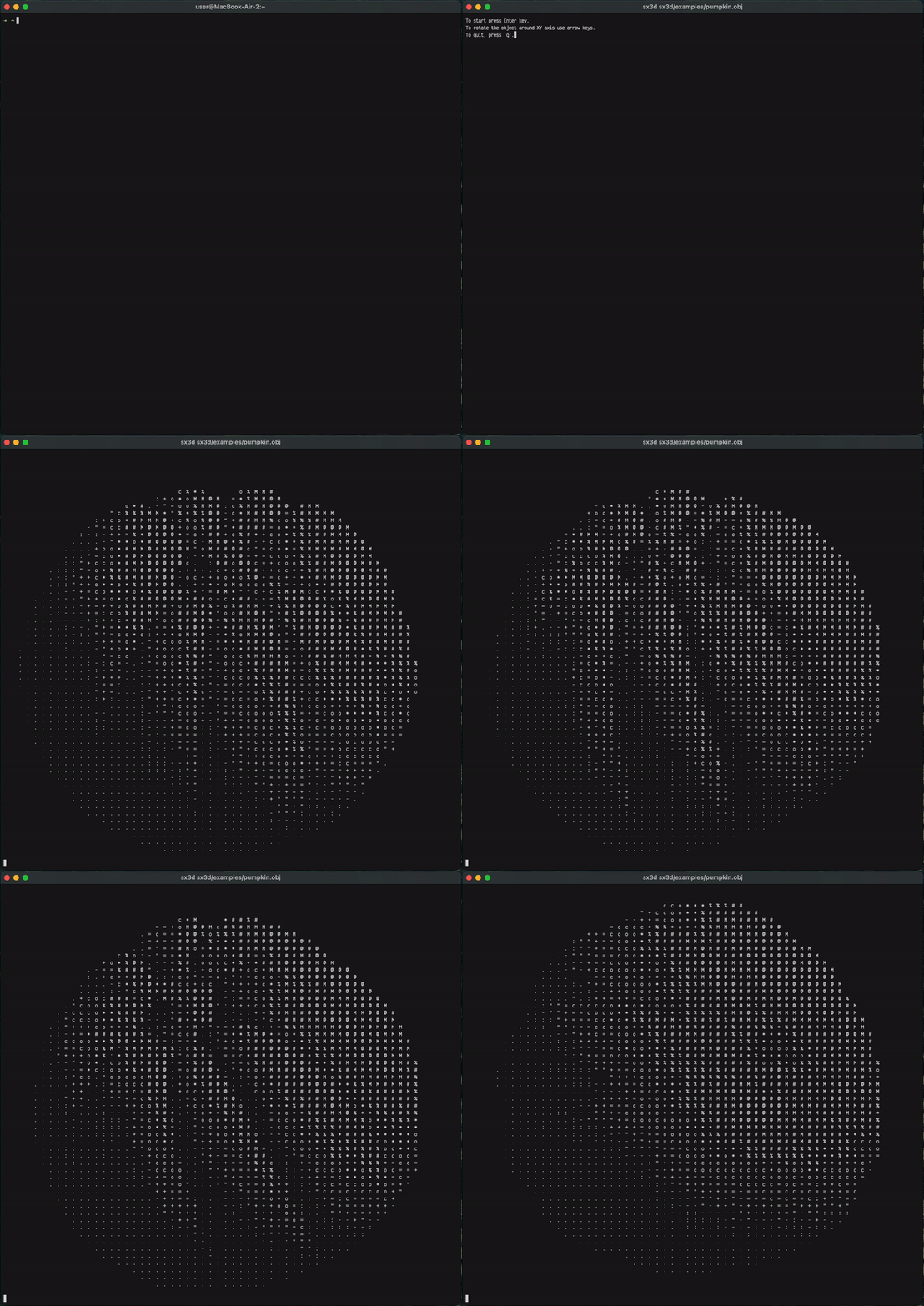
sx3d pumpkin.obj
This will visualize the 3D in the console.
Rendering resolution
This program reads your terminal size and adjusts the rendering resolution to fit the screen once at the starting. If you want to change the resolution, you need to stop the program using q key, and doing one of the following options:
- Increase/decrease the font size of your terminal.
- Increase/decrease the terminal window size.
And then, run the program again.
Uninstallation
If you ever need to uninstall SX3D, using Cargo:
cargo uninstall sx3d
This will remove the application from your system.
Feel free to explore and enjoy viewing 3D STL files in your console using SX3D!
関連プロジェクトを探す
読み込み中…