
kernelshard/expose
kernelshard/expose has 26 GitHub stars and 2 forks. GitHot measured 0 stars in 24 hours. Last checked 2026-11-14 19:30 UTC. Last push 2026-11-12.
計測したスター増加
- 24時間
- 0
- 7日間
- 履歴を収集中
- 15日間
- 履歴を収集中
- 1か月
- 履歴を収集中
期間ごとの純増数です。期間は重複しており、日別の値ではありません。未計測の値は空欄です。スター数は注目度の指標であり、品質の保証ではありません。
概要
Zero-configuration localhost tunnel and high-throughput TCP proxy written in pure Golang, built as a lightweight, single-binary ngrok alternative.
開発ツールREADME.md
オリジナルExpose – Pure Go Localhost Tunneling CLI
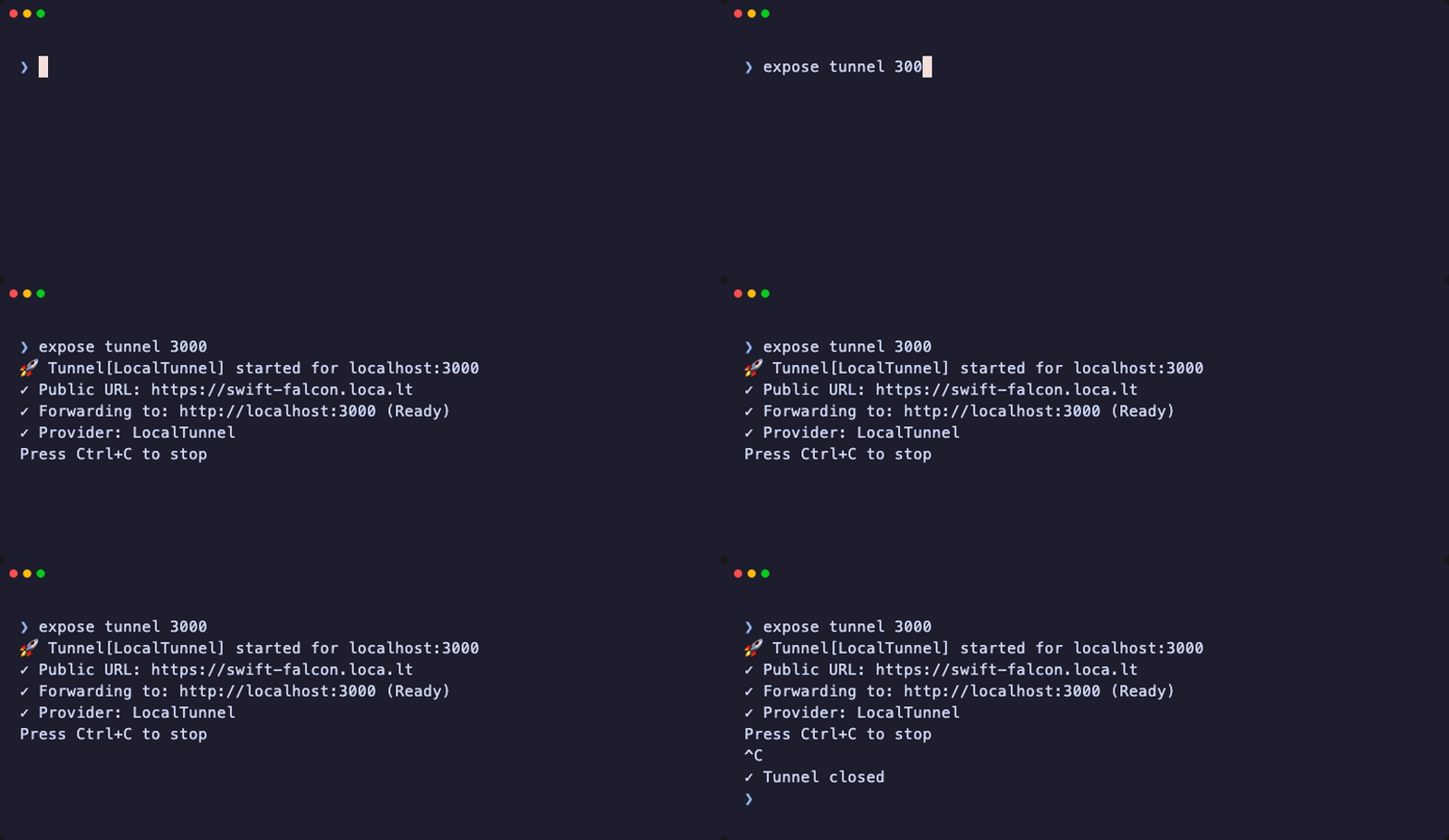




The drop-in, open-source Go alternative to ngrok.
Start instantly on free public relays with zero config and zero signups, or graduate to your own self-hosted relay on a $5 VPS in a single <10MB binary. Zero lock-in.
Install via Homebrew:
brew install kernelshard/tap/expose
Tunnel your local server (e.g. port 3000):
expose tunnel 3000
💡 What is this for?
When you run an app on http://localhost:3000, only your laptop can access it. Expose creates a temporary public HTTPS URL that connects directly to your local server:
- 🪝 Webhook Testing: Give Stripe, GitHub, or Twilio a live HTTPS URL to test webhook callbacks locally.
- 📱 Mobile & Device Testing: Open your local website on a physical smartphone or tablet over 4G/5G.
- 👥 Instant Previews: Send a live demo link to a friend or client without deploying to cloud servers.
- 🏠 Private Self-Hosting: Route traffic through your own private VPS instead of commercial SaaS relays.
🆚 Why Expose?
| Feature | 🚀 Expose | ngrok | Cloudflare Tunnel | LocalTunnel (Node) |
|---|---|---|---|---|
| Zero Signup Required | ✅ Instant | ❌ Mandatory account | ❌ Mandatory account | ✅ Instant |
| Single Static Binary | ✅ (<10MB) | ✅ (~30MB) | ✅ (~50MB) | ❌ (requires Node.js) |
| Open Source | ✅ Apache 2.0 | ❌ Proprietary | ✅ Apache 2.0 | ✅ MIT |
| Self-Hostable Relay | ✅ expose server |
❌ SaaS only | ❌ Cloudflare network | ⚠️ Legacy Node server |
| Language & Runtime | Pure Go (zero CGO) | Go / C | Go daemon | Node.js (V8 heap) |
| Free Custom Domains | 🟡 Partial (Self-Hosted) | 💲 Paid plan | ✅ Cloudflare DNS | ❌ Not supported |
| Memorable Subdomains | ✅ Auto-assigned (swift-falcon-4821) |
❌ Random hex (free tier) | ❌ Random hex | ⚠️ Limited words |
⚡ Quickstart
Option A: Instant Public Tunnel (Zero Setup)
Expose your local development server in seconds without creating an account:
# Public relay (default)
expose tunnel 3000

# Or via Cloudflare Quick Tunnels
expose tunnel 3000 --provider=cloudflare
Option B: Sovereign Mode (Self-Hosted on Your VPS)
Want permanent custom subdomains, full privacy, and zero rate limits? Run your private relay on any $5 VPS:
# 1. On your VPS (Turnkey Docker + Caddy Auto-TLS)
git clone https://github.com/kernelshard/expose.git && cd expose/deploy
cp .env.example .env && docker compose up -d

# 2. On your laptop
expose tunnel 3000 --server=tunnel.yourdomain.com:7890 --subdomain=api
📦 Installation Options
1. Homebrew (macOS & Linux — Recommended)
brew install kernelshard/tap/expose
2. One-Line Shell Installer
curl -fsSL https://raw.githubusercontent.com/kernelshard/expose/main/install.sh | sh
Pin a specific version or install to a custom path:
# Pin version
VERSION=v0.6.3 curl -fsSL https://raw.githubusercontent.com/kernelshard/expose/main/install.sh | sh

# Custom directory
BINDIR=~/.local/bin curl -fsSL https://raw.githubusercontent.com/kernelshard/expose/main/install.sh | sh
3. Pre-built Binaries
Download the latest pre-compiled binary for your architecture (macOS, Linux, Windows) from the Releases Page.
4. Via Go Install (Go 1.22+)
go install github.com/kernelshard/expose/cmd/expose@latest
5. From Source
git clone https://github.com/kernelshard/expose.git
cd expose
go build -o expose ./cmd/expose
./expose --version
🏠 Self-Hosted Relay Server
Need complete privacy, permanent custom subdomains, and zero third-party relay dependence? Run your own private tunnel gateway on any $5 VPS (DigitalOcean, Hetzner, AWS Lightsail).
Option 1: Turnkey Docker Compose + Caddy Auto-TLS (Recommended)
The fastest path to production with automated TLS termination and edge reverse-proxying:
git clone https://github.com/kernelshard/expose.git
cd expose/deploy
cp .env.example .env
# Set DOMAIN=tunnel.yourdomain.com in .env
docker compose up -d
See deploy/README.md for DNS setup and configuration options.
Option 2: Standalone Binary
Run the native compiled binary directly on bare metal:
# Start your private relay server (open by default)
expose server --domain=tunnel.mysite.com --control-port=7890 --public-port=8080

# Or protect with an auth token (recommended for public VPS)
expose server --domain=tunnel.mysite.com --token=mysecret
Connect From Your Laptop
# Standard connection
expose tunnel 3000 --server=tunnel.mysite.com:7890 --subdomain=my-app

# If your server requires an auth token
expose tunnel 3000 --server=tunnel.mysite.com:7890 --token=mysecret
⚙️ Project Configuration (.expose.yml)
Save defaults per project so you can just type expose tunnel:
# Create .expose.yml in current directory
$ expose init
✓ Config created: .expose.yml
project: expose
port: 3000
Manage and query configuration values:
expose config list
expose config get port
🏗 Architecture & Systems Design
expose/
├── cmd/expose/       # CLI entry point (Cobra)
├── internal/
│   ├── cli/          # Cobra subcommands & flag parsing
│   ├── config/       # YAML config management
│   ├── pool/         # sync.Pool 32KB buffer recycling (0 allocs/op)
│   ├── provider/     # Tunnel backends (LocalTunnel, Cloudflare, Self-Hosted)
│   ├── server/       # Self-hosted relay control plane & TCP proxy
│   ├── tunnel/       # Core service orchestration & connection lifecycle
│   └── version/      # Build metadata & version injection
└── .expose.yml       # Local project configuration
Data Plane & Socket Topology
[ Public Visitor ]
       │ 1. Connects to https://demo.tunnel.com
       ▼
[ Expose Relay Server (VPS) ]
  ├── 2. Fast L7 Peek: Read initial bytes to extract `Host:` header
  └── 3. Drop to Layer 4: Spliced directly to standby client data socket
       │
       │ (Bidirectional raw TCP stream via sync.Pool 32KB buffers)
       ▼
[ Expose Client (Laptop) ]
  └── 4. Forward raw byte stream to http://localhost:3000
Key Systems Design Principles
- Layer 4 Raw Socket Splicing: Rather than incurring full HTTP/2 or JSON parsing overhead on every packet, Expose inspects only the initial bytes to extract the
Host:header for subdomain routing. Once matched, it immediately drops down to raw bidirectional Layer 4 TCP streaming (io.CopyBuffer). - Zero-Allocation Buffer Recycling (
sync.Pool): Recycles 32KB copy buffers using slice pointers (*[]byte) to eliminate Go interface boxing allocations on the heap. - Bounded Concurrency Brakes: The relay server advertises connection limits (
MaxConnections) during handshake; the client bounds worker goroutines and runs proxy forwarding synchronously to prevent 100% CPU dial spin-loops. - Graceful Socket Teardown: Coordinates bidirectional stream termination, guaranteeing both reader and writer sockets close cleanly on
io.EOFwithout leaking goroutines or file descriptors. - Modular Provider Abstraction: Decoupled
Providerinterface cleanly isolates CLI and service lifecycles from underlying network transports (LocalTunnel, Cloudflare, and Self-Hosted relays).
Performance Benchmarks (sync.Pool vs. Naive Buffers)
Bidirectional network proxying performance on the self-hosted relay gateway:
| Implementation | Memory Allocations | Heap Churn (B/op) | Throughput Delta |
|---|---|---|---|
| Standard Unpooled Buffers | High GC Pressure | ~34,209 B/op | Baseline |
Expose 32KB sync.Pool |
0 allocs during stream | 1,444 B/op (-95.8%) | +26% Throughput |
Reproduce benchmark locally:
go test -bench=BenchmarkCopy ./internal/pool -benchmem
🧪 Development & Testing
# Run all unit tests with Go race detector
go test ./... -v -race -cover

# Package-specific coverage
go test ./internal/tunnel -cover
go test ./internal/server -cover
go test ./internal/provider -cover
🤝 Contributing
Contributions are welcome! Please check out CONTRIBUTING.md for branch strategy, test requirements, and code style guidelines.
📝 License
Distributed under the Apache License 2.0. See LICENSE for details.
Made with ❤️ by @kernelshard