プロジェクト

eazybytes/spring-security has 360 GitHub stars and 313 forks. GitHot measured 0 stars in 24 hours and +1 in 7 days. Last checked 2026-11-23 12:04 UTC. Last push 2025-11-28.
計測したスター増加
- 24時間
- 0
- 7日間
- +1
- 15日間
- 履歴を収集中
- 1か月
- 履歴を収集中
期間ごとの純増数です。期間は重複しており、日別の値ではありません。未計測の値は空欄です。スター数は注目度の指標であり、品質の保証ではありません。
概要
Spring Security Zero to Master along with JWT, OAUTH2 - Code Examples
セキュリティREADME.md
オリジナルSpring Security Zero to Master along with JWT,OAUTH2
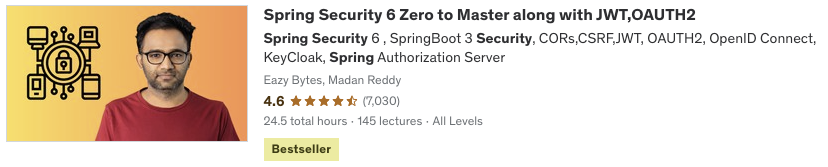
'Spring Security Zero to Master' course will help in understanding the Spring Security Architecture, important packages, interfaces, classes inside it which handles authentication and authorization requests in the web applications. It also covers most common security related topics like CORs, CSRF, JWT, OAUTH2, password management, method level security, user, roles & authorities management inside web applications.
Topics covered in the course
- Spring Security framework details and it features
- How to adapt security for a Java web application using Spring Security
- Password Management in Spring Security with PasswordEncoders
- Deep dive about encoding, encryption and hashing
- What is CSRF, CORS and how to address them
- What is Authentication and Authorization. How they are different from each other.
- Filters in Spring Security and how to write own custom filters
- Deep dive about JWT (JSON Web Tokens) and the role of them inside Authentication & Authorization
- Deep dive about OAUTH2 and various grant type flows inside OAUTH2.
- Deep dive about OpenID Connect & how it is related to OAUTH2
- Applying authorization rules using roles, authorities inside a web application using Spring Security
- Method level security in web/non-web applications
- Social Login integrations into web applications
- Set up of Authorization Server using KeyCloak, Spring Authorization Server
Pre-requisite for the course
- Good understanding on Java and Spring concepts
- Basic understanding on SpringBoot & REST services is a bonus but not mandatory
- Interest to learn and explore about Spring Security
Important Links
- Spring website to generate projects - https://start.spring.io/
- Spring Website - https://spring.io/
- Spring Projects website - https://spring.io/projects
- Spring Boot properties - https://docs.spring.io/spring-boot/docs/current/reference/html/application-properties.html
- Online Bcrypt generator - https://bcrypt-generator.com
- Docker website - https://www.docker.com/
- SQLECTRON website - https://sqlectron.github.io
- Warp terminal website - https://www.warp.dev/
- OAuth2 Website - https://oauth.net/2/
- OAuth 2.1 Blog - https://aaronparecki.com/2019/12/12/21/its-time-for-oauth-2-dot-1
- OAuth2 playground - https://www.oauth.com/playground/
- KeyCloak website - https://www.keycloak.org
- KeyCloak guides - https://www.keycloak.org/guides
- KeyCloak Well known APIs - http://localhost:8180/realms/eazybankdev/.well-known/openid-configuration
- Angular Keycloak library - https://www.npmjs.com/package/keycloak-angular
- Keycloak official documentation - https://www.keycloak.org/documentation
- Keycloak Admin REST APIs - https://www.keycloak.org/docs-api/latest/rest-api/index.html
Commands used in the course
| Command | Description |
|---|---|
| "docker run -p 3306:3306 --name springsecurity -e MYSQL_ROOT_PASSWORD=root -e MYSQL_DATABASE=eazybank -d mysql" | To create a MySQL DB container |
| "docker run -p 127.0.0.1:8080:8080 -e KC_BOOTSTRAP_ADMIN_USERNAME=admin -e KC_BOOTSTRAP_ADMIN_PASSWORD=admin quay.io/keycloak/keycloak:26.4.6 start-dev" | To create a Keycloak container |
関連プロジェクトを探す
読み込み中…