プロジェクト

概要
👩💻 VS Code でインタラクティブなプログラミングチュートリアルを作成したり、プレイしたりできます。
学習計測したスター増加
- 24時間
- 0
- 7日間
- 0
- 15日間
- 0
- 1か月
- 履歴を収集中
期間ごとの純増数です。期間は重複しており、日別の値ではありません。未計測の値は空欄です。スター数は注目度の指標であり、品質の保証ではありません。
README.md
オリジナル

CodeRoad


CodeRoad is a VSCode extension that allows you to create and play interactive coding tutorials in your editor.
Works with a variety of languages: JavaScript, Python, Bash, SQL, with more to come.
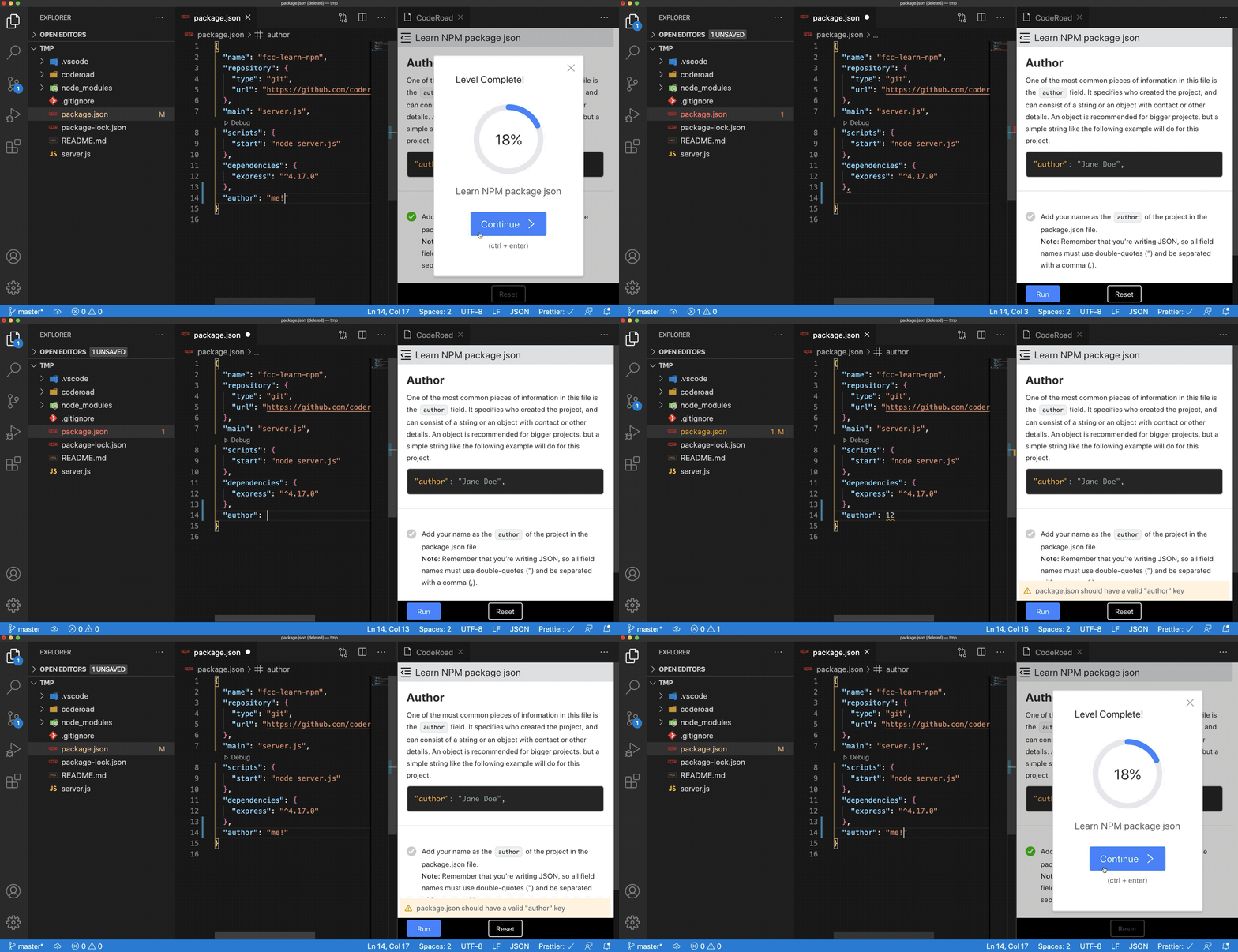
📖 Documentation
How CodeRoad Works
- Text is written in Markdown. 🔗
- Tutorials are built on Git using a TDD pattern. 🔗
- Hooks & actions give flexible access to the command line & VSCode API. 📖
▶️ See a video explaining how CodeRoad works
Getting Started
Requirements
- OS: MacOS, Linux, Windows
- VSCode 1.39.2+
- Git
Install
- install CodeRoad from the VSCode Marketplace.
- reload the window (
ctrl/cmd + R) to get started.
Start
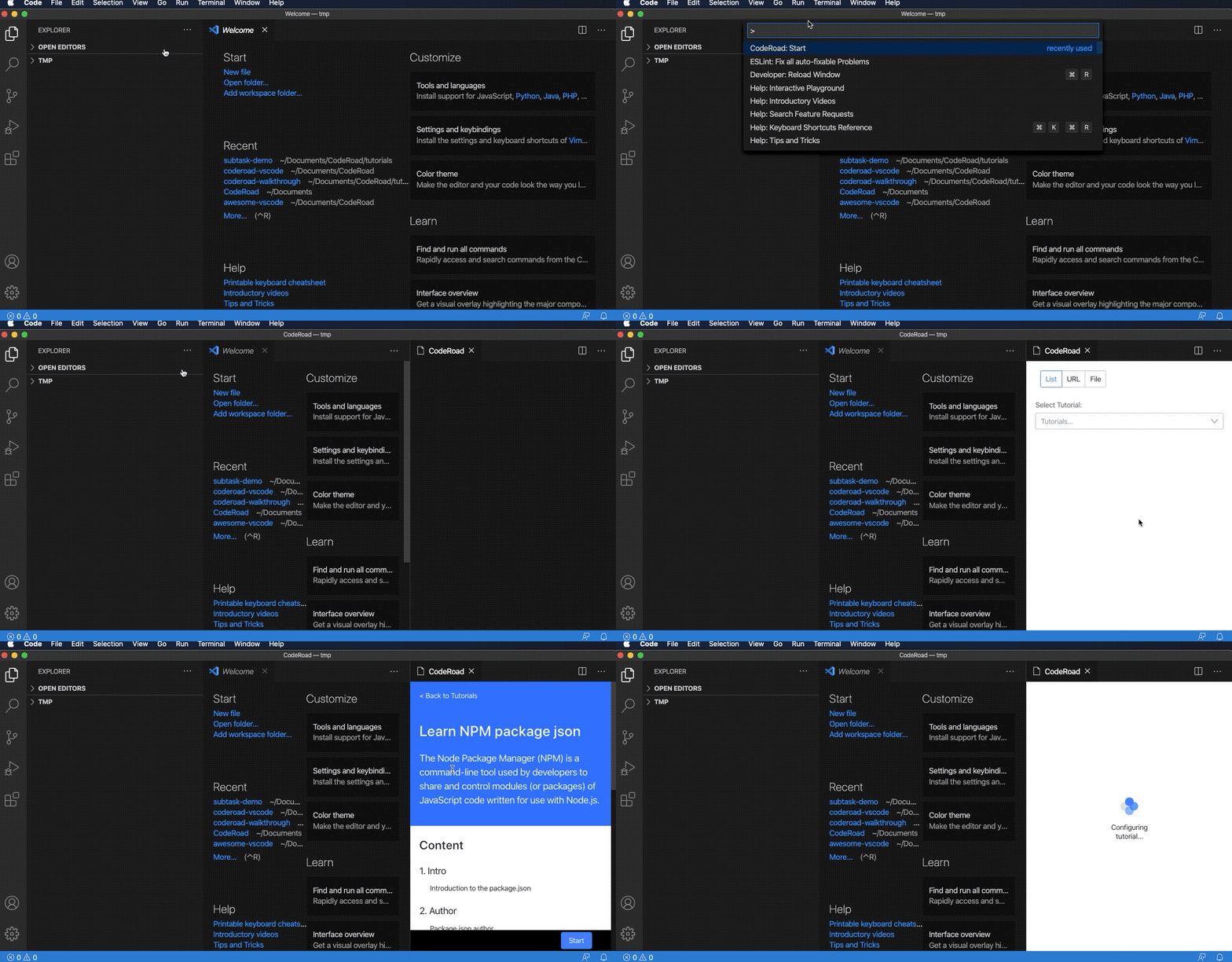
To start the extension, inside VSCode:
Open an empty VSCode workspace (a project folder)
Launch the app from the VSCode command palette. How?
- select “View” > “Command Palette” from the top panel OR press
cmd/ctrl + shift + P - in the command palette popup, search for and run
CodeRoad:Start
- select “View” > “Command Palette” from the top panel OR press
Contributing
CodeRoad is an ambitious project, we're always looking for contributors :)
See CONTRIBUTING.md.
License
Contact & Support
- Create a GitHub issue for bug reports, feature requests, or questions
- Reach out at
[email protected] - Leave a review in the VSCode Marketplace
- Add a ⭐️ star on GitHub to support the project!
関連プロジェクトを探す
読み込み中…