
cnstlungu/portable-data-stack-dagster has 266 GitHub stars and 46 forks. GitHot measured 0 stars in 24 hours, 0 in 7 days, and -1 in 15 days. Last checked 2026-11-11 10:54 UTC. Last push 2026-10-26.
A portable Datamart and Business Intelligence suite built with Docker, Dagster, dbt, DuckDB and Superset
計測したスター増加
- 24時間
- 0
- 7日間
- 0
- 15日間
- -1
- 1か月
- 更新が遅れています
期間ごとの純増数です。期間は重複しており、日別の値ではありません。未計測の値は空欄です。スター数は注目度の指標であり、品質の保証ではありません。
README.md
オリジナルPortable Data Stack
This application is an Analytics suite for an imaginary company selling postcards. The company sells both directly but also through resellers in the majority of European countries.
Stack
- Dagster
- Docker (Docker Compose)
- DuckDB
- dbt core
- Superset
Interested in the data model?
Generation of example data and the underlying dbt-core model is available in the postcard-company-datamart project
For other stacks using the same dbt-core model, check the below:
Implementations with other tools with a different model:
For the legacy version involving OLTP, CSV and JSON sources, check out the legacy-oltp branch.
System requirements
Setup
Rename
.env.examplefile to.envand set your desired password. Remember to never commit files containing passwords or any other sensitive information.The
SUPERSET_SECRET_KEYin.env.exampleis a placeholder that every fork of this repository shares, and Superset signs session cookies with it. Generate your own before the stack is reachable by anyone but you:openssl rand -base64 42Rename
shared/db/datamart.duckdb.exampletoshared/db/datamart.duckdbor init an empty database file there with that name.With Docker Engine installed, change directory to the root folder of the project (also the one that contains docker-compose.yml) and run
docker compose up --buildNote that this may take several minutes to completed. Check out the console to see when the Dagster interface is ready.
Once the Docker suite has finished loading, open up Dagster (dagit) , go to
Assets, select all and clickMaterialize selected
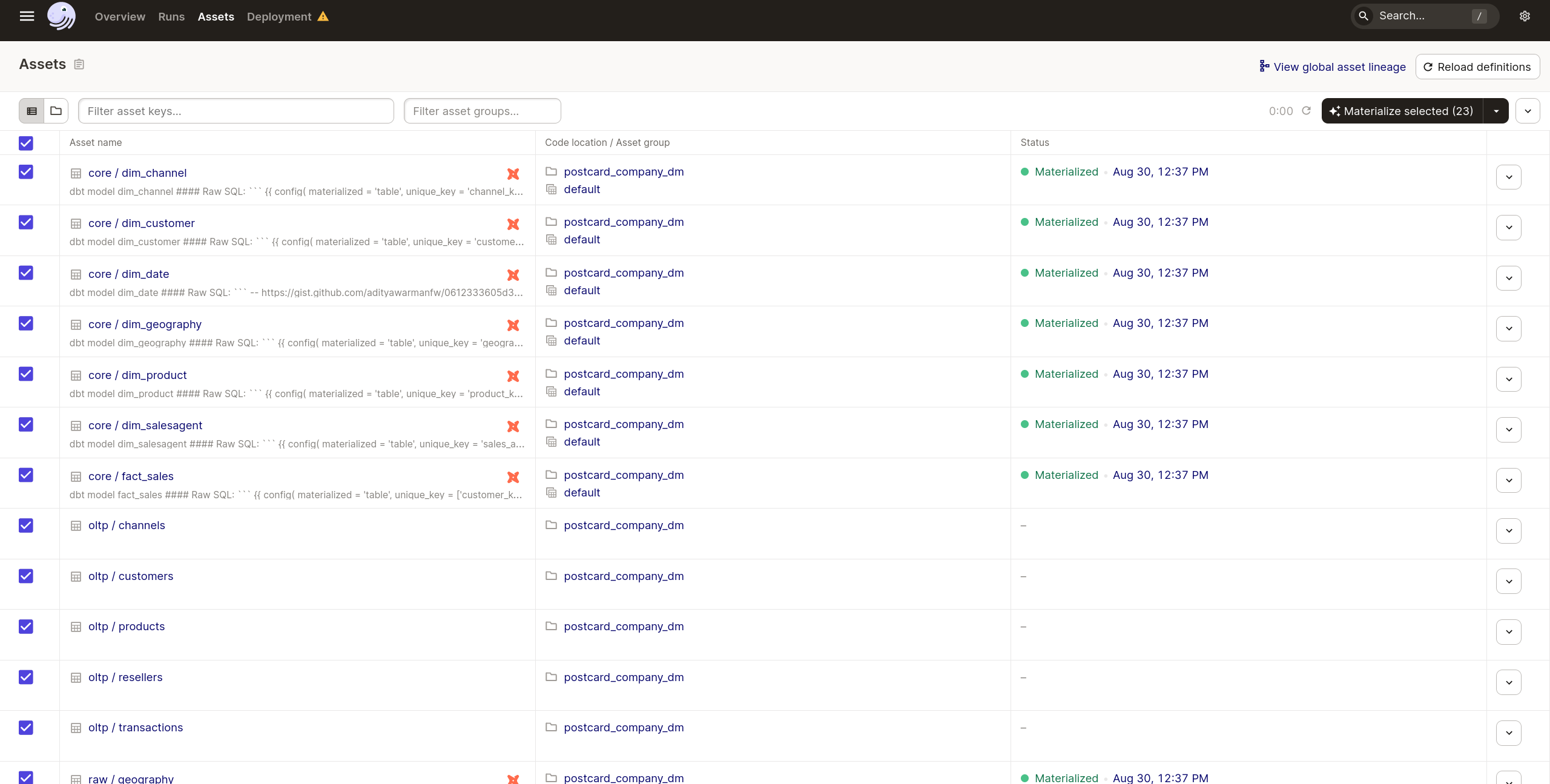
- When the assets have been materialized, you can open the Superset interface
Demo Credentials
Demo credentials are set in the .env file mentioned above.
Ports exposed locally
- Dagster (dagit): 3000
- Superset: 8088
Generated parquet files are saved in the shared folder.
The data is fictional and automatically generated. Any similarities with existing persons, entities, products or businesses are purely coincidental.
General flow
- Generate test data as parquet files using Python
- Import data to the staging area in the Data Warehouse (DuckDB), orchestrated by Dagster
- Model data, build fact and dimension tables, load the Data Warehouse using dbt
- installs dbt dependencies
- seeds the database with static data (e.g. geography)
- runs the model
- tests the model
- Analyze and visually explore the data using Superset or directly query the Data Warehouse database instance
For superset, the default credentials are: user = admin, password = admin
Overview of architecture
The Docker process will begin building the application suite. The suite is made up of the following components, each within its own docker container:
- generator: a Python script, from the postcard-company-datamart project, that generates the example data and exports it to parquet files
- dbt: copies the data model from the postcard-company-datamart project into
dbt/postcard_company, where Dagster runs it. Edits you make there survive restarts; they are replaced only whenDATAMART_REFmoves to a different version of the model. - dagster: this is the orchestrator tool that will trigger the ETL tasks; its GUI is locally available on port 3000;
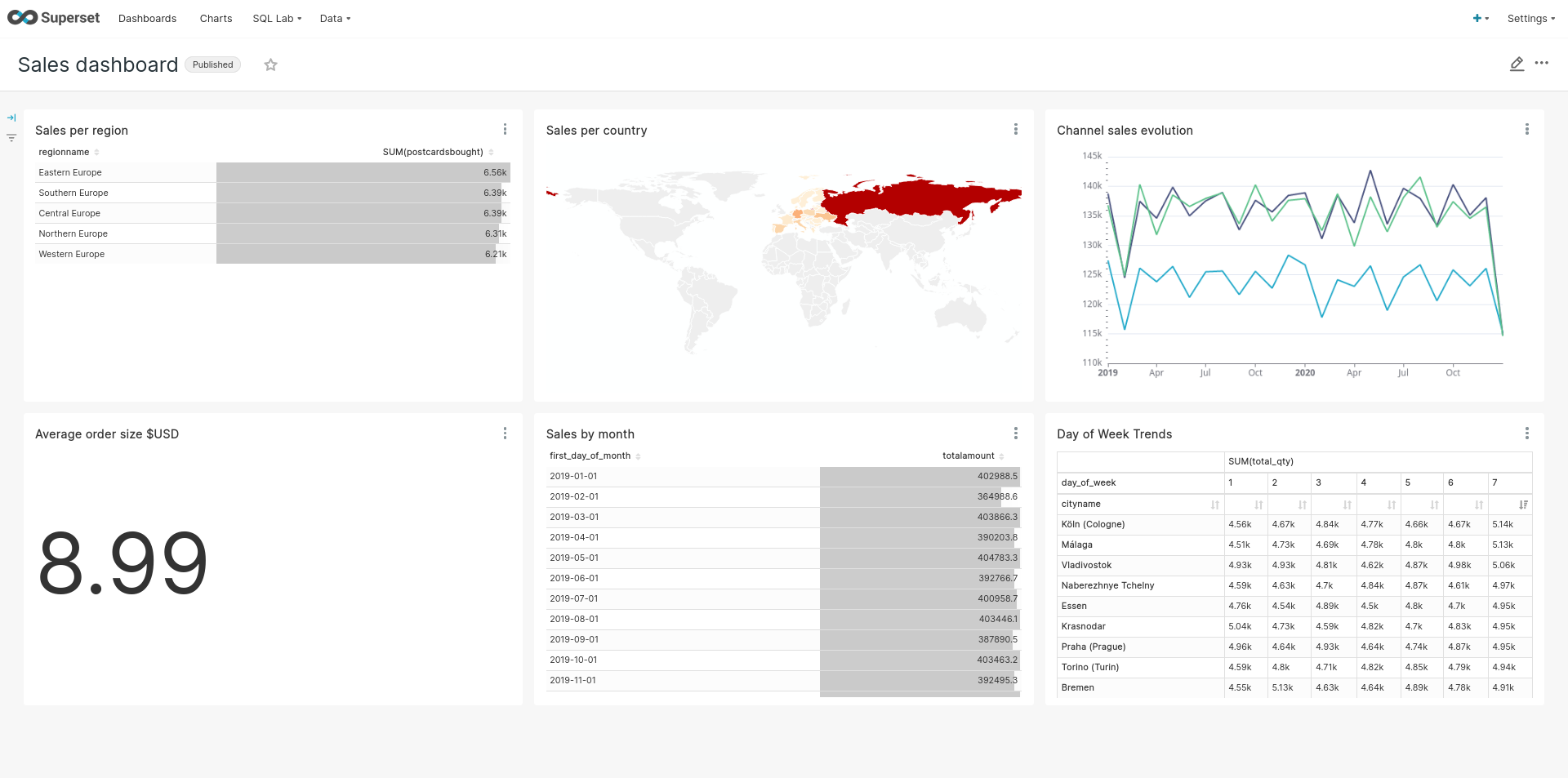
- superset: this contains the web-based Business Intelligence application we will use to explore the data; exposed on port 8088; built from the postcard-company-datamart project, dashboard included.
The generator, the dbt project and Superset with its dashboard are not kept in this
repository. Docker builds them straight from postcard-company-datamart, by git URL, at the tag
set by DATAMART_REF in docker-compose.yml, so every portable data stack
runs the same model and the same dashboard. To build from a newer tag or a
branch instead:
DATAMART_REF=main docker compose build
Once the Docker building process has completed, we may open the Dagster GUI (locally: localhost:3000) to view and materialize our assets.
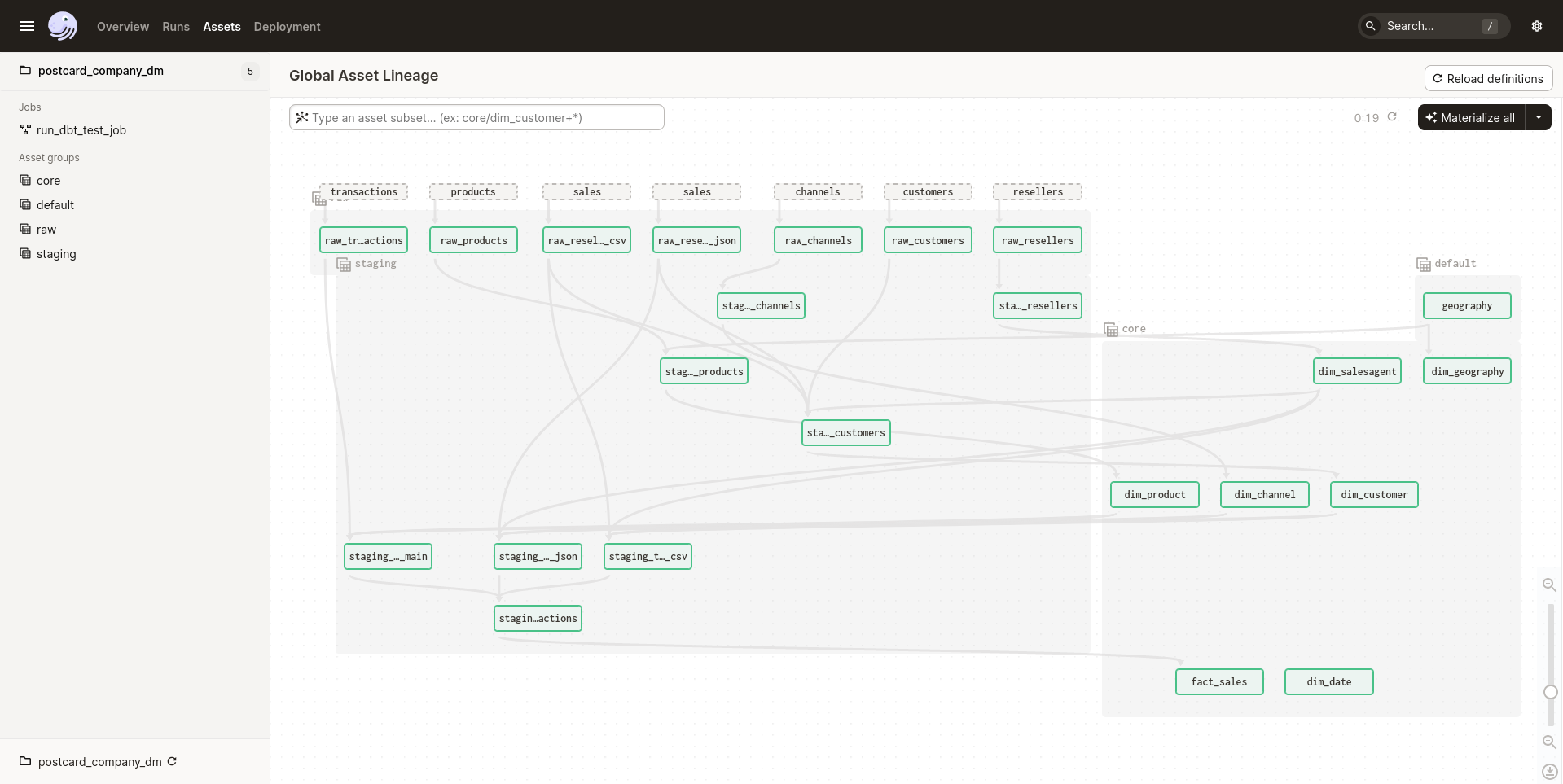
After the assets have been materialized you can either analyze the data using the querying and visualization tools provided by Superset (available locally on port 8088), or query the Data Warehouse (available as a DuckDB Database)
Credits
Inspired by:
関連プロジェクトを探す
Asabeneh/30-Days-Of-Python
30 Days of Python プログラミングチャレンジは、Python プログラミング言語を 30 日で学ぶためのステップバイステップのガイドです。このチャレンジは 100 日以上かかることもあります。自分のペースで進めてください。こちらの動画も役立つかもしれません: https://www.youtube.com/channel/UC7PNRuno1rzYPb1xLa4yktw
78,560 スターgrafana/grafana
オープンで組み合わせ可能なオブザーバビリティおよびデータ可視化プラットフォームです。Prometheus、Loki、Elasticsearch、InfluxDB、Postgres など、複数のソースからメトリクス、ログ、トレースを可視化できます。
77,830 スターredis/redis
リアルタイムのデータ駆動型アプリケーションを構築する開発者にとって、Redis は最も選ばれ、最速で、機能が最も豊富なキャッシュ、データ構造サーバー、ドキュメントおよびベクトルクエリエンジンです。
77,395 スターapache/superset
Apache Superset は、データ可視化とデータ探索のためのプラットフォームです。
75,473 スター