プロジェクト

概要
FlatColor vim カラースキーム
開発ツール計測したスター増加
- 24時間
- 0
- 7日間
- 0
- 15日間
- 履歴を収集中
- 1か月
- 履歴を収集中
期間ごとの純増数です。期間は重複しており、日別の値ではありません。未計測の値は空欄です。スター数は注目度の指標であり、品質の保証ではありません。
README.md
オリジナル
Challenger Deep Theme for VIM
To enable this color scheme, set it in your vimrc:
colorscheme challenger_deep
Terminal True Color Support
Add this to your .vimrc to enable true colors:
if has('nvim') || has('termguicolors')
  set termguicolors
endif
Installation
vim-plug
Plug 'challenger-deep-theme/vim', { 'as': 'challenger-deep' }
vundle
Plugin 'challenger-deep-theme/vim', {'name': 'challenger-deep-theme'}
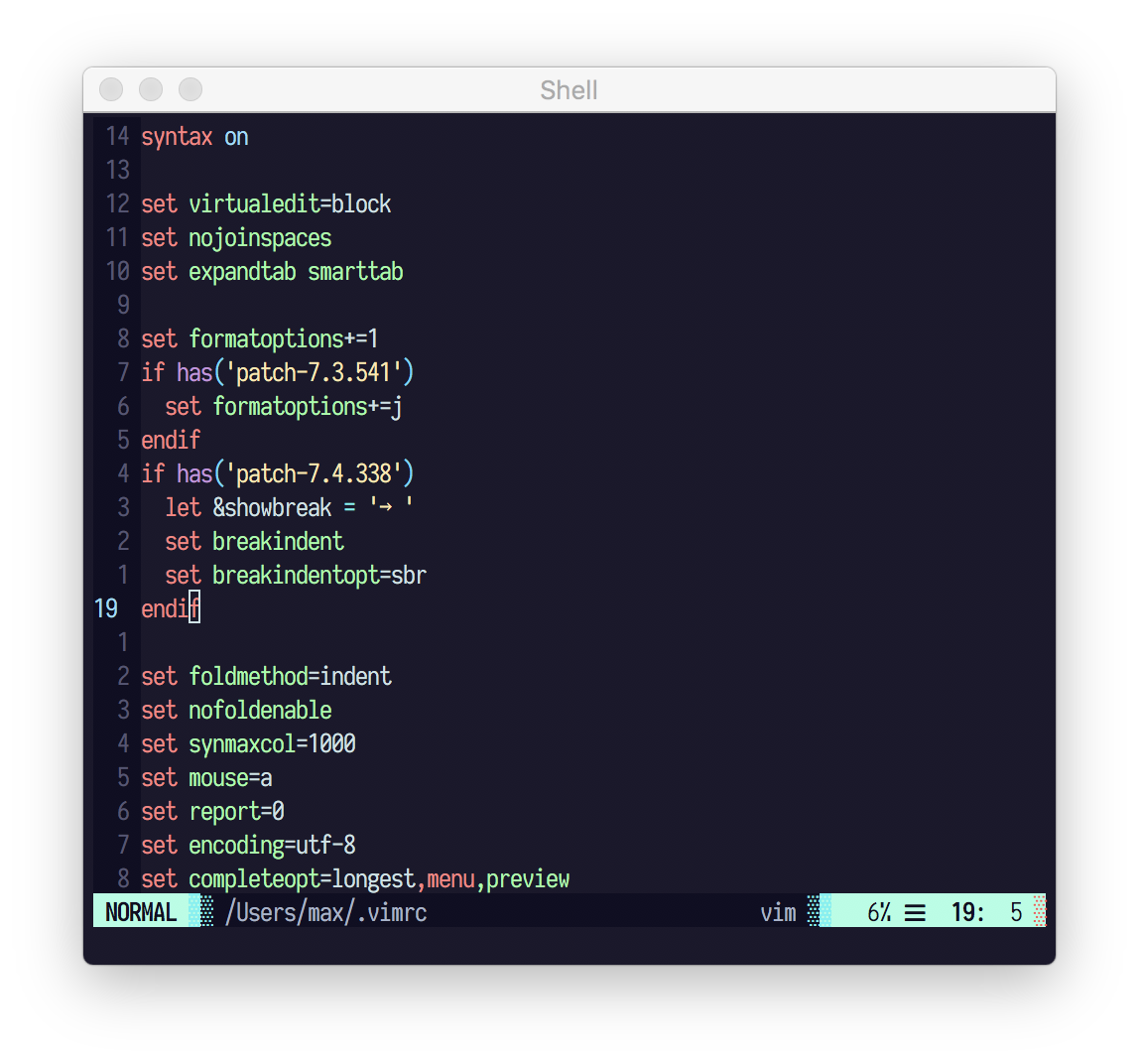
Screenshot
Options
- g:challenger_deep_termcolors This options sets the terminal colors to 16 or 256 Colors. Default value is 256. If it is set to 16 ,this colorscheme will attempt to use the standard 16 colors of your terminal emulator and background color will be the default background color of your terminal emulator. For the best colors in terminal, its recommended to set set your terminalcolors to Challenger Deep Terminal Colors and use 16 colors.
Challenger Deep Terminal Colors
! ~/.Xresource
*.foreground:   #cbe3e7
*.background:   #1e1c31
*.cursorColor:  #fbfcfc

! black
*.color0:       #565575
*.color8:       #100e23

! red
*.color1:       #ff8080
*.color9:       #ff5458

! green
*.color2:       #95ffa4
*.color10:      #62d196

! yellow
*.color3:       #ffe9aa
*.color11:      #ffb378

! blue
*.color4:       #91ddff
*.color12:      #65b2ff

! magenta
*.color5:       #c991e1
*.color13:      #906cff

! cyan
*.color6:       #aaffe4
*.color14:      #63f2f1

! white
*.color7:       #cbe3e7
*.color15:      #a6b3cc
Lightline Theme

Challenger Deep supports lightline.vim. To enable the colorscheme,
add one of the following lines to your .vimrc:
let g:lightline = { 'colorscheme': 'challenger_deep'}
Lualine Theme
Challenger Deep also supports lualine.vim. To enable the colorscheme,
add the following lines to your init.lua:
require'lualine'.setup {
  options = { theme = 'challenger_deep' }
}
Troubleshooting
If you are running vim inside tmux with the alacritty terminal, make sure to set default-terminal to xterm-256color in your tmux config (see this issue for more details:
# ...
set-option -g default-terminal "xterm-256color"
# ...
関連プロジェクトを探す
読み込み中…