burningion/poor-mans-deep-learning-camera
burningion/poor-mans-deep-learning-camera has 452 GitHub stars and 112 forks. GitHot measured 0 stars in 24 hours. Last checked 2026-11-20 01:12 UTC. Last push 2018-05-20.
計測したスター増加
- 24時間
- 0
- 7日間
- 履歴を収集中
- 15日間
- 履歴を収集中
- 1か月
- 履歴を収集中
期間ごとの純増数です。期間は重複しており、日別の値ではありません。未計測の値は空欄です。スター数は注目度の指標であり、品質の保証ではありません。
概要
Build a thin client deep learning camera with the Raspberry Pi, Flask, and YOLO
機械学習README.md
オリジナルPoor Man's Deep Learning Camera
Build a thin client deep learning camera in Python with the Raspberry Pi, Flask, and YOLO
Installation
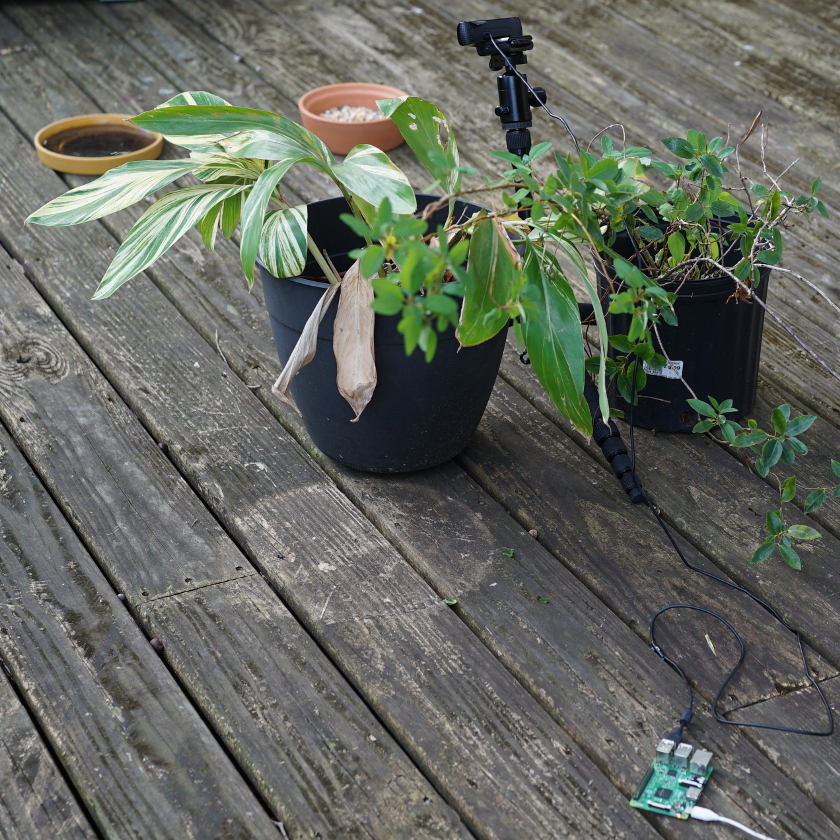
You'll need a few different libraries installed on the Raspberry Pi. Most notably, OpenCV 3 with Python bindings, along with Flask.
The Raspberry Pi runs the Camera-Server code, and sends back images from a webserver.
On another computer, you'll run the inference script, and it will detect whether or not there are birds in your webcam's image.
For this to run, you'll need to download and install the Darkflow weights, along with the YOLO model of your choice. Once that's installed, you should then be able to start doing inferences.
If you're looking for a pretrained model, I used the tiny-yolo-voc weights at the Darkflow repo.
thtrieu even linked to a Google Drive copy of his models here.
Architecture
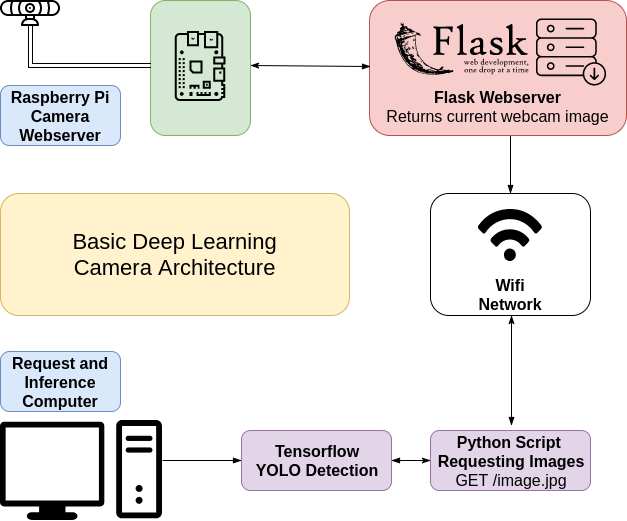
Hopefully this image makes sense. We run a cheap edge computer that just sends images out of the current webcam frame, and the other computer script does the inference on that deep learning camera.
Blog Post
The blog post accompanying this repo is at Make Art with Python.
Detected Bird Image
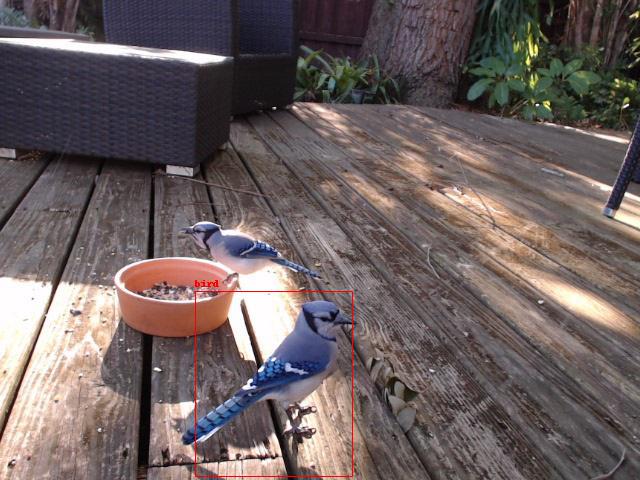
Of course, here's a bird that was detected and saved using this script: