
bluxmit/alnoda-workspaces has 1,364 GitHub stars and 119 forks. GitHot measured 0 stars in 24 hours, +1 in 7 days, and +2 in 15 days. Last checked 2026-11-23 02:26 UTC. Last push 2023-07-30.
計測したスター増加
- 24時間
- 0
- 7日間
- +1
- 15日間
- +2
- 1か月
- 履歴を収集中
期間ごとの純増数です。期間は重複しており、日別の値ではありません。未計測の値は空欄です。スター数は注目度の指標であり、品質の保証ではありません。
概要
:fireworks: 柔軟で拡張可能なコンテナ化ワークスペース。無料のオフライン ChatGPT にも対応!!!🚀🚀🚀
開発ツールREADME.md
オリジナル

Open-source portable containerized workspaces. Isolate your work, make backups, copy, move between computers and cloud seamlessly.
🚀 NOW WITH FREE CHAT GPT! 🚀
- 🔥 Have a full chat GPT in the workspace.
- 🔥 Free without registration required
- 🔥 Works even offline!
Flexible
You can select preconfigured workspace here or make your own special workspace.
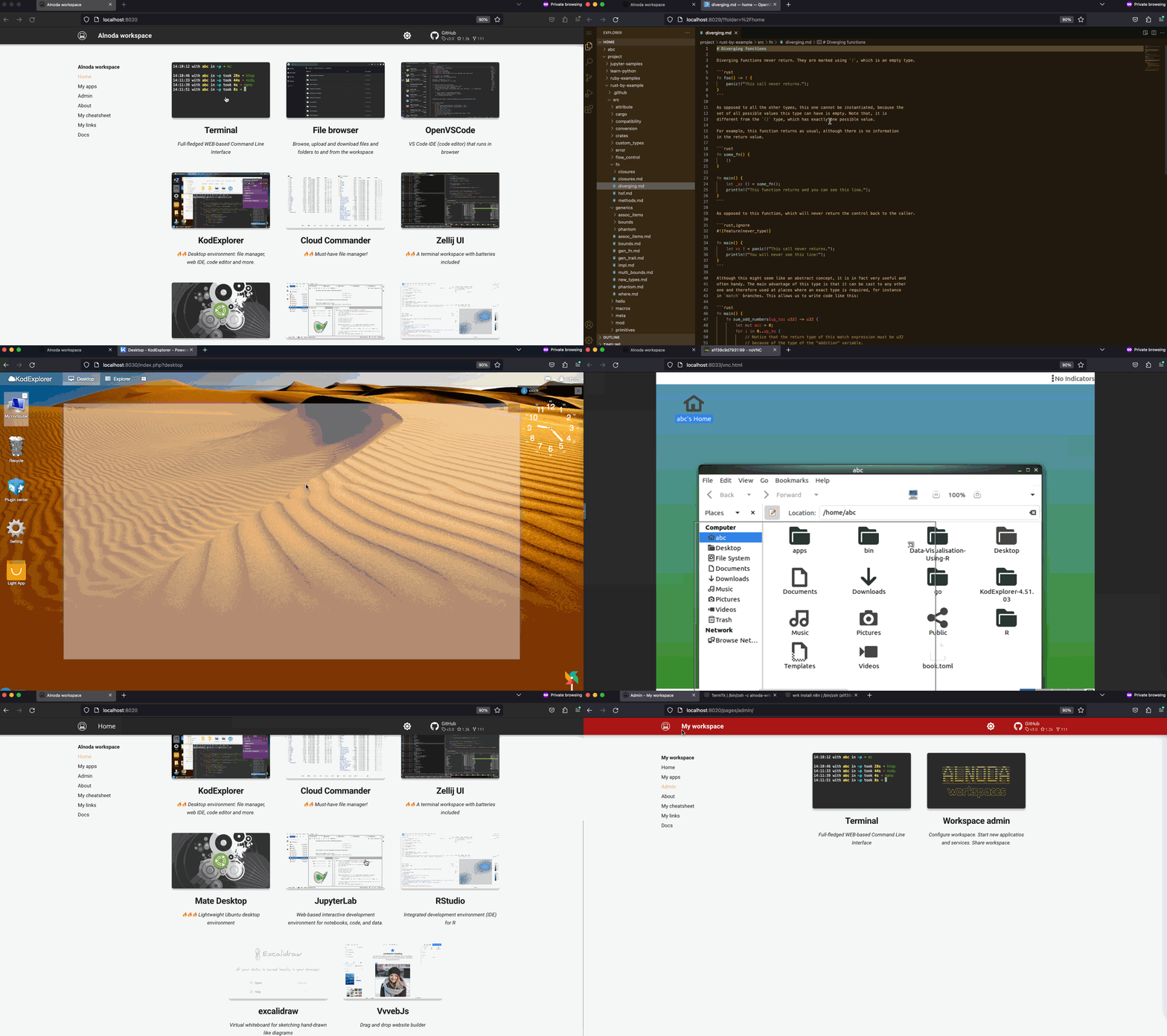
How to make this (Dockerfile):
FROM alnoda/alnoda-workspace:latest

RUN wrk install openvscode
RUN wrk install kodexplorer
RUN wrk install cloud-commander
RUN wrk install zellij-ui
RUN wrk install mate-desktop
RUN wrk install jupyterlab
RUN wrk install r
RUN wrk install rstudio
RUN wrk install excalidraw
RUN wrk install vvvebjs
Create your own workspace choosing from hundreeds of applications in Alnoda Hub
Alternatively
Start workspace:
docker run --name space-1 -d -p 8020-8040:8020-8040 --restart=always alnoda/alnoda-workspace
open localhost:8020 in browser and then terminal
Install apps:
wrk install openvscode
wrk install kodexplorer
wrk install cloud-commander
wrk install zellij-ui
wrk install mate-desktop
wrk install jupyterlab
wrk install r
wrk install rstudio
wrk install excalidraw
wrk install vvvebjs
Restart workspace:
wrk kill
Ready to begin? Have a look at the Getting Started Guide.
Chat GPT
Need full chat GPT experience?
Open workspace termial and innstall GPT:
wrk install gpt
After installation has finished, reload terminal window, and open chat by executing gpt command in the terminal
gpt
💡 NOTE: GPT is experimental feature! Currently it is supported only in alnoda workspace v.2
❗ INFO: GPT is based on the Vicuna 7B model and only allowed for personal use.
Sharing
Do you want to share any application of your workspace with your colleague?
✅ Code editor, IDE, termial, notebook - you can grant access to any of the workspace applications over the Internet.
One click, and your colleague will work together with you directly in your workspace running on your laptop!
Self-hosting
Wnat to run it in cloud and work from anywhere and any device? Read here
Docs
Please visit our documentation website
This repository
This repository houses a variety of workspaces with different selection of installed applications. These workspaces can serve as customized environments for specific projects or serve as examples for reference.
関連プロジェクトを探す
読み込み中…