
benthecoder/linkedin-visualizer
benthecoder/linkedin-visualizer has 54 GitHub stars and 11 forks. GitHot measured 0 stars in 24 hours, 0 in 7 days, and 0 in 15 days. Last checked 2026-11-22 10:53 UTC. Last push 2022-10-06.
できること
- Total connections on LinkedIn
- Where most of your connections work at
- Who most of your connections are (what job title they hold)
- Who you last connected with
計測したスター増加
- 24時間
- 0
- 7日間
- 0
- 15日間
- 0
- 1か月
- 履歴を収集中
期間ごとの純増数です。期間は重複しており、日別の値ではありません。未計測の値は空欄です。スター数は注目度の指標であり、品質の保証ではありません。
概要
The missing feature in LinkedIn
データREADME.md
オリジナルLinkedin Connections Insights 🪄

Get helpful statistics on your LinkedIn connection now!
Learn more about the project (Link)
Check out a walkthrough of the app of my LinkedIn connections (Link)
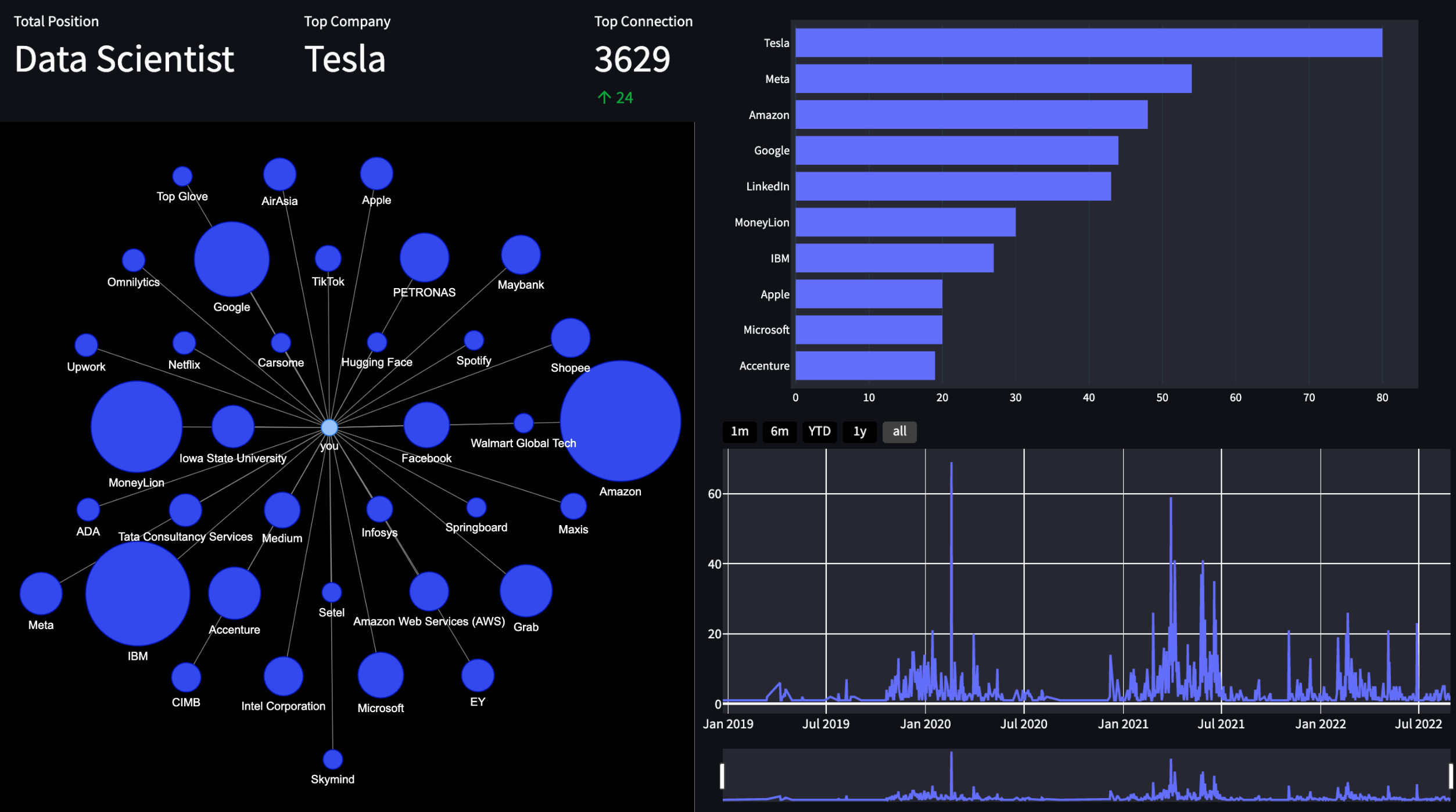
Features
This app tells you the information below
- Total connections on LinkedIn
- Where most of your connections work at
- Who most of your connections are (what job title they hold)
- Who you last connected with
- Who you first connected with (send them a message!)
- Bar chart of top companies and positions
- Time series plot of your connections over time (find out when you had the most connections)
- A graph/network of your connections (see your connections in a graph)
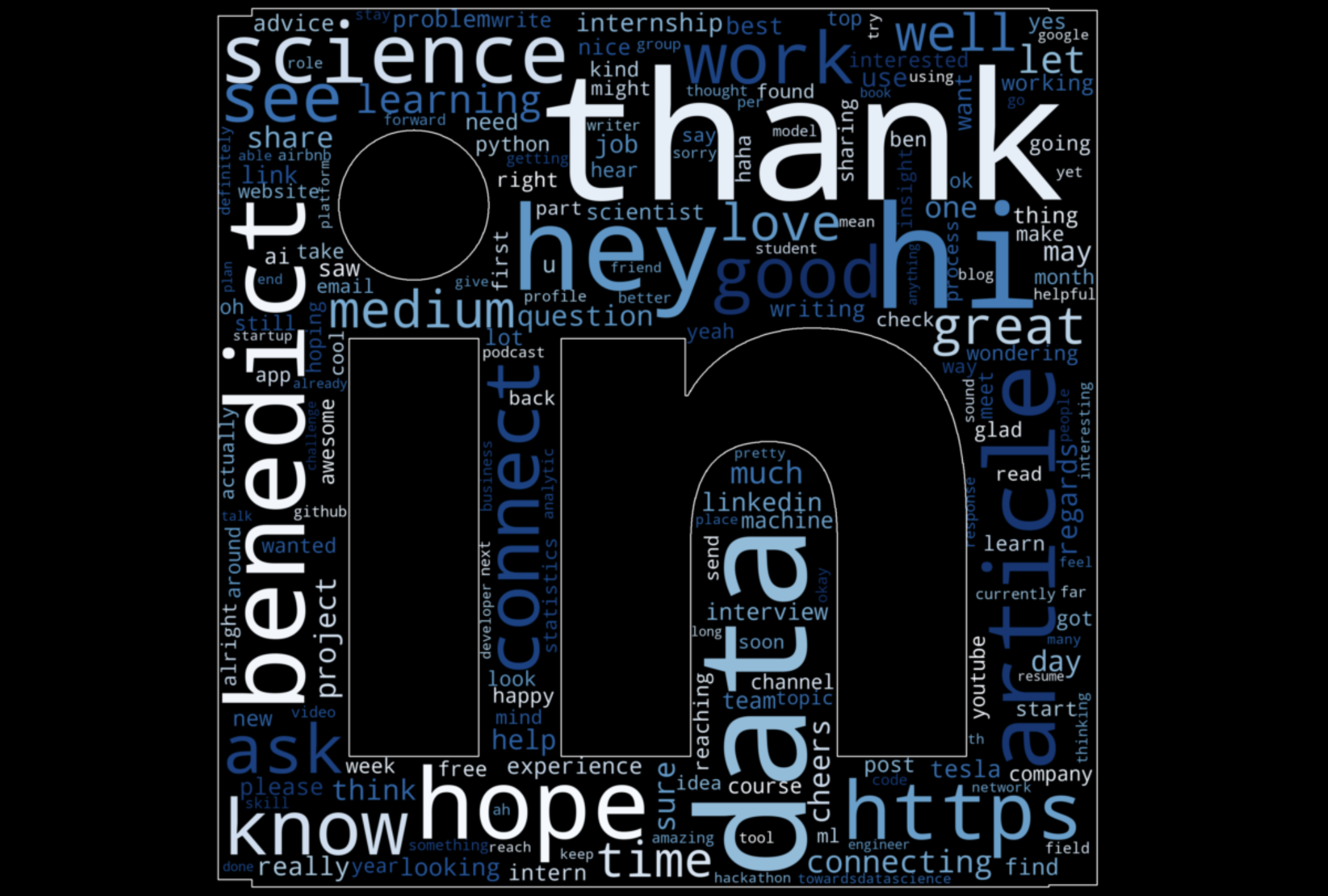
- A wordcloud of your chat messages with your connections (new!)
- Last but not least, a "who you can cold email" section that provides a list of emails of your connections (perks of LinkedIn connections!)
Word Cloud (New Feature!)
Run Locally
Clone the project
git clone https://github.com/benthecoder/linkedin-visualizer.git
Go to the project directory
cd linkedin-visualizer
Using Docker
Build an Image
docker build -t linkedin-visualizer:1.0 .
Run the Image
docker run -p 8501:8501 linkedin-visualizer:1.0
The app is now live on http://localhost:8501/
Using Conda
Create Conda environment
conda create --name env_name python=3.8
Activate the environment
conda activate env_name
Install requirements
pip install -r requirements.txt
Run streamlit
streamlit run app.py
Using Poetry
first make sure you have python 3.8
poetry install
poetry run streamlit run app.py
Contributing
Contributions are always welcome!
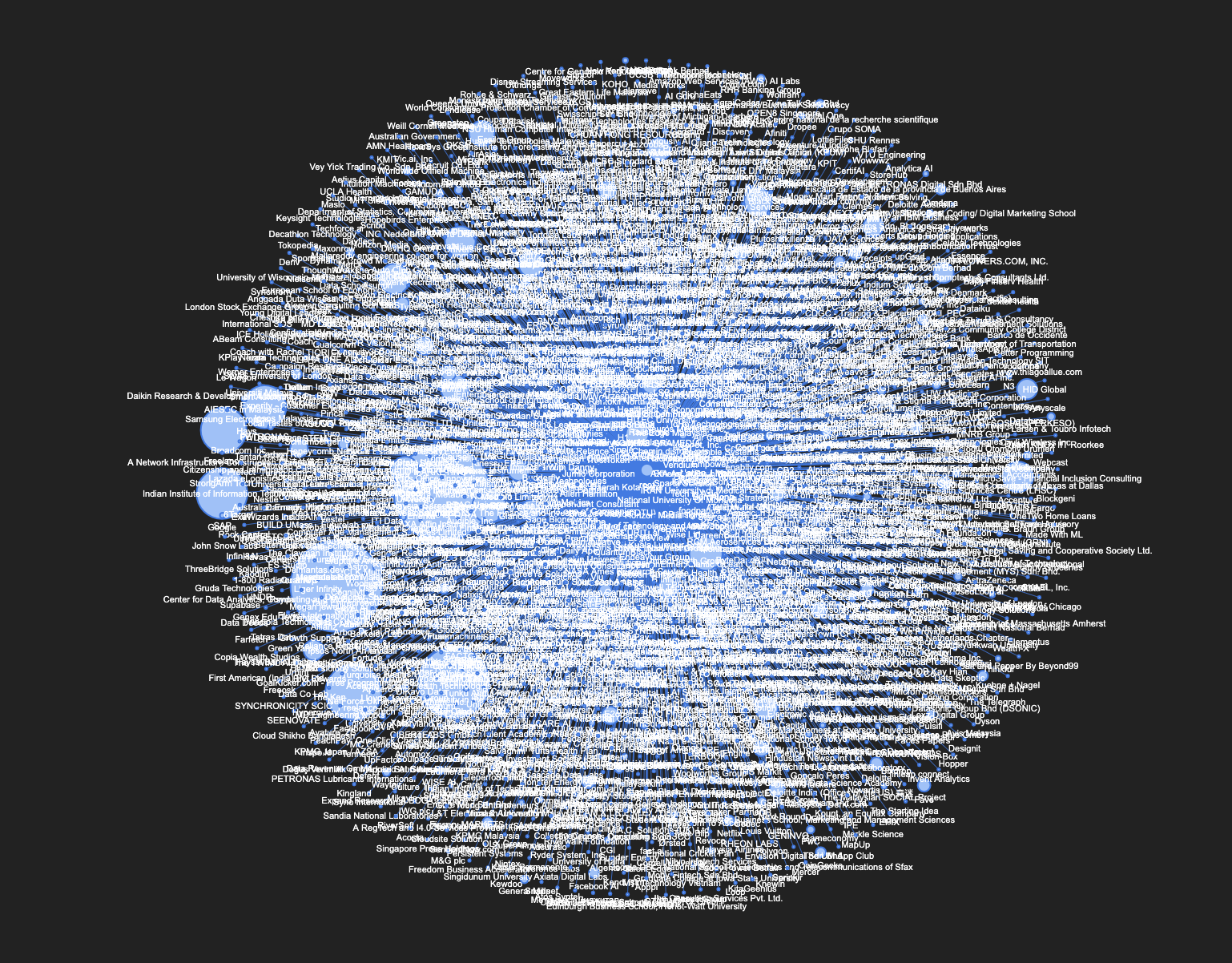
All connections
Here's what happens when I display all of the companies where my connections work at
関連プロジェクトを探す
読み込み中…