
benjamin-awd/StatementSensei
概要
PDF to CSV conversion for your bank statements
開発ツールできること
- Supports uploading multiple bank statements
- Allows unlocking of PDFs using user-provided credentials via the frontend
計測したスター増加
- 24時間
- 0
- 7日間
- +1
- 15日間
- 履歴を収集中
- 1か月
- 履歴を収集中
期間ごとの純増数です。期間は重複しており、日別の値ではありません。未計測の値は空欄です。スター数は注目度の指標であり、品質の保証ではありません。
README.md
オリジナル
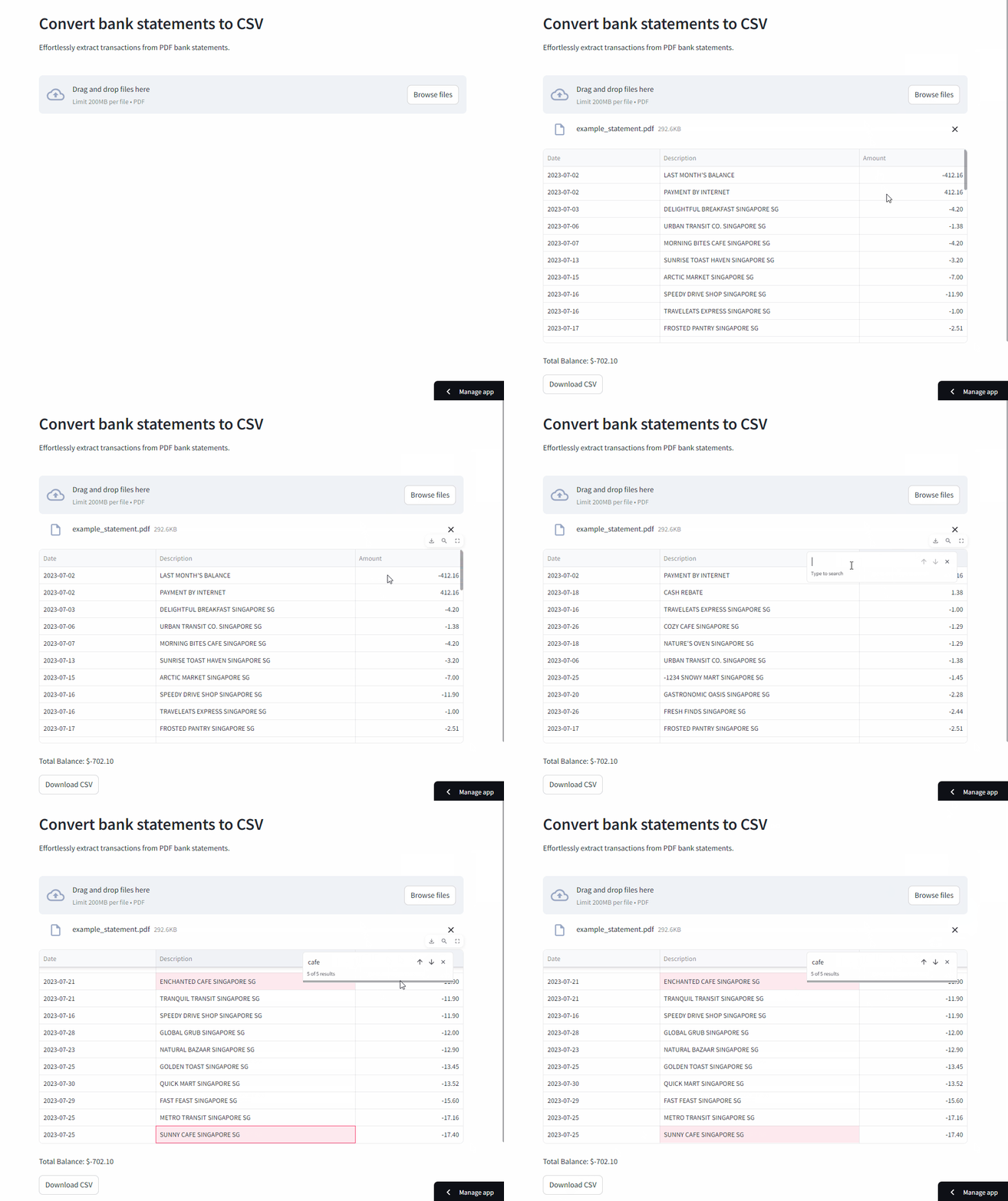
Statement Sensei converts bank statement PDFs to CSVs using the monopoly CLI library. The offline version of the app is available on the releases page.
🎉 Statement Sensei is now live! 🎉
Try it out:
https://statementsensei.streamlit.app/
Usage
Statement Sensei can be run as an offline application on Windows, MacOS or Linux.
⚠️ Note: Windows does not work currently due to upstream build issues with
pdftotext.
The offline application runs Streamlit locally, and uses a WebView window to view the browser frontend at http://localhost:8501.
Supported banks:
| Bank | Credit Statement | Debit Statement |
|---|---|---|
| American Express (Singapore Platinum, US) | ✅ | ❌ |
| Bank of America | ✅ | ✅ |
| Bank of Montreal (BMO) | ✅ | ✅ |
| Canadian Imperial Bank of Commerce (CIBC) | ✅ | ✅ |
| Canadian Tire Bank | ✅ | ❌ |
| Capital One Canada | ✅ | ❌ |
| Capital One 360 (US) | ❌ | ✅ |
| Chase | ✅ | ❌ |
| Citibank | ✅ | ❌ |
| DBS/POSB | ✅ | ✅ |
| HDFC Bank (India) | ✅ | ❌ |
| HSBC | ✅ | ❌ |
| Maybank | ✅ | ✅ |
| OCBC | ✅ | ✅ |
| Royal Bank of Canada (RBC) | ✅ | ✅ |
| Schwab Bank | N/A | ✅ |
| Scotiabank | ✅ | ✅ |
| Standard Chartered | ✅ | ❌ |
| TD Canada Trust | ✅ | ✅ |
| Trust | ✅ | ❌ |
| UOB | ✅ | ✅ |
| US Bank | ✅ | ❌ |
| Zürcher Kantonalbank | ❌ | ✅ |
Installation
[!WARNING] The offline app may raise security warnings during installation.
Specifically on MacOS, the application will show an "app is damaged and can't be opened" error.
These security warnings happen because the release binaries are unsigned, and are incorrectly flagged as malware.
To get around this, follow these steps for MacOS / Windows.
The Windows Defender alert can be bypassed by clicking "More info" -> "Run anyway".
Development
Install system dependencies using brew or apt-get (necessary since pdftotext needs them)
apt-get install build-essential libpoppler-cpp-dev pkg-config ocrmypdf
or
brew install gcc@11 pkg-config poppler ocrmypdf
Install app dependencies with uv:
uv venv
source .venv/bin/activate
uv pip install -e .
To run the consumer-facing application:
python entrypoint.py
To run the application in developer mode:
streamlit run webapp/app.py
Docker
Otherwise, to run the application as a container:
docker compose up
or:
docker pull benjaminawd/statementsensei:latest
docker run -p 8501:8501 benjaminawd/statementsensei:latest
If running locally with docker: you can either store passwords in an environment variable as a string
export PDF_PASSWORDS='["pass123", "otherpw123"]'
or store them in an .env file in the project root:
echo 'PDF_PASSWORDS=["foo"]' > .env
Features
- Supports uploading multiple bank statements
- Allows unlocking of PDFs using user-provided credentials via the frontend
関連プロジェクトを探す
読み込み中…