
概要
👀 目を守るためのWindowsアプリケーション
開発ツールできること
- Short Break - ✔ Implemented - ✔ Yes
- Long Break - ✔ Implemented - ✔ Yes
- Timing Customization - ✔ Implemented - ✔ Yes
- Stas - ✔ Implemented - ✔ Yes
計測したスター増加
- 24時間
- 0
- 7日間
- +3
- 15日間
- 履歴を収集中
- 1か月
- 履歴を収集中
期間ごとの純増数です。期間は重複しており、日別の値ではありません。未計測の値は空欄です。スター数は注目度の指標であり、品質の保証ではありません。
README.md
オリジナルEyes Guard 



What is Eyes Guard?
Eyes Guard is a Windows Application for protecting your eyes. It will help you (also can force you!) to break if you are working with your PC for a long time using configurable times.
Download
Windows 10/11 (Official with latest features)
[!NOTE]
EyesGuard will no longer distribute its packages via Microsoft Store. You need to install the package manually using the instruction below:
📦 Method 1: Use the command-line WinGet tool (recommended):
Use WinGet command-line tool:
winget install -s winget Avestura.EyesGuard
📦 Method 2: Use the graphical setup (recommended):
- 🟩 Download the latest setup form the Releases section.
- For x64 systems:
EyesGuard-Setup-VERSION-x64.exe - For x86 systems:
EyesGuard-Setup-VERSION-x86.exe
- For x64 systems:
- Run the setup and install EyesGuard.
🪟 Method 3: Use Windows Store Package (needs Developer mode to be enabled):
- Enable Developer Mode from
Settings > System > For Developers - 🟩 Download the latest package form the Releases section.
- For x64 systems:
EyesGuard.release.x64.zip - For x86 systems:
EyesGuard.release.x86.zip
- For x64 systems:
- Unzip the package.
- Find the certificate file with
.cerextension and open it. - Click
Install Certificate>Local Machine>Place certificate in following store> pickTrusted People - Open the installation package with
.appxextension and install Eyes Guard.
Windows 7 (Unofficial Fork, not latest)
Download from ExplorerOL's GitHub
Any Screenshots?
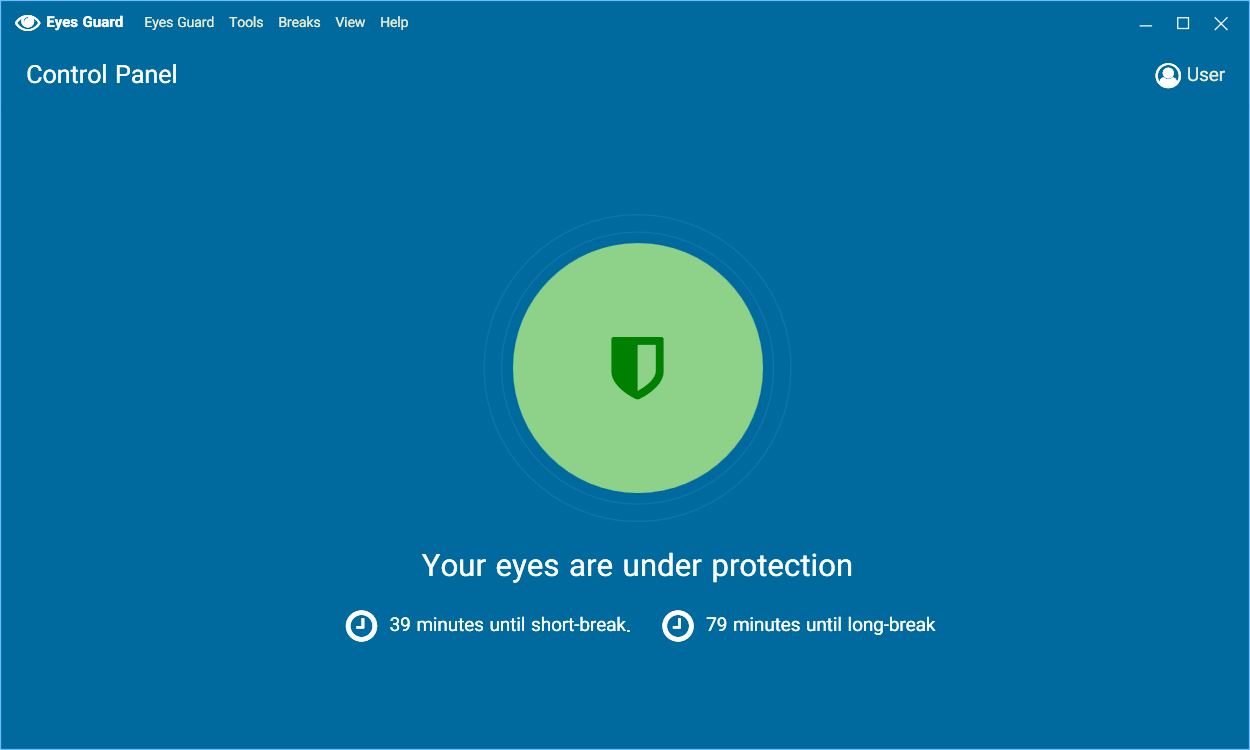
Control Panel
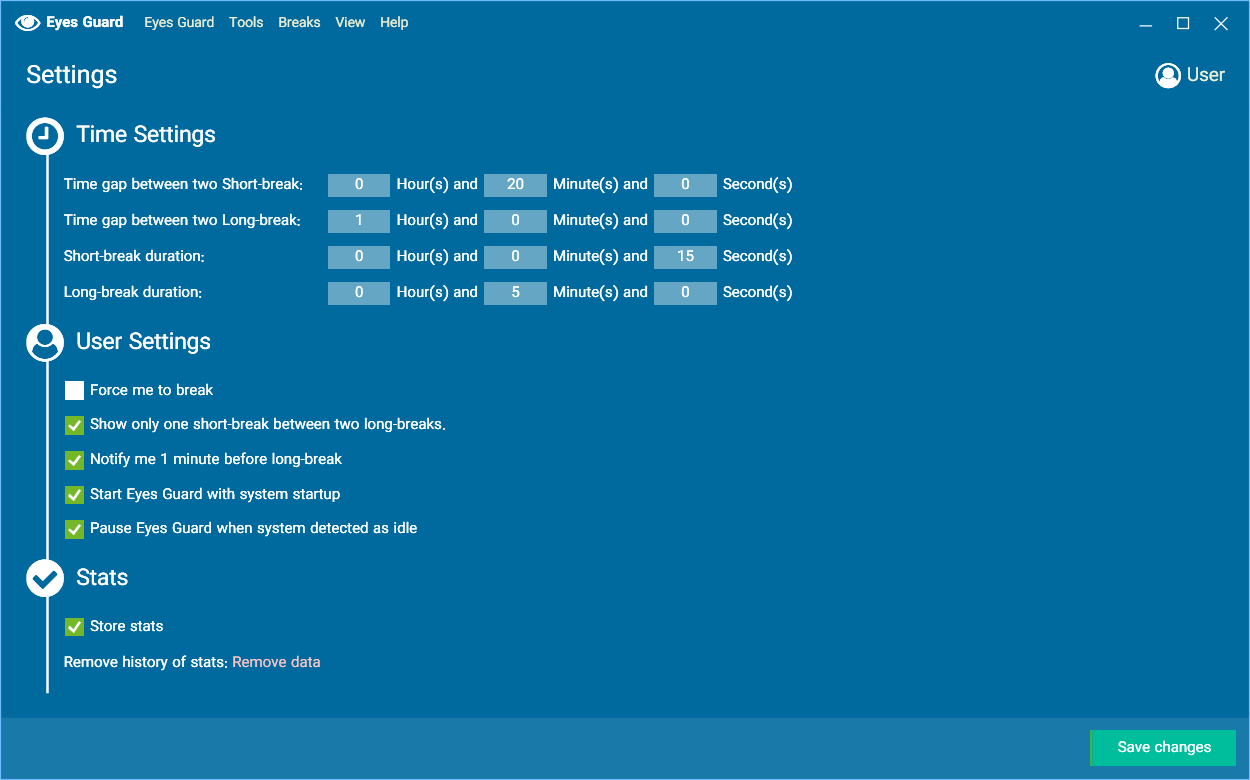
Settings
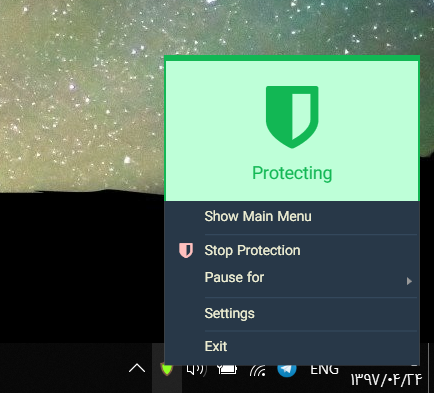
Notify Icon
What features does it have?
| Feature | Implementation State | Is live on store version? |
|---|---|---|
| Short Break | ✔ Implemented | ✔ Yes |
| Long Break | ✔ Implemented | ✔ Yes |
| Timing Customization | ✔ Implemented | ✔ Yes |
| Stas | ✔ Implemented | ✔ Yes |
| Pause or Stop protection | ✔ Implemented | ✔ Yes |
| Windows Tray Integration | ✔ Implemented | ✔ Yes |
| Auto Start | ✔ Implemented | ✔ Yes |
| Customize messages | ✔ Implemented | ✔ Yes |
| Multi-language | ✔ Implemented | ✔ Yes |
How can I help?
Eyes Guard is a free and open-source app. If you like it, please consider:
- ⭐ Star this project in GitHub

- 👩💻 Contribute to Software Development of Eyes Guard
- ✏ Translate app to your language using guide below
Supported Languages
| Language | Locale | Translator | |
|---|---|---|---|
 |
English | en-US | Aryan Ebrahimpour, Gianpaolo Filippa, Akash Joshi |
 |
Persian | fa-IR | Aryan Ebrahimpour |
 |
Italian | it-IT | Gianpaolo Filippa |
 |
French | fr-FR | Bouillon Pierre |
 |
Russian | ru-RU | Dmitry Vorobjev |
 |
Norwegian | nb-NO | Thomas Rory Gummerson |
 |
Tamil | ta-IN | Muthu Kumar |
 |
Korean | ko-KR | Sung Jae Cho |
 |
Chinese | zh-CN | Qixiny |
 |
Turkish | tr-TR | Furkan KARADENİZ |
 |
German | de-DE | Marco Heinisch |
 |
Polish | po-PO | Bartlomiej Szmolke |
 |
Ukrainian | uk-UA | Yaroslav Shaposhnyk |
 |
Greek | el-GR | Alexandros Koulelis |
 |
Brazilian Portuguese | pt-BR | Daniel Alexandre Boaventura |
 |
Arabic | ar-EG | Mahmoud Elgohary |
 |
Add Language | You |
Can I contribute?
PRs are very welcome!
You can contribute to software development and/or create translations for the app.
How to contribute to translating app
Method 1 : using GitHub
Adding a new Language:
- Go to Languages folder and create a new yaml file with name
{StandardCountryCode}.ymllikeen-US.ymlorfa-IR.yml. Here is a List of country codes you can pick. - Copy the content of
en-US.ymlto the new created file. - In the meta part of yaml edit the
Translatorsarray. Remove the existing translators in the copied file and just put information of yourself. - Translate the
Translationsection of file and make a PR!
Modifying a translation file:
- Go to Languages and find the language you want to edit using its standard locale.
- In the meta part of yaml and in the
Translatorsarray, add yourself as a new translator without removing others from the list. - Make your changes in the
Translationsection and make a PR!
Method 2 : using Email
Use the links mentioned in above method, modify/add translation file, then email it to me: [email protected]
📜 RTL Languages
For right-to-left languages like Persian, Arabic, etc. It is not needed to explicitly state language layout in the meta section. Simply use a standard country code, and the app automatically detects if it has right-to-left direction or not and changes the design of elements in app.
📐 Solution Structure
| Project Name | Language | Description |
|---|---|---|
| EyesGuard | C# | Main Application (at the time of starting project I didn't know F# to write the app entirely in F#) |
| EyesGuard.Data | F# | Type Provider and Data Access / Translations |
| StorePackage | Used to publish WPF app into Store |
🔨 Build
You need Paket Package manager for .NET to restore the packages.
git clone https://github.com/avestura/EyesGuard
cd .\EyesGuard
paket install
cd .\Source\EyesGuard
dotnet run
関連プロジェクトを探す
読み込み中…