プロジェクト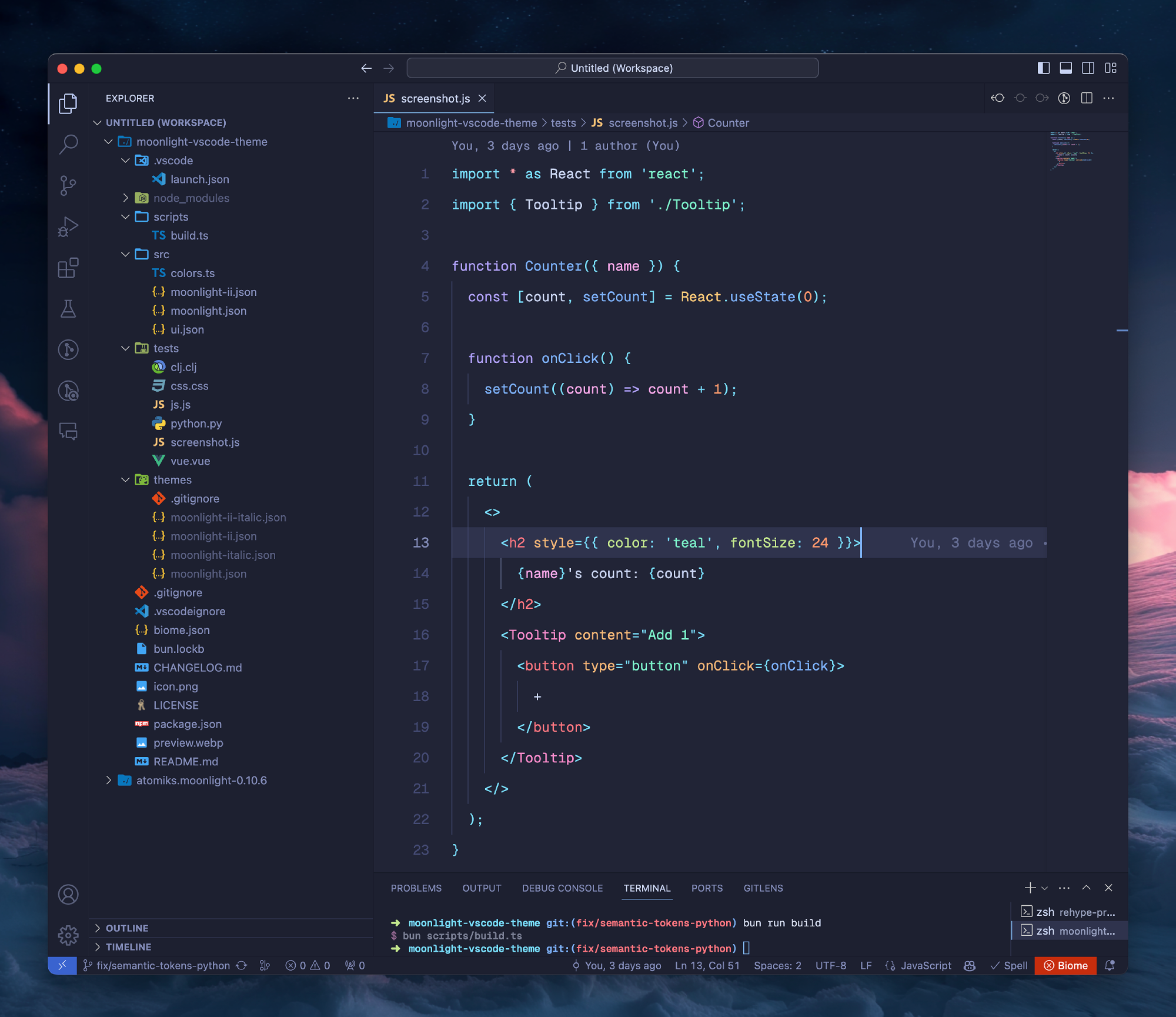

概要
月明かりの背景にバブルガムカラーを配した VS Code テーマ
開発ツール計測したスター増加
- 24時間
- 0
- 7日間
- -1
- 15日間
- -1
- 1か月
- 履歴を収集中
期間ごとの純増数です。期間は重複しており、日別の値ではありません。未計測の値は空欄です。スター数は注目度の指標であり、品質の保証ではありません。
README.md
オリジナルMoonlight 🌌
Variants
- Moonlight (regular and italics)
- Moonlight II (regular and italics)
Installation
- Install Visual Studio Code
- Launch Visual Studio Code
- Choose Extensions from menu
- Search for
atomiks.moonlight - Click Install to install it
- Click Reload to reload the Code
- From the menu bar click: Code > Preferences > Color Theme > Pick your Moonlight variant
Semantic highlighting
Semantic highlighting is enabled by default for Moonlight, but not Moonlight II.
To change the setting, add the following to your settings.json:
"editor.semanticHighlighting.enabled": true
関連プロジェクトを探す
読み込み中…