
概要
A syntax highlighter for Ratatui apps
開発ツール計測したスター増加
- 24時間
- 0
- 7日間
- 0
- 15日間
- 履歴を収集中
- 1か月
- 履歴を収集中
期間ごとの純増数です。期間は重複しており、日別の値ではありません。未計測の値は空欄です。スター数は注目度の指標であり、品質の保証ではありません。
README.md
オリジナルtui-syntax-highlight





A library for creating code blocks in
ratatui apps with
syntect.
Feature Flags
Note: One of regex-onig or regex-fancy is required or syntect will not
compile.
regex-onig- Uses theonigregex engine (enabled by default). See syntect's documentation for more info.regex-fancy- Uses thefancy-regexregex engine. See syntect's documentation for more info.termprofile- Enables integration withtermprofileto detect the terminal's color support level and automatically use compatible colors.
Usage
Use Highlighter to return a Ratatui Text object containing the highlighted
content.
Highlighting a File
use std::error::Error;
use std::fs::File;
use syntect::highlighting::ThemeSet;
use syntect::parsing::SyntaxSet;
use tui_syntax_highlight::Highlighter;

fn syntax_highlight() -> Result<(), Box<dyn Error>> {
    let syntax_set = SyntaxSet::load_defaults_newlines();
    let theme_set = ThemeSet::load_defaults();
    let theme = theme_set.themes["base16-ocean.dark"].clone();

    let syntax = syntax_set.find_syntax_by_name("Rust").unwrap();
    let highlighter = Highlighter::new(theme);

    let highlighted_text = highlighter.highlight_reader(
        File::open("./examples/sqlite_custom/build.rs")?,
        syntax,
        &syntax_set,
    )?;

    Ok(())
}
Highlighting Text
use std::error::Error;
use std::fs::File;
use syntect::highlighting::ThemeSet;
use syntect::parsing::SyntaxSet;
use syntect::util::LinesWithEndings;
use tui_syntax_highlight::Highlighter;

fn syntax_highlight() -> Result<(), Box<dyn Error>> {
    let syntax_set = SyntaxSet::load_defaults_newlines();
    let theme_set = ThemeSet::load_defaults();
    let theme = theme_set.themes["base16-ocean.dark"].clone();

    let syntax = syntax_set.find_syntax_by_name("SQL").unwrap();
    let highlighter = Highlighter::new(theme);

    let highlighted_text = highlighter.highlight_lines(
        LinesWithEndings::from("select a,b,c from table;\nselect b,c,d from table2;"),
        syntax,
        &syntax_set,
    )?;

    Ok(())
}
Additional Themes
The syntect-assets crate provides
additional themes and syntaxes that are compatible with syntect. It contains a
few themes like ansi, base16, and base16-256 that encodes colors in a
special way - these special encodings are handled automatically by this crate.
Custom Themes and Syntaxes
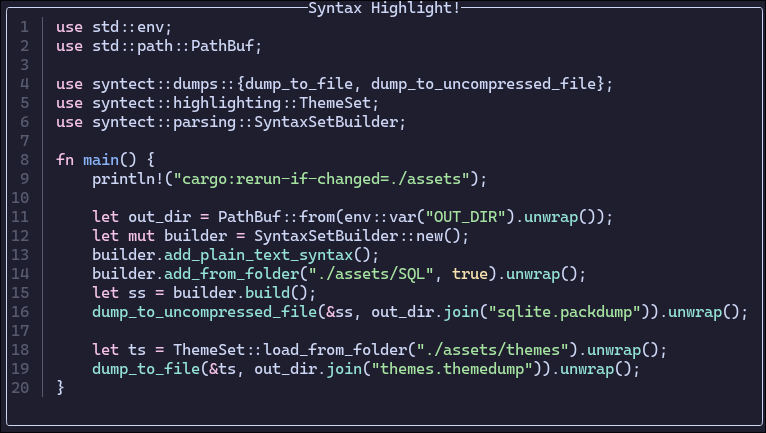
Custom themes and syntaxes can be compiled and embedded in the binary. See the
sqlite_custom
example for usage.
Code Block Style
Settings such as the background color, formatting, and line number style can all
be changed. See the available methods in
Highlighter
for details.
Supported Rust Versions
The MSRV is currently 1.88.0. Since Cargo's V3 resolver supports MSRV-aware dependencies, we do not treat an MSRV bump as a breaking change.
関連プロジェクトを探す
読み込み中…