
概要
iOS向けのリッチテキストエディター
開発ツール計測したスター増加
- 24時間
- 0
- 7日間
- 0
- 15日間
- 履歴を収集中
- 1か月
- 履歴を収集中
期間ごとの純増数です。期間は重複しており、日別の値ではありません。未計測の値は空欄です。スター数は注目度の指標であり、品質の保証ではありません。
README.md
オリジナルRichTextEditor-iOS 
RichTextEditor for iPhone & iPad
Features:
- Bold
- Italic
- Underline
- StrikeThrough
- Font
- Font size
- Text background color
- Text foregroud color
- Text alignment
- Paragraph Indent/Outdent
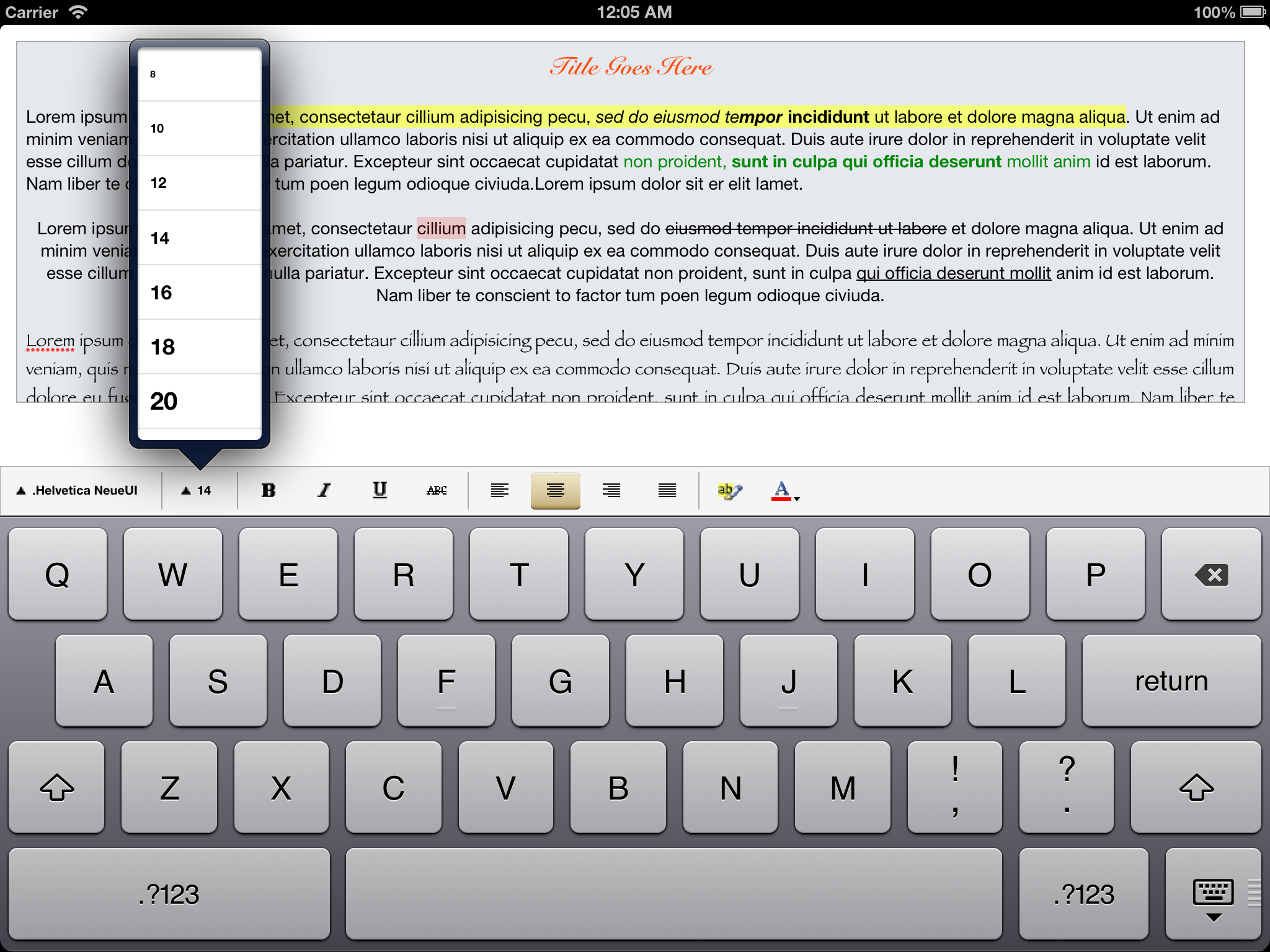

Custom Font Size Selection
Font size selection can be customized by implementing the following data source method
- (NSArray *)fontSizeSelectionForRichTextEditor:(RichTextEditor *)richTextEditor
{
	// pas an array of NSNumbers
	return @[@5, @10, @20, @30];
}
Custom Font Family Selection
Font family selection can be customized by implementing the following data source method
- (NSArray *)fontFamilySelectionForRichTextEditor:(RichTextEditor *)richTextEditor
{
	// pas an array of Strings
  // Can be taken from [UIFont familyNames]
	return @[@"Helvetica", @"Arial", @"Marion", @"Papyrus"];
}
Presentation Style
You can switch between popover, or modal (presenting font-picker, font-size-picker, color-picker dialogs) by implementing the following data source method
- (RichTextEditorToolbarPresentationStyle)presentarionStyleForRichTextEditor:(RichTextEditor *)richTextEditor
{
  // RichTextEditorToolbarPresentationStyleModal Or RichTextEditorToolbarPresentationStylePopover
	return RichTextEditorToolbarPresentationStyleModal;
}
Modal Presentation Style
When presentarionStyleForRichTextEditor is a modal, modal-transition-style & modal-presentation-style can be configured
- (UIModalPresentationStyle)modalPresentationStyleForRichTextEditor:(RichTextEditor *)richTextEditor
{
	return UIModalPresentationFormSheet;
}

- (UIModalTransitionStyle)modalTransitionStyleForRichTextEditor:(RichTextEditor *)richTextEditor
{
	return UIModalTransitionStyleFlipHorizontal;
}
Customizing Features
Features can be turned on/off by iplementing the following data source method
- (RichTextEditorFeature)featuresEnabledForRichTextEditor:(RichTextEditor *)richTextEditor
{
   return RichTextEditorFeatureFont |
          RichTextEditorFeatureFontSize |
          RichTextEditorFeatureBold |
          RichTextEditorFeatureParagraphIndentation;
}
Enable/Disable RichText Toolbar
You can hide the rich text toolbar by implementing the following method. This method gets called everytime textView becomes first responder. This can be usefull when you don't want the toolbar, instead you want to use the basic features (bold, italic, underline, strikeThrough), thoguht the UIMeMenuController
- (BOOL)shouldDisplayToolbarForRichTextEditor:(RichTextEditor *)richTextEditor
{
   return YES;
}
Enable/Disable UIMenuController Options
On default the UIMenuController options (bold, italic, underline, strikeThrough) are turned off. You can implement the follwing method if you want these features to be available through the UIMenuController along with copy/paste/selectAll etc.
- (BOOL)shouldDisplayRichTextOptionsInMenuControllerForRichTextrEditor:(RichTextEditor *)richTextEdiotor
{
   return YES;
}
Credits
iPhone popover by werner77 https://github.com/werner77/WEPopover
関連プロジェクトを探す
読み込み中…