
Tencent/vConsole has 17,540 GitHub stars and 2,960 forks. GitHot measured +1 stars in 24 hours and +1 in 7 days. Last checked 2026-11-13 17:21 UTC. Last push 2026-03-27.
できること
- Logs: console.log|info|error|...
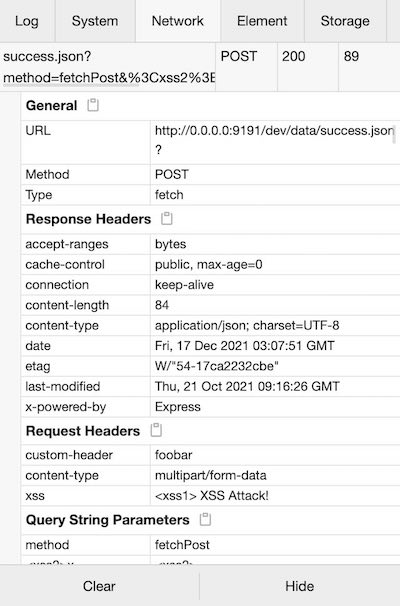
- Network: XMLHttpRequest, Fetch, sendBeacon
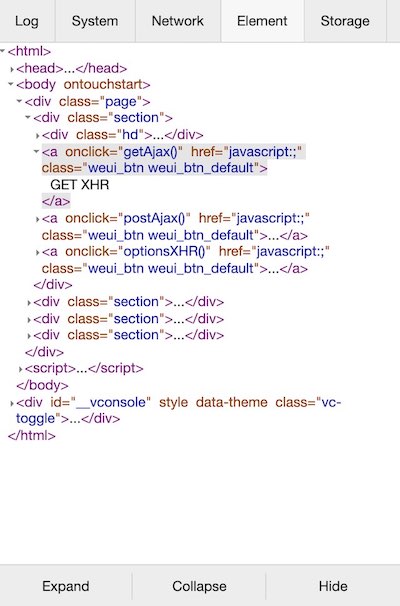
- Element: HTML elements tree
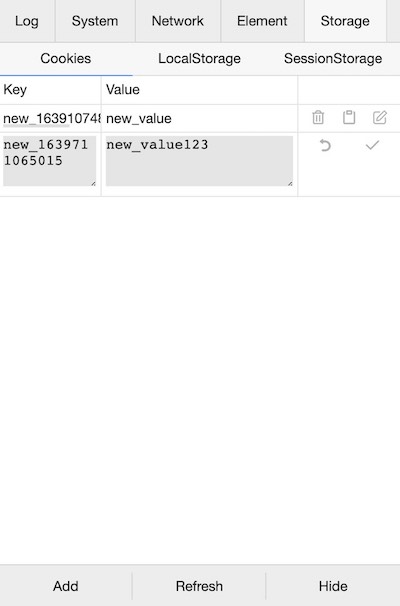
- Storage: Cookies, LocalStorage, SessionStorage
計測したスター増加
- 24時間
- +1
- 7日間
- +1
- 15日間
- 履歴を収集中
- 1か月
- 履歴を収集中
期間ごとの純増数です。期間は重複しており、日別の値ではありません。未計測の値は空欄です。スター数は注目度の指標であり、品質の保証ではありません。
概要
モバイルWebページ向けの軽量で拡張可能なフロントエンド開発者ツール。
Web・アプリREADME.md
オリジナルEnglish | 简体中文
vConsole
A lightweight, extendable front-end developer tool for mobile web page.
vConsole is framework-free, you can use it in Vue or React or any other framework application.
Now vConsole is the official debugging tool for WeChat Miniprograms.
Features
- Logs:
console.log|info|error|... - Network:
XMLHttpRequest,Fetch,sendBeacon - Element: HTML elements tree
- Storage:
Cookies,LocalStorage,SessionStorage - Execute JS command manually
- Custom plugins
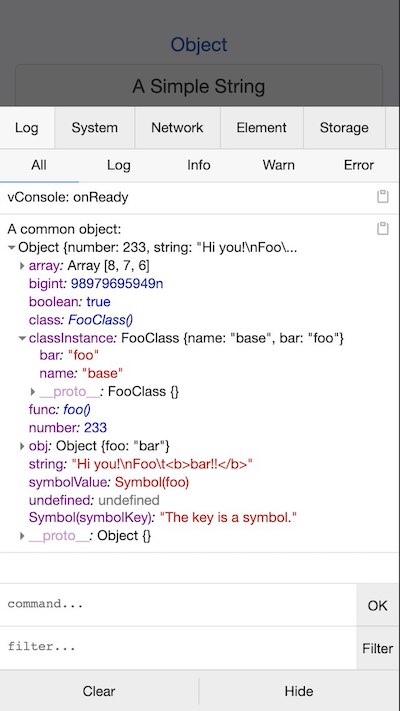
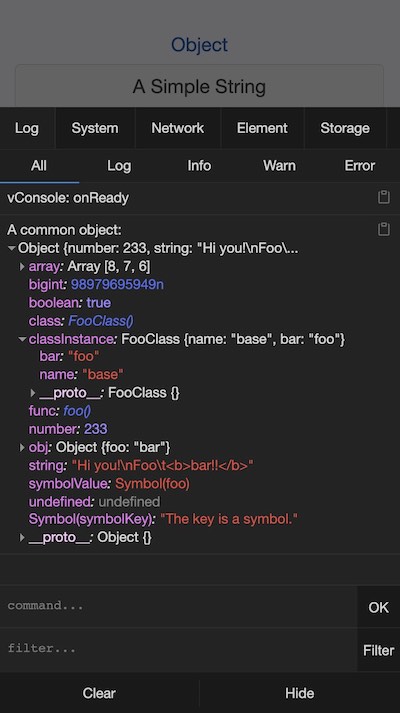
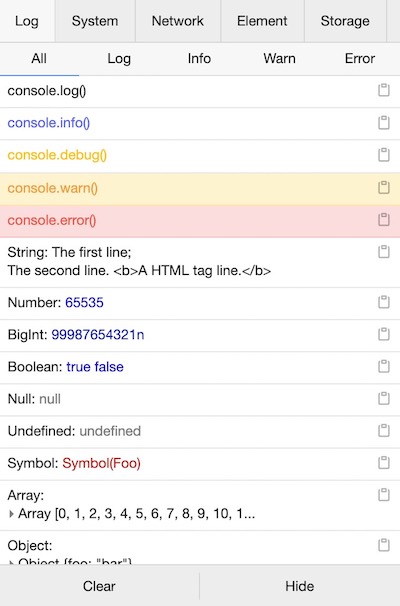
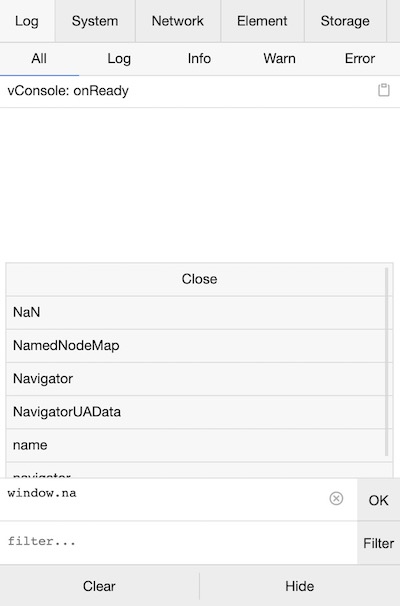
For details, please see the screenshots below.
Release Notes
Latest version: 
Detailed release notes for each version are available on Changelog.
Guide
See Tutorial for more usage details.
For installation, there are 2 primary ways of adding vConsole to a project:
Method 1: Using npm (Recommended)
$ npm install vconsole
import VConsole from 'vconsole';

const vConsole = new VConsole();
// or init with options
const vConsole = new VConsole({ theme: 'dark' });

// call `console` methods as usual
console.log('Hello world');

// remove it when you finish debugging
vConsole.destroy();
Method 2: Using CDN in HTML:
<script src="https://unpkg.com/vconsole@latest/dist/vconsole.min.js"></script>
<script>
  // VConsole will be exported to `window.VConsole` by default.
  var vConsole = new window.VConsole();
</script>
Available CDN:
- https://unpkg.com/vconsole@latest/dist/vconsole.min.js
- https://cdn.jsdelivr.net/npm/vconsole@latest/dist/vconsole.min.js
Preview
http://wechatfe.github.io/vconsole/demo.html

Screenshots
Overview
Light theme
Dark theme
Log Panel
Log styling
Command line
System Panel
Performance info
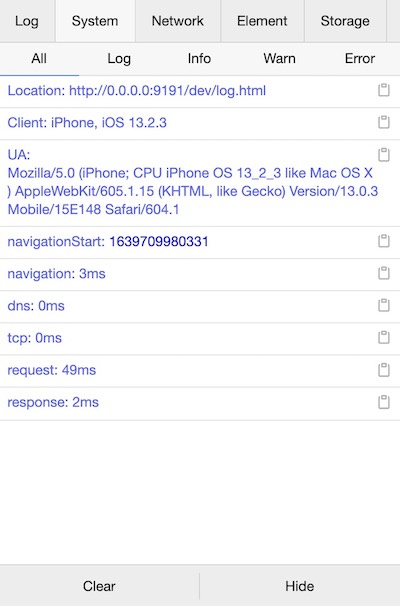
Output logs to different panel
console.log('output to Log panel.')
console.log('[system]', 'output to System panel.')
Network Panel
Request details
Element Panel
Realtime HTML elements structure
Storage Panel
Add, edit, delete or copy Cookies / LocalStorage / SessionStorage
Documentation
vConsole:
Custom Plugin:
Third-party Plugins
- vConsole-sources
- vconsole-webpack-plugin
- vconsole-stats-plugin
- vconsole-vue-devtools-plugin
- vconsole-outputlog-plugin
- vite-plugin-vconsole
Feedback
QQ Group: 497430533

License
関連プロジェクトを探す
freeCodeCamp/freeCodeCamp
freeCodeCamp.org のオープンソースのコードベースとカリキュラムです。数学、プログラミング、コンピュータサイエンスを無料で学べます。
459,091 スターdonnemartin/system-design-primer
大規模システムの設計を学び、システム設計面接の対策ができます。Anki のフラッシュカードが含まれています。
377,782 スターreact/react
Web とネイティブのユーザーインターフェース向けライブラリ。
252,586 スターvuejs/vue
Vue 2 のリポジトリです。Vue 3 については https://github.com/vuejs/core をご覧ください。
212,527 スター