
NVlabs/ODISE has 943 GitHub stars and 59 forks. Star changes are not measured yet. Last checked 2026-11-14 08:38 UTC. Last push 2024-07-06.
計測したスター増加
- 24時間
- 履歴を収集中
- 7日間
- 履歴を収集中
- 15日間
- 履歴を収集中
- 1か月
- 履歴を収集中
期間ごとの純増数です。期間は重複しており、日別の値ではありません。未計測の値は空欄です。スター数は注目度の指標であり、品質の保証ではありません。
概要
Official PyTorch implementation of ODISE: Open-Vocabulary Panoptic Segmentation with Text-to-Image Diffusion Models [CVPR 2023 Highlight]
機械学習README.md
オリジナルODISE: Open-Vocabulary Panoptic Segmentation with Text-to-Image Diffusion Models
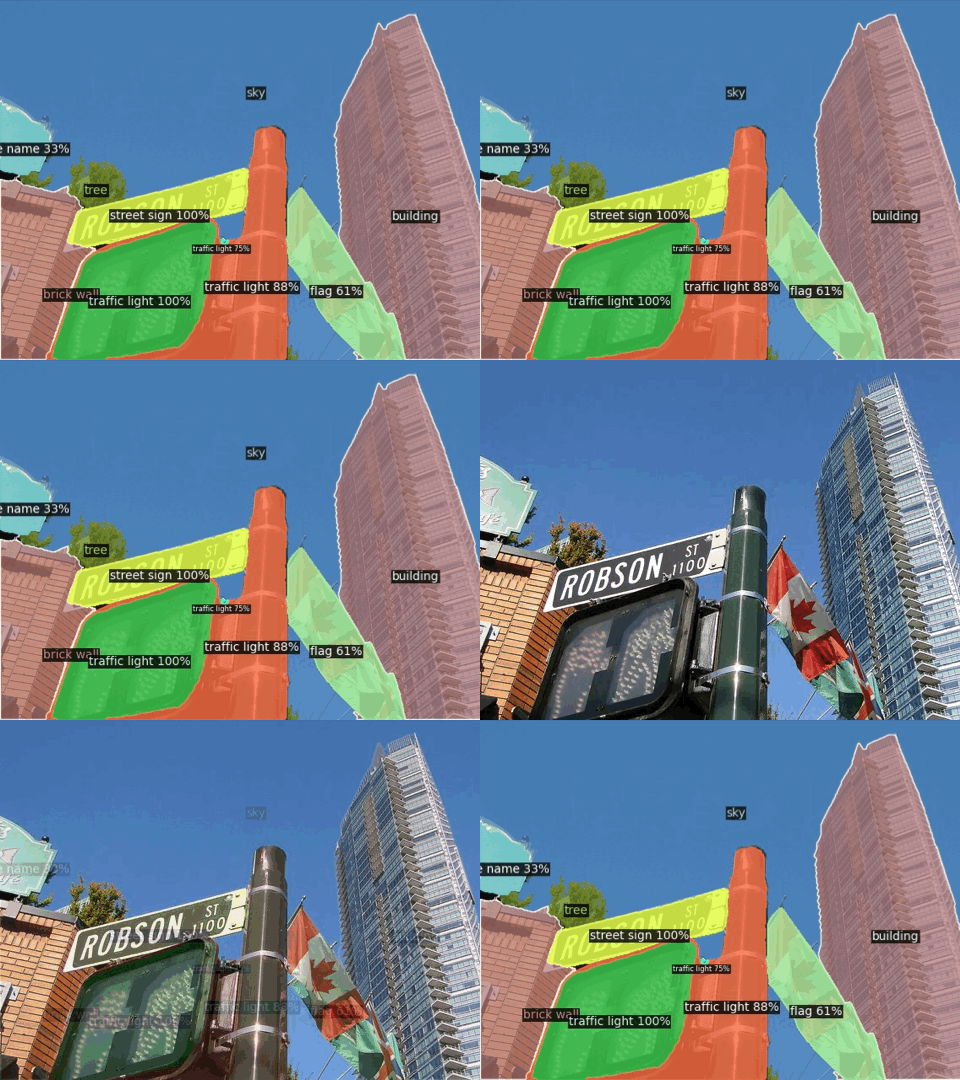
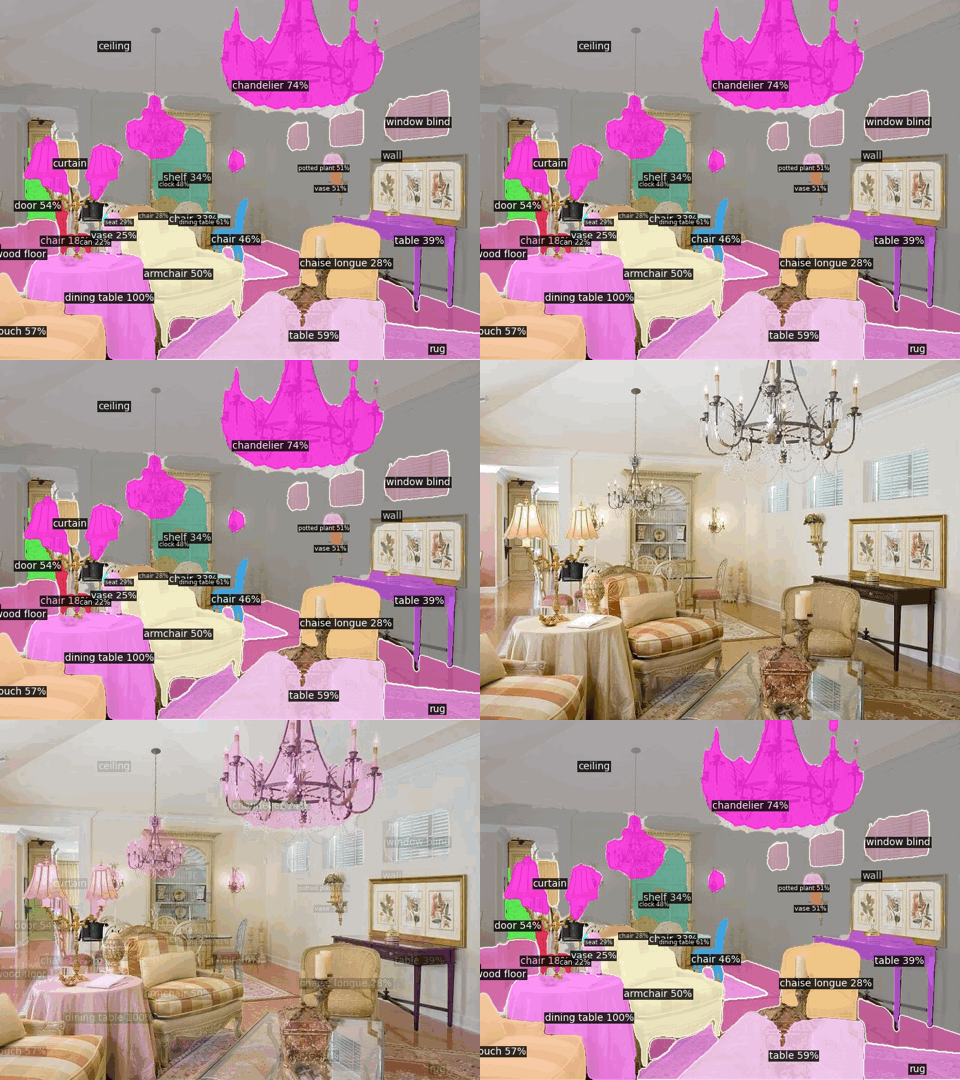
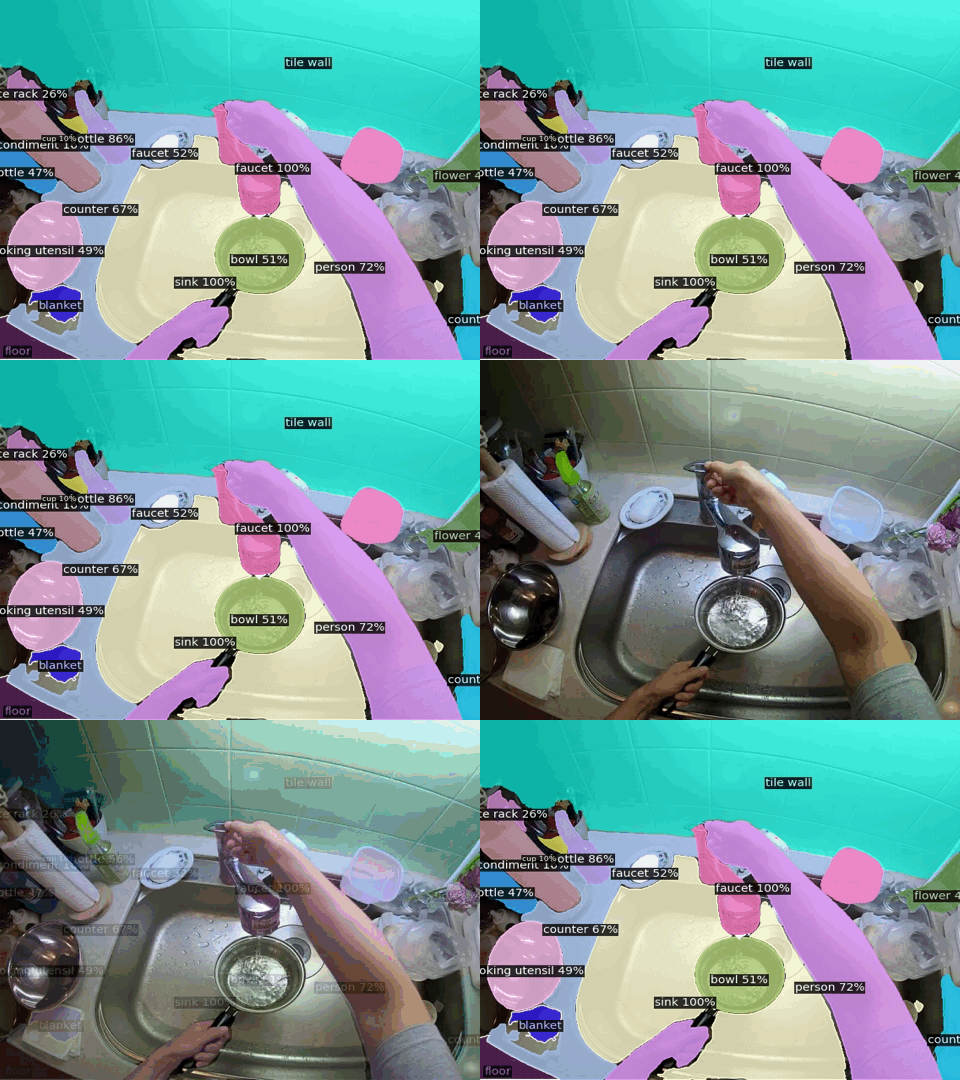
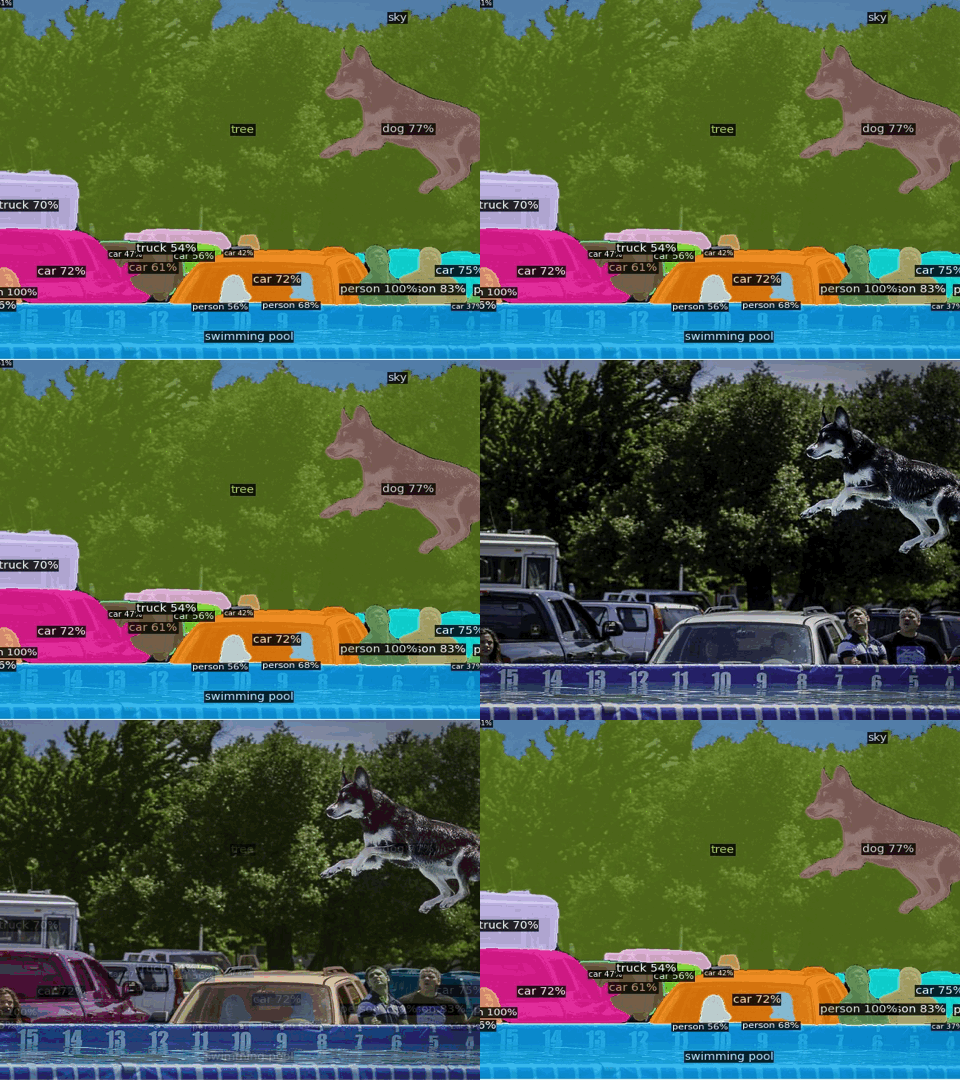
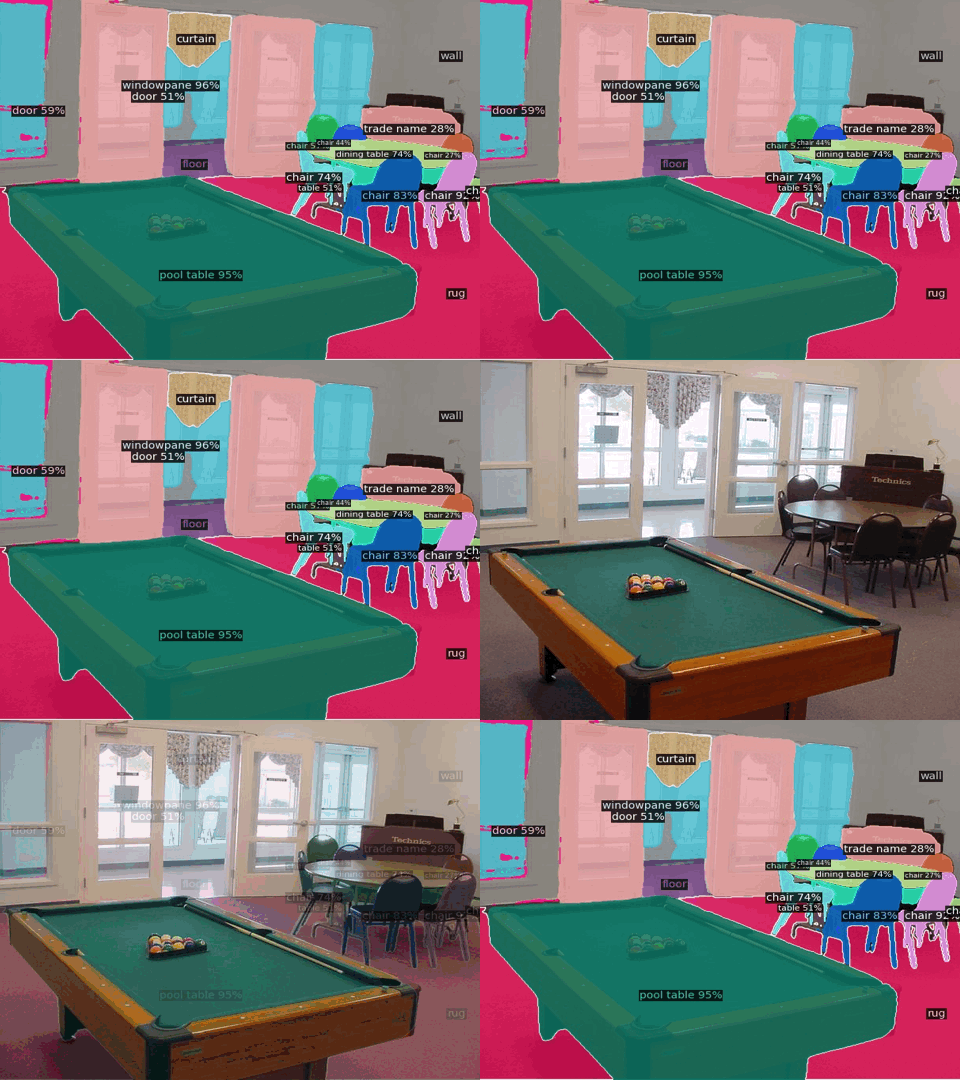
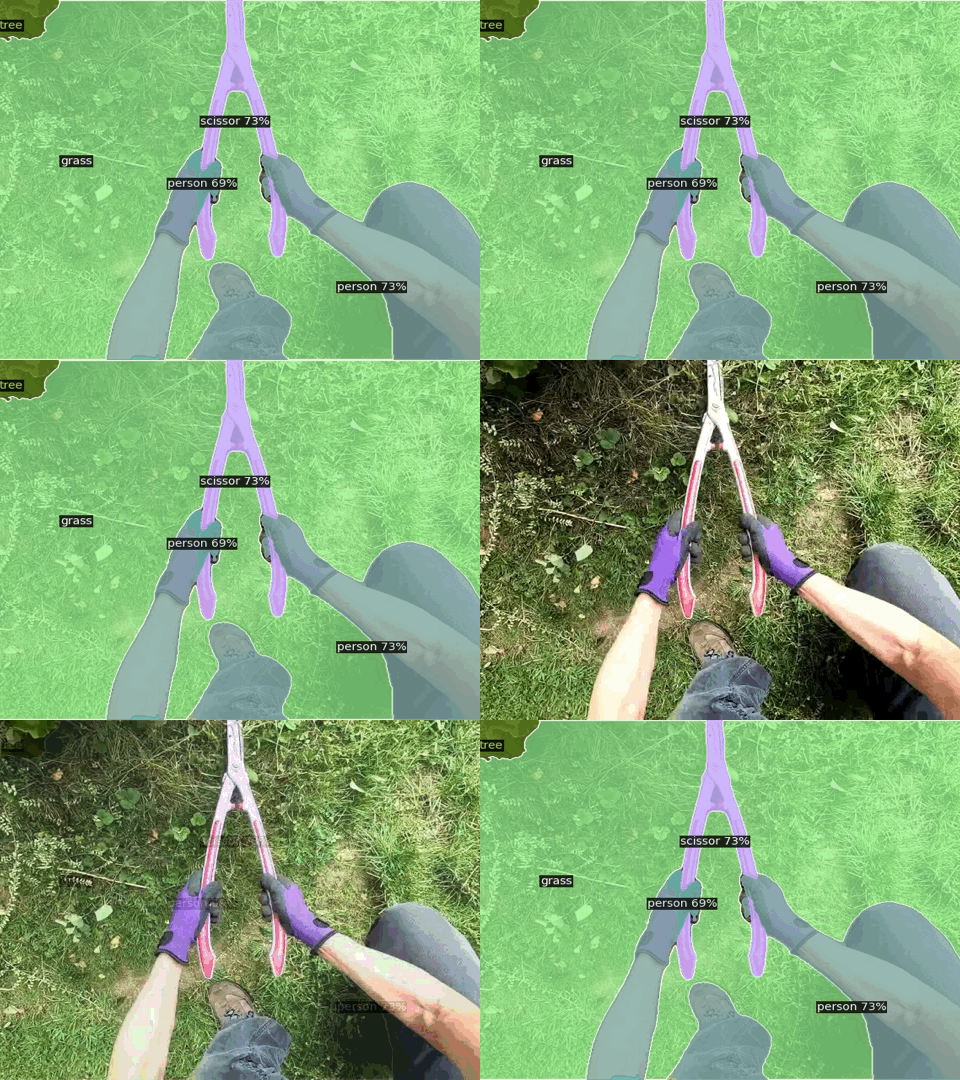
ODISE: Open-vocabulary DIffusion-based panoptic SEgmentation exploits pre-trained text-image diffusion and discriminative models to perform open-vocabulary panoptic segmentation. It leverages the frozen representation of both these models to perform panoptic segmentation of any category in the wild.
This repository is the official implementation of ODISE introduced in the paper:
Open-Vocabulary Panoptic Segmentation with Text-to-Image Diffusion Models Jiarui Xu, Sifei Liu*, Arash Vahdat*, Wonmin Byeon, Xiaolong Wang, Shalini De Mello CVPR 2023 Highlight. (*equal contribution)
For business inquiries, please visit our website and submit the form: NVIDIA Research Licensing.

Visual Results
Links
- Jiarui Xu's Project Page (with additional visual results)
- HuggingFace 🤗 Demo
- arXiv Page
Citation
If you find our work useful in your research, please cite:
@article{xu2023odise,
  title={{Open-Vocabulary Panoptic Segmentation with Text-to-Image Diffusion Models}},
  author={Xu, Jiarui and Liu, Sifei and Vahdat, Arash and Byeon, Wonmin and Wang, Xiaolong and De Mello, Shalini},
  journal={arXiv preprint arXiv:2303.04803},
  year={2023}
}
Environment Setup
Install dependencies by running:
conda create -n odise python=3.9
conda activate odise
conda install pytorch=1.13.1 torchvision=0.14.1 pytorch-cuda=11.6 -c pytorch -c nvidia
conda install -c "nvidia/label/cuda-11.6.1" libcusolver-dev
git clone [email protected]:NVlabs/ODISE.git
cd ODISE
pip install -e .
(Optional) install xformers for efficient transformer implementation: One could either install the pre-built version
pip install xformers==0.0.16
or build from latest source
# (Optional) Makes the build much faster
pip install ninja
# Set TORCH_CUDA_ARCH_LIST if running and building on different GPU types
pip install -v -U git+https://github.com/facebookresearch/xformers.git@main#egg=xformers
# (this can take dozens of minutes)
Model Zoo
We provide two pre-trained models for ODISE trained with label or caption
supervision on COCO's entire training set.
ODISE's pre-trained models are subject to the Creative Commons — Attribution-NonCommercial-ShareAlike 4.0 International — CC BY-NC-SA 4.0 License terms.
Each model contains 28.1M trainable parameters.
The download links for these models are provided in the table below.
When you run the demo/demo.py or inference script for the very first time, it will also automatically download ODISE's pre-trained model to your local folder $HOME/.torch/iopath_cache/NVlabs/ODISE/releases/download/v1.0.0/.
| ADE20K(A-150) | COCO | ADE20K-Full (A-847) |
Pascal Context 59 (PC-59) |
Pascal Context 459 (PC-459) |
Pascal VOC 21 (PAS-21) |
download | |||||
|---|---|---|---|---|---|---|---|---|---|---|---|
| PQ | mAP | mIoU | PQ | mAP | mIoU | mIoU | mIoU | mIoU | mIoU | ||
| ODISE (label) | 22.6 | 14.4 | 29.9 | 55.4 | 46.0 | 65.2 | 11.1 | 57.3 | 14.5 | 84.6 | checkpoint |
| ODISE (caption) | 23.4 | 13.9 | 28.7 | 45.6 | 38.4 | 52.4 | 11.0 | 55.3 | 13.8 | 82.7 | checkpoint |
Get Started
See Preparing Datasets for ODISE.
See Getting Started with ODISE for detailed instructions on training and inference with ODISE.
Demo
Integrated into Huggingface Spaces 🤗 using Gradio. Try out the web demo:
Run the demo on Google Colab:


Important Note: When you run the demo/demo.py script for the very first time, besides ODISE's pre-trained models, it will also automaticlaly download the pre-trained models for Stable Diffusion v1.3 and CLIP, from their original sources, to your local directories $HOME/.torch/ and $HOME/.cache/clip, respectively.
The pre-trained models for Stable Diffusion and CLIP are subject to their original license terms from Stable Diffusion and CLIP, respectively.
To run ODISE's demo from the command line:
python demo/demo.py --input demo/examples/coco.jpg --output demo/coco_pred.jpg --vocab "black pickup truck, pickup truck; blue sky, sky"The output is saved in
demo/coco_pred.jpg. For more detailed options fordemo/demo.pysee Getting Started with ODISE.To run the Gradio demo locally:
python demo/app.py
Acknowledgement
Code is largely based on Detectron2, Stable Diffusion, Mask2Former, OpenCLIP and GLIDE.
Thank you, all, for the great open-source projects!
関連プロジェクトを探す
tensorflow/tensorflow
すべての人のためのオープンソース機械学習フレームワーク
201,594 スターhuggingface/transformers
🤗 Transformers:テキスト、ビジョン、音声、マルチモーダルの最先端機械学習モデル向けモデル定義フレームワークで、推論と学習の両方に対応します。
168,962 スターAUTOMATIC1111/stable-diffusion-webui
Stable Diffusion の Web UI
165,312 スターComfy-Org/ComfyUI
グラフとノードによるインターフェースを備えた、最も強力でモジュール性の高い拡散モデル向け GUI、API、バックエンド。世界最速のローカル推論エンジン。
146,757 スター